
Boty Discord
Four production bots running our brands' servers. Ticketing with team pings, welcoming new members, email verification and role hygiene - all tailored to a specific server. They take load off support and keep the community tidy without manual work.
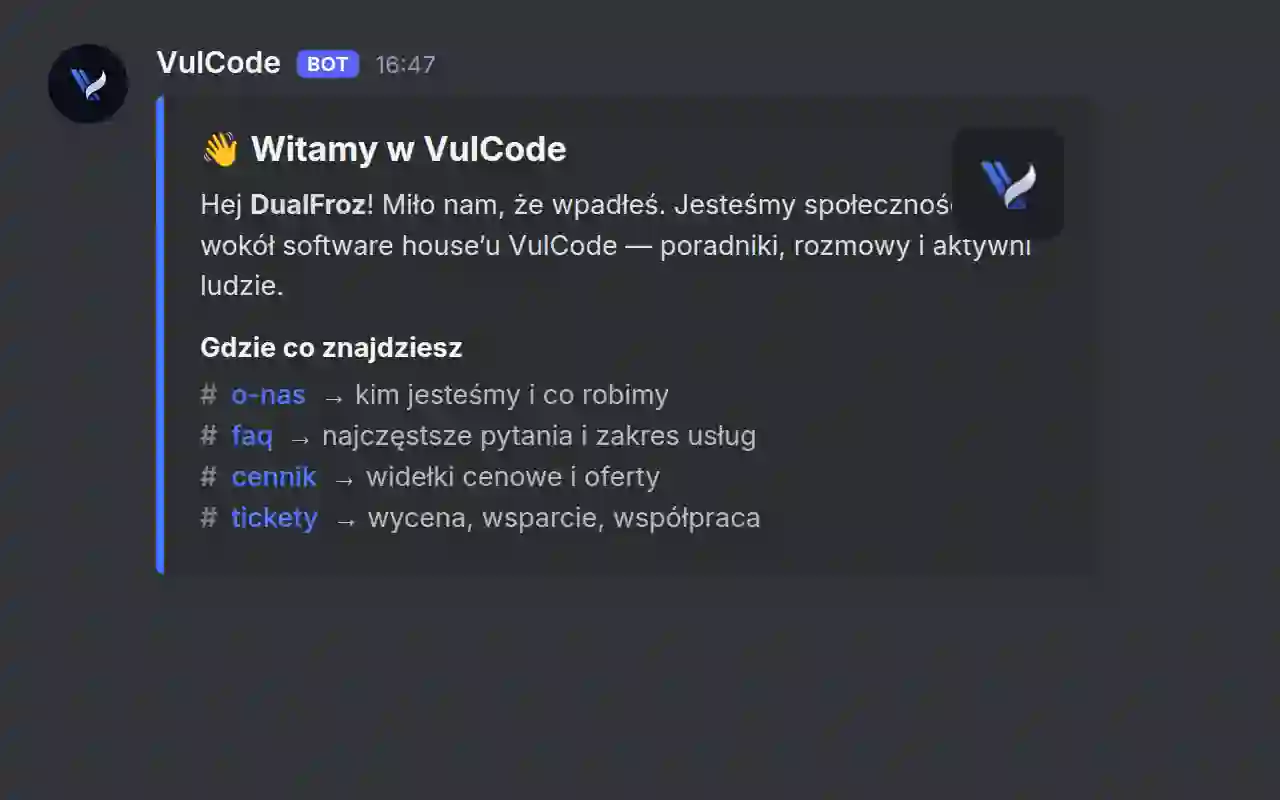
Four production bots, each tailored to a specific server: ticketing with a ping to the right team, welcomes and onboarding, email verification on join, role hygiene. They all stand on one core and a cog architecture, so every server takes only the features it genuinely needs. A new feature is a new cog, not another if in a monolith.
Overview
Our brands' communities live on Discord, not on a website. That is where a new client lands, where they open a ticket, where they wait for the role that grants access to the right channels. At a few hundred members, handling tickets, welcomes and roles by hand simply stops holding together - someone has to be there, watching and clicking, and that does not scale with the number of people.
Instead of writing one universal bot to do everything, we built one core and a set of modules from which each bot is assembled separately. Four servers, four roles, four configurations - but one place where the logic lives. This case study is about why that split paid off more than a monolith that would have been convenient at the start.
Why not one bot for everything
It is tempting to write one bot that does all the work across every server. The trouble is that each server has slightly different needs: a different team to ping on a ticket, a different join path for a new member, different roles and a different verification threshold. A universal bot meant to handle them all slowly turns into a christmas tree of flags nobody wants to touch, because it is unclear what else depends on any of them.
The second trap is shared state. One process serving four servers at once is a single point of failure - a bug in the ticket logic can take down welcomes on an entirely different server. And the more unused code a server carries, the harder it is to safely change anything in it.
One core, many cogs
We went the other way: one core with modules, which in the Discord ecosystem are called cogs, and each bot is a set of enabled cogs. The ticket server takes the ticket cog; a server that does not need it simply does not turn it on.
Monolith versus a core with cogs
| Aspect | One bot for everything | A core with cogs |
|---|---|---|
| A new feature | another if inside | a new, isolated cog |
| A server without a feature | carries its code anyway | just does not enable it |
| One module failing | risk to the whole | contained to the cog |
| A logic fix | hunting inside a monolith | one place, everywhere the cog is on |
Four bots, four roles
In practice the ecosystem is four separate bots, each doing one thing well. The ticket bot opens ticket threads and pings the right team so a report does not get stuck in a void. The welcome bot walks a new member through their first steps. The verify bot confirms an email address on join. The roles bot keeps role hygiene and assigns them automatically.
This split is not cosmetic. Each bot has its own permission scope and its own state, so one failing does not drag down the rest, and a change in one does not require thinking about the other three. Only the core is shared - how a cog attaches to a bot, how it reads config and how it talks to the API.
Four bots, four roles
| Bot | What it does | Key cog |
|---|---|---|
| Tickets | opens ticket threads and pings the right team | tickets |
| Welcome | onboarding and first steps for a new member | welcome |
| Verify | confirms an email address on join | mailcheck |
| Roles | automatic assignment and role hygiene | roles |
What a cog looks like
A cog is a self-contained unit: its own commands, its own listeners, its own state. You attach it to the bot in one line and detach it the same way. There is no global tangle - the ticket cog knows nothing about the roles cog and does not need to. Below is a slice of verification: a new member gets a pending role and a prompt to confirm their address before they see the rest of the server.
Names like on_member_join or add_roles are dictated by the Discord API and stay as they are - the rest of the identifiers follow our own convention. This is the boundary where you follow the library, not your own style, and the only place where two naming conventions mix.
Email verification on join is not decoration. The cheapest defense against a wave of fake accounts is a threshold that mass-registering bots must clear - confirming a real address filters out most of them before they even see the channels. The pending role holds a new member at the door until they confirm.
What is left on the maintenance side
The biggest gain is not visible on the server but in how these bots are maintained. A fix in the ticket logic lands in one place and reaches everywhere that cog is enabled - you do not rewrite it four times and forget one server. No server carries code it does not use, so its configuration is exactly as complex as its real needs.
Adding a fifth server does not mean writing a fifth bot from scratch. You assemble it from what already exists: take the cogs that fit, set the configuration, and that is it. That is the difference between four separate projects and one ecosystem that grows by adding modules, not by multiplying code.
More projects
More work from the same category - see how we tackle similar challenges.

Have a similar project?
Get in touch - a quote is free and comes back within an hour.