Will you connect a system that is not listed?
IntegrationsYes, as long as it has an API, a data export or webhooks. The list shows what people ask for most, not everything we can connect.
Quotes, payments, the contract, the process, the warranty, maintenance, security and technology in one place. Every topic leads to the page with the details.
The questions from a first message, with the answers you get from us in a conversation.
How do we start?

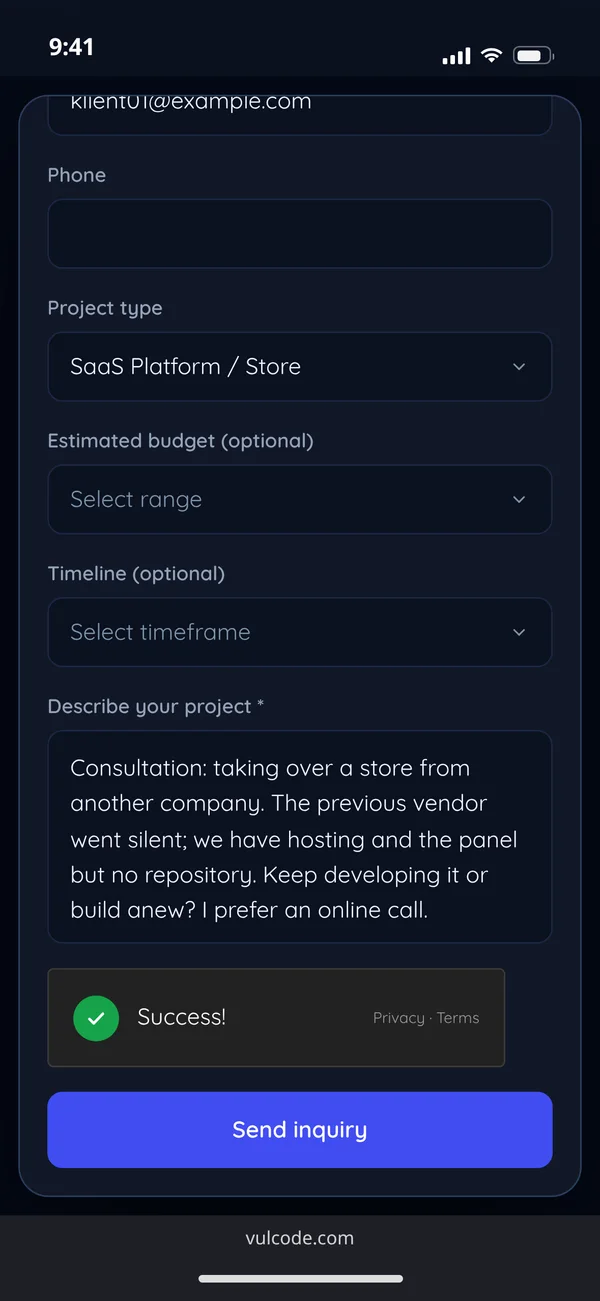
Write through the form or on Discord and describe the project in a few sentences. We reply within an hour, with questions or straight away with a free quote.
I have no specification. Is that a problem?
No. Most clients come with an idea. On a call we agree the scope and priorities, then write them down in a document that becomes the basis of the quote.
What should I prepare before we talk?
Nothing is required. It helps to know the goal, examples of sites or apps you like, a rough budget and a date. A design and content are not needed to start.
Do you take small projects?
Yes, from a single page, bot or plugin to a full system. If someone else would do your project better, we say so plainly before you get a quote.
I have a finished design in Figma. Will you build it?
Yes. We build a finished design directly, which usually shortens the time and lowers the cost. We can also work within your existing design system.
I have no design. What then?
We design together with Aphrodi, a design and branding agency: the wireframes and the clickable prototype are made jointly, the visual design at Aphrodi and the code with us. Contact with you stays with us.
We have our own contract template. Will you sign it?
Often, yes. Send the template before the quote and we will tell you which clauses need discussing.
Every service has a starting price on our pricing page. We calculate the figure for your project from a written scope, and the quote is free.
Every service has a starting price: a landing page from PLN 799, a company website from PLN 1,499, an online store from PLN 2,499 and a mobile app from PLN 7,999. The prices of all our services are on our pricing page. Two projects with the same name can differ in scope several times over, so we calculate the figure for your project from its own scope.
No. The quote is free and commits you to nothing.
We reply to your message within an hour, with questions or straight away with a quote. For a bigger project we set up a 30 to 60 minute call and write the scope down.
No. A few sentences about what you want to build and for whom are enough. We ask about whatever changes the price.
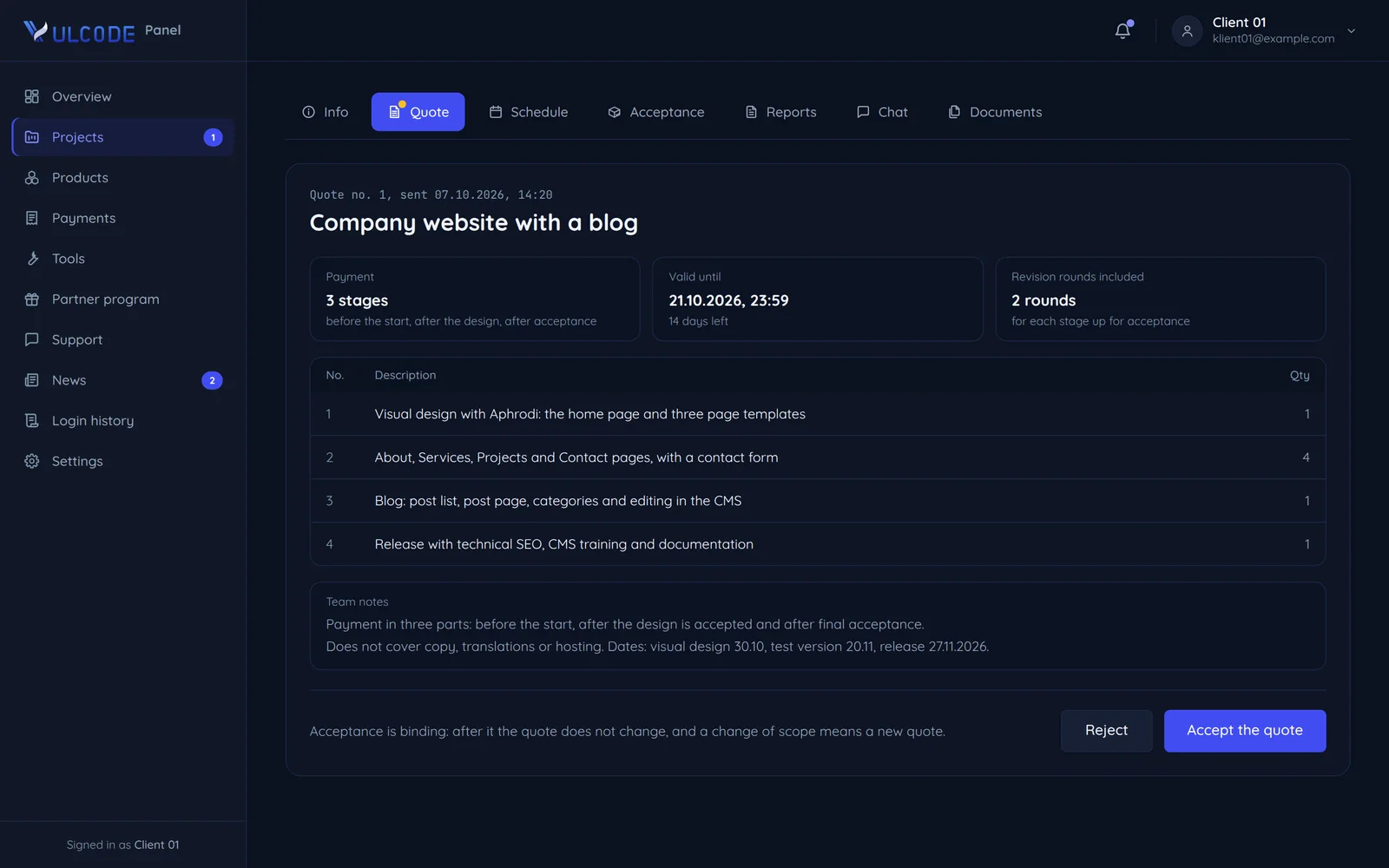
The amount for the written scope or the rate on time and materials, the pages, features and integrations named one by one, what the quote does not cover, the date of every stage and of the whole, and the payment stages.
What you do not see on the screen: the number of unique screens and pages, integrations with payments, KSeF or other systems, and roles and permissions. The design, content, the number of languages and the date weigh less, although a very short date changes the price too.
Bring a finished design and texts, start with a smaller scope and plan the rest in later stages. Where they are enough, we use ready-made add-ons.
Only when the scope changes, and only with your written consent. The amount in the quote holds for the scope written into it.
Hosting with monitoring, maintenance and development after the warranty, and paid third-party services such as AI models. We name them before the start, and the project price covers the test version, the release with documentation and the warranty.
A fixed price, time and materials or a subscription: we match the model to the project and write it into the order before the start. Examples are on the Billing models page.
| Fixed pricefor a written scope | Time and materialsfor the time worked | Subscriptionevery month | |
|---|---|---|---|
| When do you suggest which model? | Fixed priceThe scope can be writtenWhen all of it can be described before the start. That is how we work most often. | Time and materialsThe scope changesWhen the next features depend on the first users. | SubscriptionThe project already runsWhen it needs steady care: updates, backups and small changes every month. |
| How is the amount set? | Fixed priceOne amount for the written features, set in the order together with the date. | Time and materialsThe rate from the order, and the total follows the time we actually work. | SubscriptionA monthly fee and the scope of care set before the start, quoted for the project. |
| How do I know what I pay for? | Fixed priceYou check the finished work on the test version before acceptance. | Time and materialsA weekly summary: tasks with their time, what is in progress, decisions to make and the plan for next week. | SubscriptionA regular summary of what was done and how long it took. |
| What if I want to add something? | Fixed priceA change joins the scope once confirmed in writing, with a new amount and date (clause 3.3 of the terms). | Time and materialsYou change direction without an amendment and reorder the plan for next week as you like. | SubscriptionSmall changes are in the scope of care with no separate quote, new features are quoted before they start. |
| Can I change the model along the way? | Fixed price, Time and materials, SubscriptionYes, with both sides' consent, and every change goes into the order. Often the first stage runs on a fixed price and further development on time and materials or a subscription. | ||
With a fixed price you choose one of two schedules and we write it into the order. Neither has you pay for everything up front.
With a fixed price you choose one of two schedules: a 50% advance before the start and 50% after final acceptance, or three equal parts: an advance before the start, a payment after a stage is accepted and the final payment after final acceptance. Your choice goes into the order.
No. Apart from the advance, you pay for stages you have accepted on the test version.
Then the first schedule of the terms applies: a 50% advance before the start and 50% after final acceptance (clause 5.2).
When the project has stages, you can choose three equal parts: an advance before the start, a payment after a stage is accepted and the final payment after final acceptance. If you prefer, half and half stays, with the rest after final acceptance.
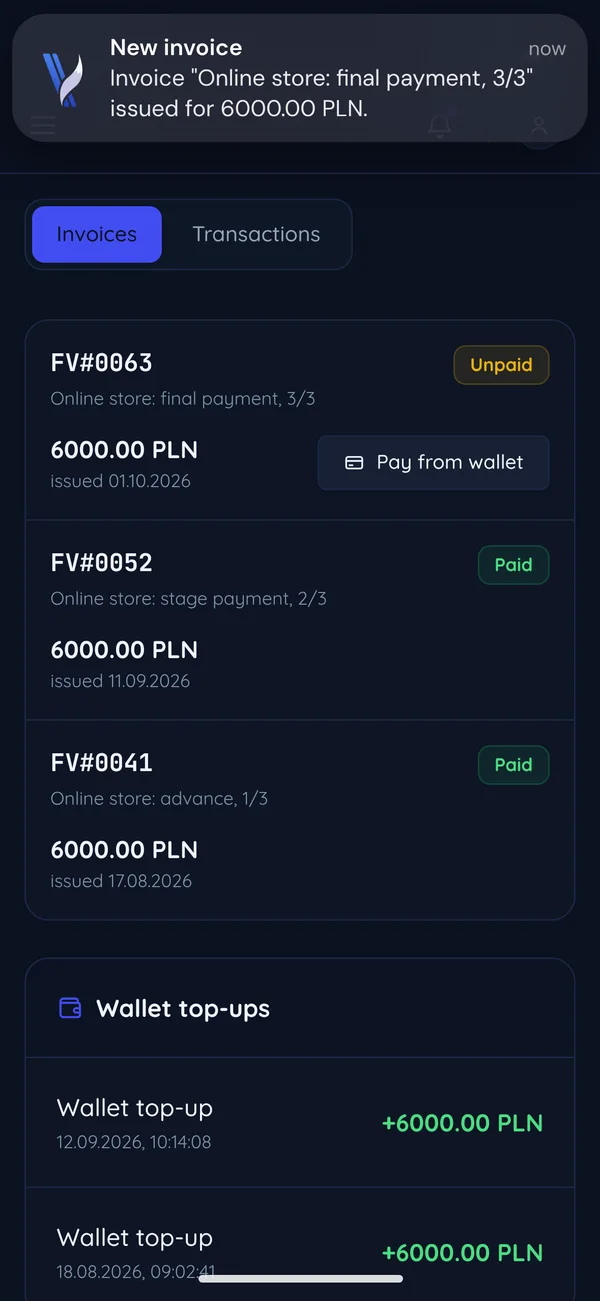
On the date agreed in the order, usually at every stage of the schedule. You see the invoices and their status in the client panel and pay them from the wallet with one button.
An overdue invoice can pause the work or the access to what we have already delivered (clause 5.3 of the terms). The work resumes once the overdue invoice is paid.
The advance and the fee for the work done so far stay with us (clause 5.4 of the terms). The details are in the order.
Every project has an order with its scope, amount and dates, and once it is paid in full the code is yours.
After final acceptance and payment of the full fee. Then the full economic rights to the code, graphics and materials made for you pass to you (clause 6.1 of the terms).
Yes. We hand it over in a private Git repository with its whole history or in an archive, with no licence locks and no dependence on our infrastructure.
Yes. The code does not depend on our infrastructure, and the setup docs let another team take it over.
When we confirm the order in writing, electronically included, or when you pay the advance (clause 3.1 of the terms). The model, the amount and the payment schedule are in the order by then.
Libraries and frameworks keep their own licences (clause 6.3 of the terms). Nobody comes to own them, and you use them under those licences.
Our liability for an order is capped at what you paid for it (clause 8.2). You are responsible for the content, data and materials you give us (clause 8.3).
We do not publish one, as every order is written for a specific project. You see the scope and terms in the quote before you confirm anything.
We announce significant changes at least 14 days ahead (clause 19.1). The scope, dates and amount of your project are written in the order.
From the first call to the code handover: what happens, when you see it and what is on your side.
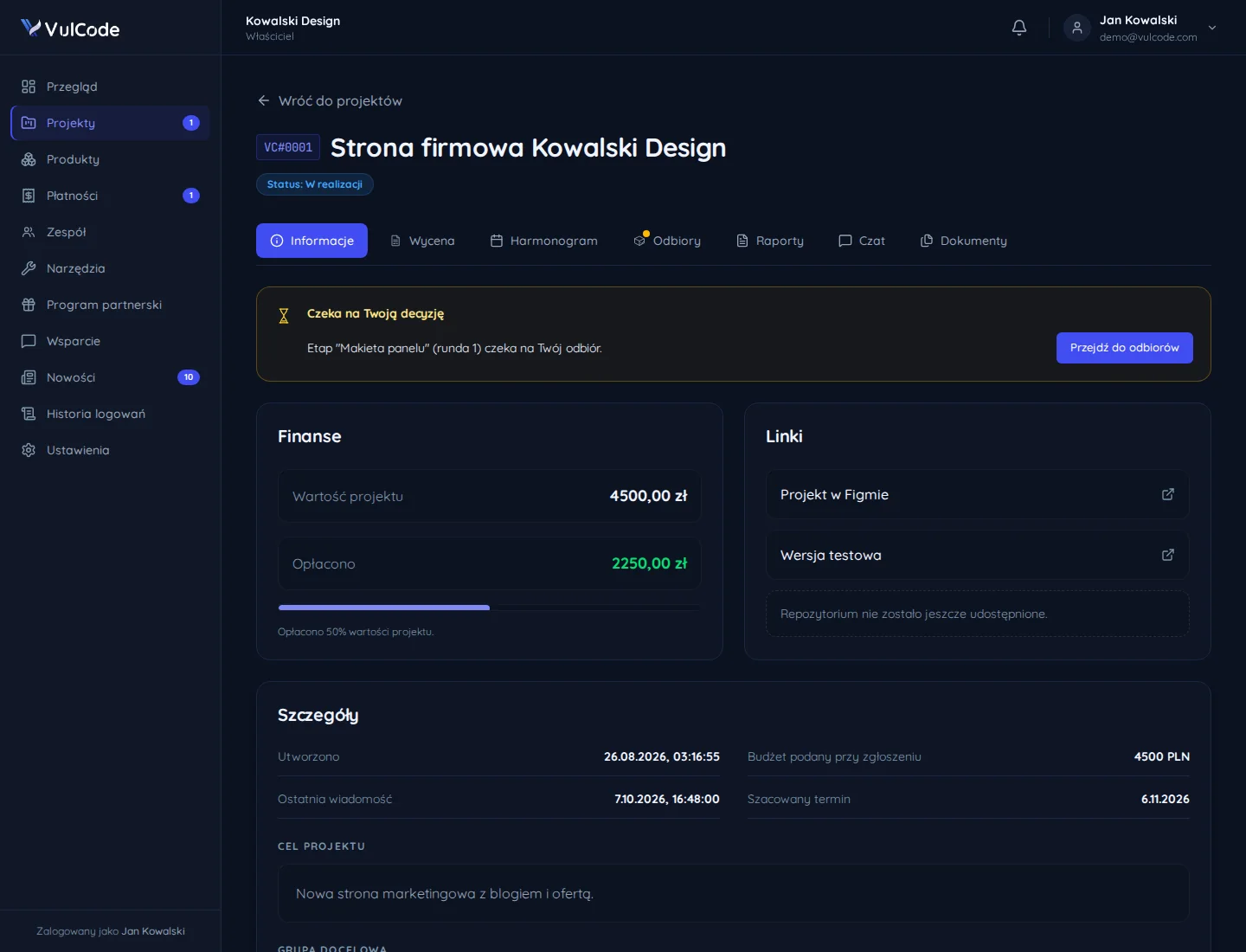
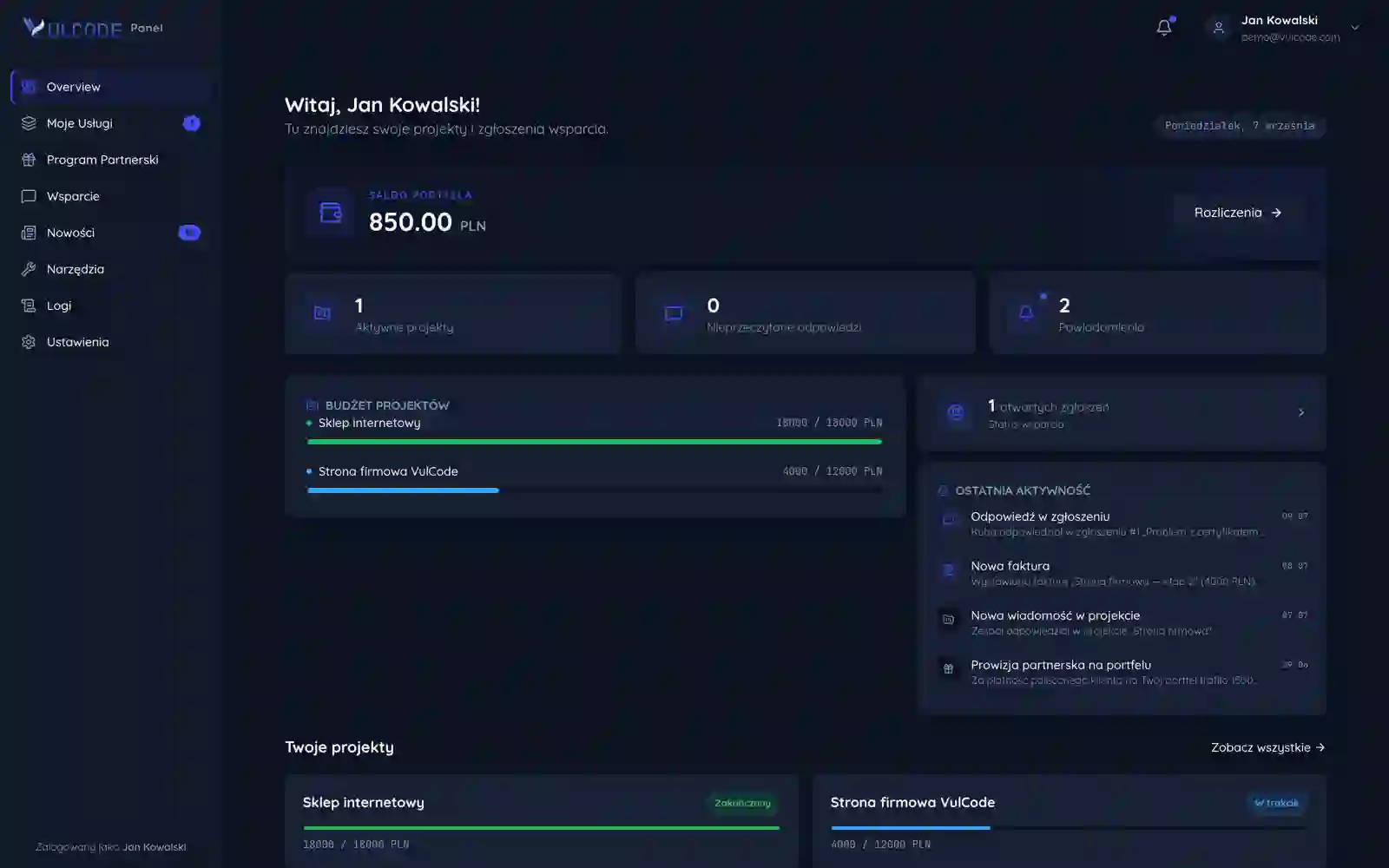
Seven steps: first contact and a quote, onboarding in the client panel, an interface prototype, building the software, testing with a buffer for fixes, release with the code handover and support after launch. Every project goes through them, from a one-off website to a subscription product. From the signed contract on, the project has its own card in the client panel: the status, the value and the part paid, links to the Figma design and the test version, and the goal agreed at the start. When a stage is waiting for your sign-off, the card says so at the very top and takes you straight to it. The How we work page covers every step.
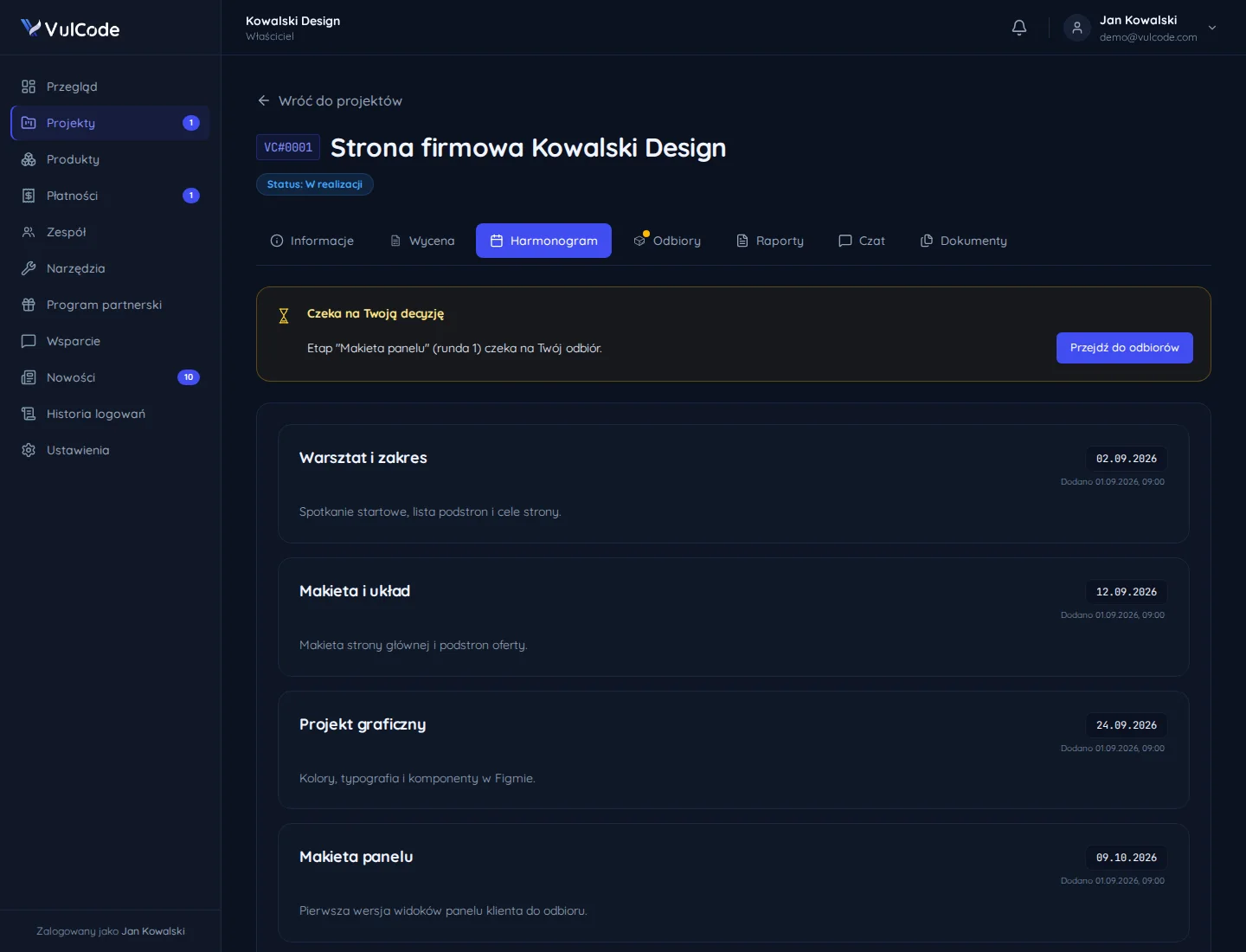
From a few days for a simple site to a few months for a complex app. The date of every stage and of the whole is in the quote, together with the price and the list of what it covers, and for a bigger project we settle it on a call before the quote. You then see the schedule in the client panel: every stage has a name, a date and a short description, such as the workshop and scope, the wireframe, the visual design or the first panel views. Both sides look at the same dates, so nobody has to ask by email when the next part is due.
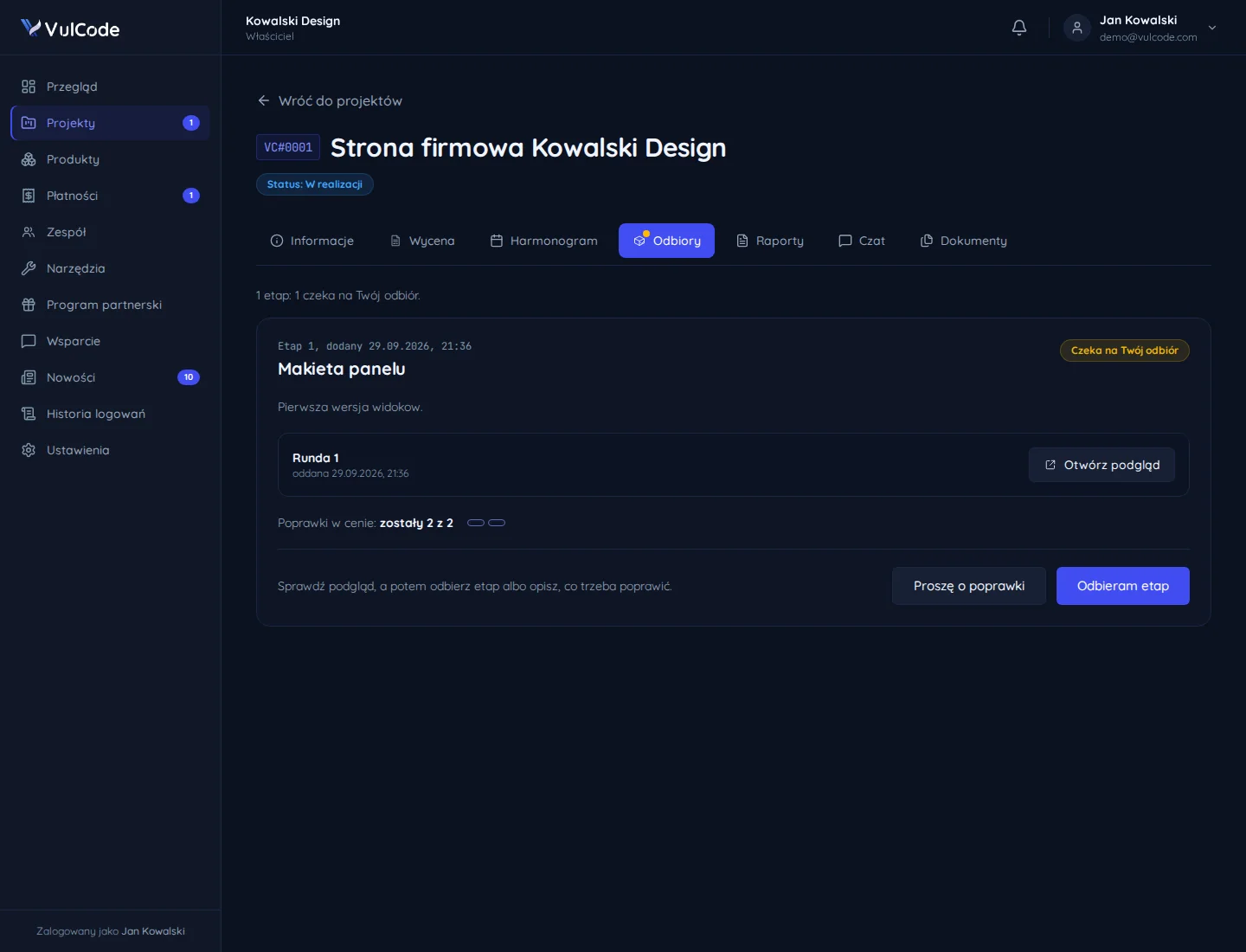
A test version runs from the first days of the project, at a separate address. You check every stage on it before it reaches production, and once a week you get a summary: what was done, what is next and which decisions are needed. Even before any code you see wireframes of the key screens, because changing the layout then costs hours, not weeks of rewriting. A delivered stage waits in the panel for your sign-off, with a preview and the number of revision rounds left in the price: you accept it with one button or describe what needs fixing.
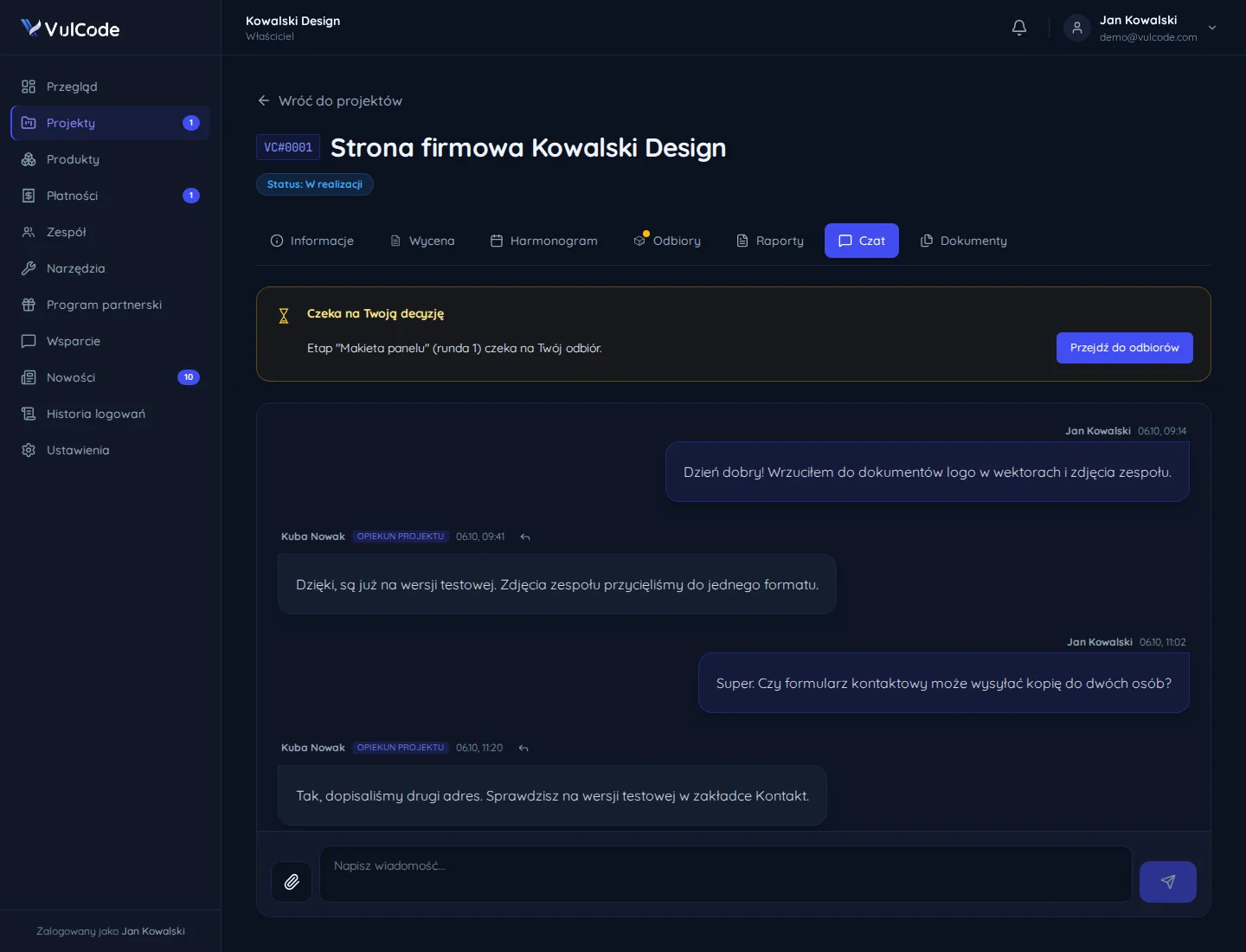
Goals, content and materials delivered on time, decisions and acceptance of each stage, and access to the accounts held by your company. When materials arrive later, the date moves by that delay (clause 4.2 of the terms). You drop materials into the project documents, and questions and decisions go through the panel chat, where the project lead replies and tells you when a change is already on the test version. You do not have to write a specification yourself: tell us what should be built and for whom, and we ask about the rest.
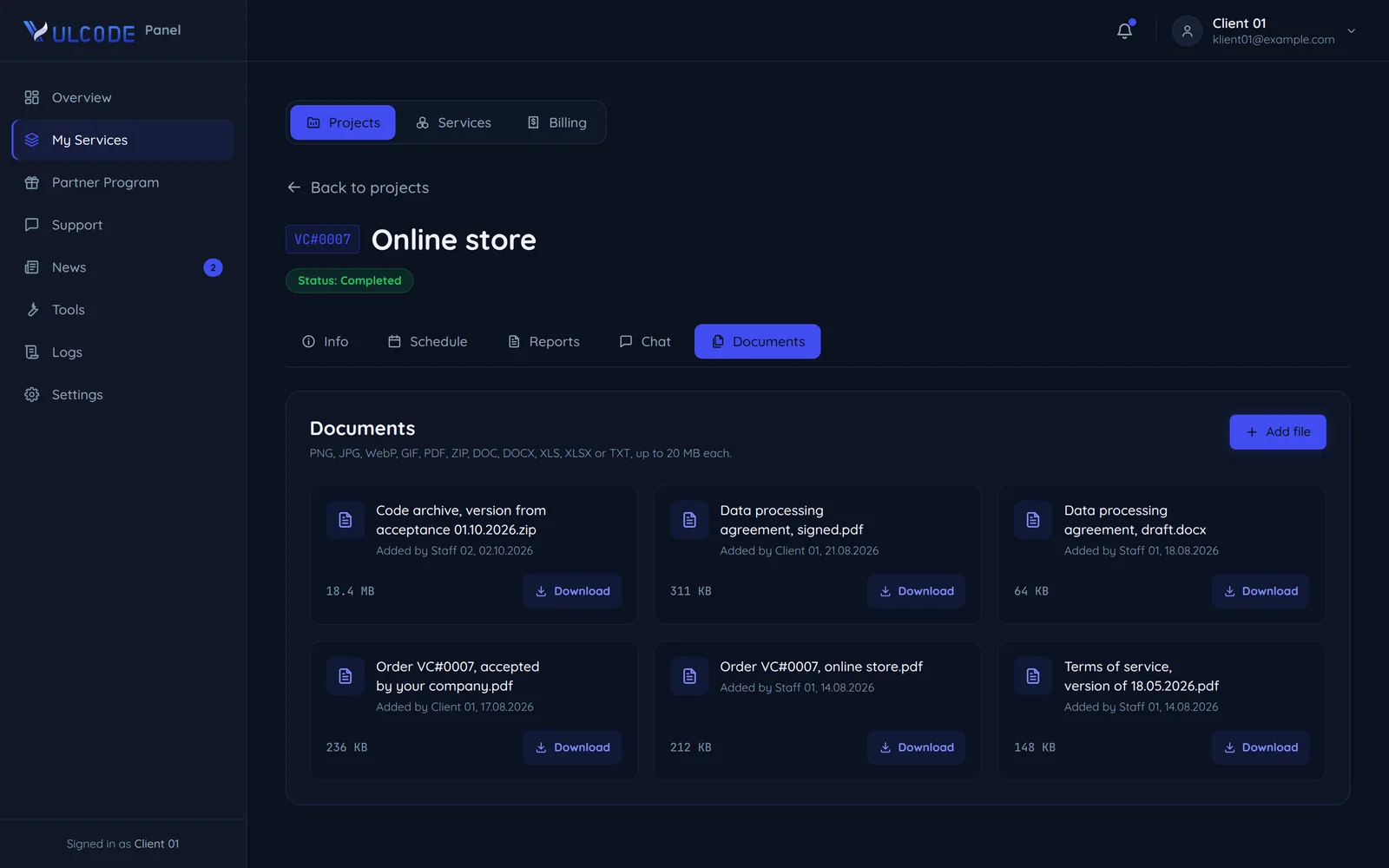
Yes. That is normal, because only a working version shows things a sketch does not. First we agree together whether it is a fix within the scope or new scope, and write that down before we start on it. Both sides confirm new scope in writing together with the new amount and date (clause 3.3 of the terms), and the confirmed change goes into the project's documents in the panel. It sits there next to the order and the dated version of the terms, each file showing who added it and when.
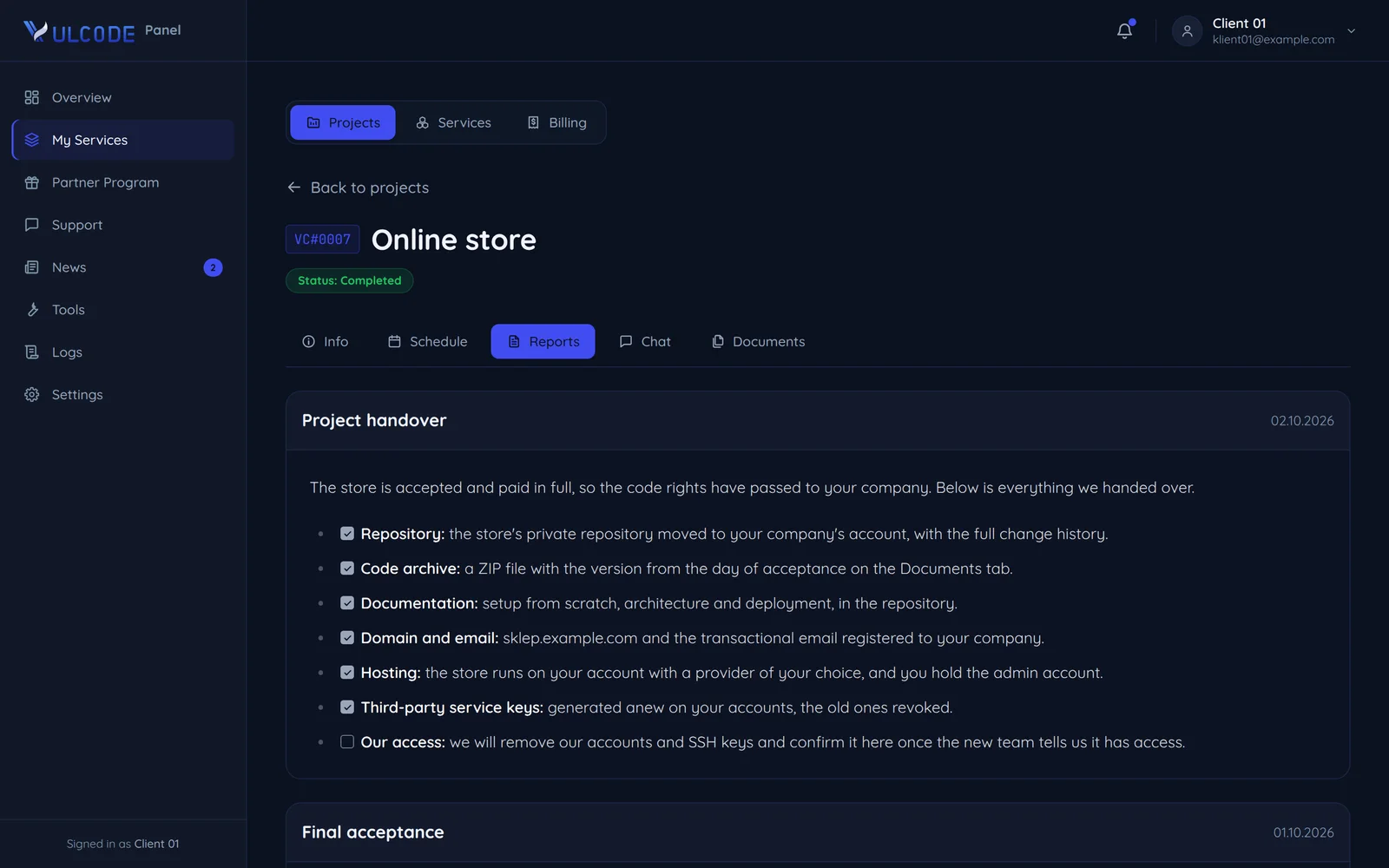
A working project in production with monitoring, the repository with its history, docs on running and deploying it, and accounts held by your company. We walk your team through the project on a call. The panel keeps a handover report with every item ticked: the repository moved to your company's account, a code archive from the day of acceptance, the documentation, the domain, the hosting and third-party keys generated anew on your accounts. Once the project is paid in full, the economic rights to the code pass to your company, and we remove our own access and confirm it in the same report.
A team of specialists with no needless middlemen: you discuss the project with the people who build it.
Michał Fox here, the founder of VulCode. I promise you will not discuss your project through middlemen: a question about a feature, a date or a bug goes straight to the person who runs your project.
With the person who runs your project. We have no middlemen, so a question about a feature, a date or a bug goes straight to them.
Not about the project. You discuss the scope, the quote and the solutions directly with the person who then runs your project.
On a project channel on Discord or Slack, with a weekly progress summary. When something needs a quick decision, we set up a short video call.
Within an hour to a first message. On the project channel we reply as things come up, and urgent matters after launch go through the client panel.
Polish or English: on the project channel, on video and in person.
We say so before the quote. Part of the work can go to a subcontractor, which the terms allow (clause 4.3), while responsibility for the whole and contact with you stay with us.
One free account for everything we do together: the schedule, reports, documents, chat, invoices and tickets.
In the Projects tab you fill in a form: the name, the goal, the audience, a rough budget and a date. We prepare the quote and send it in the project chat.
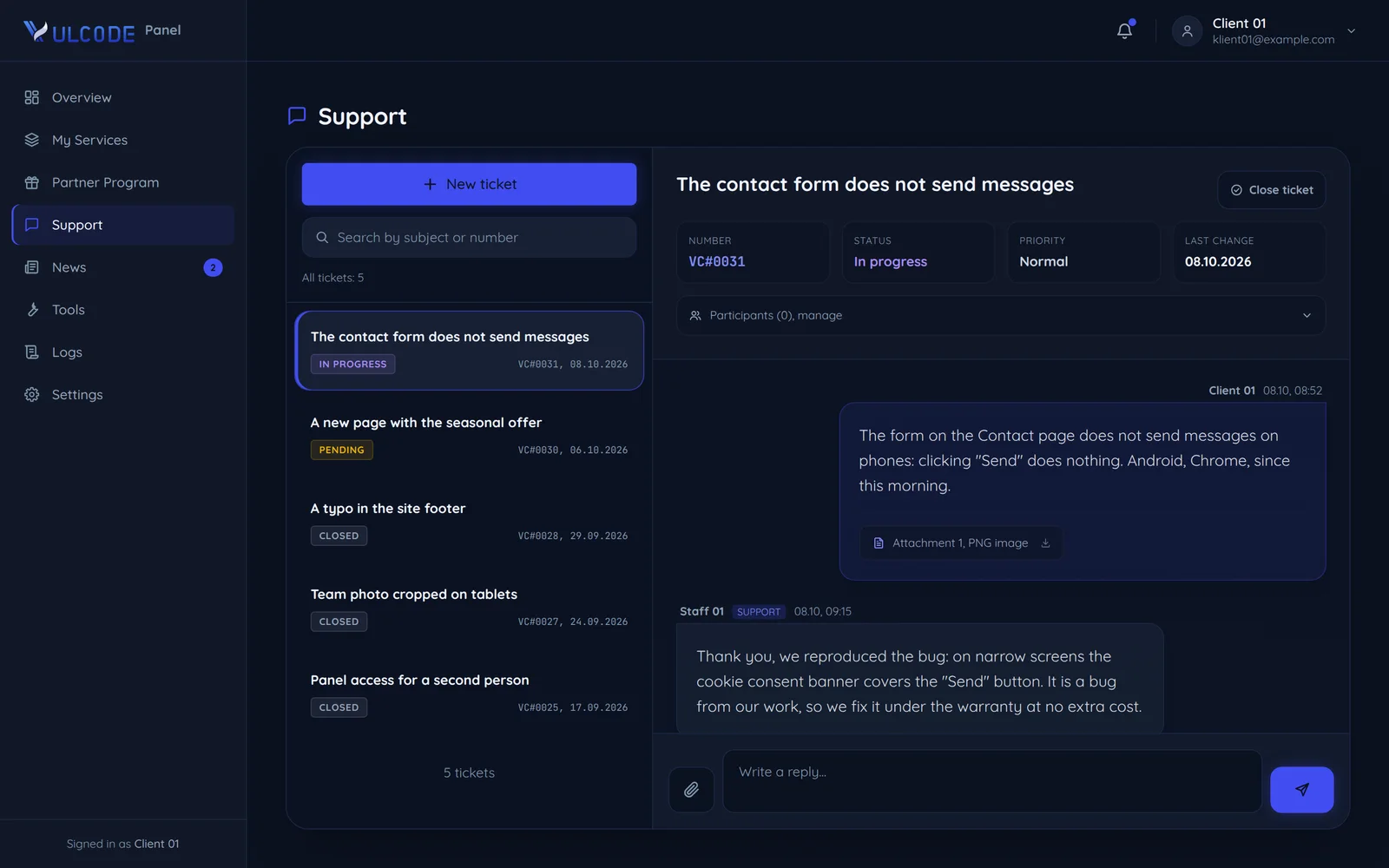
In the Support section: the subject, the project, the priority, a description and files such as a screenshot, up to 20 MB each. An urgent matter can also go to the project channel.
In the project window: the Schedule shows the stages with their dates, and Reports the work reports, each dated. The overview also shows how much of each project's budget is paid.
From the first screen after you sign in: a quote to approve or a stage to accept stands at the top of the overview, with a way straight into the project.
In the Payments tab: invoices with their number, amount and status, the payment history and the wallet balance. You pay an invoice from the wallet with one button.
Yes. You install the panel like an app on a phone and a computer, and switch e-mail, Discord and push notifications on separately for each category.
We fix bugs from our work free of charge for the period written into the order, counted from final acceptance.
The period for your project goes into the order.
We write the period into the order and count it from final acceptance. As standard it is 90 days, 30 days for very small orders and 180 or 365 days for larger projects.
Nothing. Fixes of bugs from our work are in the project price and are not quoted separately.
Fixing bugs that come from our work (clause 7.2 of the terms). It does not cover functional changes, bugs after someone else changed the code, or problems on the hosting and infrastructure side.
No. New features and changes go under a maintenance plan or a separate order, quoted before they start.
No. Bugs after you or another team changed the code are outside the warranty. We can fix them after a separate quote.
We provide technical support for a fee under a separate agreement or within a maintenance plan (clause 7.3 of the terms).
What happens after launch: monitoring, hosting, updates and how you report problems.
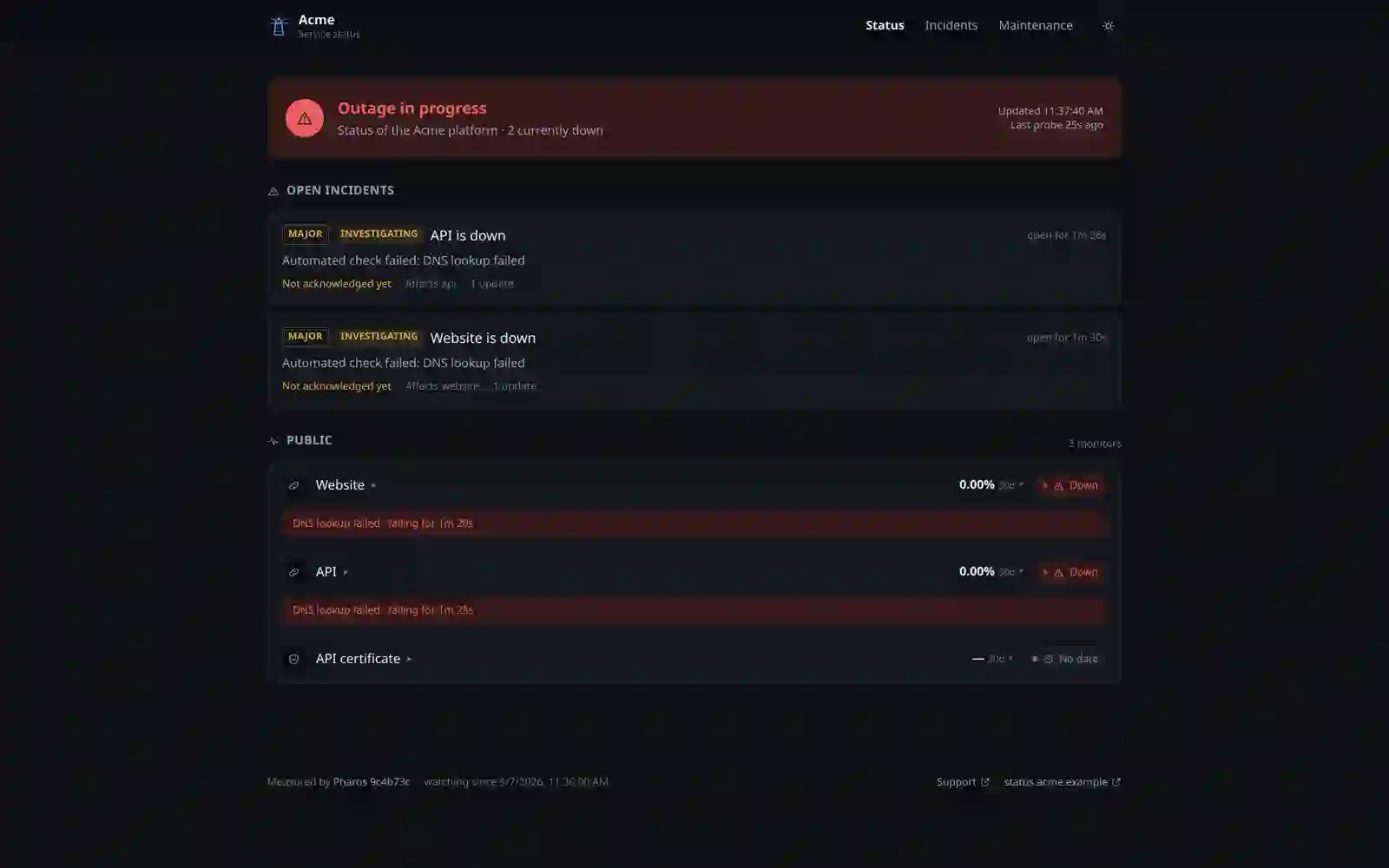
From our Pharos monitor, not from your customers. Pharos checks the site every 30 seconds and the SSL certificate every hour, and it watches that the nightly backup has run. The alarm goes off when the site returns an error instead of its content or takes longer than 5 seconds to answer, and a backup that sends no signal for 26 hours counts as an outage too. The state of every monitor and the open incidents show on the status page, and uptime is counted honestly: time without a check is unknown, not up.
We restore service first, then look for the cause. Pharos opens a message with a thread on Discord, which we acknowledge and follow through, even from a phone, and the cause decides whether the fix falls under the warranty, the maintenance plan or a separate quote. On the status page an incident carries its severity, its state and whether anyone has acknowledged it yet, so it is clear the team is on it. A bug from our own work is fixed at no extra cost for the warranty period written into the order (clause 7.2 of the terms), and for other cases we say how we treat them once we have assessed the report.
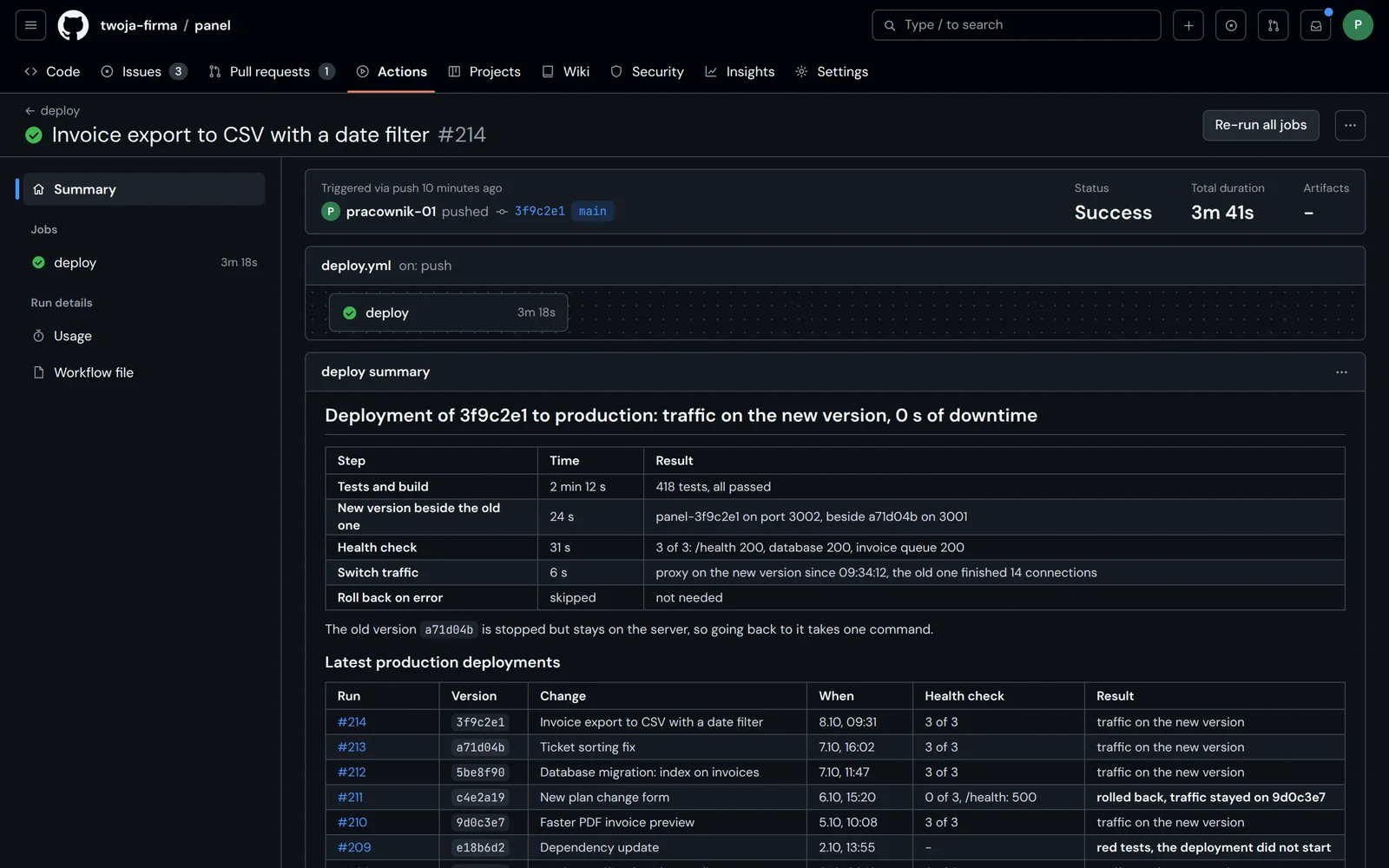
A release starts by itself once we approve the changes, and a failed test stops the whole run. The new version starts next to the running one, gets traffic only after a successful check, and an error along the way brings back the previous version. The summary of every release lists the steps with their time and result: tests and build, starting the new version, the health check, switching traffic and the rollback if one was needed. The old version stays on the server, so going back to it takes one command, and the history of recent releases shows which went through, which fell back to the previous version and which red tests stopped.
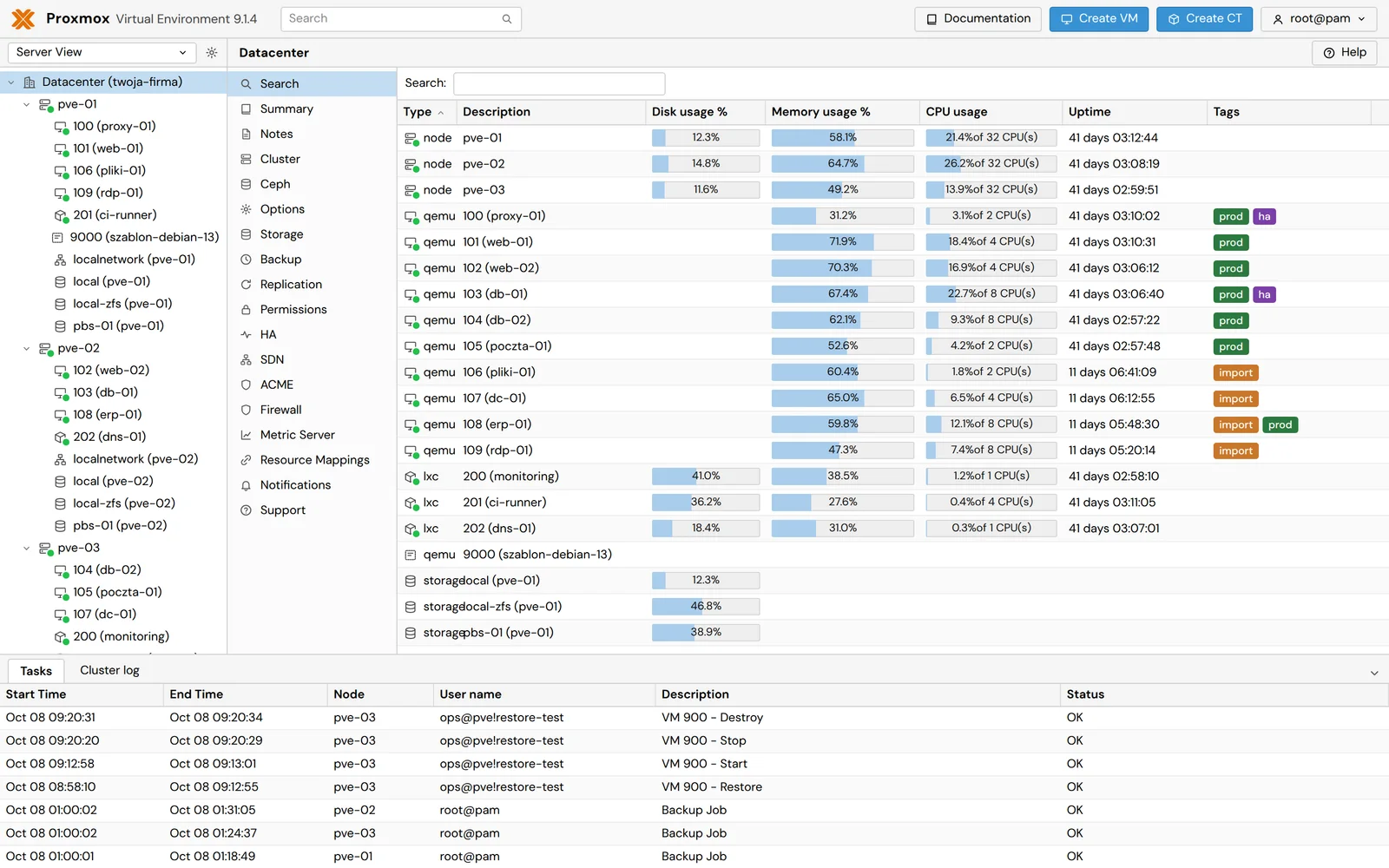
Hosting with monitoring, library updates with security fixes, regular backups checked to restore, and small changes without a separate quote for each. The restore test runs on the server as a task of its own: the backup is restored, started and removed, and every step stays in the task log next to the nightly backups. We tailor the plan to the project and quote it individually, because it depends on the traffic, the number of services and how many changes you plan. Hosting with monitoring is added separately, depending on the project.
No. We can host the project on our infrastructure under a subscription or deploy it to your own account, for example on AWS, GCP or Vercel, and hand over full access. The monitoring works the same either way. With hosting on our side the server, domain, SSL certificate and monitoring are on us, and the hosting cost is billed separately, depending on the project. Hosting on your side makes sense when you already have an account with a provider or your own servers, or when your IT team needs the data to stay with you, and we can prepare the servers, Proxmox VE included, as part of DevOps.
We assess whether it is warranty, the maintenance plan or a new feature, and tell you straight away. The fix goes to the test version first and, after your sign-off, live. You open the ticket in the client panel where we ran the project, and an urgent matter can also go to the project channel on Discord or Slack. Every ticket has a number, a status, a priority and the whole conversation with attachments, and after the release it stays in the panel's history.
How we protect your idea, access and data: before the first call, during the project and after it.
Yes. If the project is confidential, we sign a non-disclosure agreement before we discuss the details. Confidentiality also binds both sides during the project (clause 9.1 of the terms).
Only if you do not reserve confidentiality (clause 6.2 of the terms). One sentence in the order is enough to keep it out.
In a private Git repository, not in files sent by e-mail. Every change is reviewed and runs on the test version first.
Best create a separate account for us with permissions only for what we do, and add our SSH key to the server. When the work is done, you remove the account or one line with the key.
Not in the same message as the login. On a project you pass it through a ticket in the client panel, and when the work is done you change the passwords you gave us.
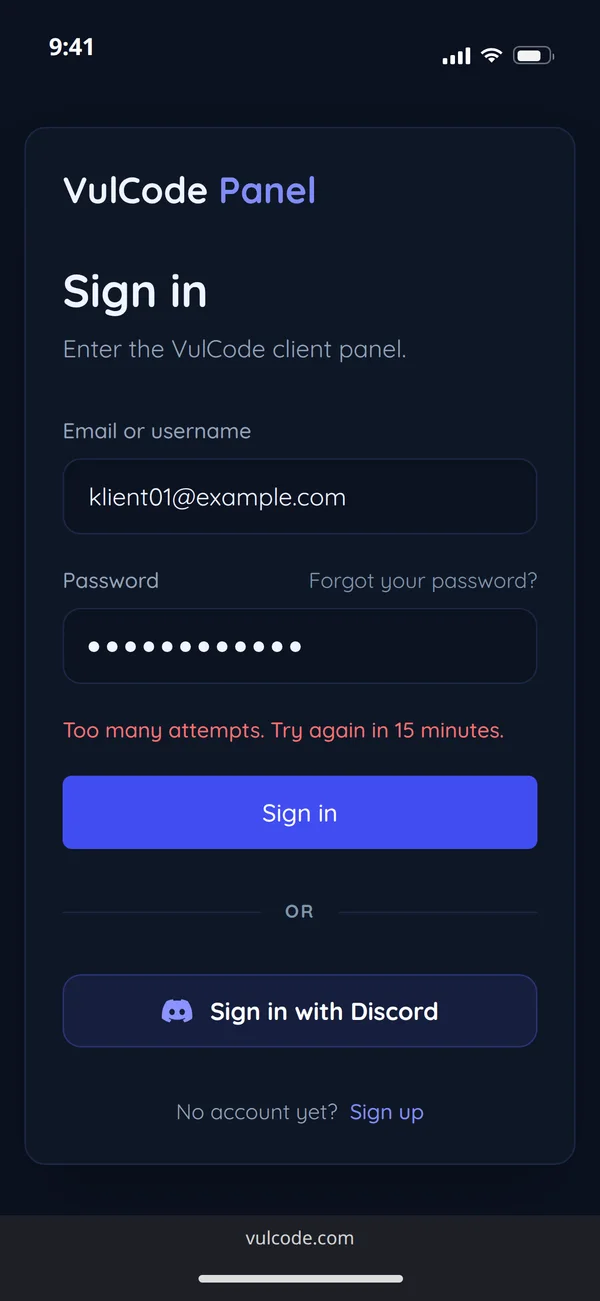
Passwords are stored only as hashes, and the minimum length is 8 characters. After 30 failed attempts in 15 minutes, sign-in from that address is blocked, and a session expires after 7 days.
No. The site sets not a single cookie and does not use Google Analytics. Our own system counts the statistics, with IP addresses anonymised.
Up to 12 months from the last contact. Client data for an order is kept for the term of the contract and 5 years after it ends. The details are on the GDPR page.
Questions about a project that already runs: after another team, for an audit, a migration, better search results or accessibility.
We match the technology to the task, not the task to the technology. We write everything below in our own repositories every day.
Websites, panels and stores in TypeScript and React with prerendering, back ends in Node.js, and where it makes sense Rust, Go, Python, PHP, C# and native Kotlin and Swift. The full list is on the Technology page.
Yes, if it is prerendered. This site generates ready HTML for every page at build time, so a search engine gets the content without running scripts.
We can, if it is the best choice for your case. More often we suggest something written for the purpose, because with custom features WordPress soon reaches its limits. We advise honestly before you get a quote.
Yes. The types stay in the repository with the tests and pass to you along with the rights to the code.
We check the code first. If the technology is outside what we work in every day, we say so before the quote, not in the middle of the work.
The first weeks can be slower than in TypeScript, but a whole class of bugs does not pass compilation, so less time goes into fixes after launch. That is why we pick it for cores, not for every site.
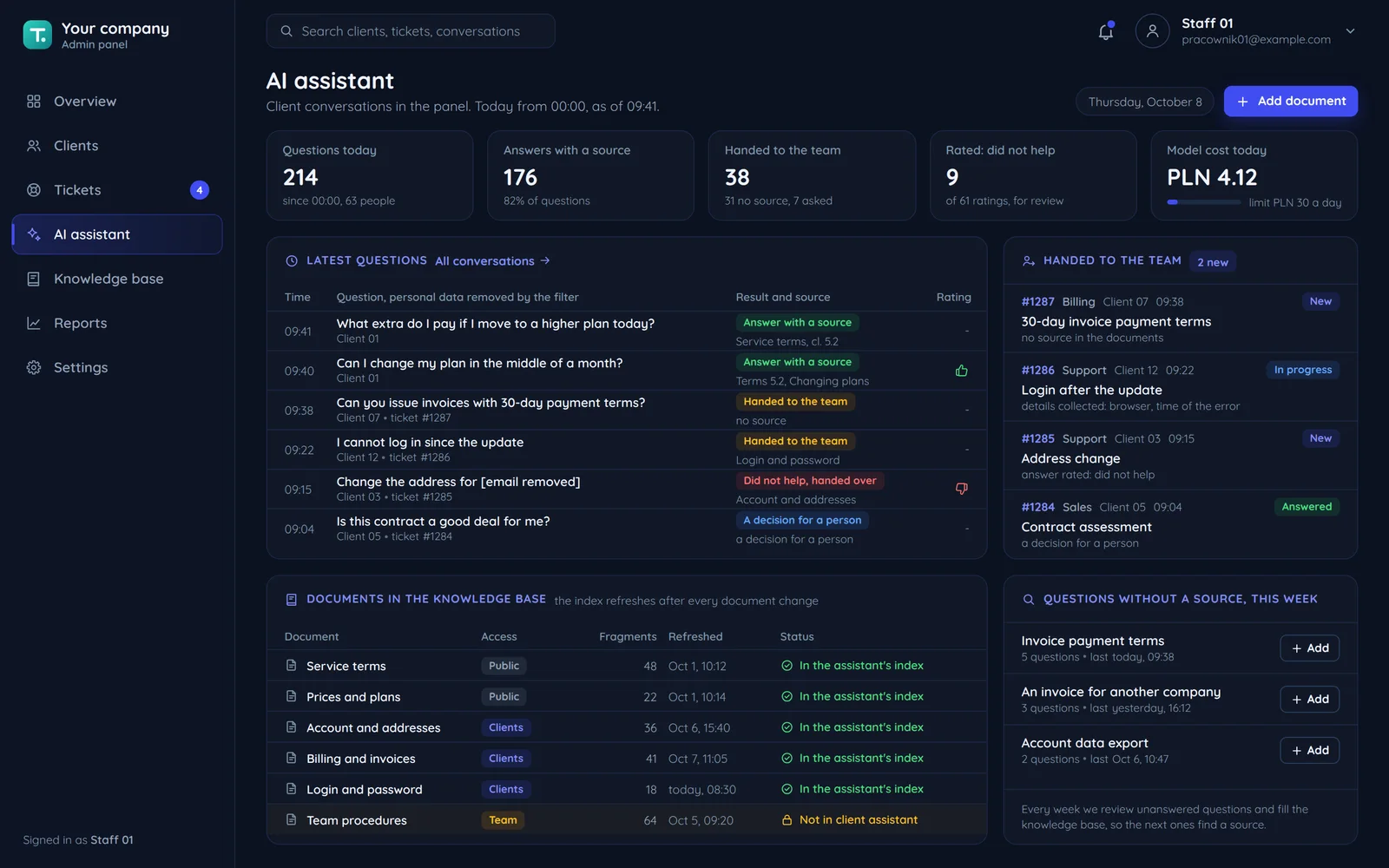
An assistant that answers from your documents, gives its source and hands the conversation to a person when it does not know.
From your documents: terms, guides and the knowledge base. A search finds the fragments that fit the question best, and the model builds the answer from them only, with a link to the source.
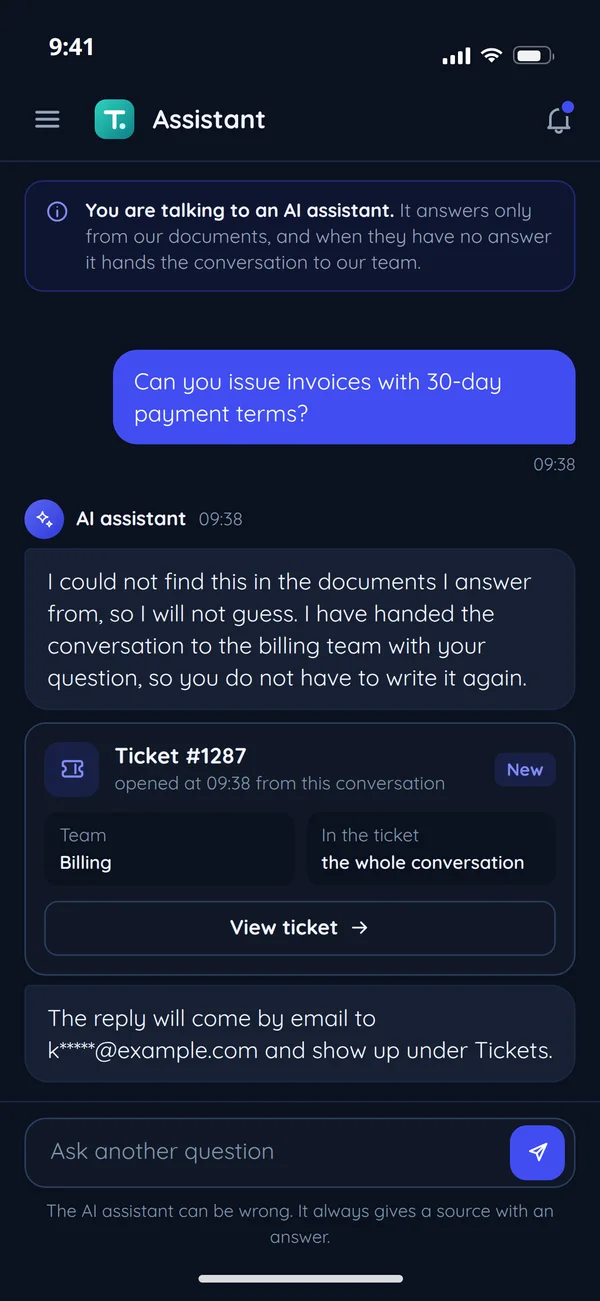
It says plainly that it does not know and hands the conversation to your team as a ticket with all of it, so the customer does not have to write again.
Yes. The chat window says so from the first message, next to a button to talk to a person. Article 50 of the AI Act, which applies from 2 August 2026, requires it.
The question and the fragments needed for the answer reach it, with personal data removed. If that is too much, the model can run on your server.
Every conversation stays in the log with the question, the sources used and the answer. We review questions without a source and badly rated answers, and fill the gaps in the knowledge base.
It depends on the number of conversations, answer length and the chosen model. We work it out before launch on the provider's current price list and set limits.
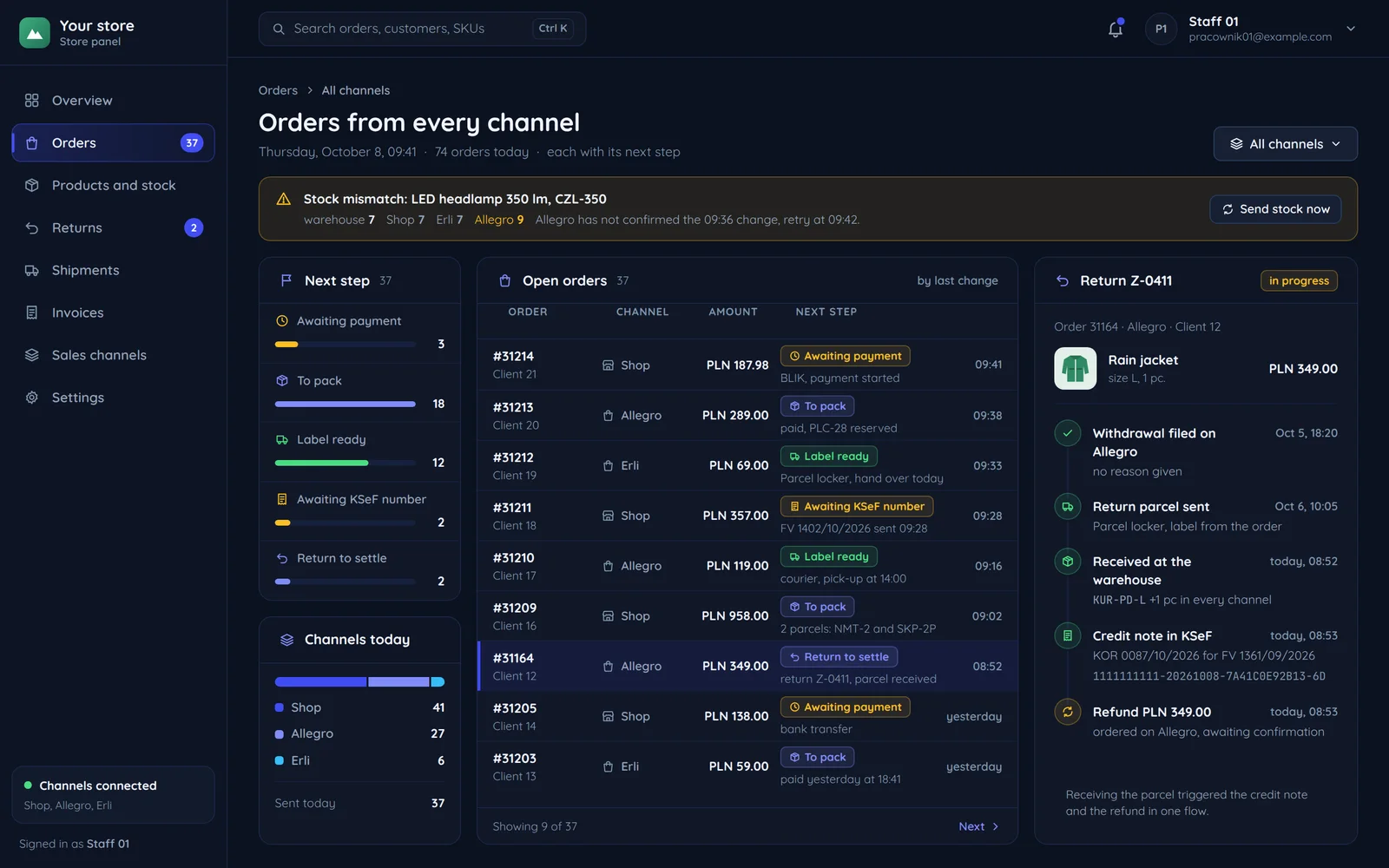
We connect your store, ERP, payments, couriers and messengers, and turn repetitive work into flows that run by themselves.
Yes, as long as it has an API, a data export or webhooks. The list shows what people ask for most, not everything we can connect.
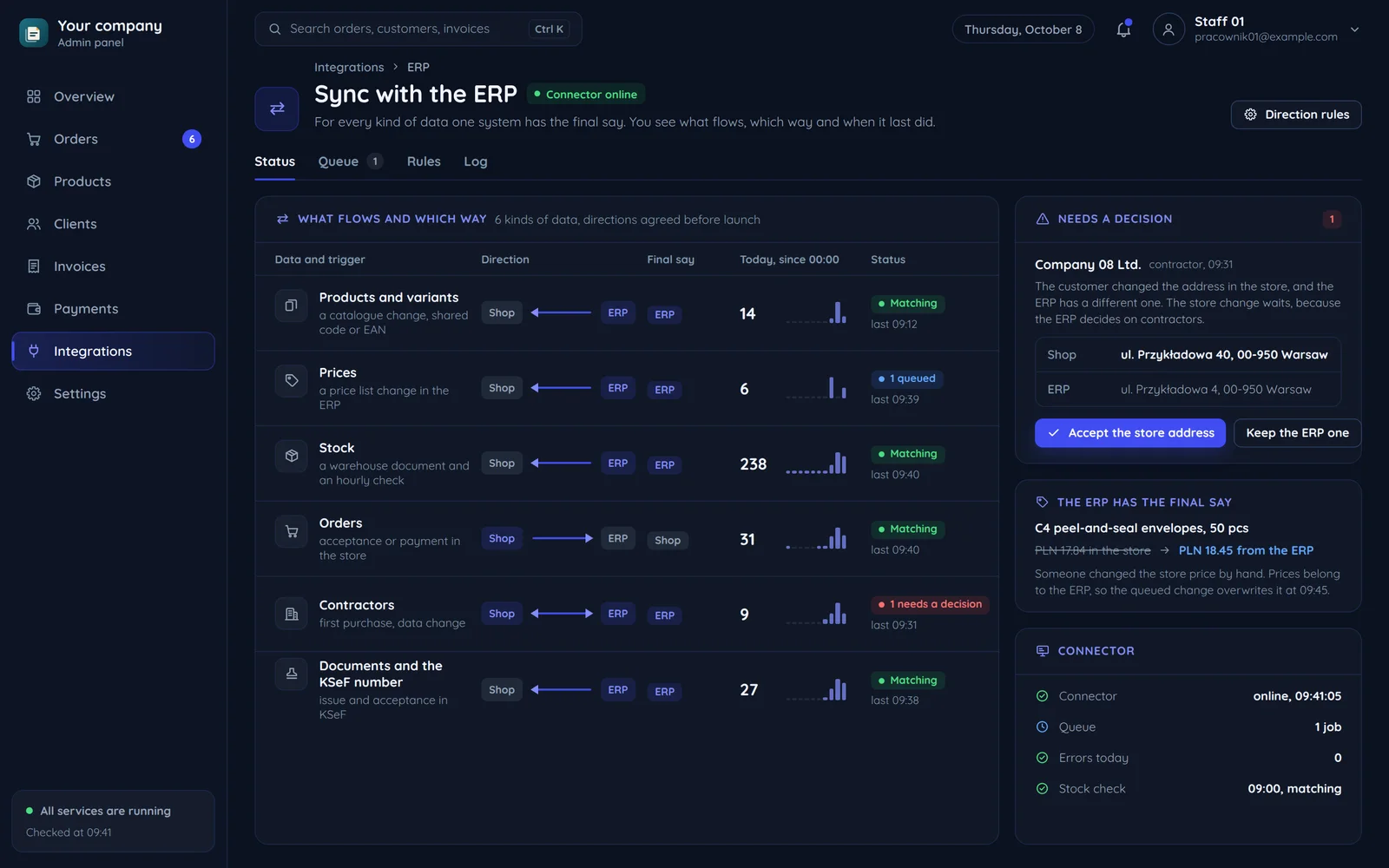
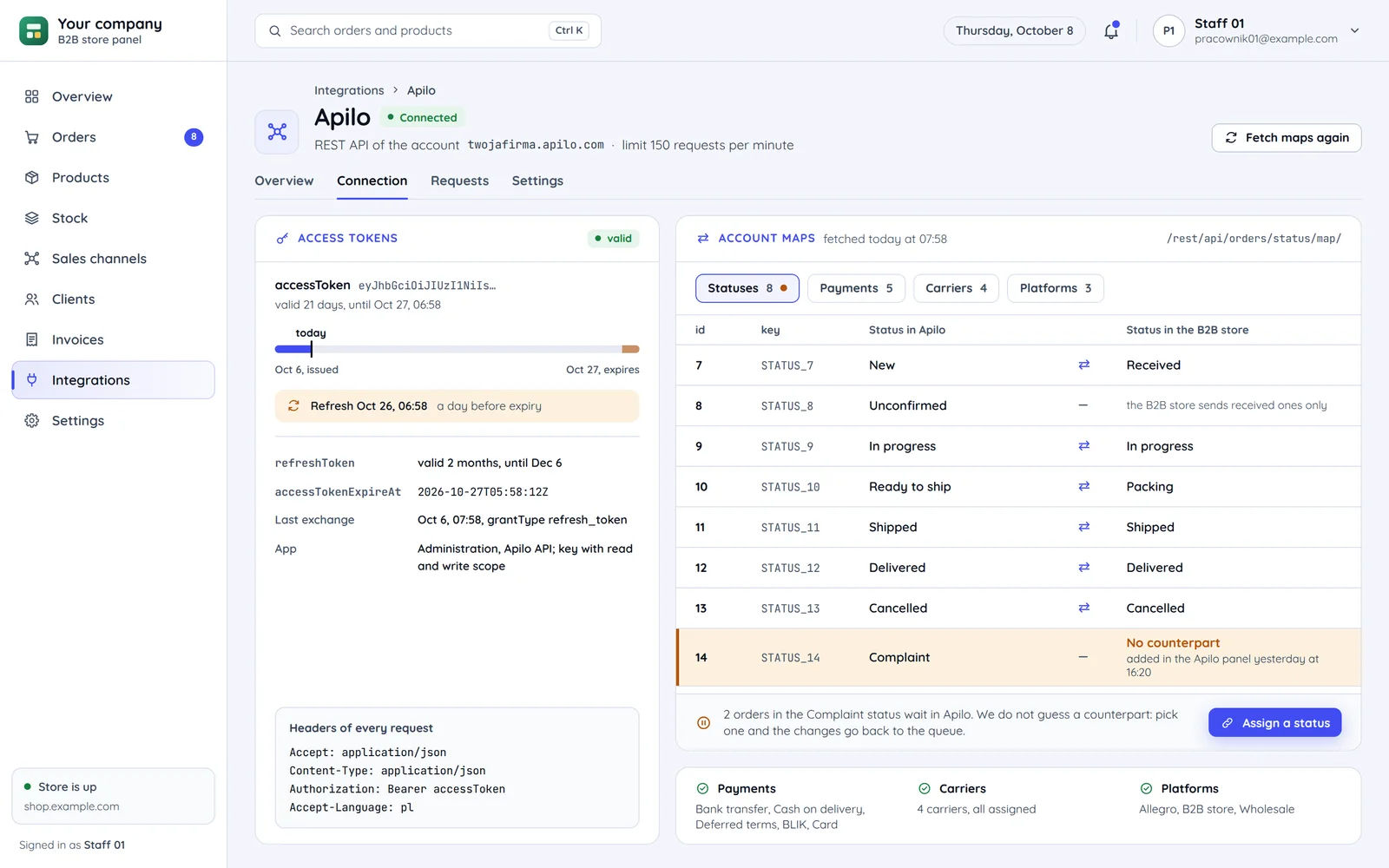
We start by checking what your store or system runs on and what access it offers. When something is missing, we write that part on your side, so you do not have to change platforms.
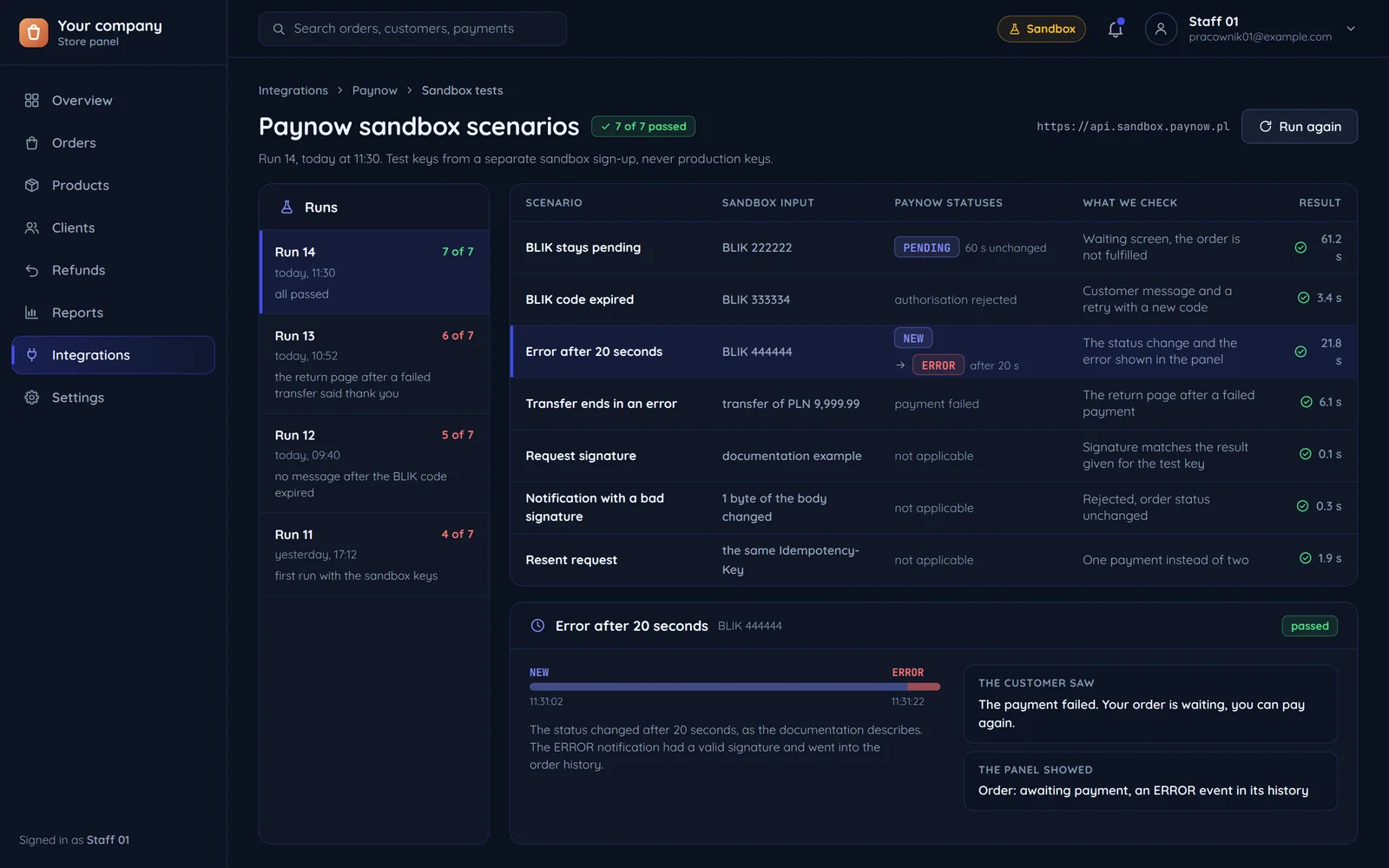
On the provider's test environment or on a copy of your system. We run real scenarios, including errors, cancellations and returns, and only then switch the integration on in production.
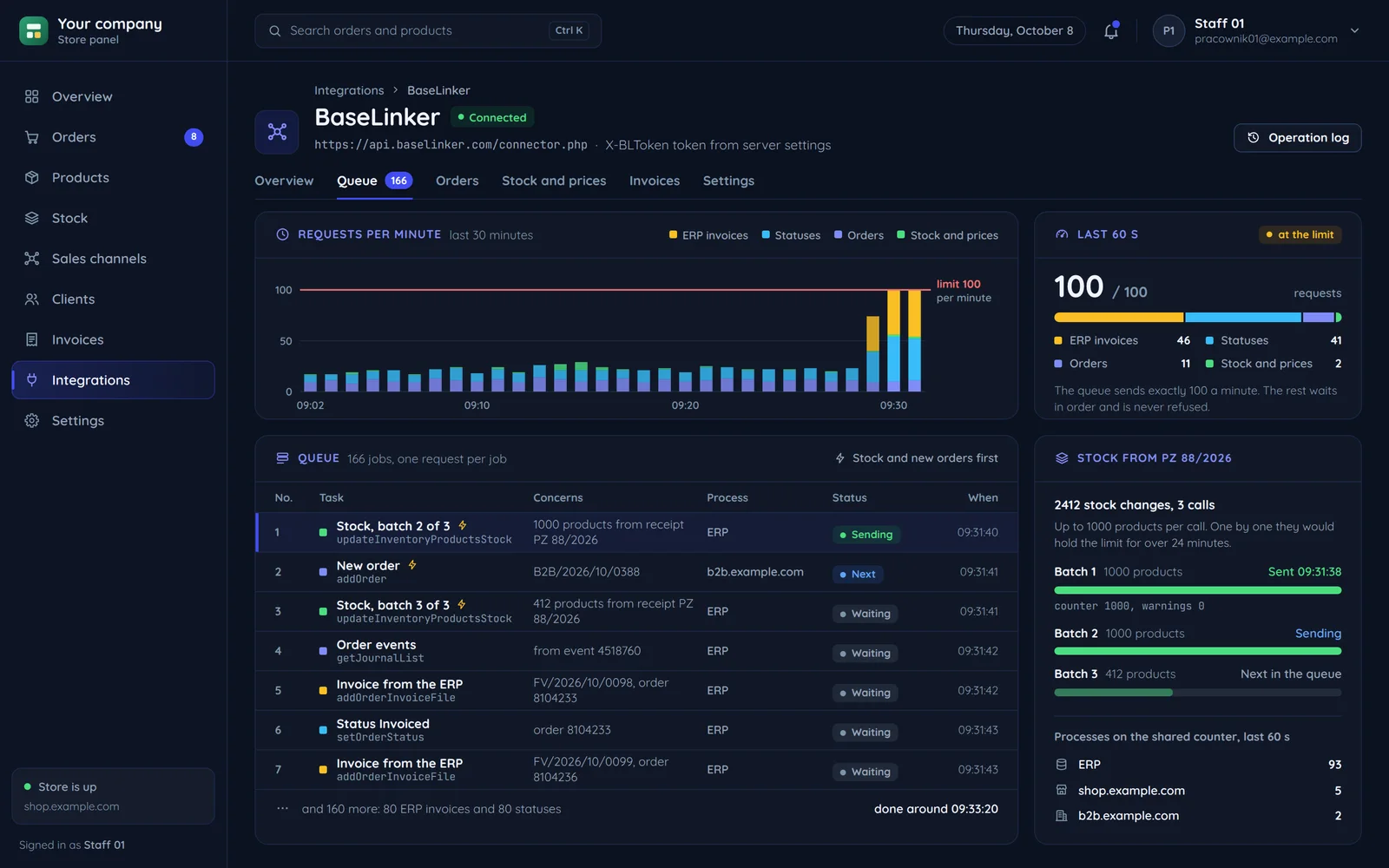
The integration logs every operation and retries the failed ones by itself. When the problem does not go away you get a notification, and bugs from our work are fixed under warranty.
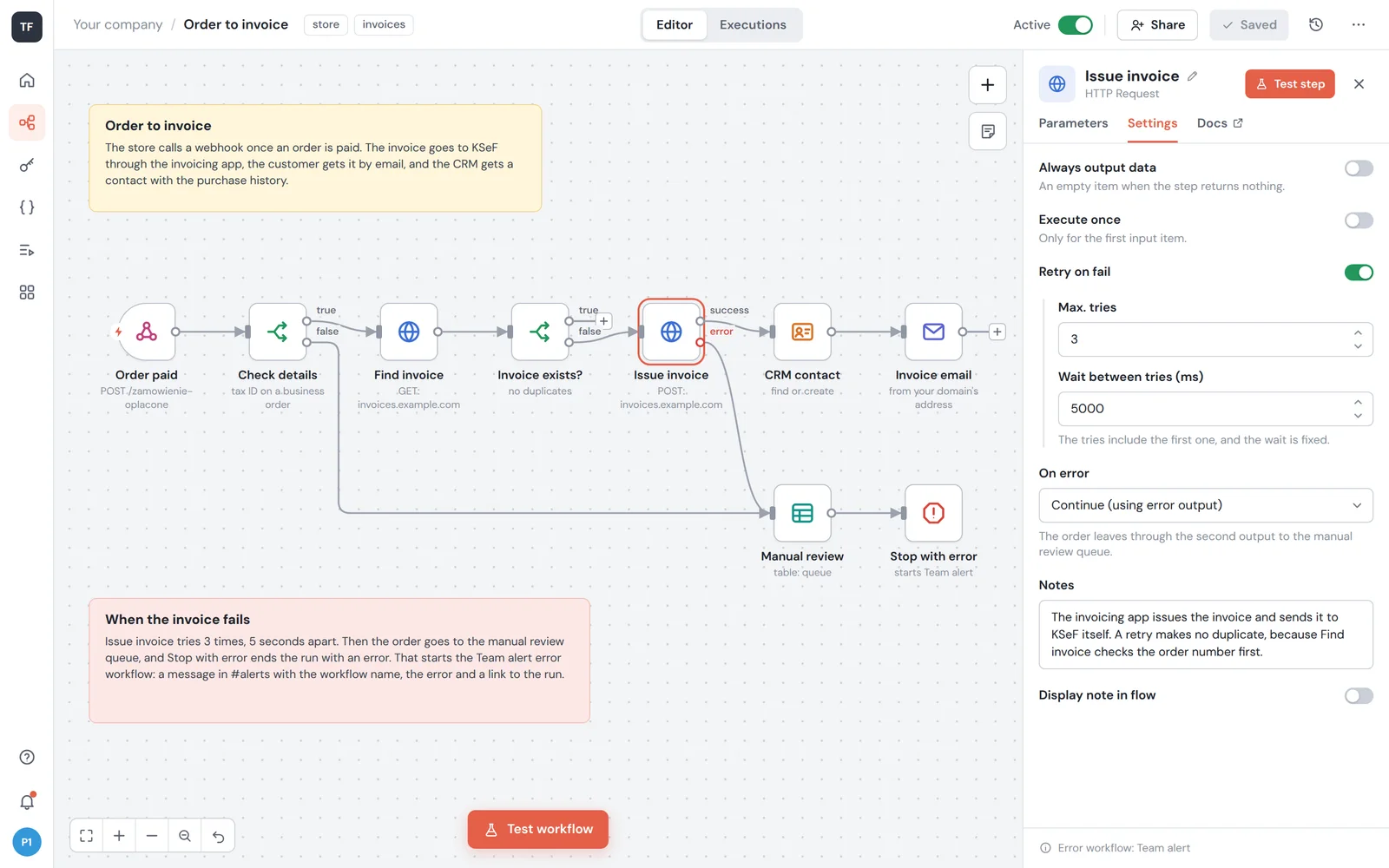
Simple things, such as the text of an e-mail or who gets a report, yes. Bigger changes we make on a copy and only then release.
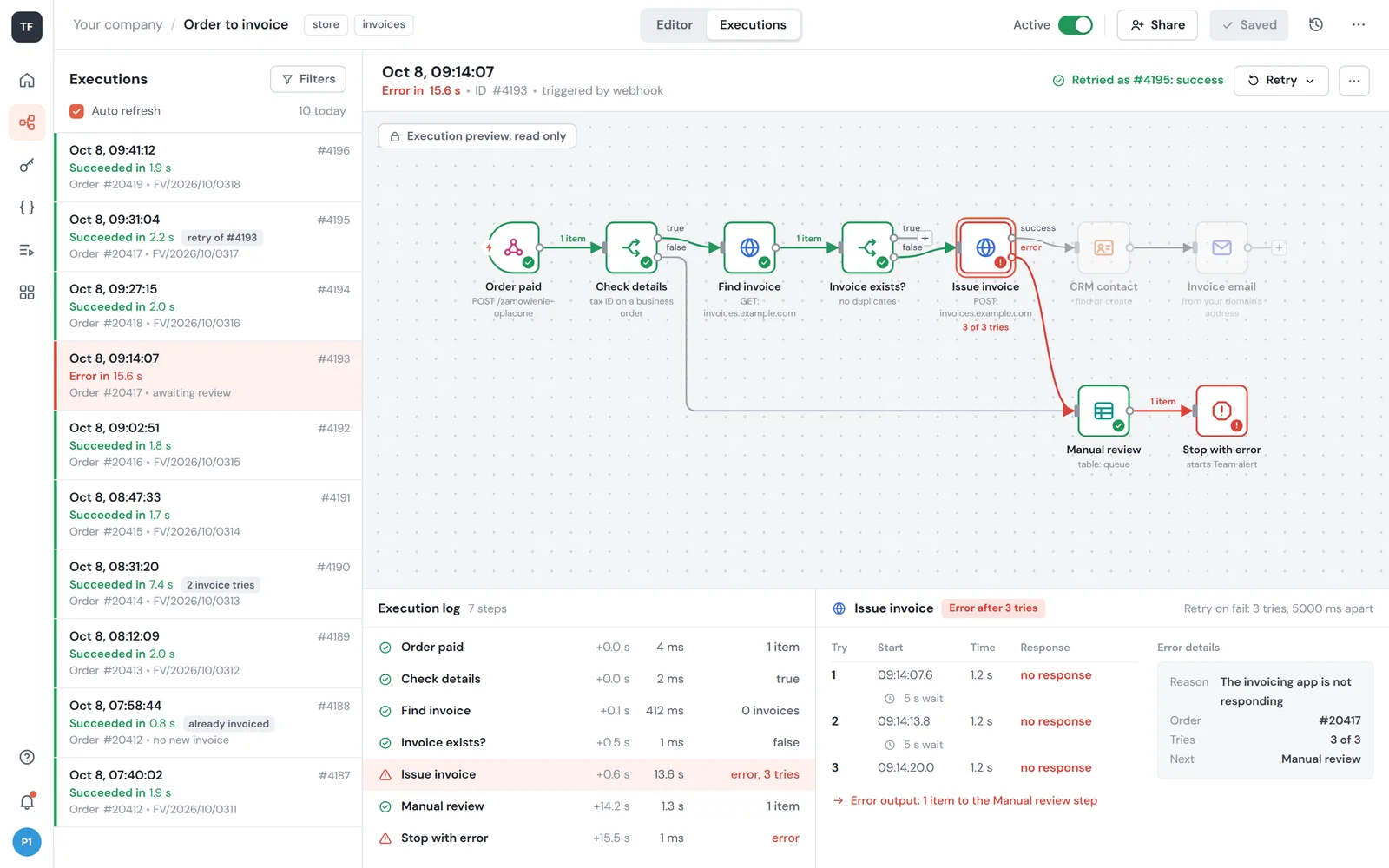
The flow first retries the step by itself. If that does not help, the case goes onto a list to check and the team gets an alert with the order number, so nothing gets lost quietly.
A new store or automation for one that already sells: orders, stock, shipping, returns and invoices.
No. We connect most integrations to your current platform and suggest a change only when the platform blocks your processes.
BaseLinker is enough for many stores, and then we set it up. An own hub makes sense with unusual processes, a large scale or when you pay for features you do not use.
A stock change goes to every channel at once, the moment an order is taken. The item is reserved first, so two orders for the last unit cannot both go through.
Yes. The label is generated from the order and the tracking number reaches the customer by itself. We connect InPost, DPD, Furgonetka and Apaczka.
The return form and the order correction are part of the store, not an e-mail to support. A return triggers the invoice correction and the refund in one flow.
Yes. With every reduction the store shows, next to the sale price, the lowest price of the 30 days before it, worked out from the price history.
An invoice has to reach KSeF from the system you issue it in. We connect the store or the ERP with KSeF and add handling of the emergency mode.
An app installed from a link or a native one from the store: what works on an iPhone, offline and with notifications.
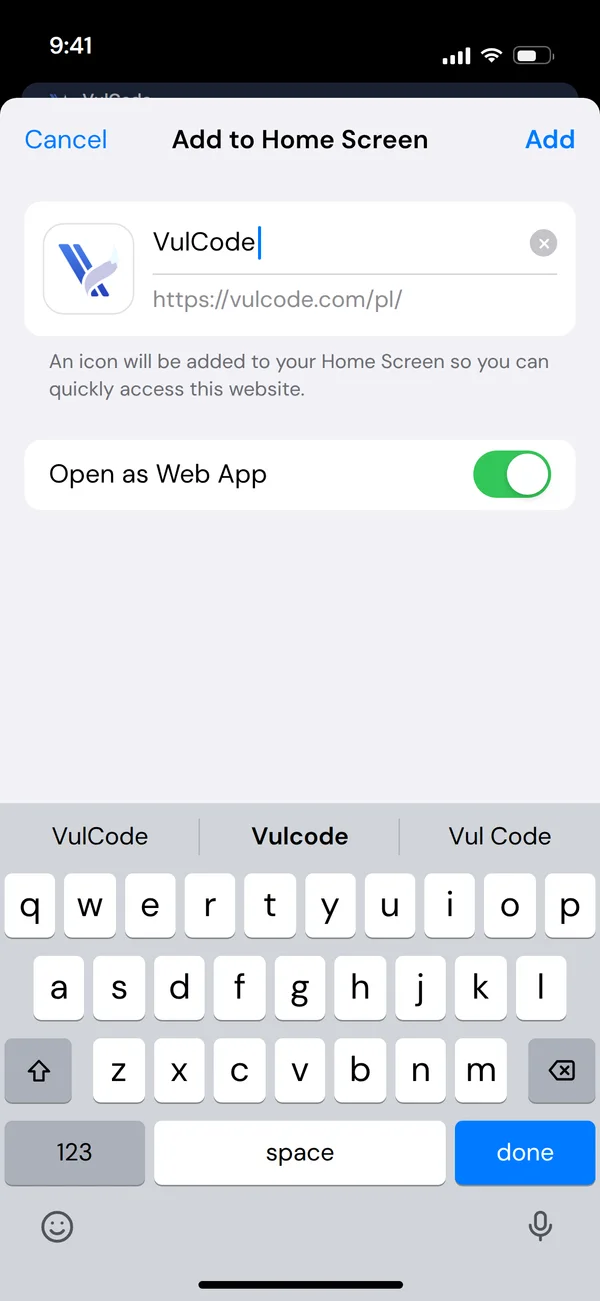
Not with a web app. They open the site and add the app to the home screen with one button. On Android and computers the browser offers it by itself, and on an iPhone the app shows how to add it from the Share menu. From then on the app has its own icon next to the other apps and opens in a window without the browser bar, not in a tab. A new version reaches everyone the next time they open it, with no wait for a store review.
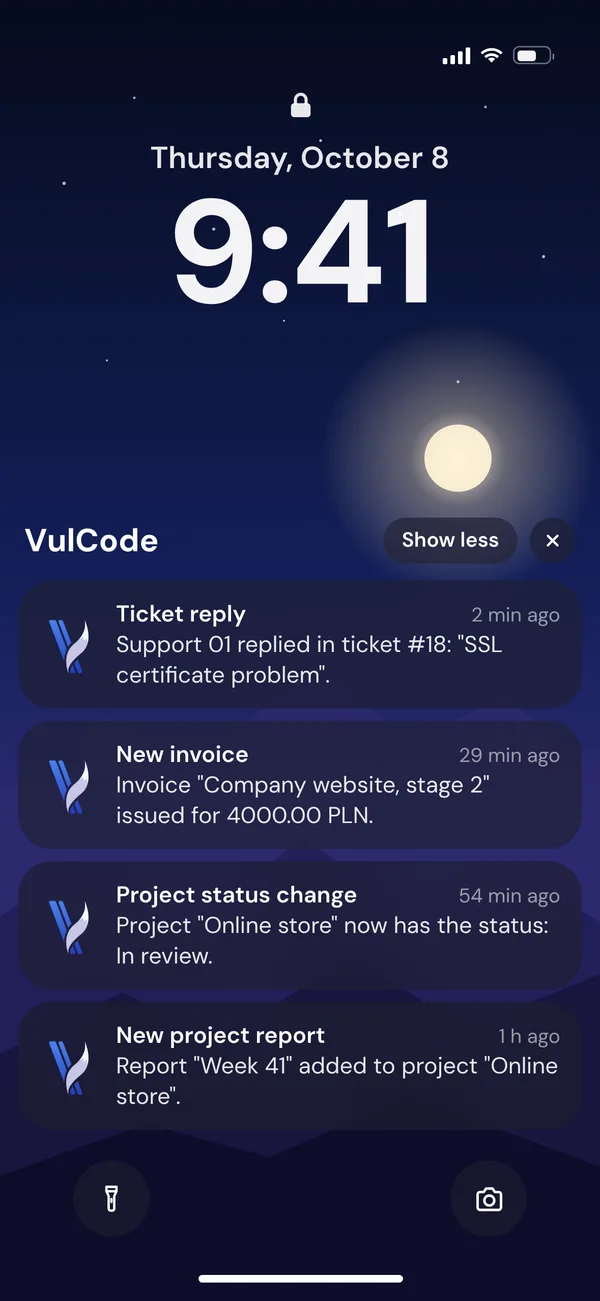
Yes, it can be added to the home screen and launched like an app. Push notifications work from iOS 16.4, but only once the app is on the home screen. Safari does not offer the install by itself, so the app shows how to add it from the menu, and the request for notification permission appears only after a tap on a button in the app, because Safari allows asking only after a user action. That is how our client panel works: ticket replies, new invoices, project status changes and new reports arrive on the lock screen.
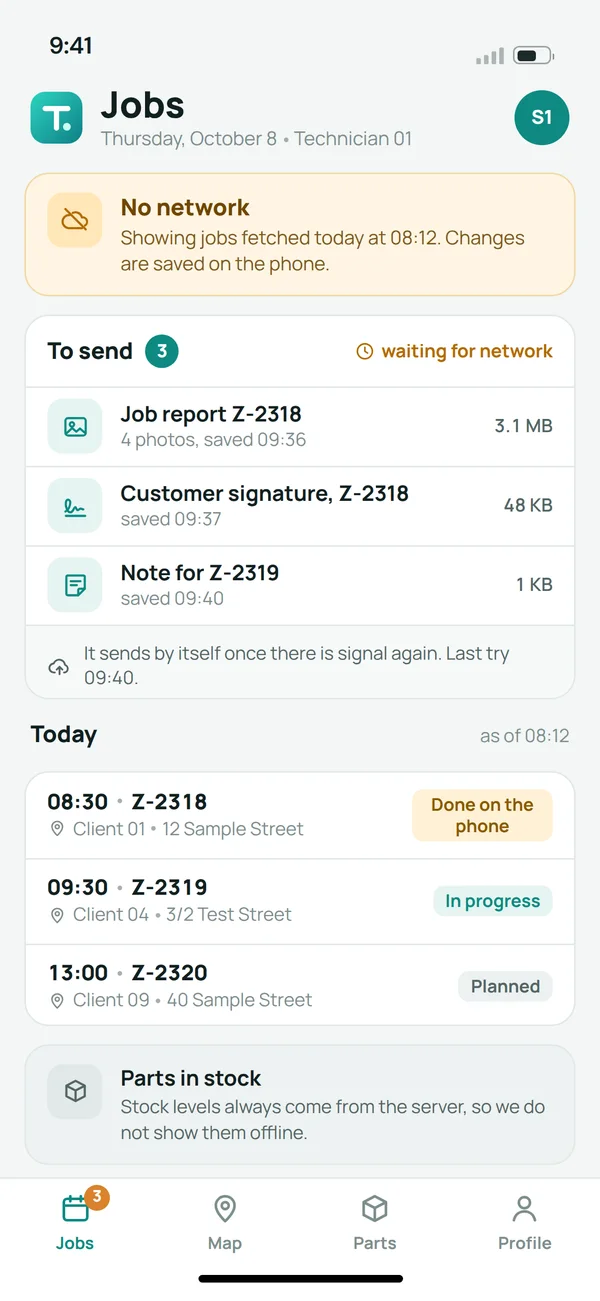
What we plan together: usually the recently opened screens and data that cannot go out of date in a dangerous way. The app sends saved data once the network is back, and always fetches balances or statuses from the server. A field technician with no signal, for example, sees the jobs downloaded in the morning with the time they were fetched, while the job report with photos, the customer's signature and the notes wait on the phone in a queue to send. Stock levels are not shown offline at all, because offline we show only what cannot lie. What has to work without a network goes into the scope from the start, together with the list of screens.
Yes. The browser's service delivers the notification, so the app does not have to be open. This works on Android and computers, and on an iPhone from iOS 16.4 once the app is on the home screen. Every notification has content and its own tag for its matter, because the browser replaces an empty push with its own message and after a few of those may revoke the subscription, while two notifications with the same tag merge into one. We took these rules from bugs we fixed in our own client panel.
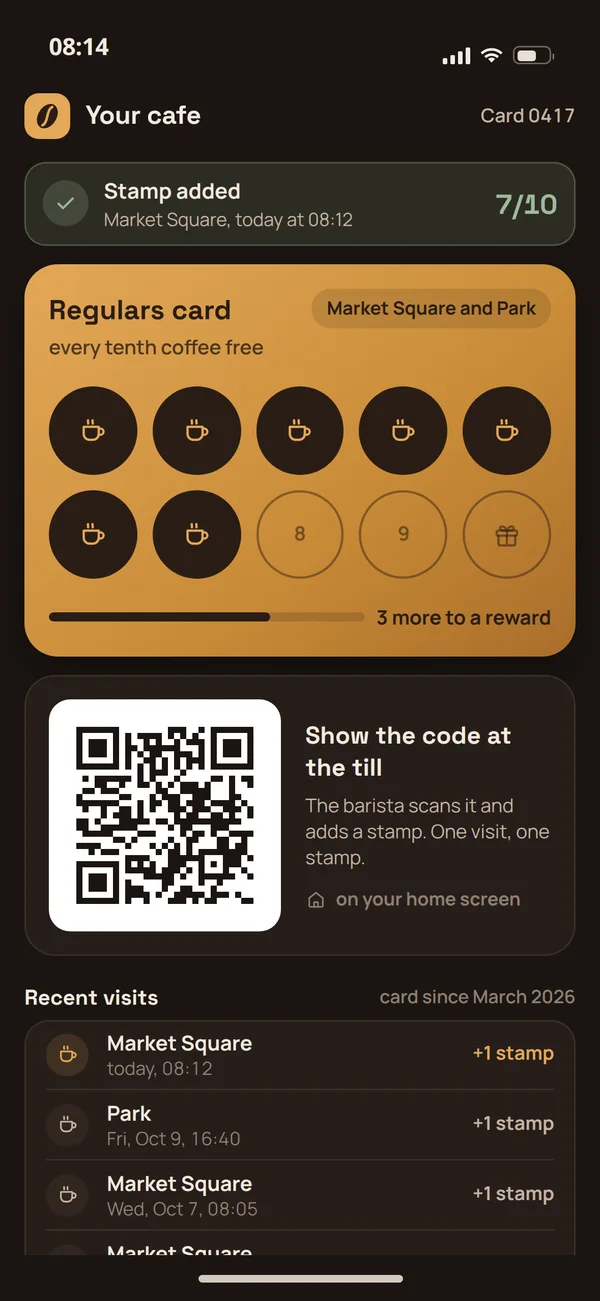
When being in the store is a requirement, when the app needs phone features the browser cannot reach, or when notifications have to work on an iPhone without extra steps. Then we plan a mobile app from the start, written natively in Kotlin and Swift. We say so before the quote, because the whole project depends on that decision. A lot works without a store, though: a cafe loyalty card with stamps and a code at the till is a web app that guests add to their home screen.
We are from Kraków and work online with companies from all over Poland and abroad. Software house in Poland
Yes, in and around Kraków: for the first talk, a workshop or the project handover.
To companies in nearby towns, yes, and in other larger cities a meeting is possible when agreed in advance.
Yes, remotely: calls online, the project channel and the client panel. Most projects run like that anyway.
We have no office for meetings. We are from Kraków, we come to you, and most of the work runs online.
No. Many projects run fully online, and we suggest a meeting when it really helps the project.
Part of our code is public, so you can check how we work before the first call.
On our own Git server, git.vulcode.com. Public code, including vulp, is there with its full history of changes.
Because that is the easiest way to check how we really work. We use these tools ourselves, so open code is our best business card.
No. We publish only our own tools. Code written for a client belongs to the client and stays private.
Yes. Maintainers of other open source projects merge our changes, and each of those projects has its own page under Contributions.
Yes. We give the tools on our Open source page away for free, under the licence stated in the repository.
Write to us through the contact form or at hello@vulcode.com, with the tool's name and a description of the problem.
The pages where we set out working together step by step.
Tell us what you want to know or what you want to build. We reply within an hour, with an answer or with questions about the details.