
Spectra
Native mobile clients for the Spectra hosting panel - separate apps for Android (Kotlin) and iOS (Swift). Full server management from a phone: status, console, billing and notifications. Not a wrapped website, but a genuinely native interface on each platform.
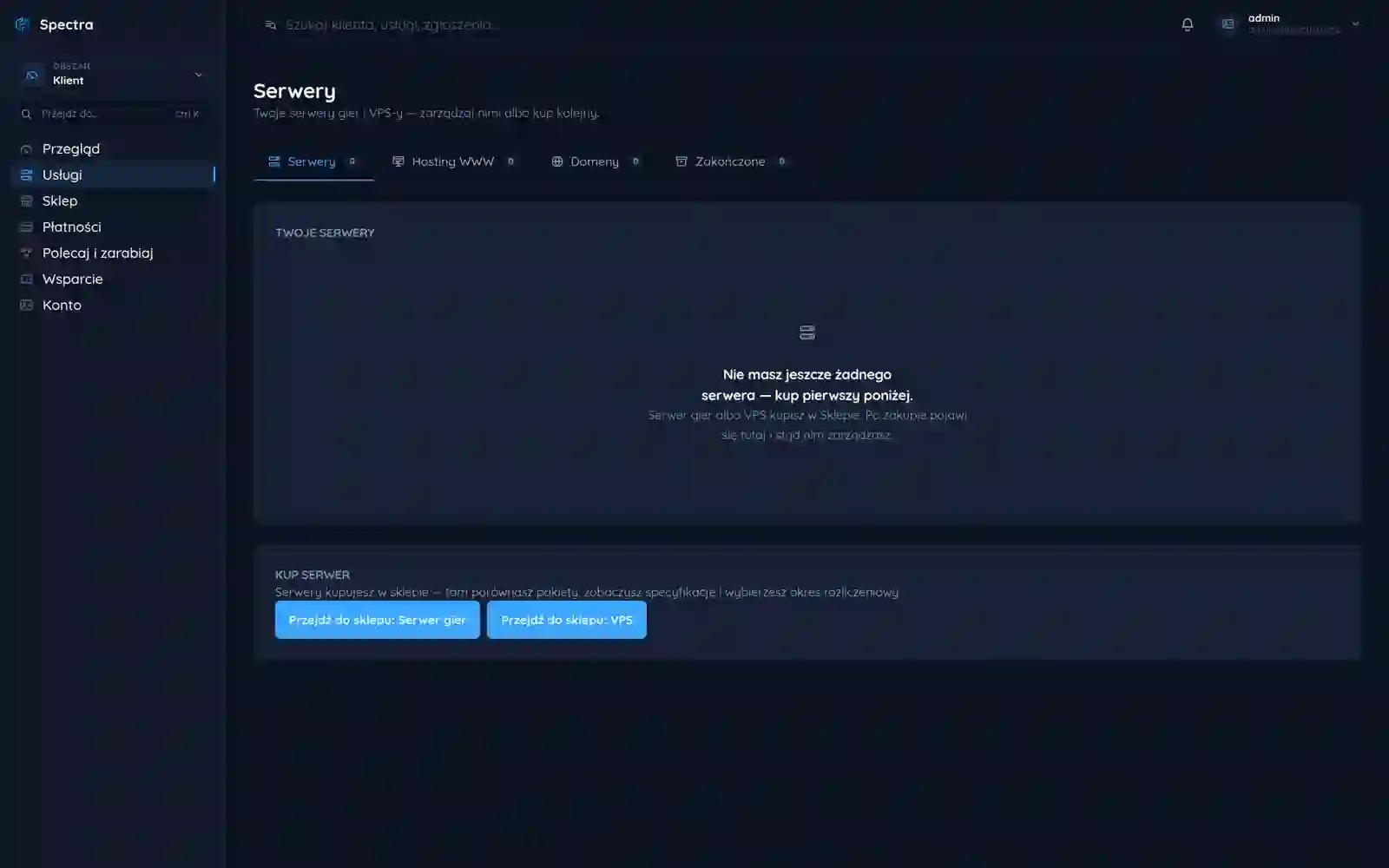
Spectra is a hosting panel for game servers. The mobile version is not a website locked in a WebView but two separate native apps: Android in Kotlin and iOS in Swift. From a phone you do what you do in the browser panel - check status, open the console, pay an invoice. Push notifications tell you the server went down before a player does.
Overview
On the web, Spectra is the client's full command center: ordering servers, console, files, stats, billing. Everything an admin needs to keep their Minecraft or other game server up and running. The catch is that this command center is chained to the desk.
An admin does not work nine to five in front of a monitor. An outage does not check the calendar - it comes on the bus, at lunch, in the middle of the night, when the server happens to be full of players. Then only one thing matters: how fast the phone in your pocket gets you to a restart and a console before players start leaving.
So we built the Spectra mobile version as a first-class way to run the platform, not a bolt-on to the web panel. In practice that is two separate apps written in each platform's native language - Android in Kotlin, iOS in Swift - reaching for the exact same API as the browser panel.
An outage does not ask where you are
When a server goes down in the middle of prime time, every minute is players who do not come back. In that moment you do not boot a laptop, log into the web panel, hunt for a tab. You pull out the phone you are already holding and you want to be on the console in two taps.
That changes what the app has to be. A tool you reach for under the stress of an outage has to launch instantly, respond without stutter and lead to the goal without wandering through menus. Every second of delay between tapping the icon and seeing the console is a second the server stays down.
WebView is not bad by principle - for a screen you look at once a quarter it can be a sensible choice. The rule we follow in Spectra: the more often and the more under pressure you use a screen, the stronger the case for native. The console and a server restart sit squarely on that side.
Why not a page in a frame
The simplest and cheapest route to mobile is to wrap the existing web panel in a WebView and ship it to the store as an "app". The code is already there, you just surround it with a window. But the shortcut shows at every step: the app starts slowly, because the browser engine has to wake up first, drops native gestures, notifies poorly or not at all and looks like a page in a thin frame.
For a panel you tap once in a while that would be an acceptable compromise. For a rescue tool it is not. So we took the harder road: a separate, native interface on each platform that looks and behaves like an app from its system, not the same mockup crammed onto Android and iOS at once.
A page in a frame versus native
| Trait | WebView | Native (Spectra) |
|---|---|---|
| App start | waits for the browser engine | instant |
| Gestures and scrolling | often stuttery | smooth, system-level |
| Push notifications | limited | full, with a deep link |
| System access | behind a sandbox wall | native |
| Look | a page in a frame | an app of its platform |
Time to first usable screen (illustrative, ms)
Two languages, one API
What both apps share is what sits underneath: the API and the data model. What differs is the interface, because Android and iOS have their own navigation patterns, their own gesture language and their own expectations of how an app should behave. Forcing one shared UI onto both ends with it looking foreign on both.
The key point is that the mobile client talks to the exact same API as the web panel. There is no "mobile shortcut version" with trimmed capabilities - a server restart from the phone goes through the same contract as a restart from the browser. So on the phone you genuinely do what you do at the desk, not a chosen subset.
Android in Kotlin, iOS in Swift; shared API and data model, a separate interface tuned to each platform's patterns.
a stream of server logs and command entry from the phone, with a keyboard that does not cover half of what you type.
start, stop, restart and a view of resource use without reaching for the desktop.
invoice view and payment, so the server does not expire just because you were away from home.
the server is down, the billing period is ending, a backup failed; you tap and land on the right screen.
Push that leads straight to the console
Notifications are not decoration but the core of the whole idea for mobile. They are what lets you learn about an outage before the first player does. Without them the app would be a passive window you have to open yourself at the right moment - and the right moment is usually the one when you know nothing.
A backend event has a simple, unambiguous shape, and it is that shape which decides where a tap on the notification drops you. The deep link leads not to a home screen but straight to the console of the specific server in trouble. No searching, no navigation - from the phone's sound to the place where you can act is one tap.
A server saved from a bus stop
The result is a tool that genuinely rescues a server from a phone, not an emergency path you use once and go back to the laptop. The admin gets the full panel on the phone: status, console, power actions, billing - and learns about a problem the moment it happens, not when they happen to look.
On Spectra's side the gain is just as concrete: mobile is not a separate product living its own life but another client of the same API. A new capability in the backend is reachable from the phone just as from the browser, without rewriting the logic a second and third time. The numbers above are illustrative, but the direction is not.
An outage will still come at the worst moment. The point was that the worst moment no longer means helplessness - just a phone taken out of a pocket.
More projects
More work from the same category - see how we tackle similar challenges.
Have a similar project?
Get in touch - a quote is free and comes back within an hour.