
Channel manager and Booking.com for hotels and guesthouses
A room sold on Booking.com disappears from your site and other portals, and a booking from your site lowers availability everywhere. We connect your booking system to a channel manager so one calendar is the source of truth and double bookings stop happening.
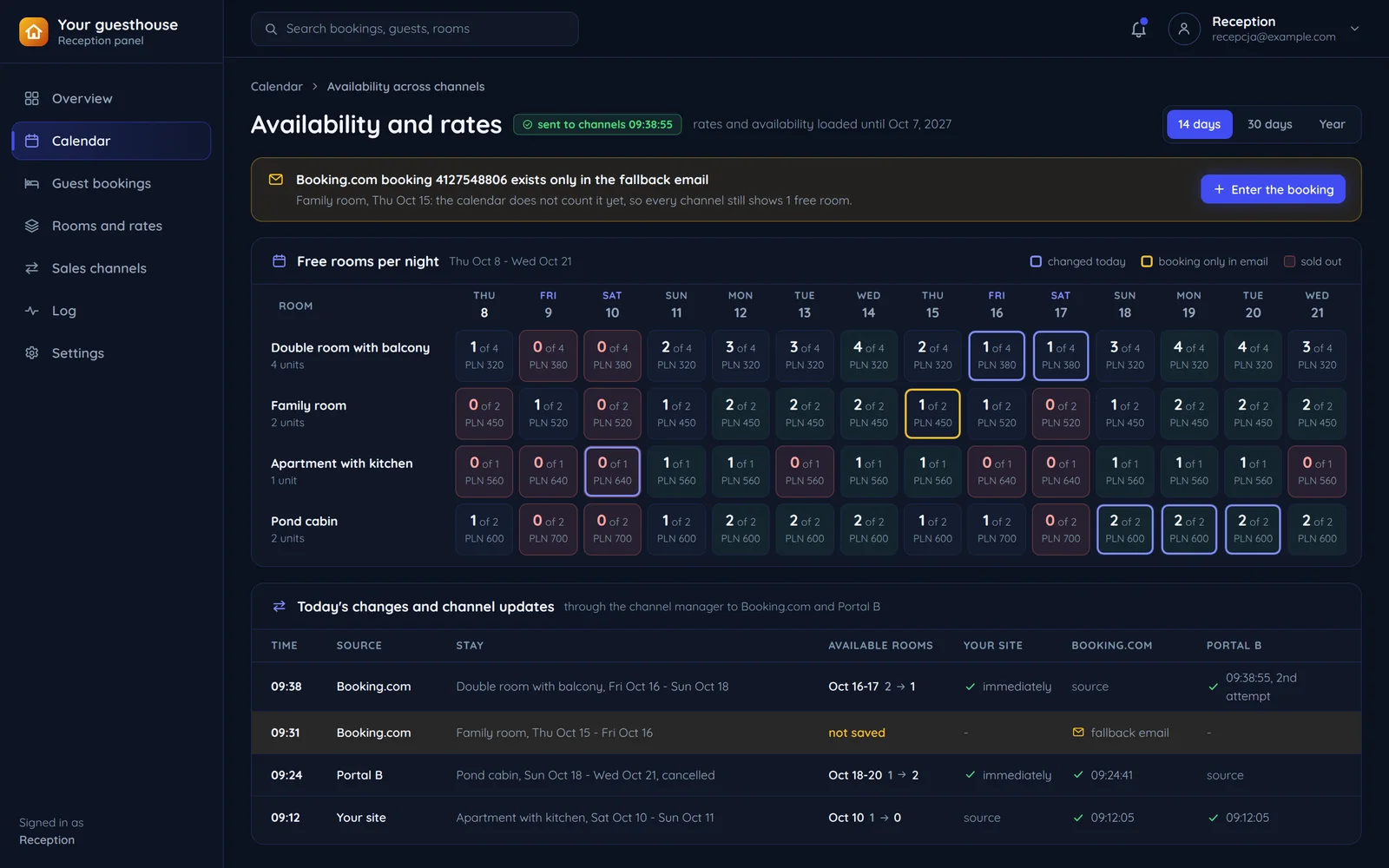
Why it usually goes through a channel manager
The Booking.com API is for Connectivity Partners, who go through onboarding on Booking.com's side. A hotel with its own system usually connects through a channel manager that already is one.
Do you run bookings in a system of your own?
A site with bookings, a PMS or a custom panel.
Are you a hotel chain or a software vendor?
Connectivity Partners connect to Booking.com directly after onboarding with Booking.com.
Do you already have a channel manager?
Channel manager APIs differ from one another.
- YesAre you a hotel chain or a software vendor?
- YesYour system as a Booking.com partner
- NoDo you already have a channel manager?
- YesYour channel manager and your system
- NoA new channel manager and your system
- Yes
- Yes
- NoA channel manager with a built-in PMS
- Yes
- YesYour system as a Booking.com partner
- No
- YesYour channel manager and your system
- NoA new channel manager and your system
- Yes
- Yes
- NoA channel manager with a built-in PMS
A Booking.com reservation in your calendar
The channel hands the booking to the channel manager, which passes it on to your calendar. The sync log shows both runs: the one that worked and the one that ended in email.
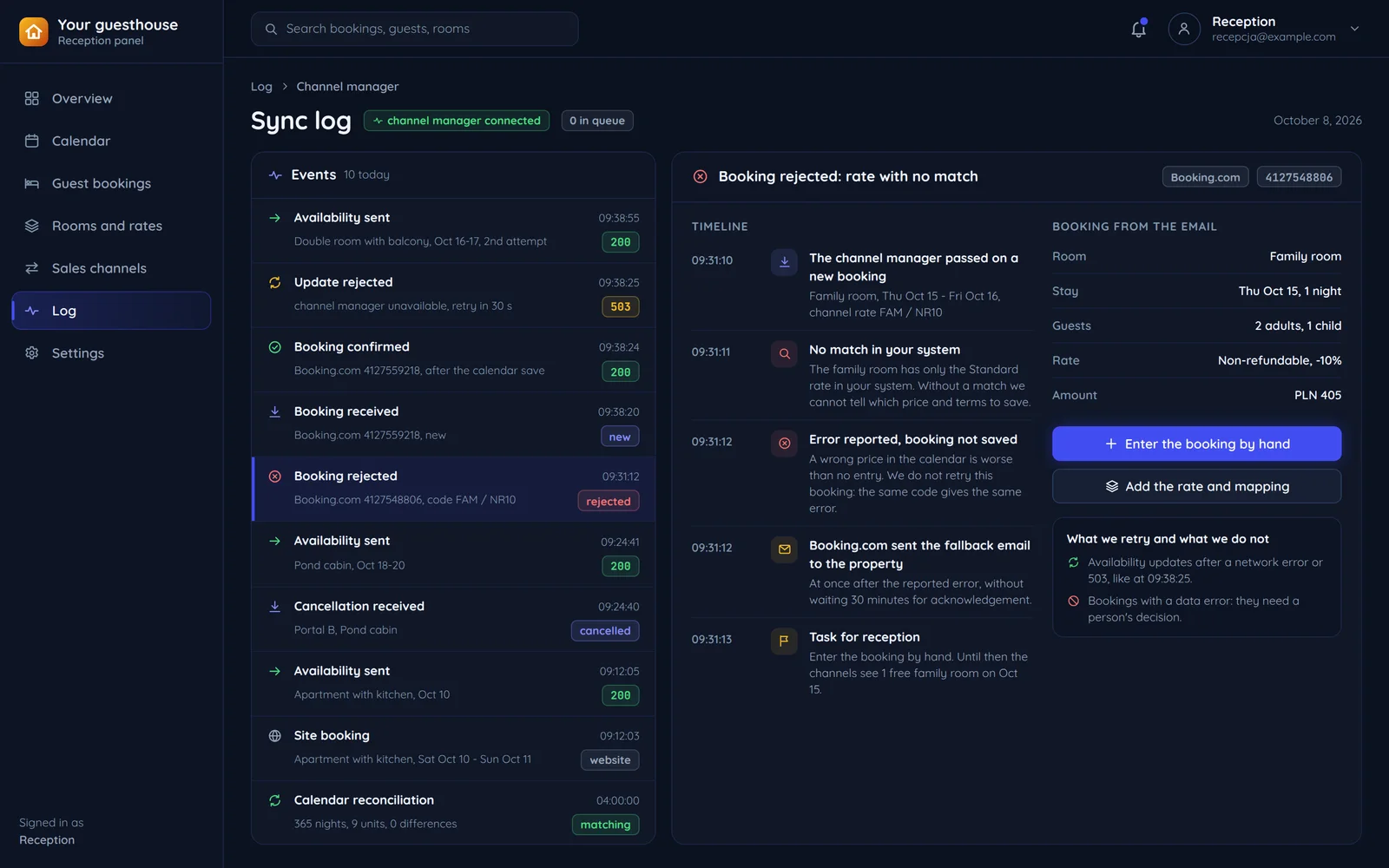
Acknowledged after the save
A reservation retrieved but not acknowledged still ends up in the fallback email. So acknowledgement comes only after it is saved in the calendar.
A reported error
The partner reported a processing error. The booking is not cancelled, and the email to the property goes at once.
Daily reconciliation
We compare the calendar with the channel manager to catch drifts before they turn into a double booking.
How room sales are layered
From portals down to your calendar. Each layer has its own job.
Sales channels
- Booking.com
- Other portals
- Your site
Channel manager
- Room and rate mapping
- Distributing rates and availability
- Collecting reservations
Integration
This is where it is decided which system wins when two disagree.
- Event queue
- One calendar
- Change log
Your system
- PMS or panel
- Reception and housekeeping
- Billing
One source of truth
A reservation from any channel first enters the calendar, and only then changes availability in the others.
Room availability is counted by one system, usually your PMS. The others only receive it.
Booking.com rules that shape the integration
From the Connectivity docs. They bind the partner, and so the channel manager you connect through.
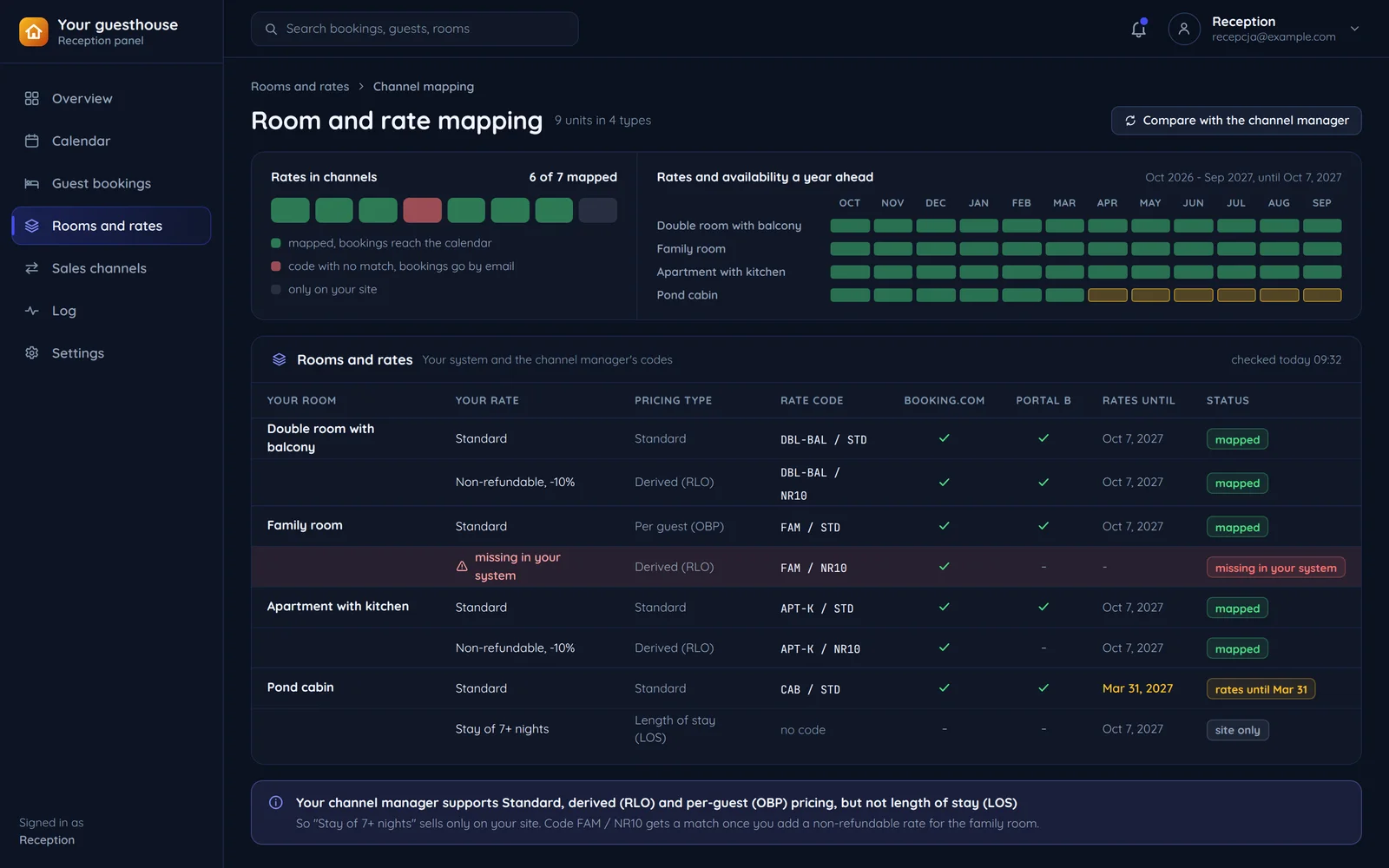
- a rate with a matchthe calendara rate with no matchemail to the property
A rate with no match
A booking on an unmapped rate bypasses the system and lands in email. We check the map before launch and after every offer change.
- at least a full yeartodayin 12 months
A year of rates and availability
Booking.com expects partners to load at least a full year of rates and availability per property. Without rates and availability for the coming months, the room simply cannot be booked for those dates.
- Standardthe base rate
- RLOa derived rate
- OBPper-guest pricing
- LOSlength-of-stay pricing
Pricing types
Standard, RLO, OBP and LOS, each after certification. Per-guest or length-of-stay rates depend on what your channel manager supports.
Atrium, our hotel panel
Real screenshots of the Atrium panel.
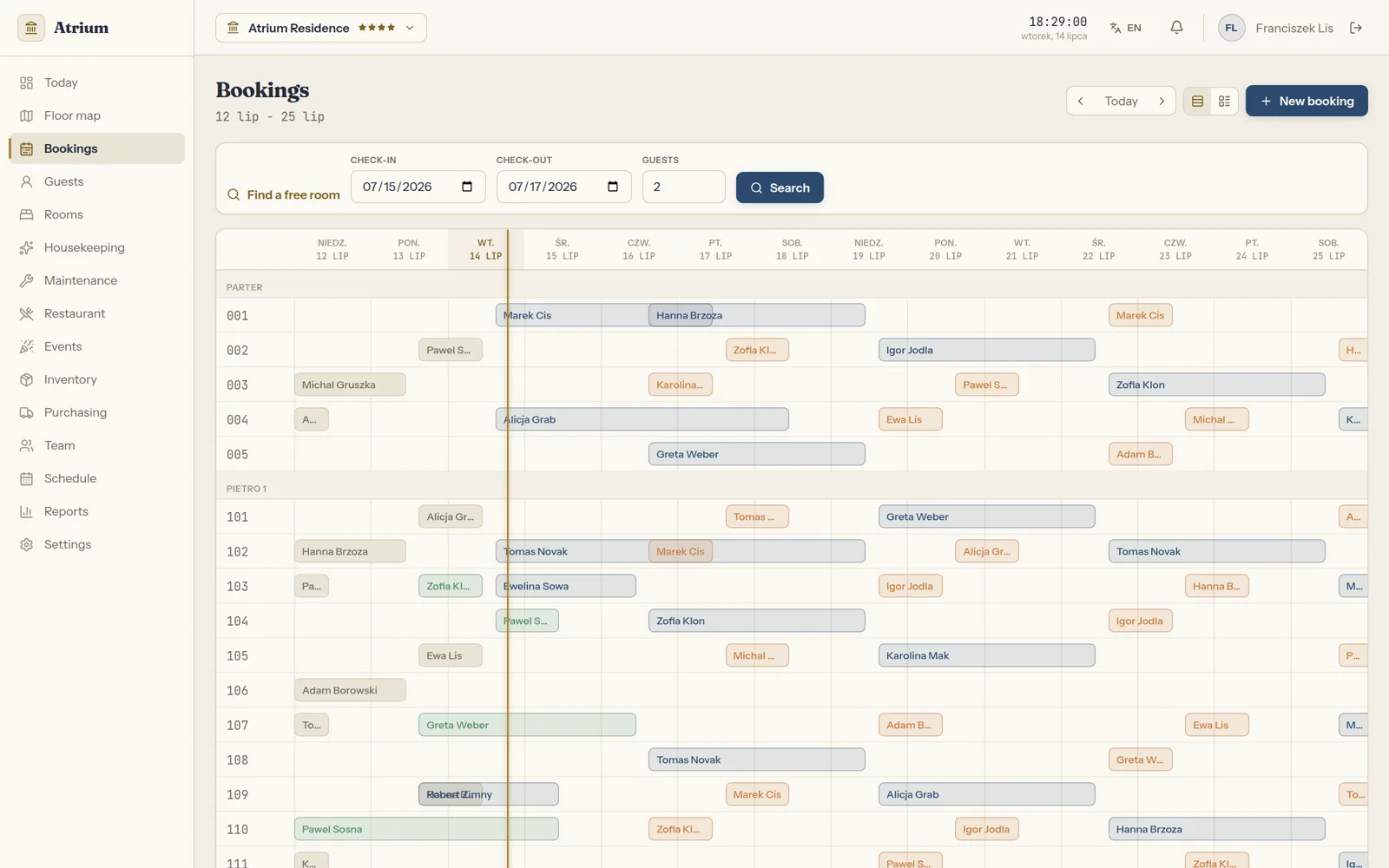
The booking calendar
A booking calendar with collision control, which in a channel manager integration is the one source of truth.
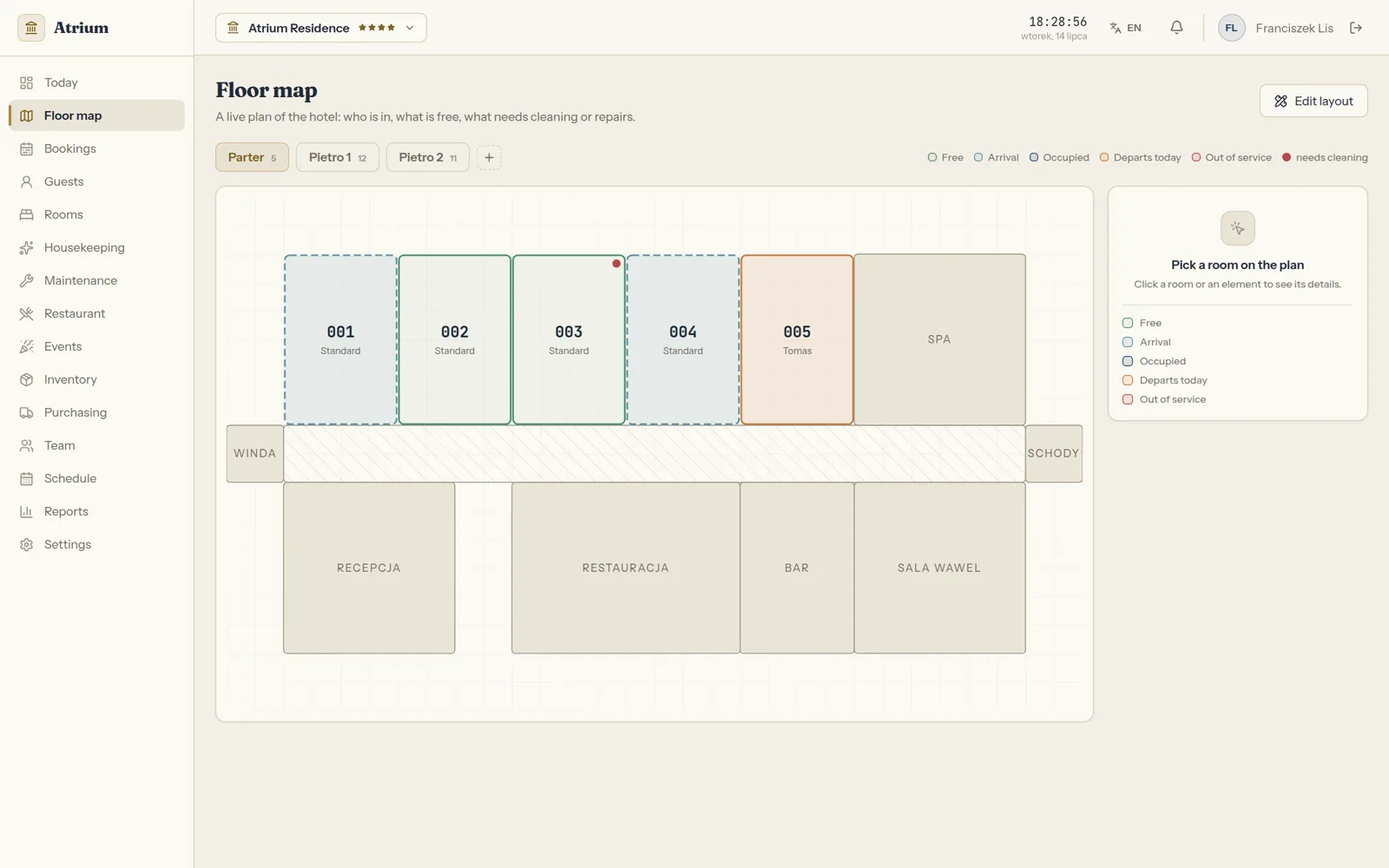
The floor map
A floor map with live room statuses: free, arrival, occupied, departure and needs cleaning.
Atrium in short
- In beta
- Atrium is our own panel for hotels, guesthouses and apartments.
- A 14-day gantt
- Bookings with collision control, room by room and floor by floor.
- Housekeeping and maintenance
- In one flow with the bookings: reception clicks a room and knows everything.
- Atrium in our portfolio
- Online platforms
Common questions about channel managers
Answers about the Booking.com connection, an existing channel manager, site bookings and the quote.

Read next
The systems that usually sit next to a channel manager.
Tired of double bookings?
Tell us where you sell rooms today and which system you run them in. We will reply within an hour with questions and a quote.