VulCode

Panels & Dashboards

VulCode designs client panels, CRM systems and internal tools for companies that run sales or orders in spreadsheets and email. The panel has roles and permissions for every team, exportable reports and API integrations, and after rollout you get the repository with documentation.

from PLN 2,999

The figure for your scope comes in a free quote.

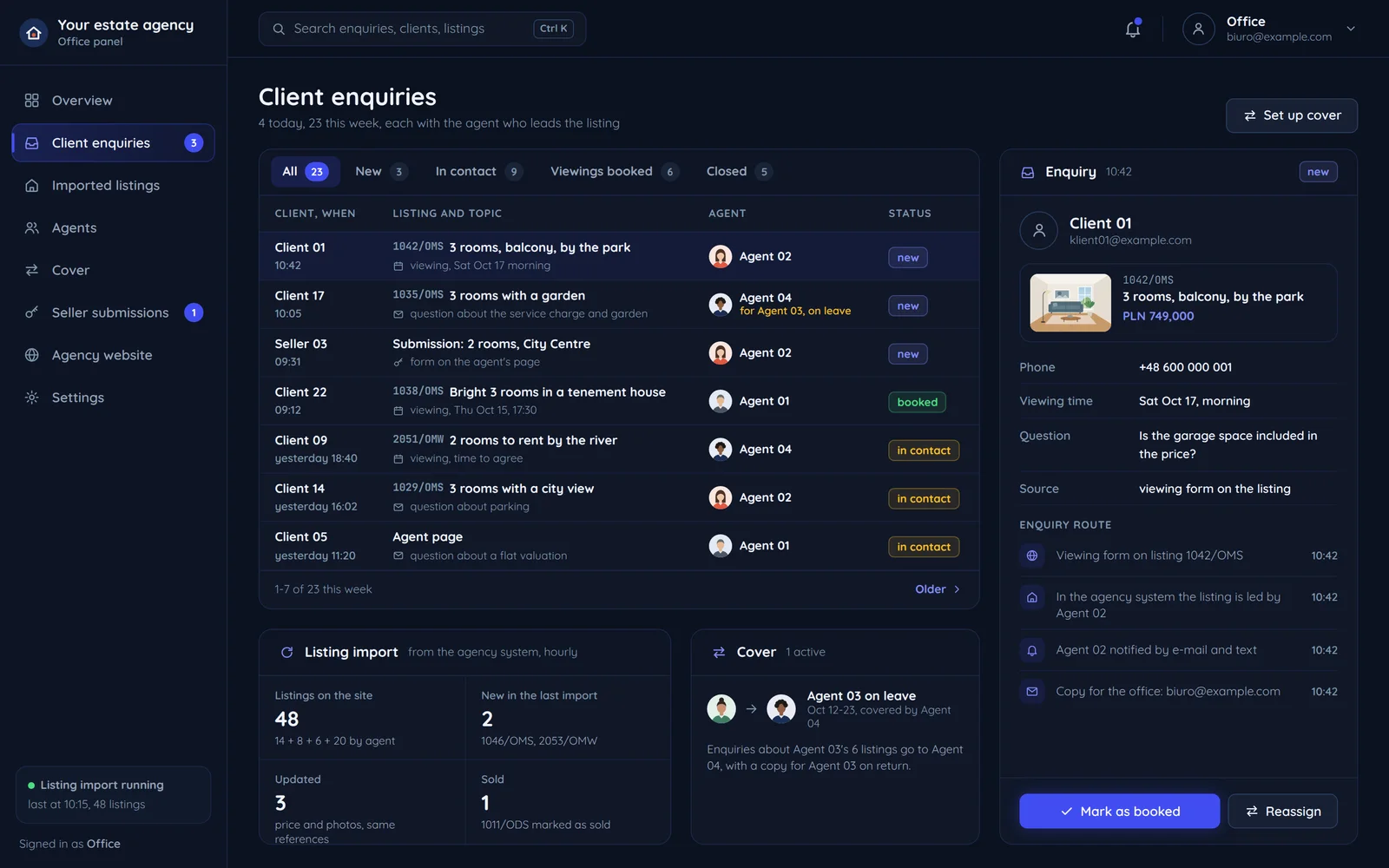
An office panel with client enquiries assigned to agents
New enquiry for Agent 02Assigned by listing, email and text message sent
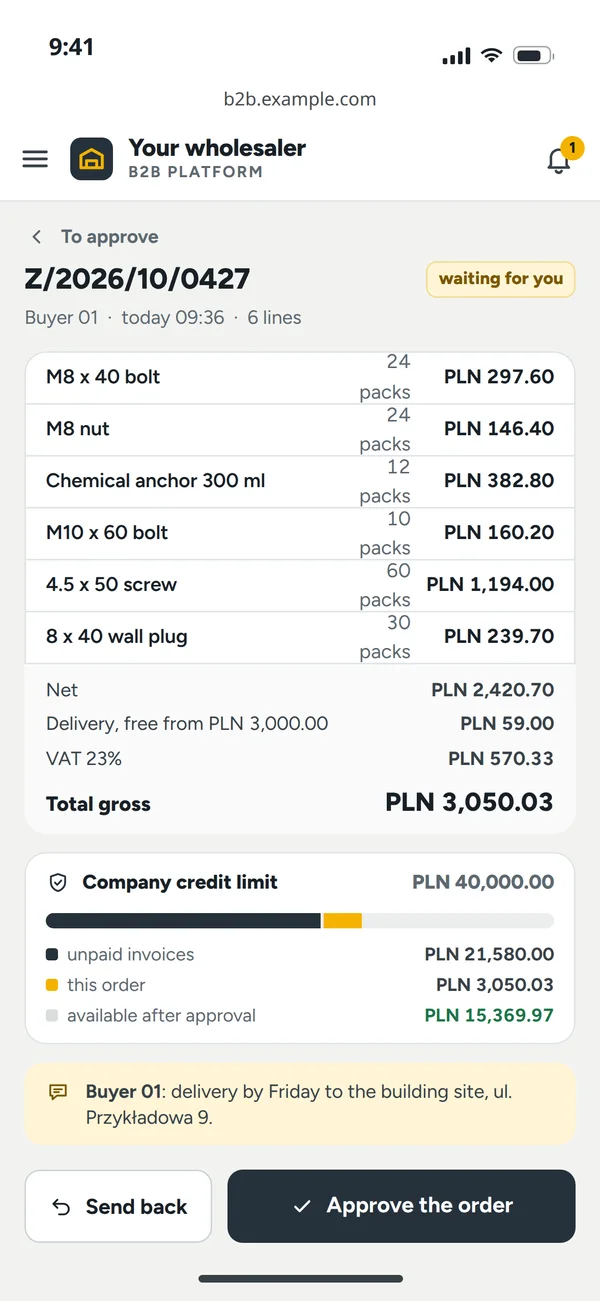
An approval on a phone from the company panel

What is a custom client panel or CRM?

A custom client panel or CRM is a tool built around your process and team roles, not a generic SaaS template.

Instead of bending your business to fit someone else's system, we design the panel around how you actually work: who sees what, who approves what, which data goes to which team. A role system (RBAC) splits access once sales, support and management all use the panel at once.

Matched to your process

We model the panel on how you work, not on someone else's template.

Roles and permissions

RBAC decides who has access to what once several teams share the panel.

Data in one place

No more spreadsheets and email threads - activity history visible to the whole team.

Who sees what

Every team sees its own modules, and a client only its own orders and invoices. We agree the roles with you at the start, and the panel enforces them on every sign-in.

Sales3 of 5 modules
  • Leads and clients
  • Orders
  • Invoices and payments
  • Reports
  • Settings and roles
Support2 of 5 modules
  • Leads and clients
  • Orders
  • Invoices and payments
  • Reports
  • Settings and roles
Management5 of 5 modules
  • Leads and clients
  • Orders
  • Invoices and payments
  • Reports
  • Settings and roles
Client2 of 5 modules
  • Leads and clients
  • Ordersown only
  • Invoices and paymentsown only
  • Reports
  • Settings and roles
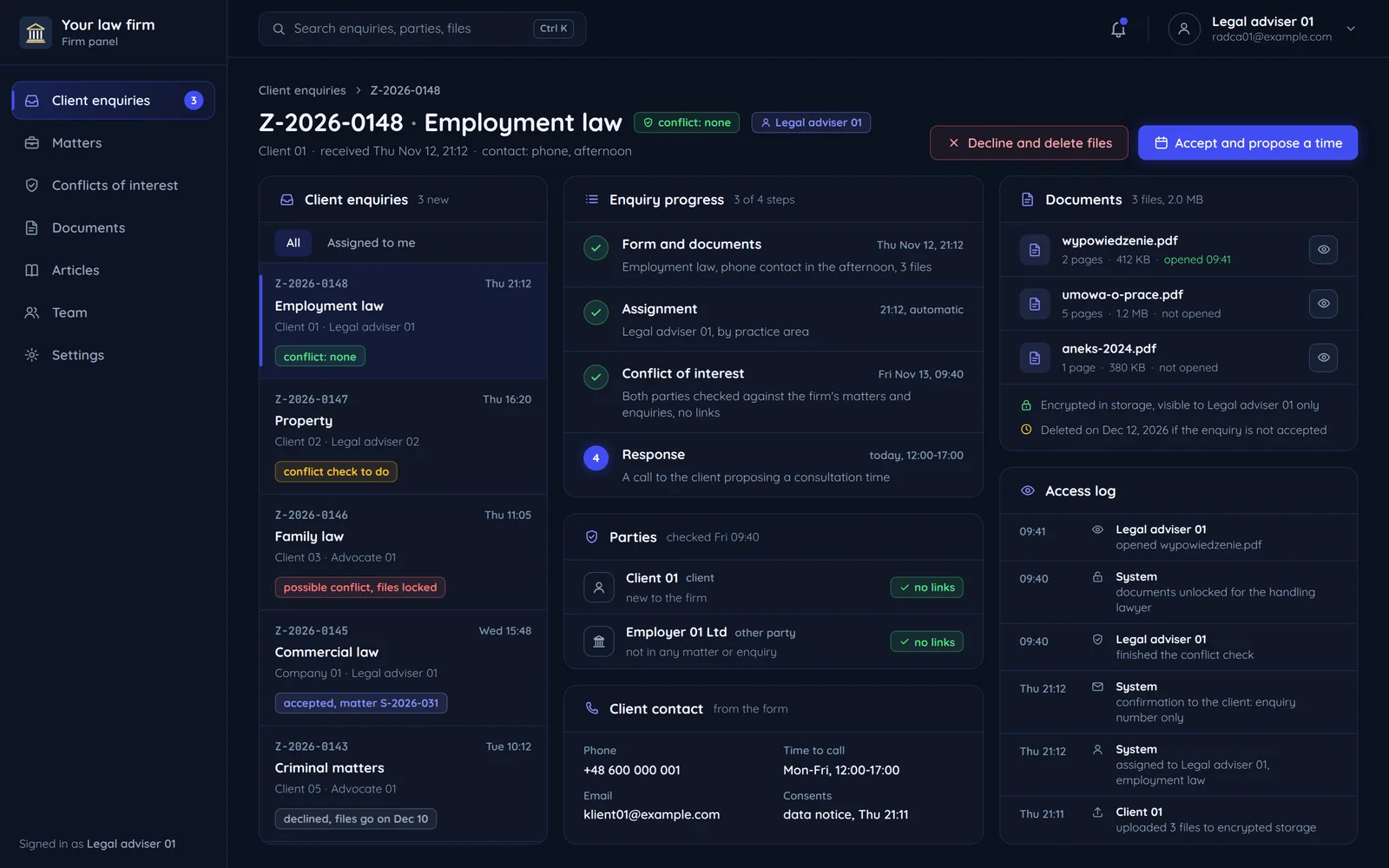
A law office panel with client enquiries, their statuses and who handles them

A panel built around your process

You don't bend your business to fit someone else's system - we bend the system to fit you.

01Roles and permissionsRBAC decides who sees what once several teams share the panel.
02Data in one placeNo more spreadsheets and email threads between teams.
03Activity historyEvery change visible to the whole team, with who and when.

Who is a custom client panel or CRM for?

It works where a process has outgrown spreadsheets and email threads.

Sales team

Leads, pipeline and contact history in one place instead of in a salesperson's head.

A business with multiple teams

Every team sees only what it should - roles and permissions enforce the boundaries.

B2B client panel

Clients log in and check order or billing status themselves, no phone call to the office needed.

Businesses handling support tickets

A ticket reaches the right person and has a visible status from intake to close.

A business outgrowing Excel

Dozens of spreadsheets replaced by one system with history and permissions.

A business with people in the field

Jobs, photos and signatures collected on a phone, and the office sees them in the panel at once.

A client panel with payments and invoices

Your client pays, renews a subscription and downloads invoices in the same panel where they see their orders.

01BLIK, Przelewy24 and StripeWe pick the gateway to fit your sales model and build it into the panel. A payment status changes only after a verified gateway notification, not after the client clicks.
02Recurring paymentsA subscription runs on Stripe Billing or recurring BLIK at a gateway that offers it. Renewals and failed payments have their own statuses in the panel.
03An invoice with its KSeF number in the client accountFakturownia, wFirma or our own module issues the invoice and sends it to KSeF. The client downloads it from their account and sees only their own invoices, with whether each is paid.
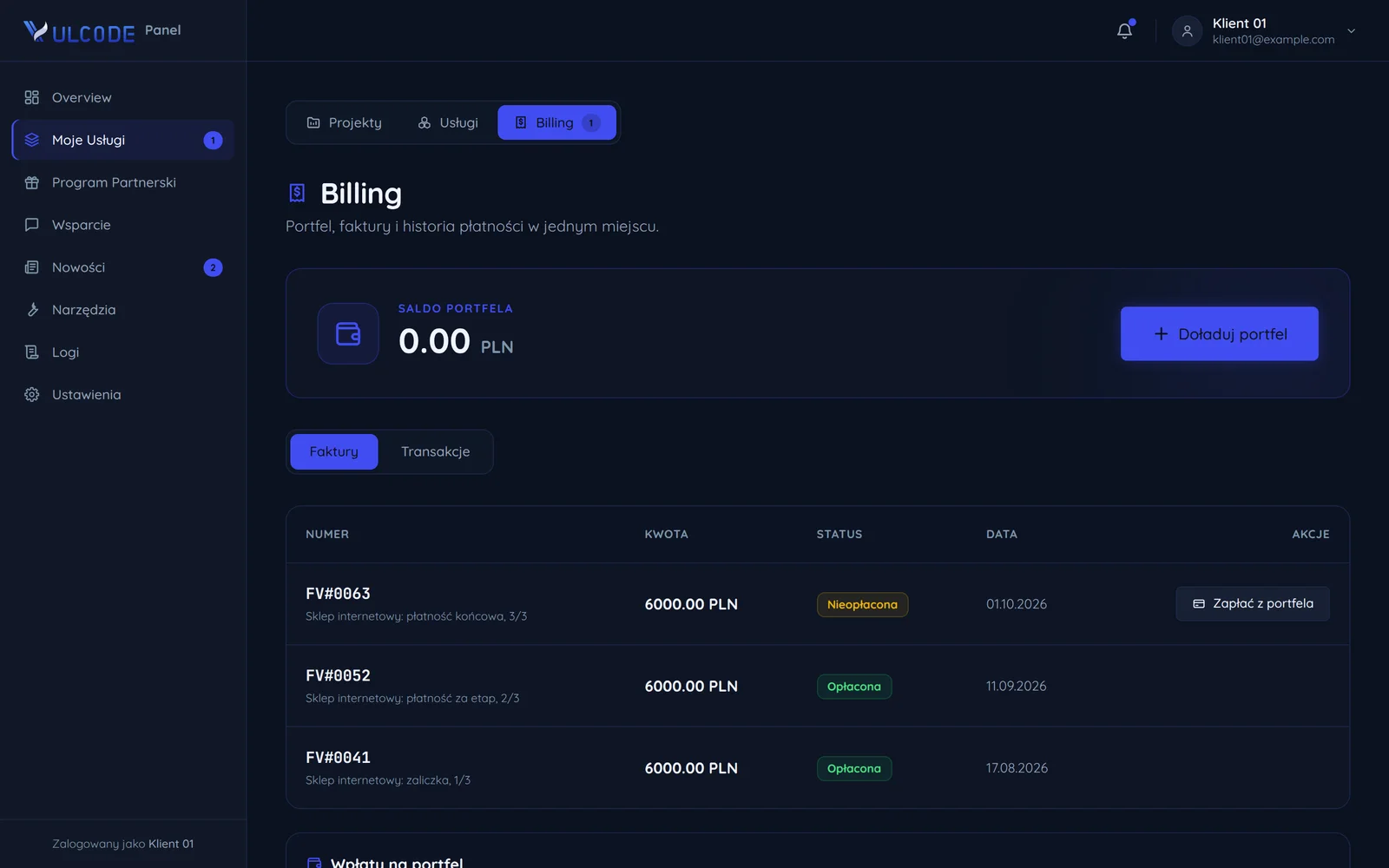
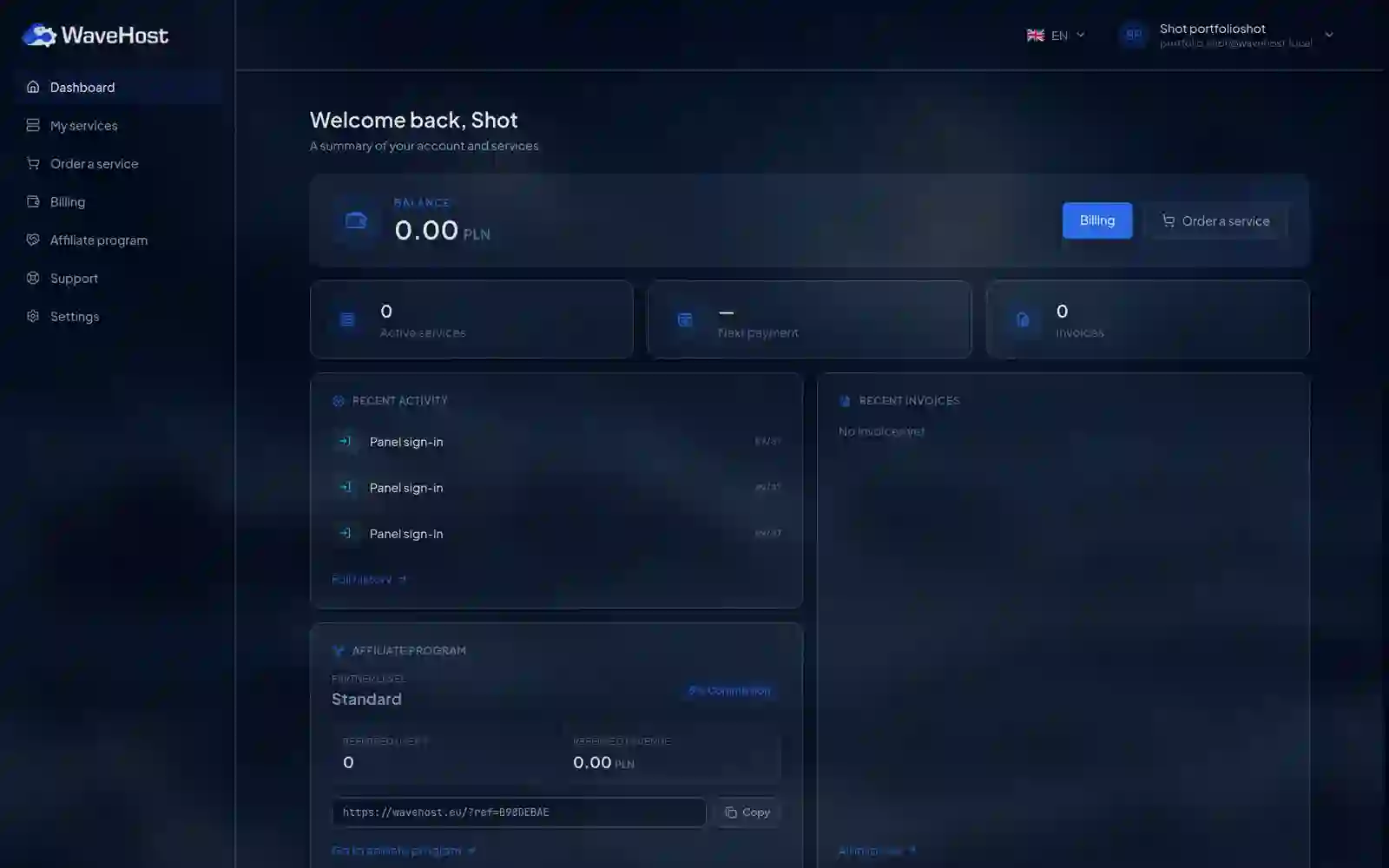
The WaveHost client panel: the wallet balance with a billing button, recent invoices and the referral program

What's included?

Panel foundation

Your team manages data, users and processes in the panel, so you don't need a developer for every database operation.

6 items
  • User accounts and sessionsThe panel includes sign-up, password reset and session control, and SSO or Google sign-in can be added later.
  • Roles and permissions (RBAC)You decide which department sees which data and features, so several teams work in one panel without access to each other's data.
  • Dashboard with KPI cardsThe panel's home page shows the metrics you choose, so the state of operations is visible right after logging in.
  • Tables with sorting and paginationYou browse thousands of records page by page, sort by column and filter without slowing down the interface.
  • Desktop and tablet viewsTables, forms and charts adapt to the width of the monitors and tablets your team works on.
  • REST or GraphQL APIThe panel talks to the backend through a separate API, so the frontend and business logic can evolve independently.

Data & reports

A table alone doesn't show a trend, so we add charts, filters and exports that let you compare periods without an analyst.

4 items
  • Interactive chartsYou filter line, bar and pie charts and heatmaps by date range and category directly on the panel screen.
  • Filters and full-text searchYou find a record by several criteria at once, such as status, date and name, without browsing the whole database.
  • CSV, XLSX and PDF exportYou download a report in the format you need with one click and open it in Excel or pass it on to your accountants.
  • Personal user viewsEach person sets table columns, saves favorite filters and arranges their dashboard around their own work.

Integrations

The panel exchanges data with the systems you already use and shows changes on screen the moment they happen.

4 items
  • CRM and ERP integrationsThe panel reads and writes data in the CRM, ERP and payment gateway you already use, so nobody retypes it by hand.
  • WebSocket updatesNew orders, status changes and alerts appear on screen immediately, without refreshing the browser page.
  • Email and push notificationsEach user picks the events they want to hear about and gets an alert in their inbox or on their phone.
  • Outgoing webhooksA change to a chosen status or value sends an event to another system, for example triggering a workflow in n8n or Zapier.

Security

The panel has access to the whole company's data, so protection covers sign-in, sessions and a record of every important operation.

4 items
  • Two-factor authentication (2FA)Besides the password, the user enters a code from a TOTP app or SMS, so a stolen password alone won't open the panel.
  • Activity audit logEvery login, data change and critical operation is recorded with a timestamp, IP address and user ID.
  • Sessions and JWT tokensA session expires after a set idle time, and you revoke a suspicious token immediately instead of waiting for it to expire.
  • Brute-force protectionRate limiting blocks IP addresses that try to log in with a wrong password too often.

Bonuses on larger projects

With a wider scope or several specialists at once, we can include these items in the project price.

4 items
  • UI/UX design includedTogether with the Aphrodi agency we design the panel screens in Figma for long hours of daily use, from wireframes to finished views.
  • Hosting and environments includedWe run the server, the database and separate staging and production environments under a single contract.
  • Administrator trainingWe walk your team through every panel feature before they take over day-to-day operation of the system.
  • User documentationA description of every panel feature stays with you, so a new team member gets up to speed without calling a developer.

How we build the panel

We start from the process, not the screens - everything else follows from how you actually work.

First contact and a quote

You describe what the panel has to do and who will use it. We send back a price, a role scope and a date.

  • The processes to cover
  • Roles and access levels
  • Price and date before we start

Onboarding and data

We collect sample data, access to your systems and the rules the logic has to follow.

  • Sample production data
  • Access to source systems
  • Business rules written down

Data model and permissions

We design the data structure and the permission matrix before the first screen exists. This is the cheapest moment to change things.

  • Entities and how they relate
  • A matrix of roles and permissions
  • Audit trails and change history

Screen prototyping

Mockups of the key views: a list, a form and a dashboard. We check them against your real data, not filler.

  • List, detail and dashboard views
  • Information density to approve
  • Empty, loading and error states

Building the panel

We build the panel with its logic, validation and integrations. You get a test environment to watch it grow.

  • Server-side logic and validation
  • Integrations with your systems
  • A test environment from week one

Permission tests and a buffer

We test every role separately so nobody sees anyone else's data. A buffer for your notes is in the deadline.

  • Every role tested on its own
  • Attempts to reach other people's data
  • In-scope fixes

Deployment and handover

We launch the panel on your infrastructure, create the accounts and train the team.

  • Production launch
  • Accounts and roles created
  • Training for the team

Long-term support

We stay on for further modules, permission changes and questions from your team.

  • New modules and views
  • Changes to roles and permissions
  • Monitoring and technical care

Behind the curtain

Before you see the finished panel, a lot of invisible work happens first.

Your process, not a template

Before we design anything, we break your real way of working down into the roles, steps and screens you actually need. Instead of forcing the company into a ready-made template, we build the panel around how the team already works, so rollout does not mean relearning everything.

A stack matched to team scale

We match the architecture to the number of users and departments that will really use the panel, not to an abstract maximum. Building a tool for five people is different from one for a hundred across several sites, and that difference decides whether the panel stays with you for years.

RBAC designed in, not bolted on

We settle roles and permissions with you before writing a single screen, rather than bolting them on in a rush just before launch. That way everyone sees exactly what they should, and sensitive data never lands by accident with someone who should not see it.

Tested on real data

We test the panel against realistic data volumes, not the three sample records that always look neat. Only at thousands of rows do you see whether filters, search and tables stay fast, so we check that before your team runs into it.

The result: you stand out

All of this work happens in the background so your team gets a tool cut exactly to fit, not another system they have to work around. When the panel matches the real work, people actually use it - and that is when it starts saving time.

Selected work

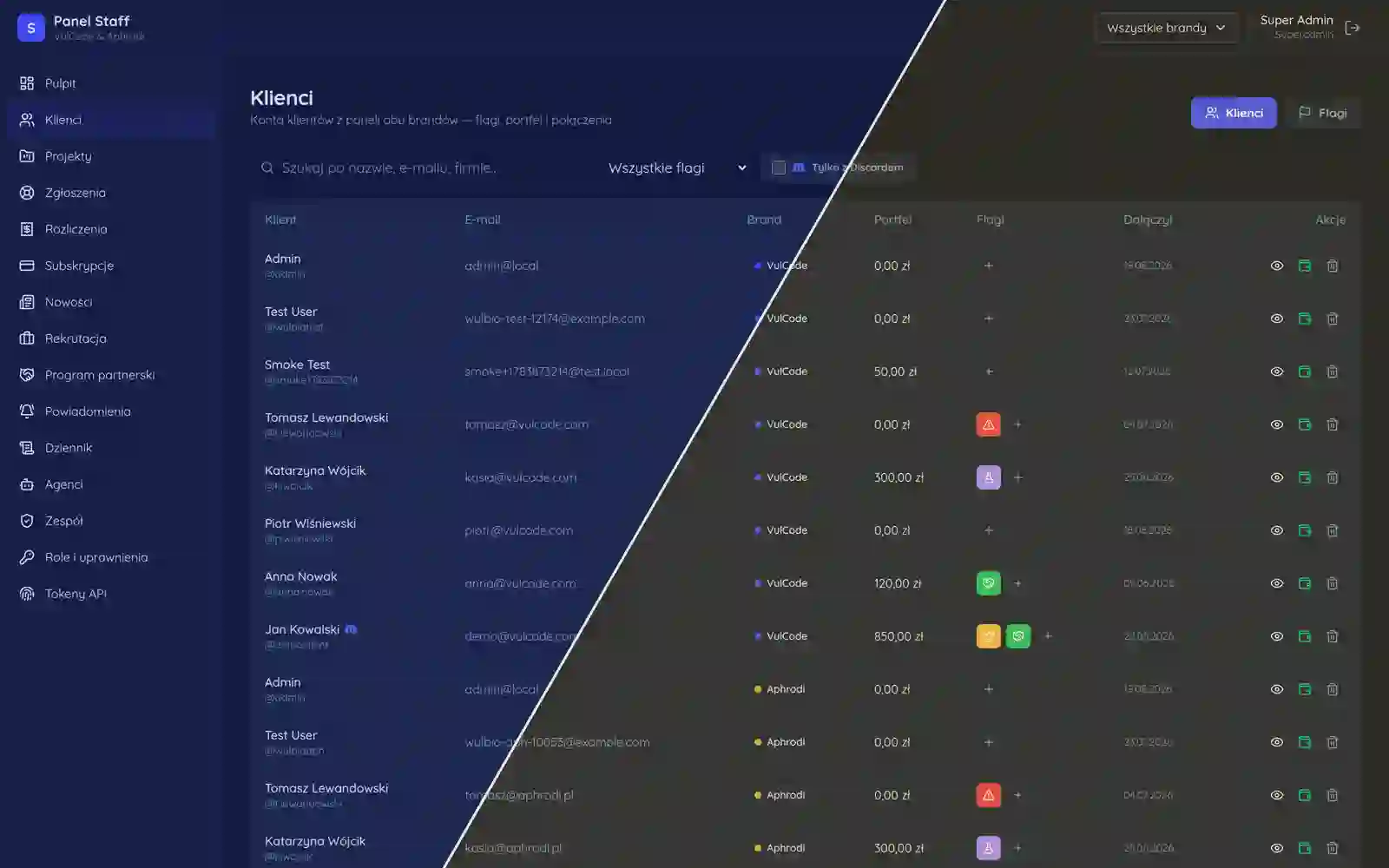
[Panels for clients](page:service-panel), operators, resellers and teams: from hosting and hotels to restaurants and internal systems.

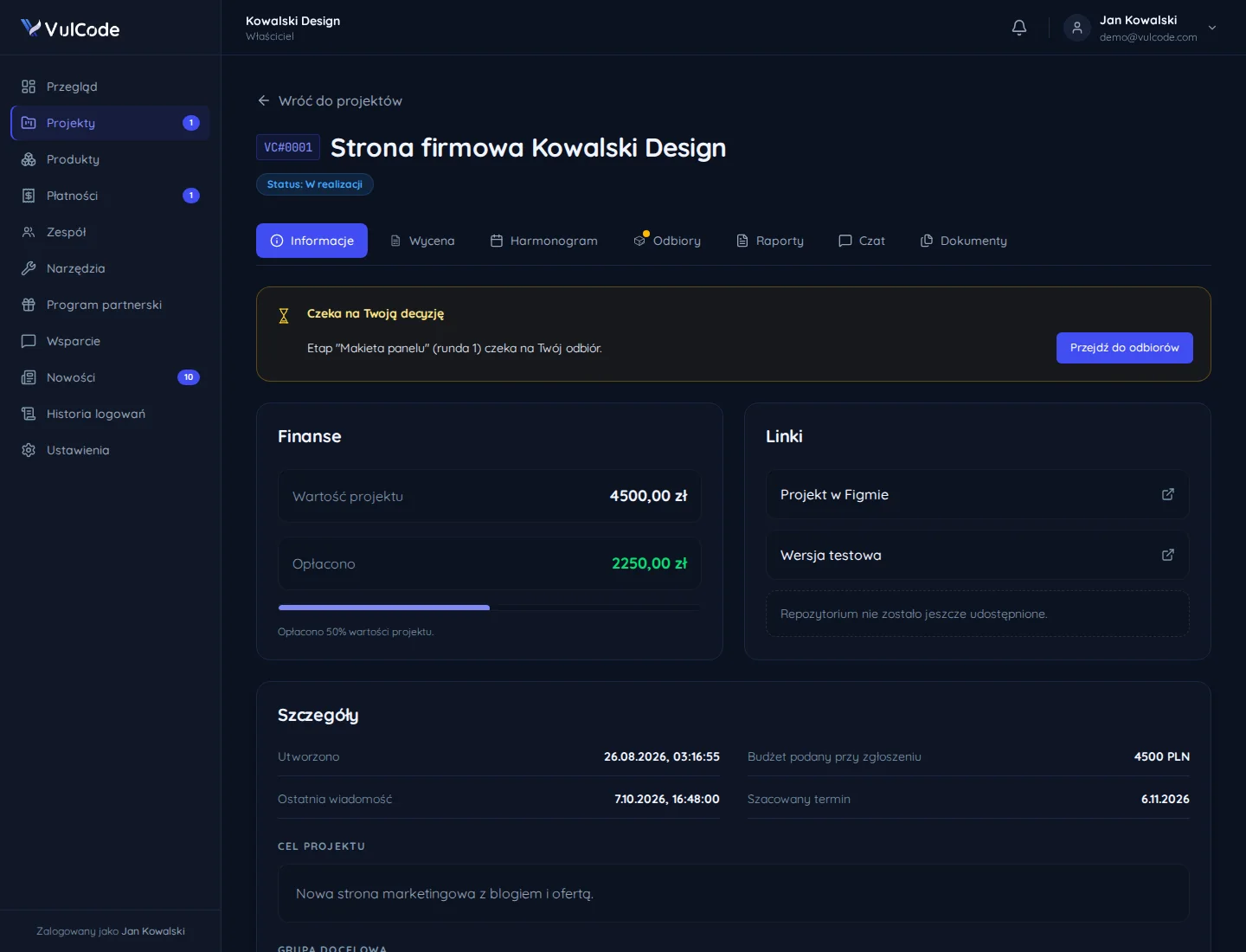
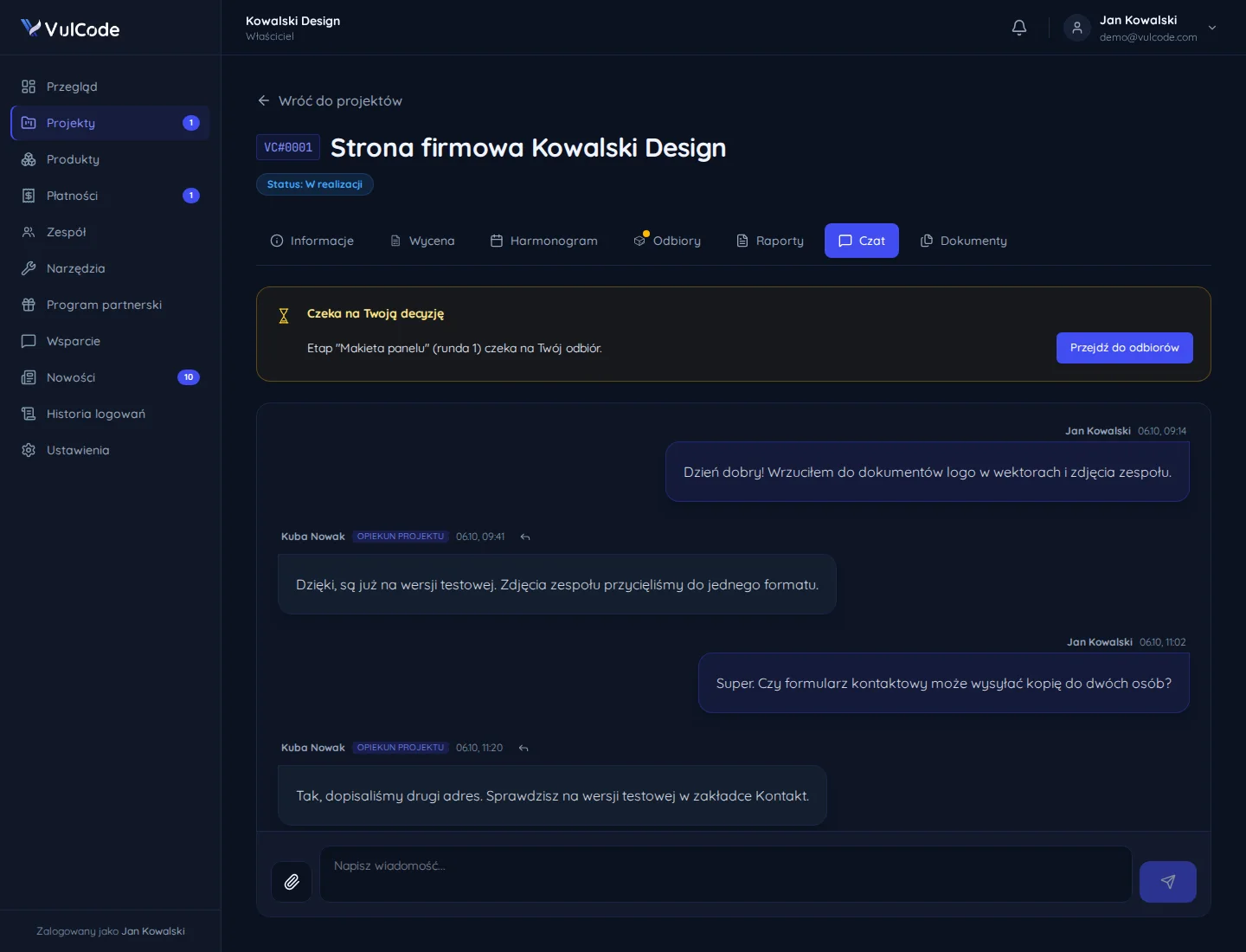
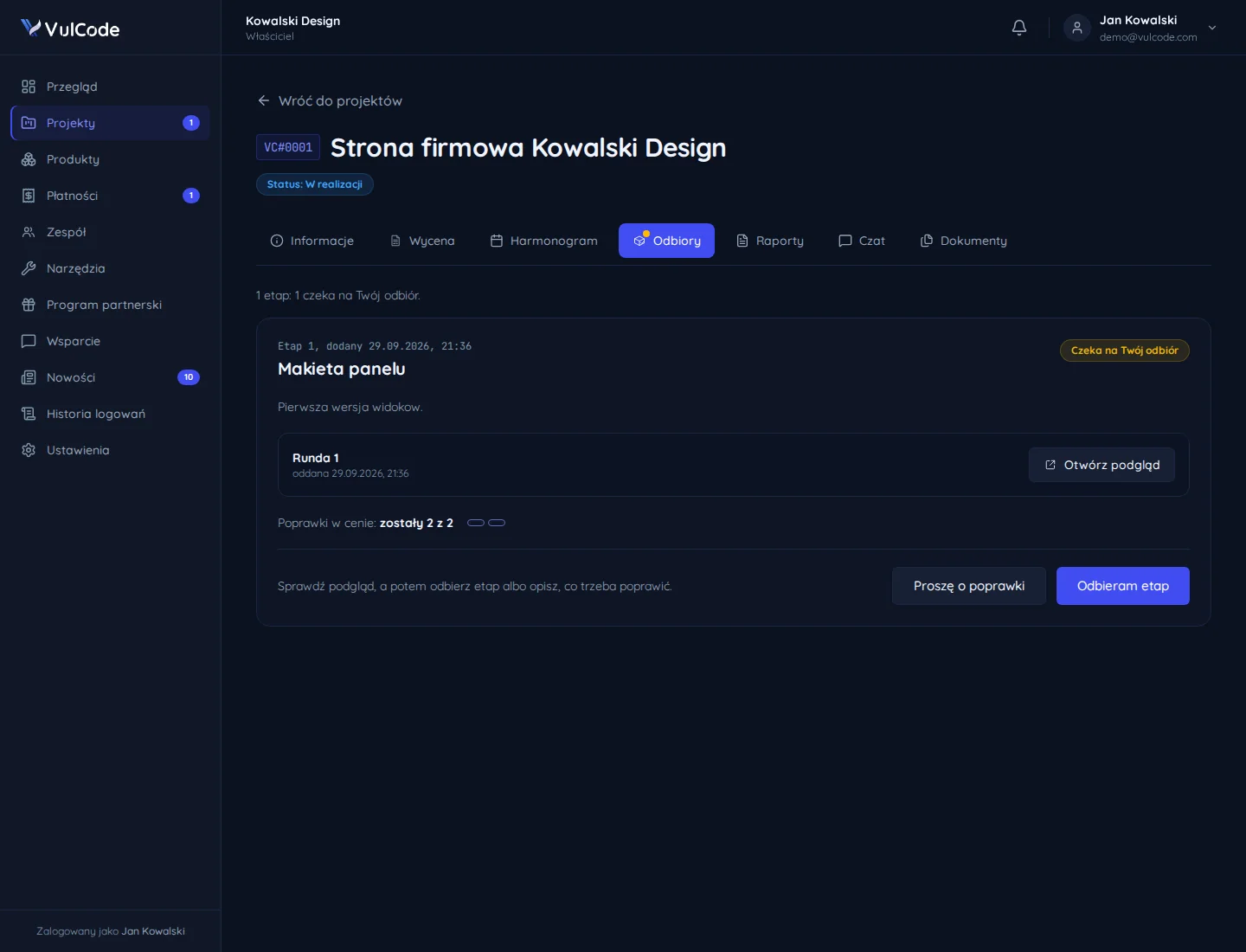
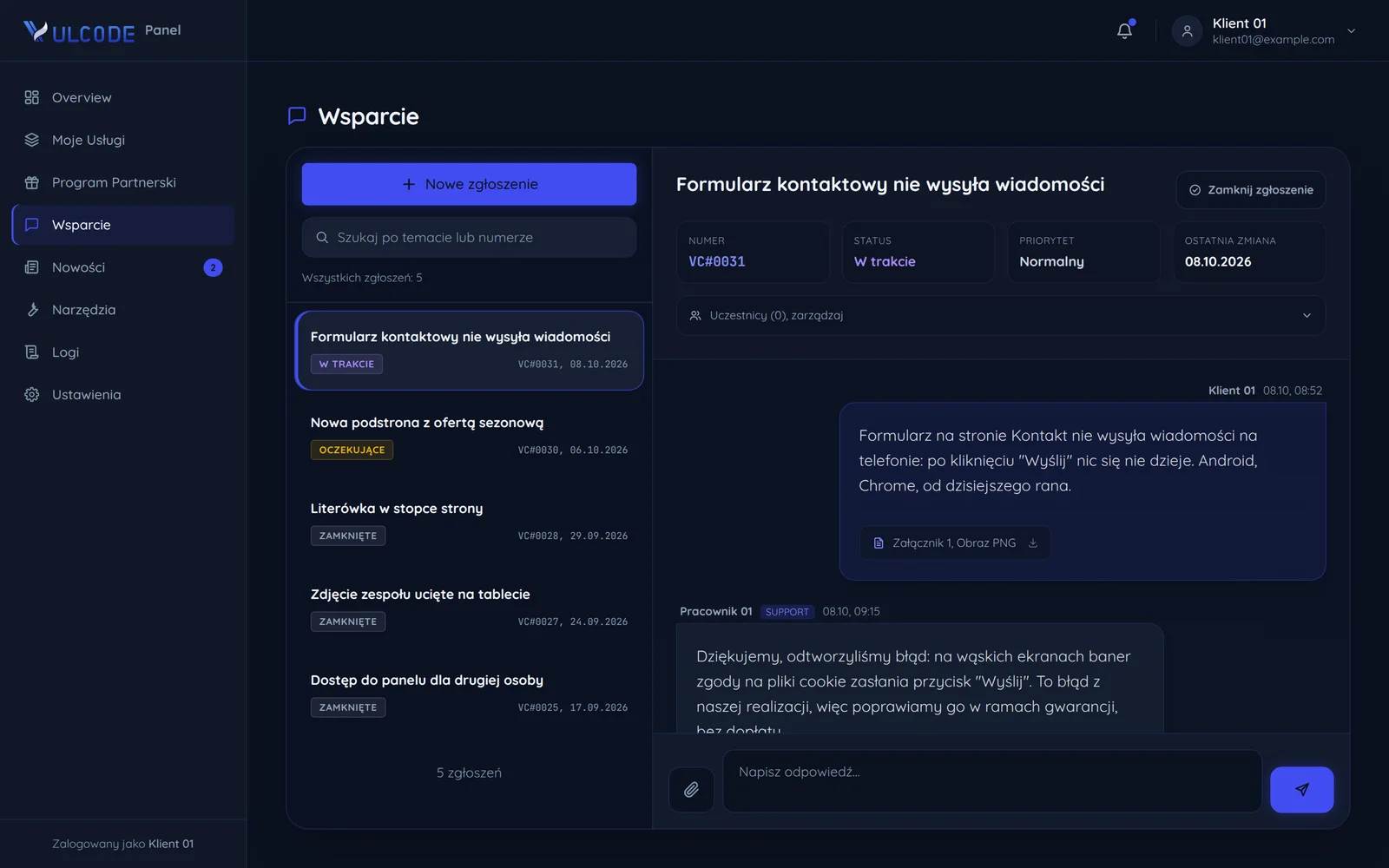
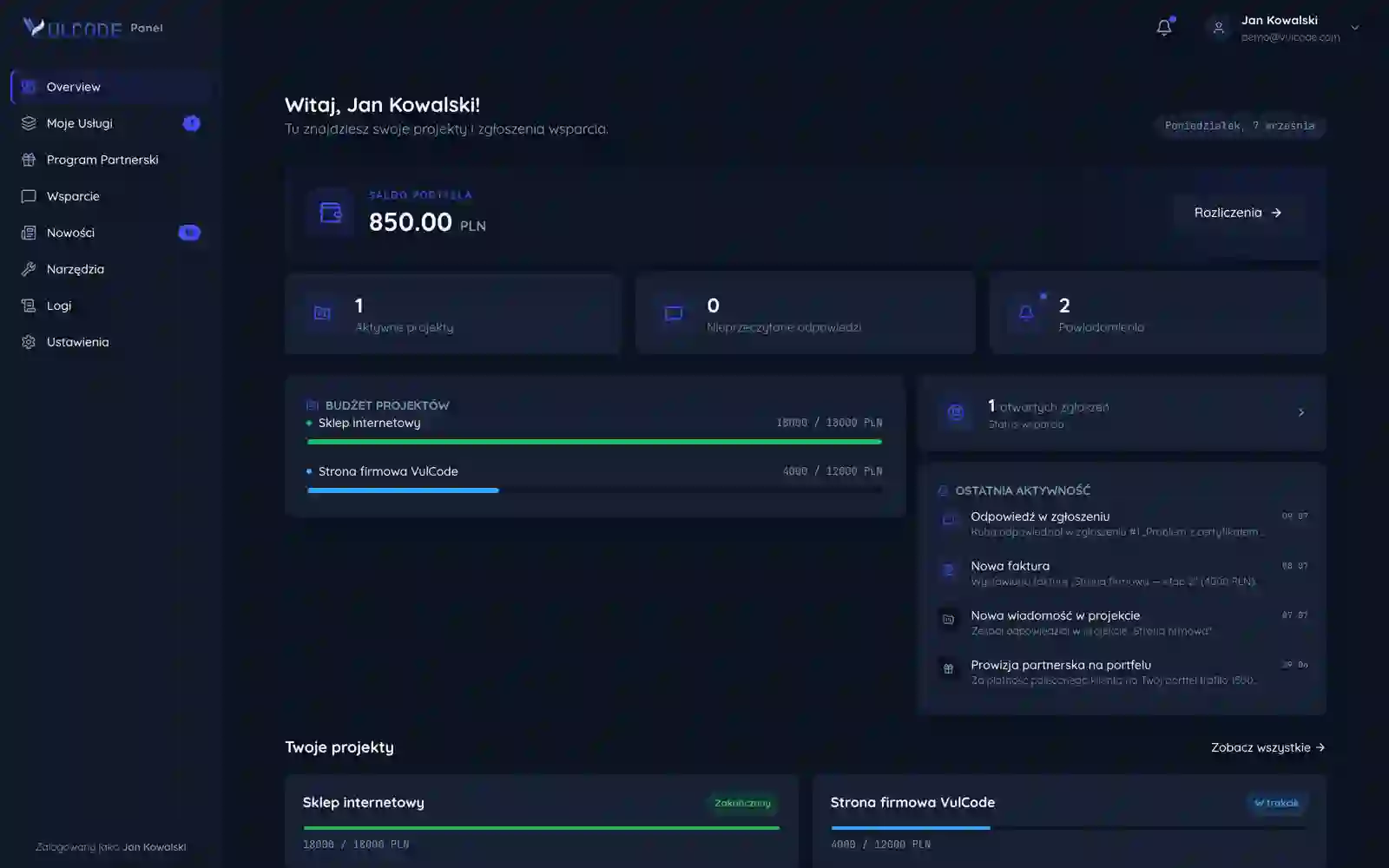
VulCode client panel

The client panel for our own brand: projects, billing, an affiliate program with automatic commission payout and support tickets.

WaveHost client panel

The client panel for a hosting provider: ordering and managing VPS and dedicated servers, a wallet, invoices and a referral program.

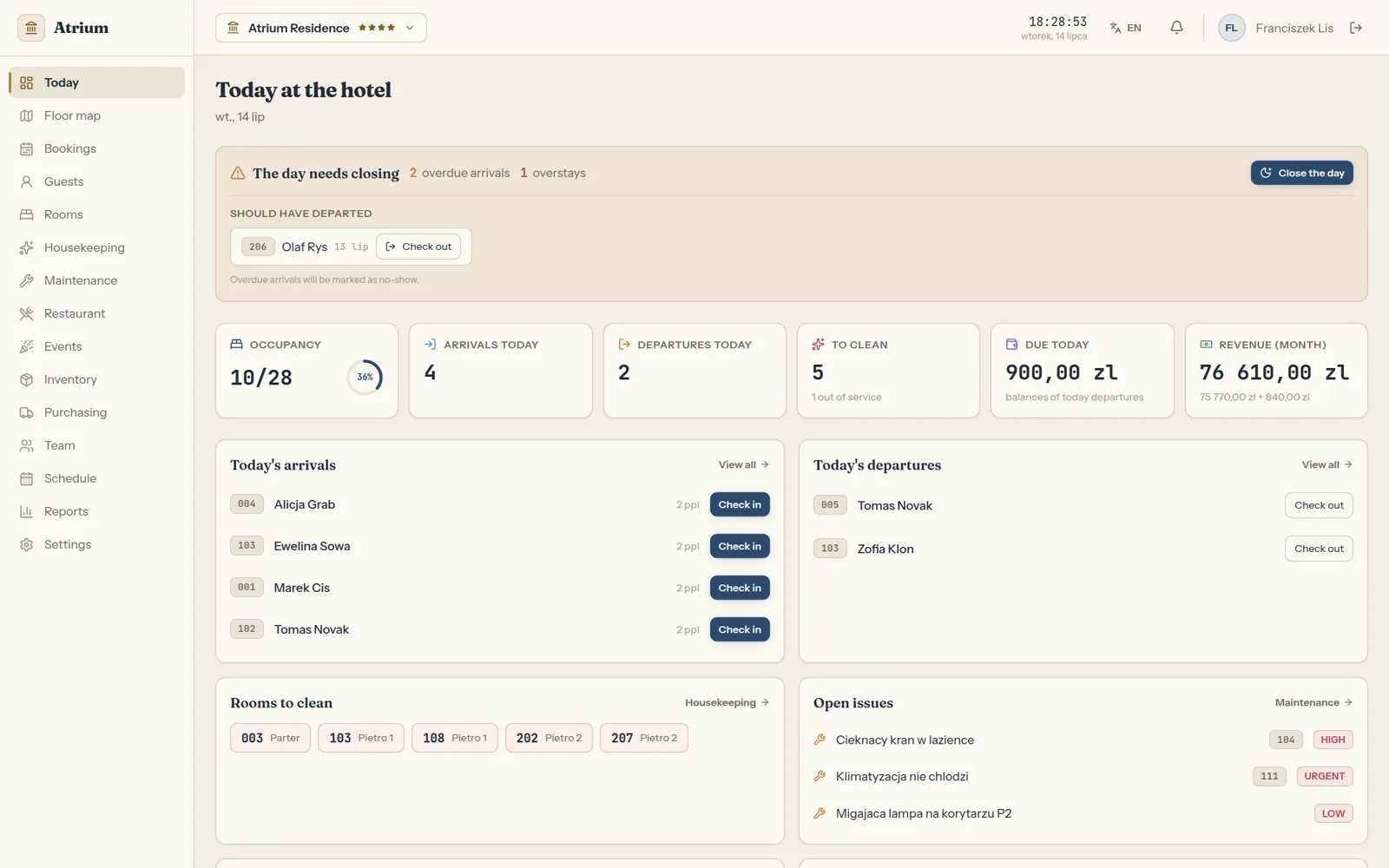
Atrium hotel panel

The daily panel for a hotel's front desk and owner: the day starts with arrivals, departures, rooms to clean and open issues, and ends with closing the day.

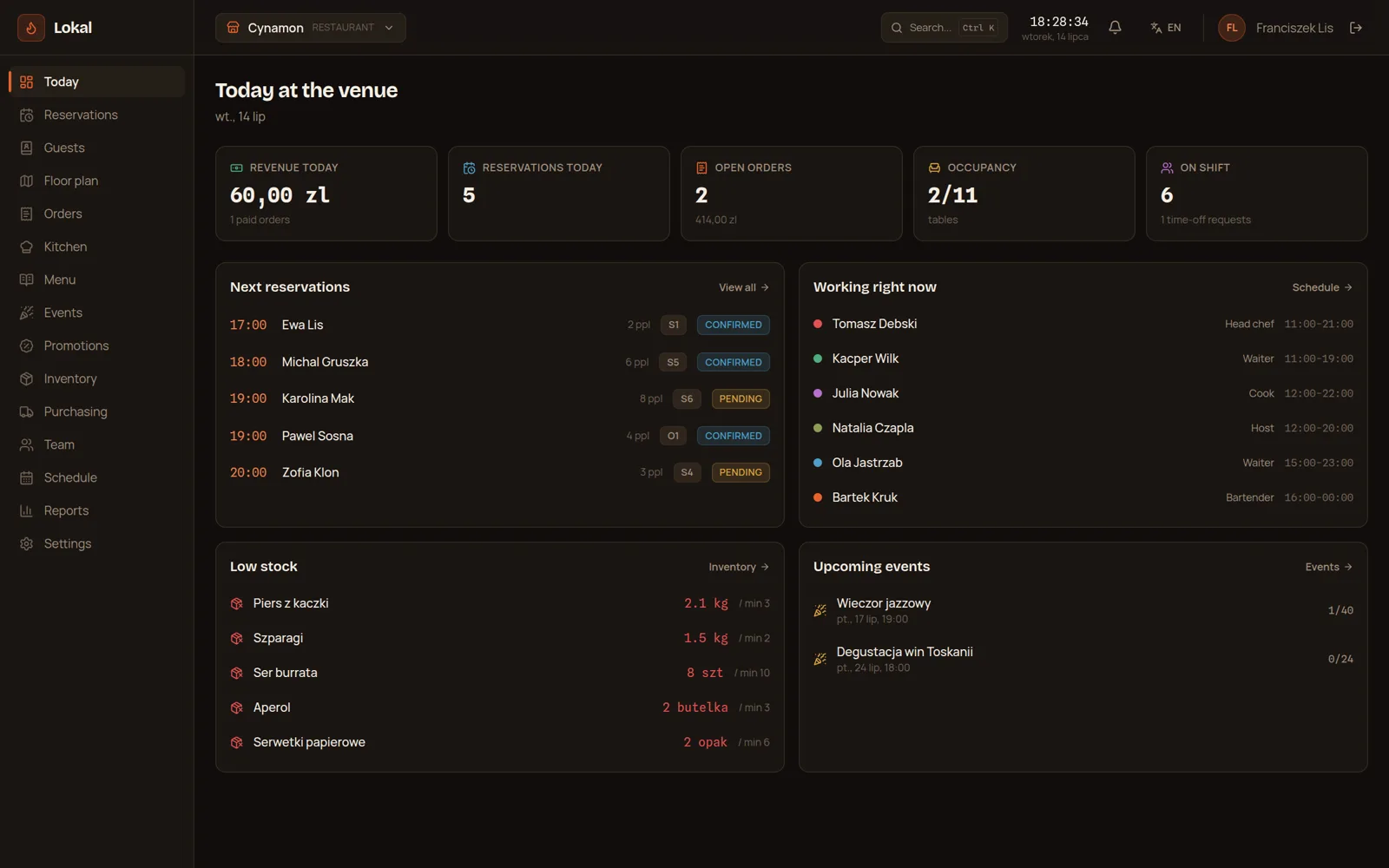
Lokal hospitality panel

The panel an owner and team run a restaurant, bar, club or cafe from: the day's dashboard, reservations on the floor plan, table and takeaway tabs, a kitchen screen and the menu.

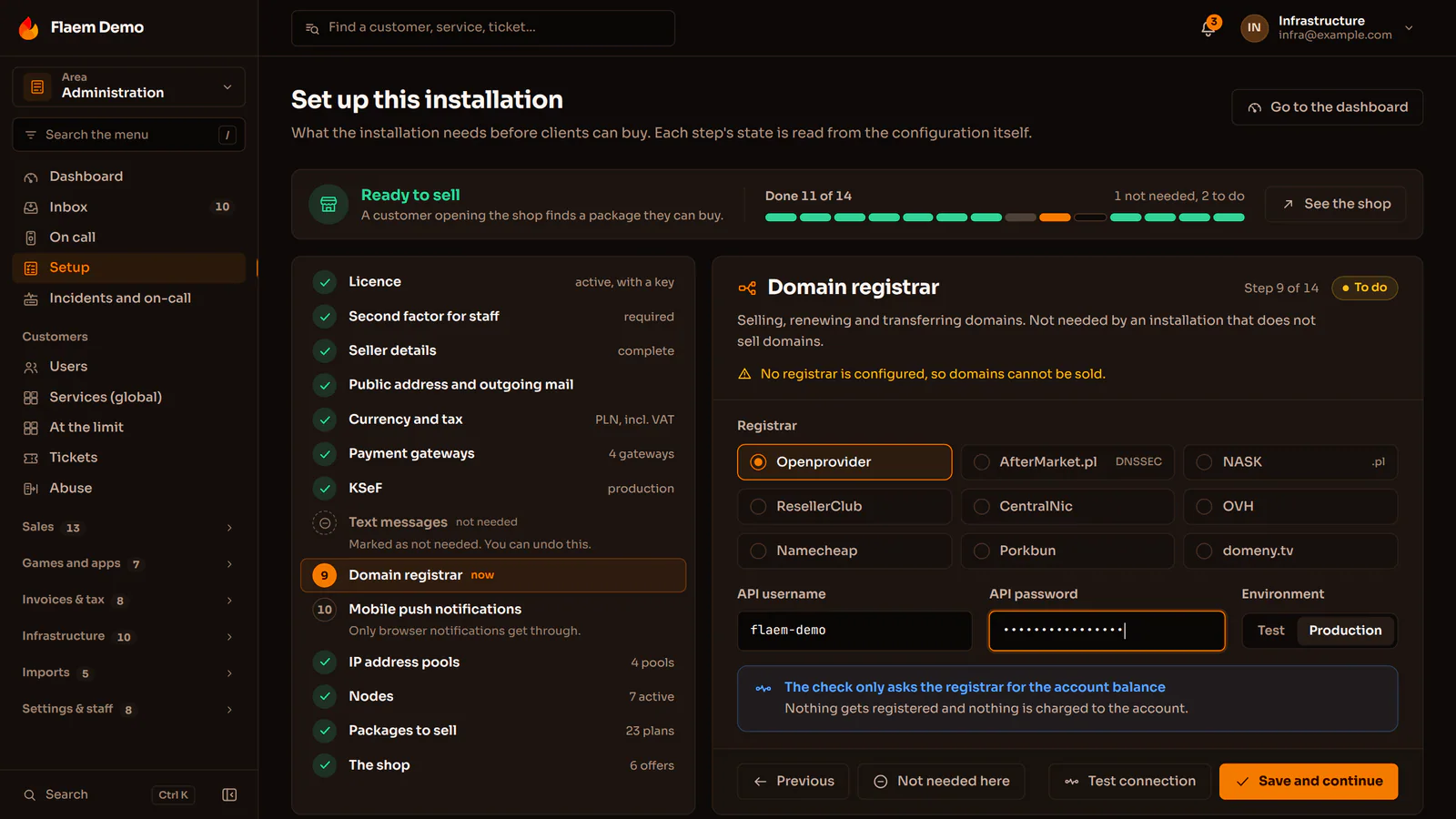
Flaem operator panel

The panel a hosting company runs its whole Flaem installation from: nodes and onboarding them, plans, finance, KSeF invoices, the network with BGP and a team with a permission for every action.

Three ways to get the same project

The same project can be bought three ways. Below, the same eight things checked against each of them.

A template from an AI builder
a builder subscription

Cheapest and fastest, until the page actually has to sell.

  • A fixed monthly fee.
  • The page is up the same day.
  • The same set of blocks as a thousand other companies.
  • Generic copy, written for nobody in particular.
  • Heavy builder code slows things down and pushes the Google ranking with it.
  • Only whatever the builder happens to offer.
  • A help chat and a knowledge base.
  • The first serious change means starting over.
VulCode
from PLN 2,999

We price the actual scope and hold that number to the end.

  • Quoted before we start and unchanged to the end.
  • A launch date comes with the quote.
  • Design and code written for this one page.
  • You write straight to the person who runs your project.
  • We write for your audience and the questions it asks.
  • Loads in about a second, on a phone too.
  • Included, with no separate line on the invoice.
  • We stay on for fixes and further sections.
A full-process agency
a big budget upfront

A big team and a big budget, much of which pays for the process itself.

  • A design made from scratch.
  • A copywriter on the agency side.
  • Optimization usually fits inside the scope.
  • In scope, often as a separate item.
  • Continued work on a retainer.
  • Every scope change means an annex and a new number.
  • A schedule counted in months.
  • Contact goes through an account manager, not the team.

Tell us what your page has to do. A quote with a number and a date comes back within an hour.

Why choose VulCode?

Five things you see from the first message to the work after launch.

Payment stages with amounts and dates

Frequently asked questions

Common questions about this service and working together.

Want to discuss your project?

Every project is quoted individually - regardless of scale, technology or stage. Contact us and we will reply within an hour. The quote is free.