
A municipal website built for WCAG 2.1 and Polish public law
A council website that meets Poland's digital accessibility act, keeps an up-to-date accessibility statement, publishes to the public information bulletin (BIP) with the required metadata, and that departments run themselves.
Requirements a Polish public office website must meet
Two Polish acts shape how a municipal website is built. Each requirement becomes a concrete feature. We write this as the website builder, not a law firm, so it is not legal advice.
WCAG 2.1 at level AA
Public bodies ensure digital accessibility by meeting the requirements in the act's annex, the WCAG 2.1 criteria at levels A and AA (art. 5). They are deemed met when complying with EN 301 549 V3.2.1.
AaA matter's title on its tile17.3:1AaA news entry's date7.5:1AaThe Search button10.8:1AaThe water outage notice9.2:1The WCAG 2.1 threshold for normal text, criterion 1.4.3: 4.5:1An accessibility statement for each language version
The statement follows the template in Commission Implementing Decision 2018/1523, includes the items in art. 10(4) and is linked so users can reach it while navigating (art. 10).
- The template of Commission Implementing Decision 2018/1523
- The items of art. 10(4)
- A separate statement for each language version
- A link to the statement reachable while navigating
Review by 31 March
The statement is reviewed and updated every year by 31 March and after any change that may affect accessibility (art. 11). The panel reminds you of the deadline.
- Review and update by 31 March every year
- An update after every change that may affect accessibility
- A reminder of the deadline in the panel
Accessibility requests within 7 days
Anyone can request that a website element be made accessible, and the body does so without undue delay, within 7 days, or at most 2 months if there are obstacles (art. 18). The request form is part of the website.
- A request through the form on the website
- Accessibility without undue delay, within 7 days
- At most 2 months if there are obstacles
Penalties
Not publishing a statement can be fined up to 5,000 PLN, and persistent lack of accessibility up to 10,000 PLN (art. 19).
- No statement: a fine of up to 5,000 PLN
- Persistent lack of accessibility: a fine of up to 10,000 PLN
BIP metadata
Information in BIP shows the publishing body, the person who created it, the person who entered it, the time of creation and publication, and lets the actual publication time be established (art. 8(6) of the Act on access to public information).
- The publishing body
- Who created the information and who entered it
- The time of creation and publication
- The actual publication time can be established
A website where residents get things done instead of hunting for tabs
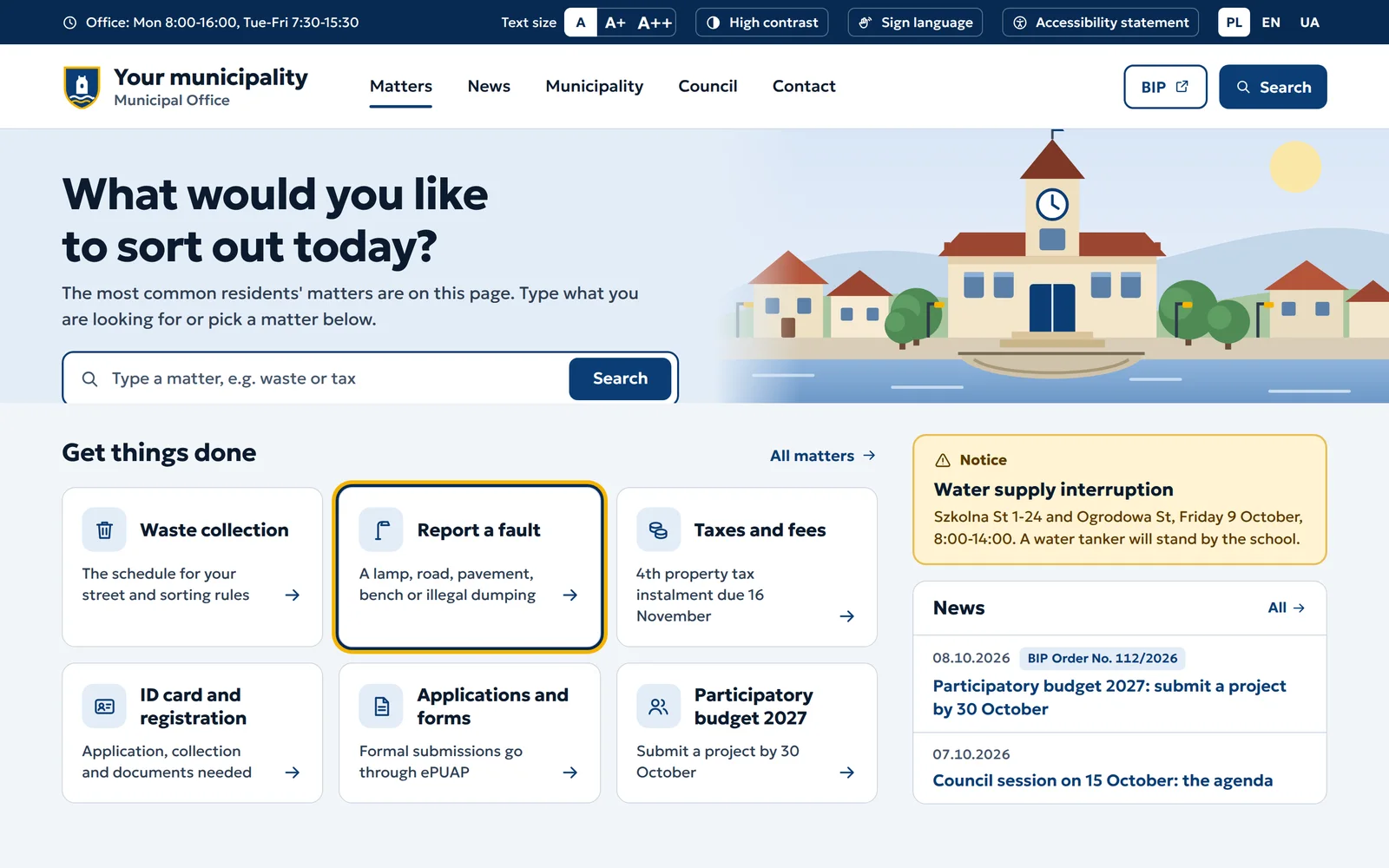
A municipal website serves people who come with a specific matter. The most common matters are on the first screen.
Matters, not the office structure
Residents look for the waste collection schedule, not the department that handles it. Navigation follows the most common matters.
Accessibility in the code, not a plugin
Contrast, zoom and keyboard use built into the template. A text size switch helps but does not replace correct code.
Forms for residents
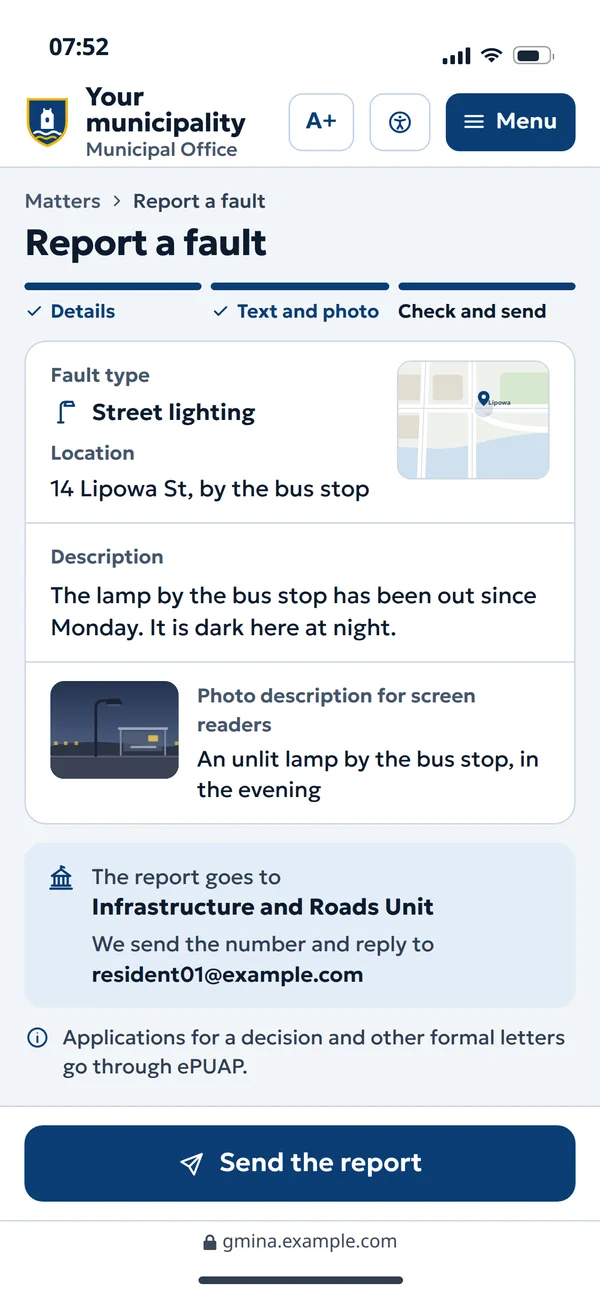
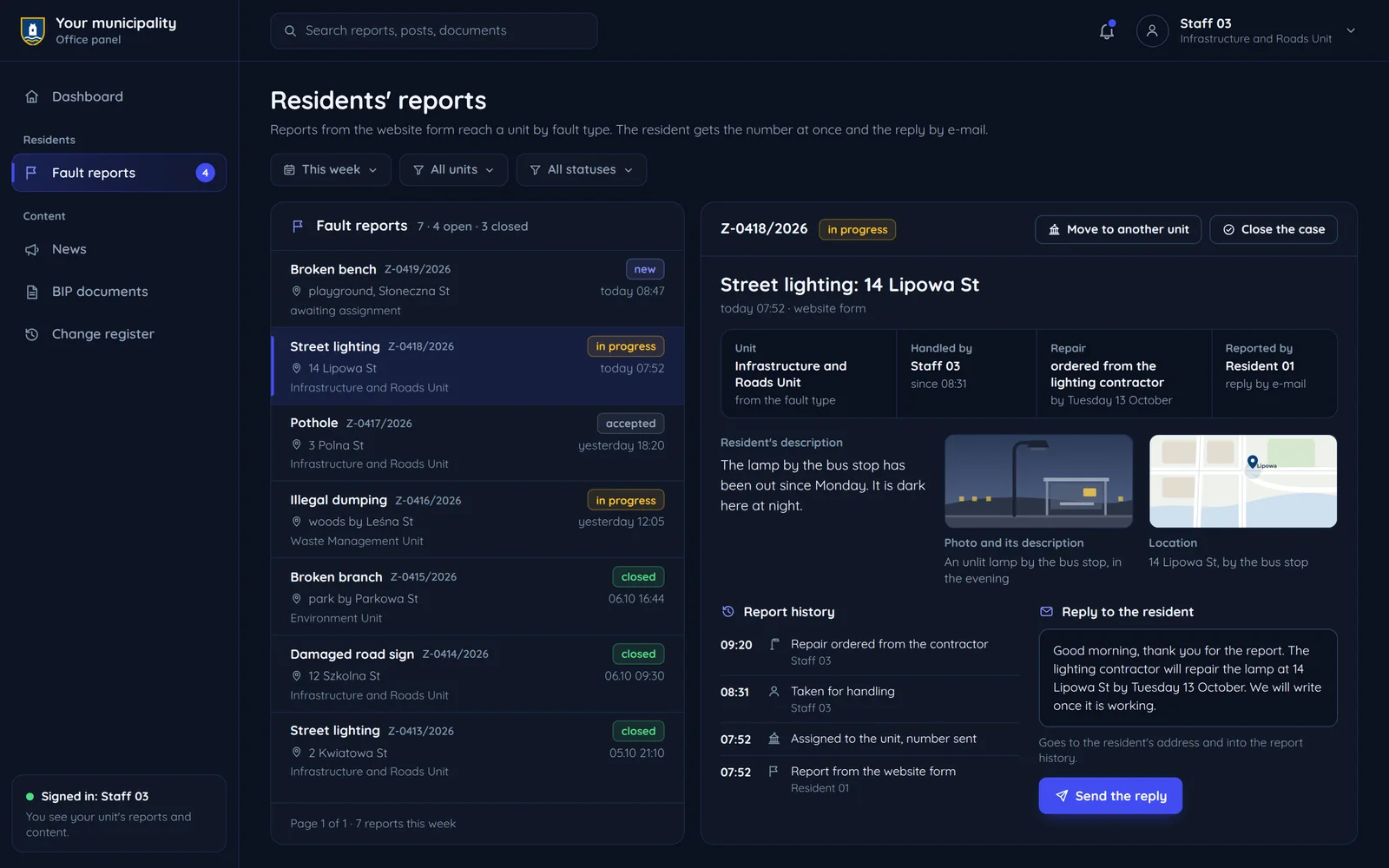
A fault report or an application that reaches the right department. Formal submissions go to ePUAP where the procedure requires it.
BIP publishing with the metadata the law requires
Metadata fills itself in, because the system knows who created a document, who entered it and when. If the municipality uses another BIP system, the website can link to it or pull posts from it instead of publishing twice.
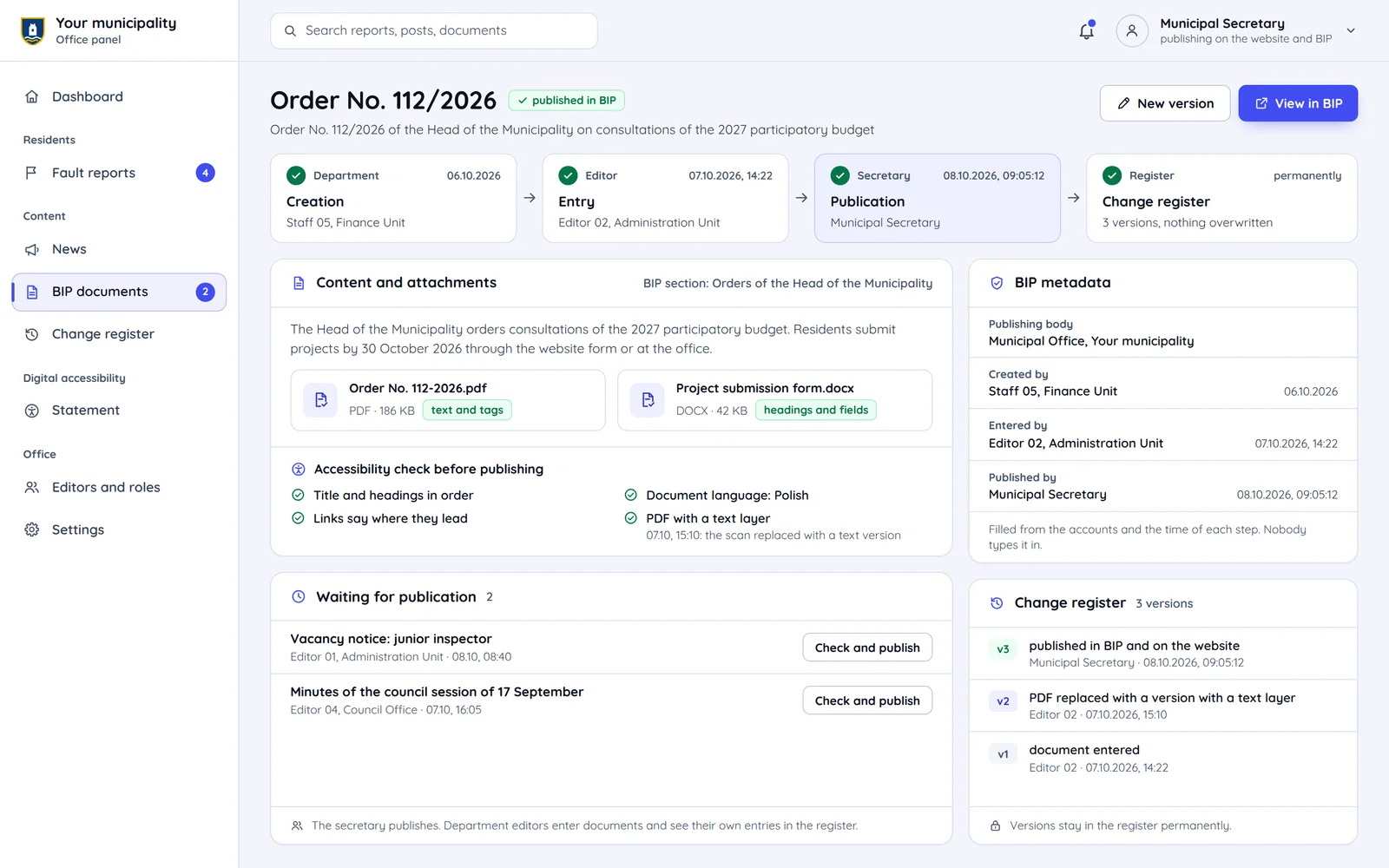
- Department
Creation
A document with its author and creation date.
- Editor
Entry
author and dateA post with the person entering it, checked for accessibility.
- Secretary
Publication
for approvalApproval with the publication time recorded automatically.
- Log
Change log
versionEvery new version with a date and person, never overwriting history.
Who does what in a public office website
Departments write the posts and a responsible person approves publication. Every step is recorded in the change log.
Department editor
- Creating posts and documents
A document with its author and creation date.
Secretary or chief editor: the post waits for approval before publication - Entry
A post with the person entering it, checked for accessibility.
- Change log
Own posts
Secretary or chief editor
- Creating posts and documents
- Publishing on the website and BIP
Approval with the publication time recorded automatically.
- Accessibility statement
- Change log
Accessibility coordinator
- Accessibility statement
Reviewed and updated every year by 31 March and after any change that may affect accessibility.
- Handling accessibility requests
Carried out without undue delay, within 7 days, or at most 2 months if there are obstacles.
- Change log
Resident
- Accessibility statement
View
- Handling accessibility requests
Submit
Accessibility coordinator: a request through the website form - Change log
In BIP
An accessibility statement generated by the website
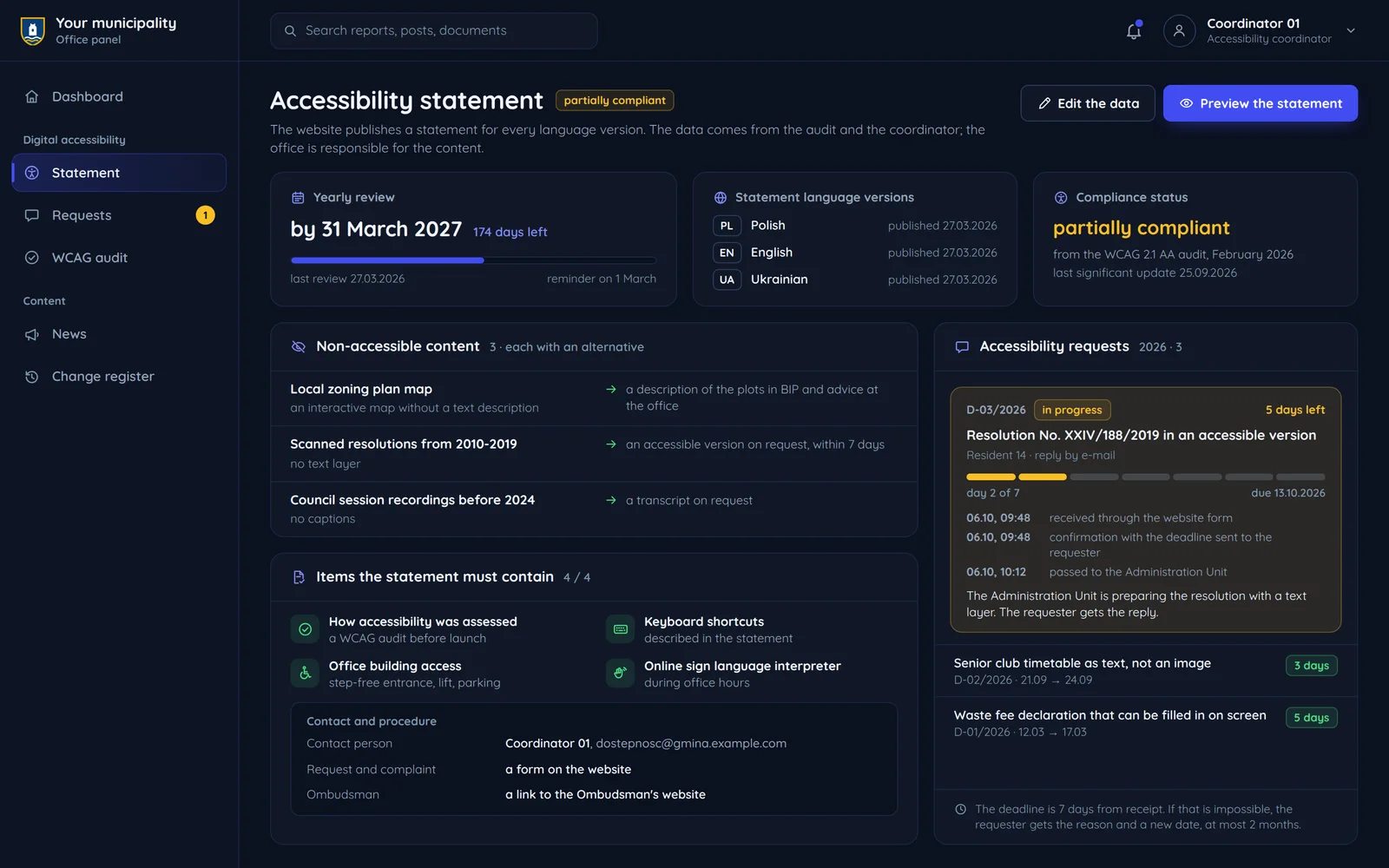
The panel collects the data for the statement and publishes it in the right place. The numbers match the notes beside it.
Dates and status
Publication and update dates from the panel, compliance status from the audit results. Before launch we run a WCAG audit, and its results feed into the accessibility statement.
An honest list of exceptions
Elements that cannot be adapted, with a reason and an alternative, not hidden behind a general sentence.
Items from art. 10(4)
Assessment method, keyboard shortcuts, building accessibility and a sign language interpreter.
A path for residents
Coordinator contact, a request and complaint form and a link to the Ombudsman.
Questions from public offices
The most common questions from local government before ordering a website.

Read next
Other institutions and accessibility.
Send us the contract description
Tell us what website the office runs and what the contract covers. We will reply with an offer in the procedure you choose.