VulCode

Integrations: KSeF, payments, Allegro, ERP and couriers

We connect your store, app or business system with the tools you use every day. When a ready plugin will do, we say so at once. When it will not, we write an integration with a queue, retries and a log that does not lose data at the first outage on the other side.

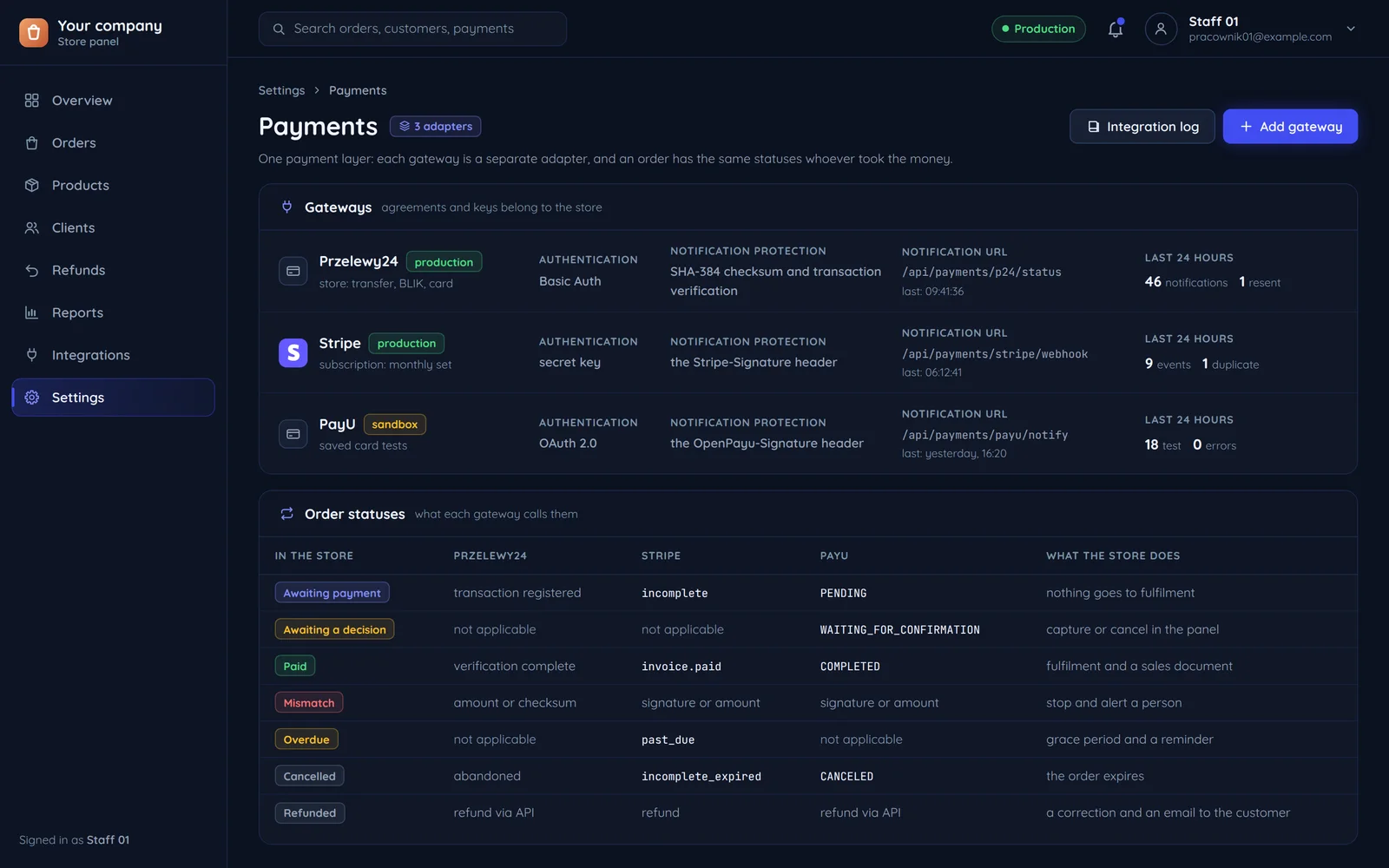
A store panel: three payment gateways as separate adapters and the shared order statuses for each of them
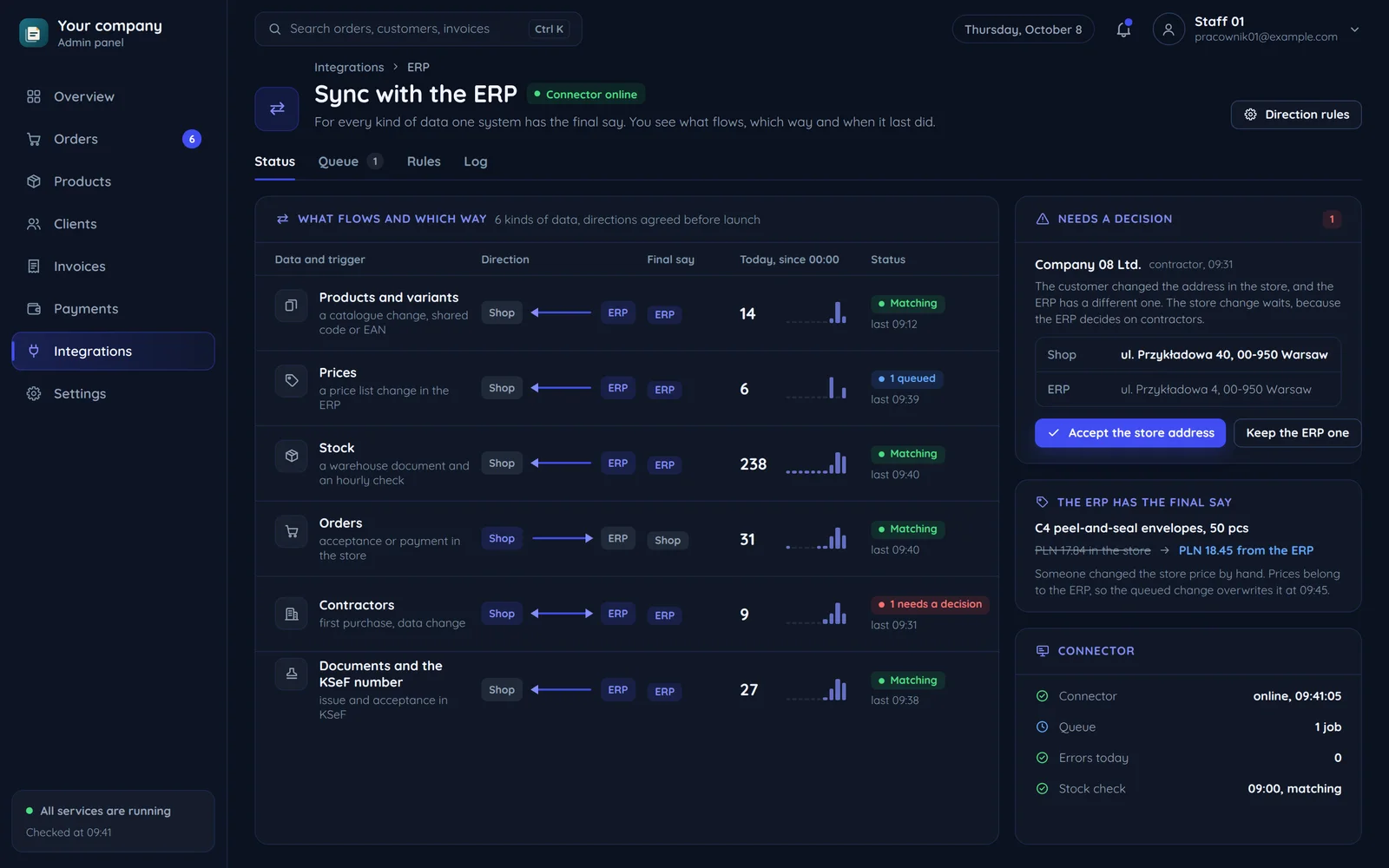
An admin panel: syncing a store with an ERP, six kinds of data with their direction and the system that has the last word
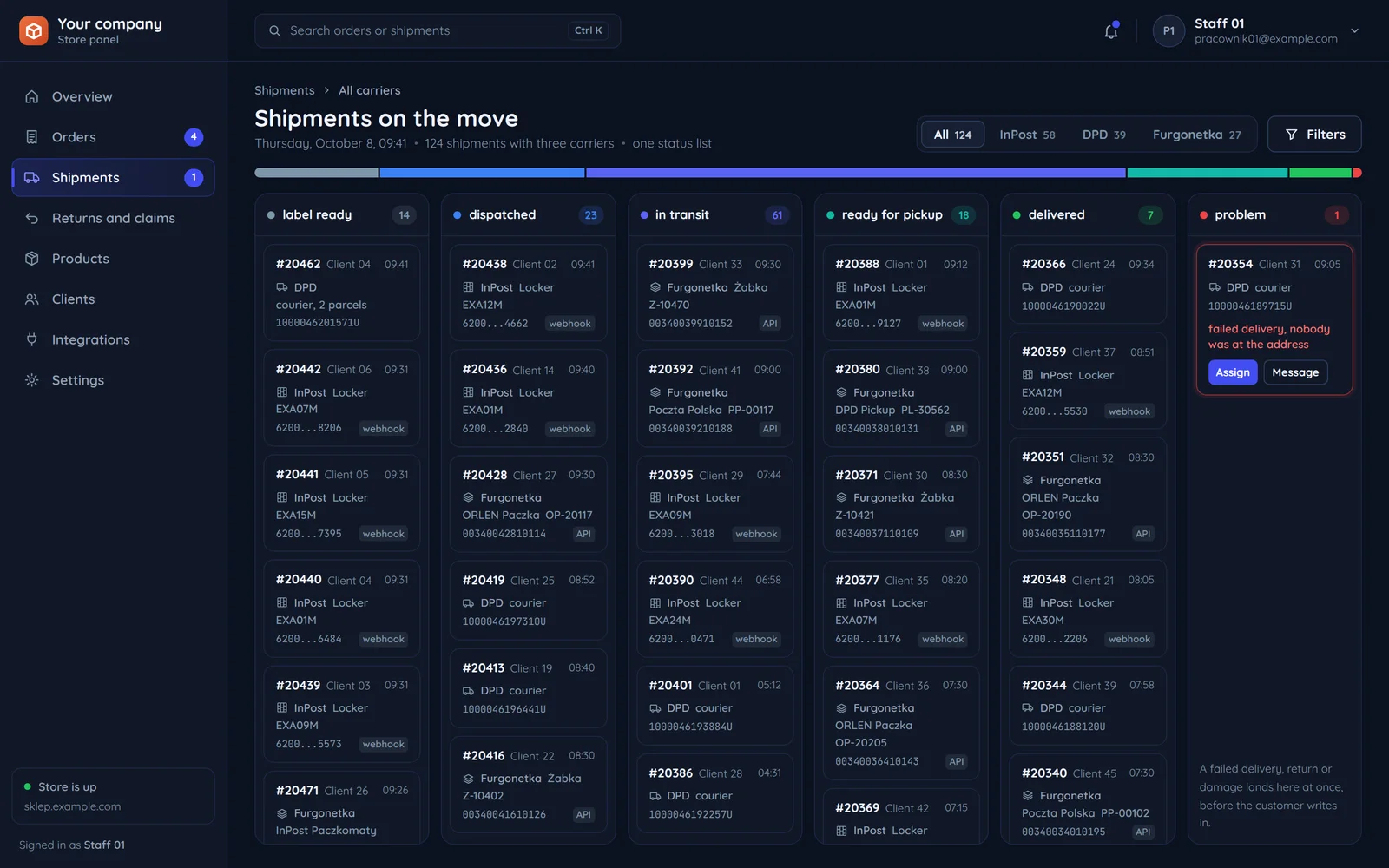
A store panel: parcels with three carriers on one board of shared statuses

All integrations

33 integrations in 6 groups. Each has its own page: which data flows between the systems, what we watch out for on the provider's side and how the rollout goes.

Your system in the middle

Everything plugs into your store, app or business system, and each group of integrations adds its own kind of data to it. At each group: what goes out and what comes back.

Your store, app or business system

orders, customers, documents and stock

Your system is not here? We will connect it if it has an API, a data export or webhooks, under our API and integrations service.

Online payments

Data flows both ways
  • The order goes to the gateway, and the notice of the payment's result comes back to the order.
  • Refunds, BLIK in subscriptions and Stripe subscriptions.

Invoicing and ERP

Data flows both ways
  • Invoices go to KSeF through API 2.0, with fallback modes.
  • Orders become documents in the program, stock comes back from the warehouse, and company data from the REGON register by tax ID.

Couriers and shipping

Data flows both ways
  • The shipment and its label are made with the carrier or in a service with many couriers.
  • The tracking number and its statuses come back to the order.

Stores and marketplaces

Data flows both ways
  • Orders, stock and listings flow between your store platform, Allegro and other channels.
  • For a hotel, room availability in sync with Booking.com.

Games and hosting

Data flows both ways
  • Game servers created and suspended automatically, and in WHMCS provisioning modules for Proxmox and Pterodactyl.
  • Steam login and player data.

Messengers and login

Data flows both ways
  • Sign-in with a Google, Microsoft, Apple or company SSO account.
  • Roles after purchase and notifications through Discord webhooks.

An integration breaks at the worst moment

During a traffic spike, a sale, or an outage on the other side. So we build integrations to survive those moments.

A traffic spike

Suddenly there are more events than the other side accepts: it asks us to slow down and says how long to wait.

An integration without a queue

Calls over the limit are refused and lost, because nobody retries them.

Our integration with a queue

Events wait in the queue and leave at the pace the other side allows.

What the log records
  1. A limit on the other side: we wait as long as the other side asks says.
  2. Events wait their turn in the queue.
  3. The queue is empty again, no event was lost.

A sale

At the peak of a sale answers come back later than usual, so some calls look as if they failed.

An integration without a queue

A call with no answer goes again blindly, and a second invoice or a second parcel appears.

Our integration with a queue

A retry of the same event is recognised and nothing is created twice.

What the log records
  1. No answer in time: the same event is retried.
  2. The retry never creates a second invoice, parcel or server.
  3. Every order of the sale went through exactly once.

An outage on the other side

The other side does not answer or returns a server error.

An integration without a queue

Everything sent during the outage was lost.

Our integration with a queue

Events wait in the queue, retries go with a growing pause, and once the other side is back the queue empties.

What the log records
  1. A server error on the other side: retries with a growing pause.
  2. A failure alert: we are the first to know.
  3. The other side is back, the queue emptied in order.

An API change

The provider switches off an old API version it announced ahead of time.

An integration without a queue

From the switch-off, every call is refused until someone notices.

Our integration with a queue

The integration moved to the new version before the date, so nothing stopped.

What the log records
  1. The provider announced the switch-off of the old API version.
  2. Under maintenance the integration was adapted before the date.
  3. Events go through without a break.

These integrations in our own products

The integrations on this page also live in products we write and run ourselves: payments, KSeF, Discord, sign-in and our client panel. For each product we say what it connects to.

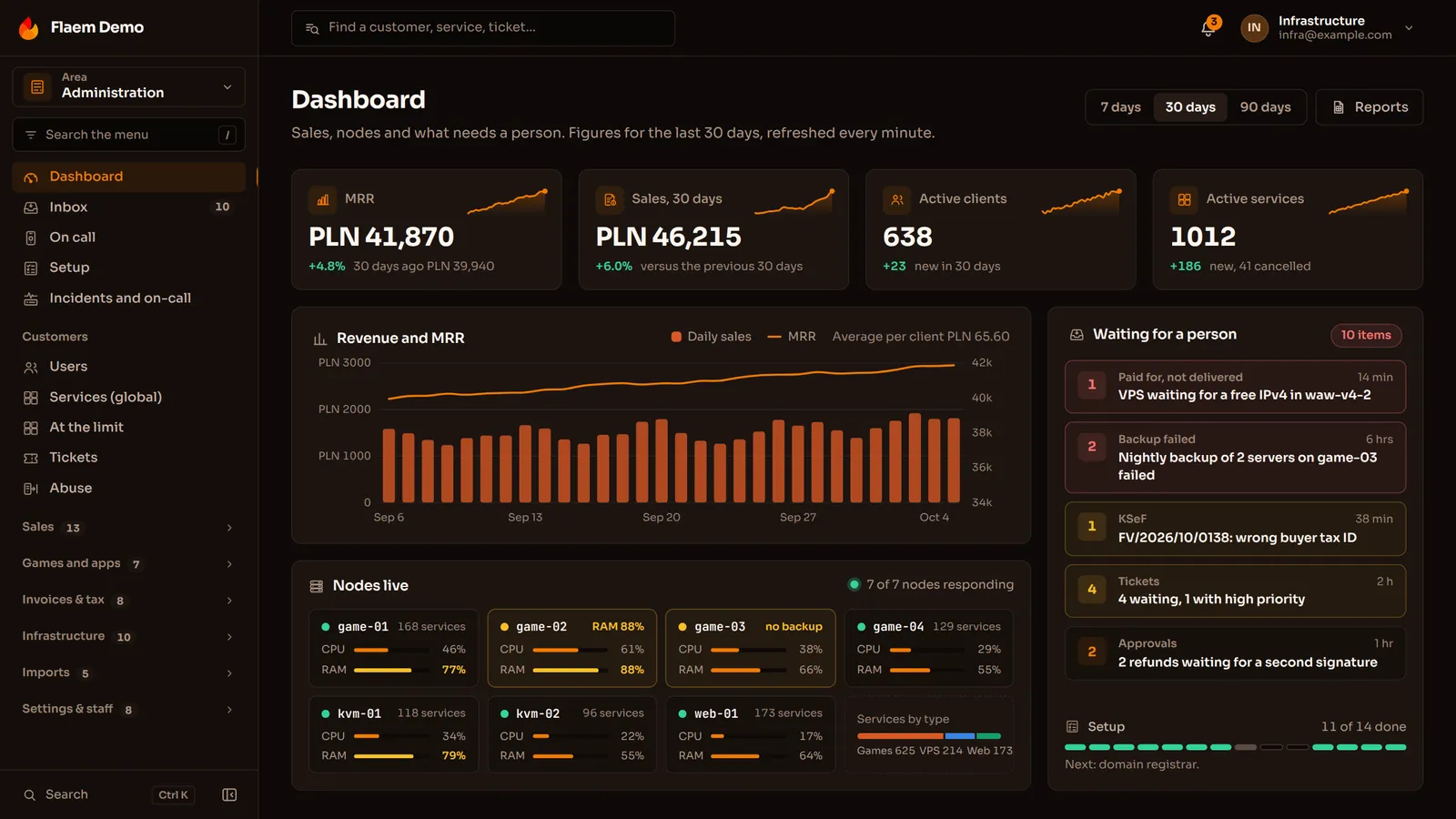
The Flaem panel dashboard: revenue, active clients, server nodes and the cases waiting for a person

Flaem

Game servers, VPS, domains and mail in one panel. The client buys, the node sets the service up on its own, and the panel keeps track of payments, invoices and limits.

  • Payment gateways

    Przelewy24 with a BLIK code typed into the store, PayU, Tpay, Stripe, PayPal, paysafecard and SimPay. Each gateway is a module of its own.

  • KSeF

    An invoice goes to a queue and is sent in the background, and the KSeF number and UPO are stored with the document.

  • WHMCS

    A billing bridge: WHMCS keeps the client and the money, and Flaem keeps the machines. The import is done in code with tests, not yet on a real WHMCS panel.

  • Pterodactyl

    Users, nodes, game definitions and servers move over with the same uuid, always after a dry run with a report. The import is done in code with tests.
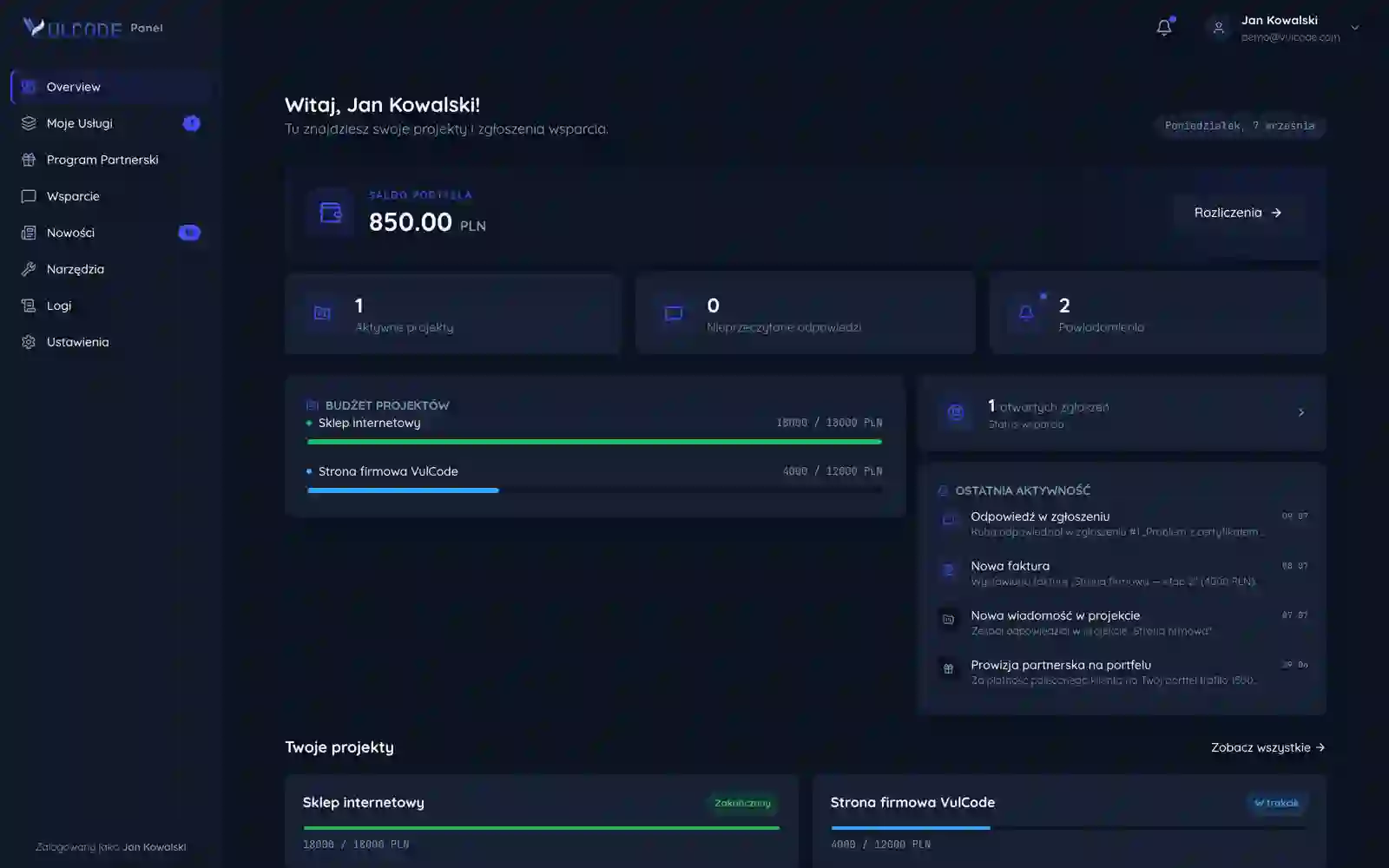
The VulCode client panel: balance, projects, tickets and recent activity

The VulCode client panel

Projects, billing, invoices, tickets and an affiliate programme that pays commission into a wallet. It runs in the browser and as an installed app.

  • Sign-in with Discord

    Discord returns to the panel with a code and only our server exchanges it for a token, so the browser never sees the app secret.

  • Notifications

    The client picks the channel: the bell in the panel, email, a message from our Discord bot or a push to the phone and computer.

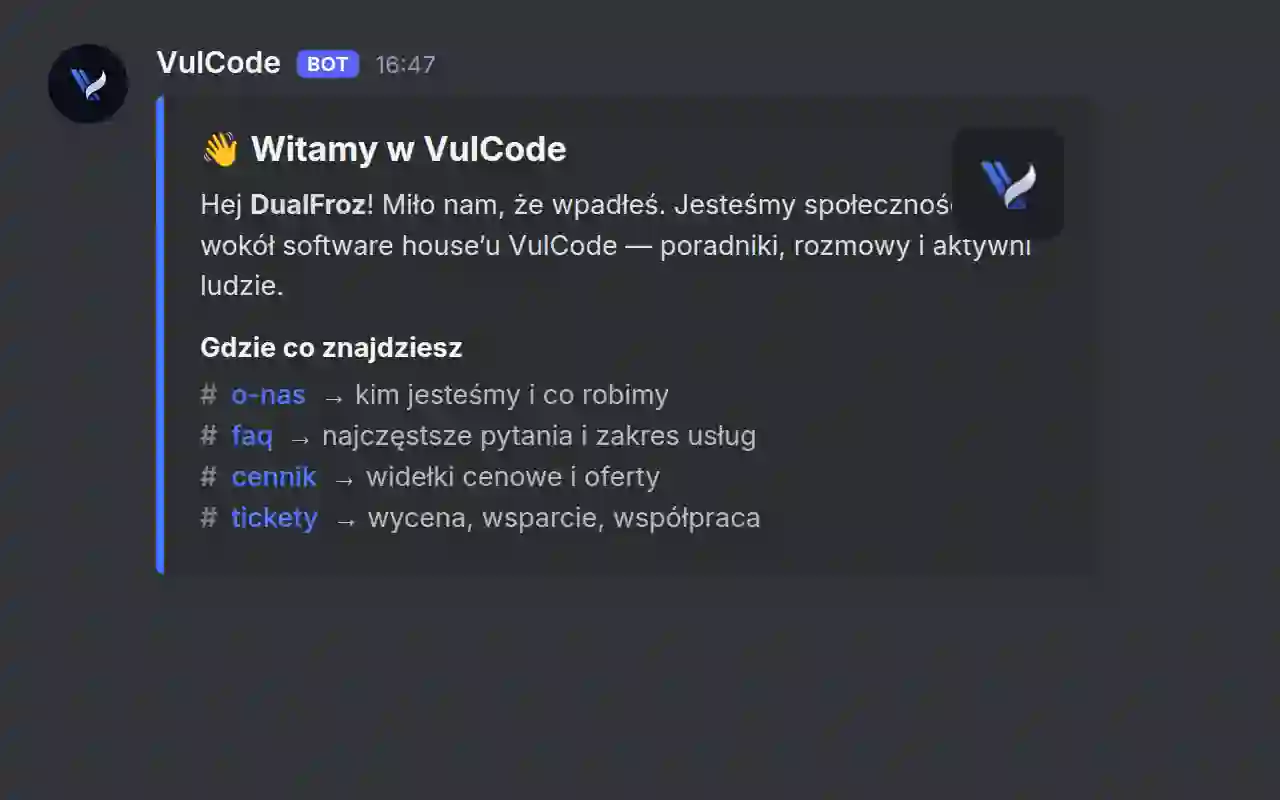
The VulCode bot's welcome message on our Discord server

Discord bots

Our bots work on our brands' Discord servers and take load off support with no manual work.

  • Discord

    Tickets that ping the team, welcomes for new members, email verification and tidy roles, each fitted to its own server.

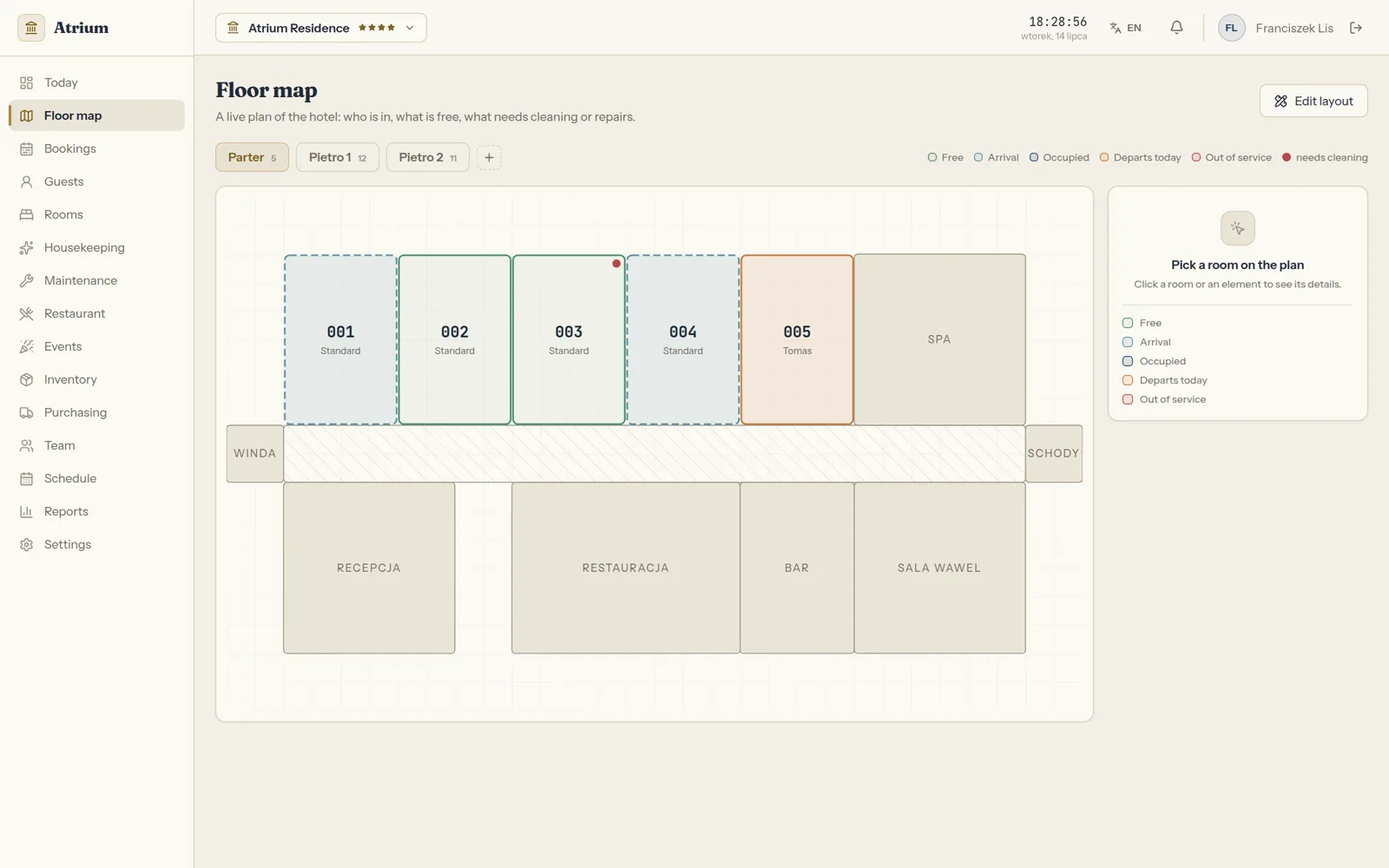
Atrium: a floor map with room statuses

Atrium

A floor map with live room statuses, bookings with collision control, and cleaning and maintenance in one flow.

  • The VulCode client panel

    Only our client panel sets the plan, the paid period and a suspension, through a separate API with a secret token. With no token set that API stays off, and a suspended property can still see and export its data.

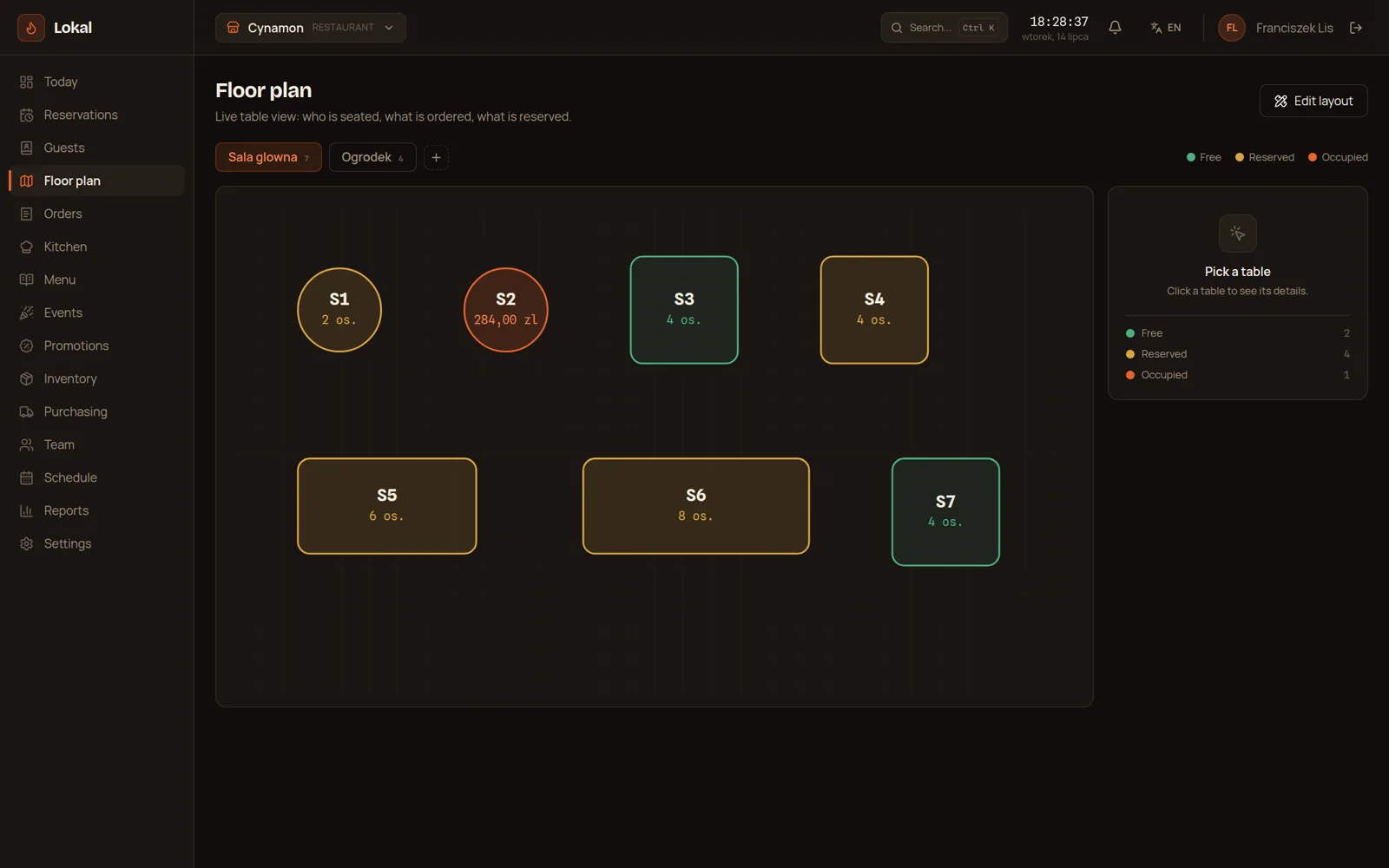
Lokal: the floor plan with table statuses

Lokal

A live floor plan, reservations guarded against collisions, orders straight to the kitchen screen and stock that goes down with the sales.

  • The VulCode client panel

    Our client panel sets the venue's plan and suspension through a separate API with a secret token. A suspended venue still sees its data and can write a ticket and pay.

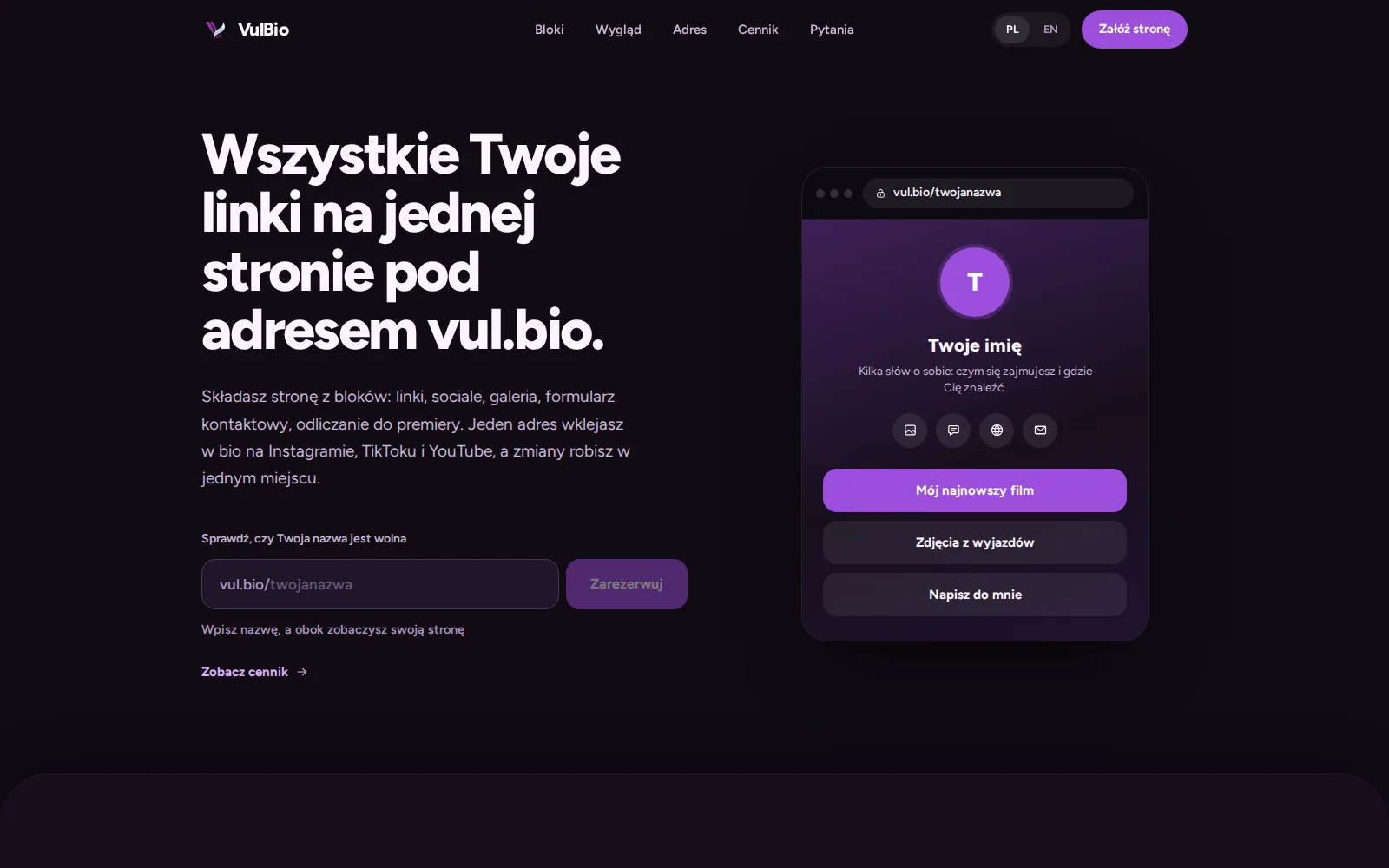
The VulBio site: a link in bio at a vul.bio address

VulBio

A page at vul.bio/name that gathers links, socials and a portfolio in one place.

  • The VulCode client panel

    You sign in with your account from our client panel, and the plan comes from the paid order in a signed token. A VulBio account with the same email has to be confirmed with its password first, so nobody can take over someone else's page.

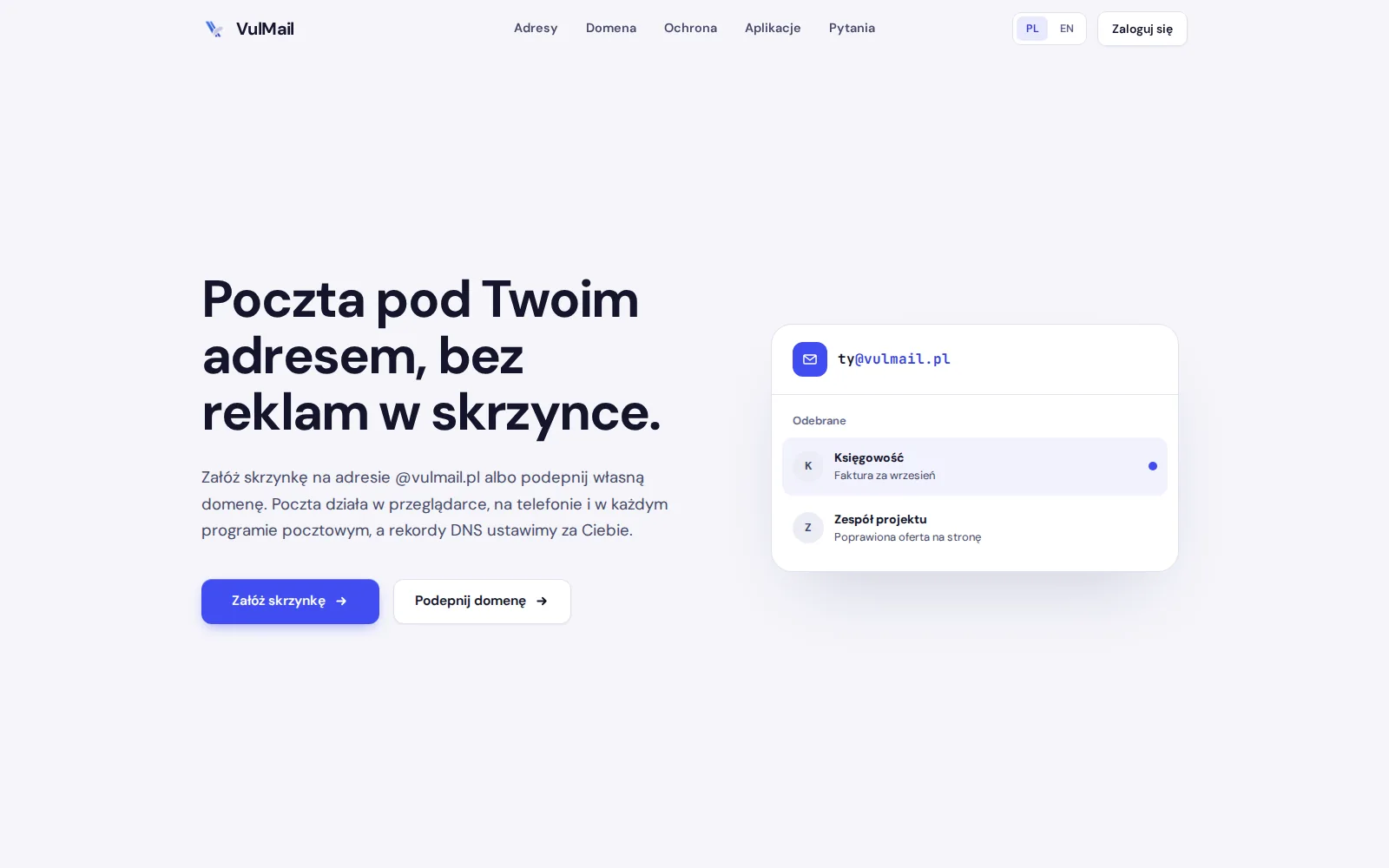
The VulMail site: email at your own address, with no ads in the inbox

VulMail

Email for businesses, on their own domain or at a @vulmail.pl address.

  • Mail apps

    Thunderbird, Outlook, Apple Mail and any other app that speaks IMAP and SMTP.

  • Phones

    Android and iPhone over IMAP or Exchange ActiveSync, with calendar and contacts.

  • DNS records

    Once a domain is connected, the panel generates a DKIM key and shows the full set of SPF, DKIM and DMARC records. When the domain is with us, we add them for you.

Common questions about integrations

Answers about the quote, systems that are not listed, API changes and code rights.

Tell us what should connect to what

Tell us which systems you have and what data should flow between them. We will reply within an hour with questions and a quote.