VulCode

Integrations & Automation

VulCode connects business systems with API integrations matched to your data, not a generic endpoint: payments, CRM, inventory and KSeF. Every integration comes with documentation from day one and secure authentication, ready to connect to further systems.

from PLN 999

The figure for your scope comes in a free quote.

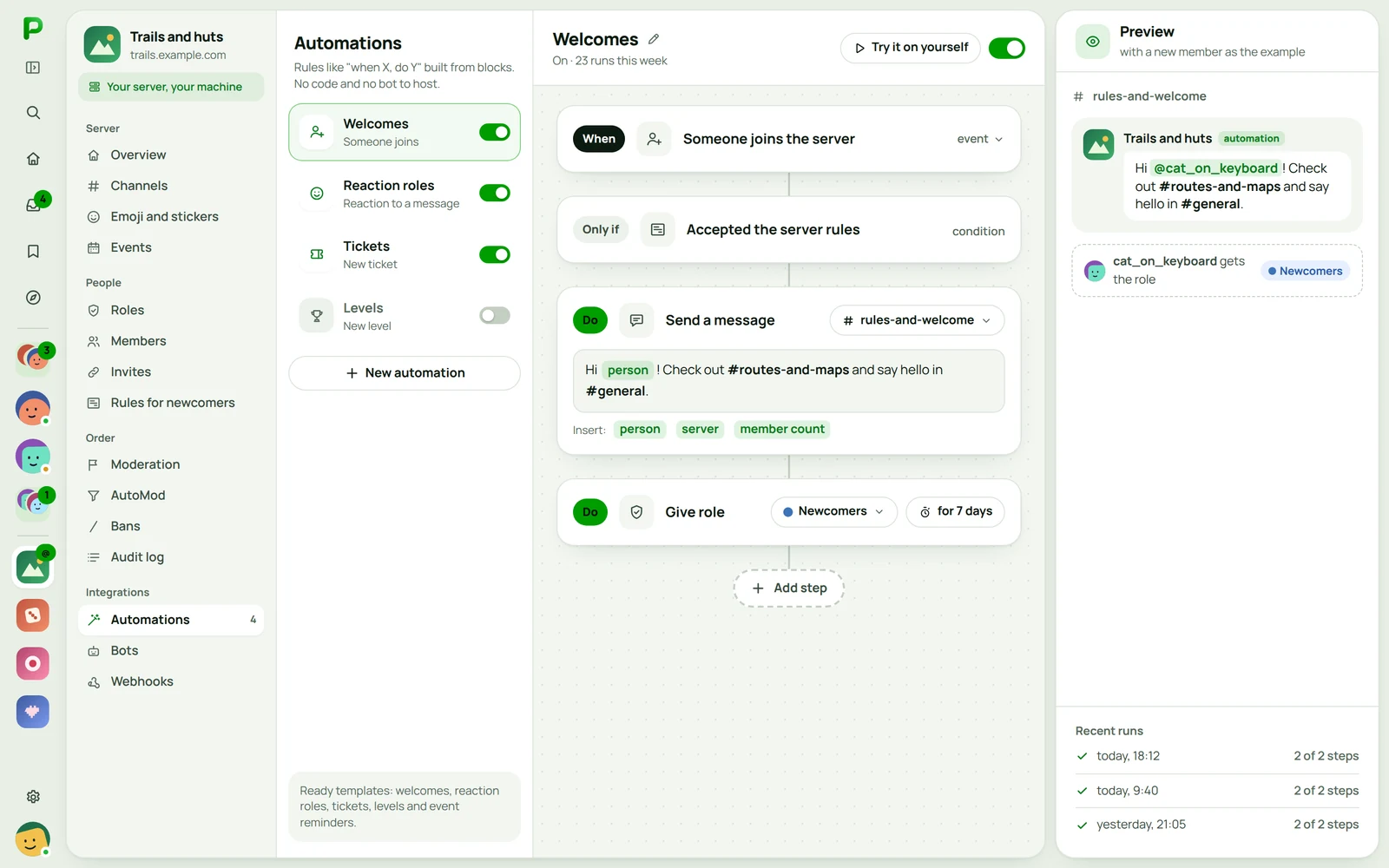
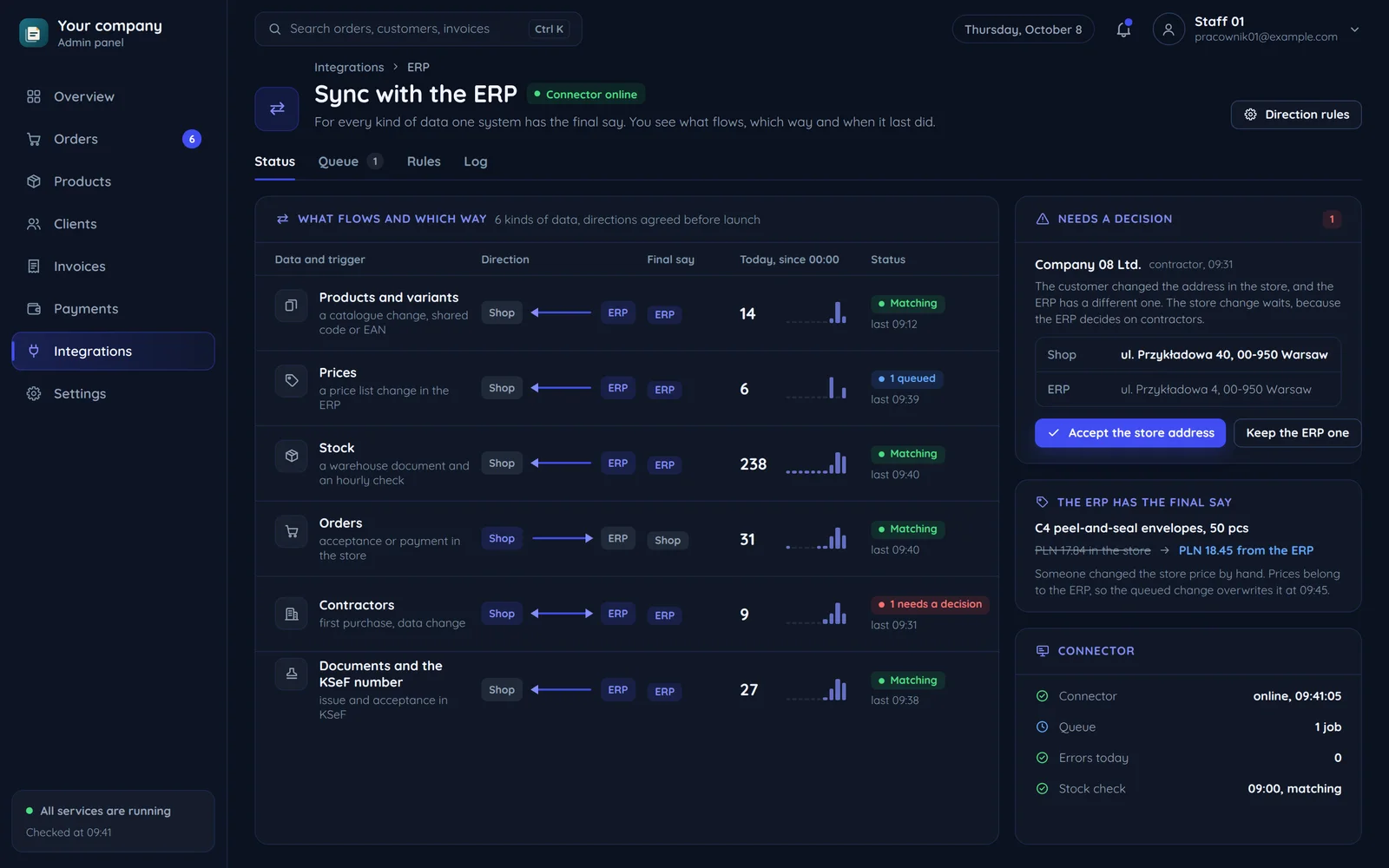
Store and ERP sync: products, prices, stock and orders
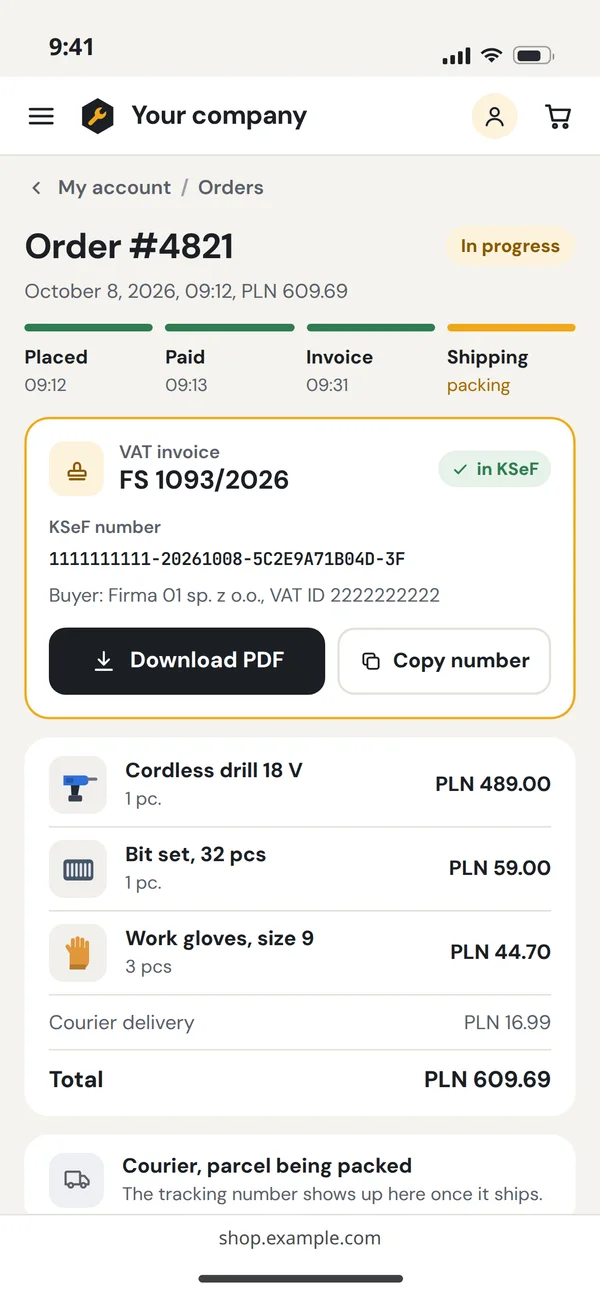
Invoice sent to KSeFFS 1093/2026, the KSeF number already with the client
A KSeF invoice in the store customer's account

What is an API integration?

It is the bridge between your systems: data that today needs to be copied by hand starts flowing on its own.

We build a REST or GraphQL API matched to the shape of your data, not a generic endpoint from a tutorial. Every API ships with interactive documentation (Swagger/OpenAPI) from day one, so the next developer on our side and yours knows exactly what to send and what comes back. We connect it to payments, a CRM or inventory, with authentication and rate limits set up correctly from the start.

Matched to your data

API structure built around your data model, not a generic template.

Documentation from day 1

Swagger/OpenAPI so integrating does not require reading the source code.

Secure authentication

Keys, tokens and rate limits configured correctly from the start.

Who are API integrations for?

For anyone with two systems that should talk to each other, and today do not.

Payment integration

Connecting a payment gateway to your sales or invoicing system.

CRM and store integration

Orders and customers synced automatically, with no manual re-entry.

Data export to BI

An API exposing your system's data to analytics and reporting tools.

Warehouse and logistics

Stock levels and shipment statuses synced between a supplier and your panel.

API for partners

Exposing your own data to external integrators, with documentation and access limits.

Invoices to KSeF

Invoices from your system go to KSeF by themselves, and the KSeF number is saved with the document.

What's included?

API core

We design the API in REST or GraphQL with documentation and error handling from the first endpoint, not bolted on at the end of the project.

6 items
  • REST or GraphQLWe choose REST for simple resources and GraphQL where the client fetches complex, related data in a single query.
  • OpenAPI 3.0 documentationEvery endpoint has a request and response example in Swagger, and the documentation stays in sync with the code.
  • JWT, OAuth2 and API keysJWT secures apps, OAuth2 handles integrations with a user's account, and API keys cover server-to-server connections.
  • Input validationWe check every request for format and security before it reaches the business logic, which protects against injection.
  • Clear error codesInstead of a generic 500 error, the API returns the correct HTTP status, a code and a message that tells the integrator what to fix.
  • Rate limitingEach API client has a requests-per-minute limit that you set separately per plan or per endpoint.

Integrations

We connect your system to CRM, payments and your team's tools, including those without a ready-made plugin, so nobody retypes data by hand.

6 items
  • Incoming and outgoing webhooksThe system reacts to external events, such as a new order in Shopify, and notifies other systems on its own.
  • SSO sign-in via OAuth2Users sign in with their Google, GitHub, Microsoft or Apple account, without creating yet another password.
  • Stripe, HubSpot, Jira and SlackWe connect the backend to the tools your team already uses, including CRMs such as Salesforce or Pipedrive.
  • Google WorkspaceSheets spreadsheets, Drive files, Gmail messages and Calendar events are processed automatically, with no manual work.
  • Data mapping and API bridgesWe normalize data from foreign formats to your model and connect systems with no ready integration through a custom bridge.
  • Store orders and stockAn order from your store reaches the system, updates stock levels and sends the customer a confirmation with no manual step.

Automation

First we identify which steps in your company are repetitive, then we turn them into scripts or workflows that run without human involvement.

6 items
  • Automation process mapBefore the first line of code we list the repetitive steps, the points where people make mistakes and how much time they take.
  • Workflows in n8n and MakeYour team can later edit automations in n8n, Make or Zapier on its own in a visual editor, without a developer.
  • Custom automation scriptsTasks that can't be clicked together we write in Python, Node.js or Bash, documenting where the script gets its data and how to stop it.
  • Schedules and triggersProcesses start at a set time via cron or in response to an event, without being launched manually.
  • Event notificationsAlerts go to email, Slack, Microsoft Teams or SMS, depending on how urgent the event is.
  • Recurring reportsSummaries of results, KPIs and process statistics are generated and sent automatically every day or week, without an analyst.

Reliability & monitoring

The API and automations survive a temporary outage of an external service, and you learn about a problem from an alert, not from a customer.

6 items
  • Redis cacheWe serve frequently requested data from memory, cutting response times from hundreds of milliseconds to a few and easing the load on the database.
  • Background job queuesRabbitMQ, BullMQ or SQS process emails, file generation and AI calls, so the API responds immediately.
  • Retry and circuit breakerWhen an external API doesn't respond, the system retries with backoff or cuts off the integration so it doesn't block everything else.
  • Logs, tracing and run historyJSON logs with trace IDs, OpenTelemetry and a record of every automation run show what happened and when.
  • Alerts and status dashboardA breached p95 threshold or a failed automation sends an alert, and the dashboard shows the state of all processes.
  • Dependency scanning and audit logSnyk or OWASP Dependency Check scans libraries in CI/CD, and the audit log records critical operations.

Bonuses on larger projects

With a wider scope or several specialists at once, we can include these items in the project price.

4 items
  • Cloud infrastructure includedWe configure servers, databases, queues and CDN on AWS, GCP or Azure before launch, with no separate DevOps hire.
  • TypeScript and Python SDKsIntegrators get ready-made client libraries for your API instead of assembling HTTP requests by hand.
  • Process audit with workshopsTogether with your team we list repetitive tasks and rank them by how worthwhile they are to automate.
  • n8n and Make trainingYour team learns to build and edit simple automations on its own, so small changes don't require an outside contractor.

How we build an API integration

From brief to a working integration usually takes a few days to a few weeks.

First contact and a quote

You tell us what has to talk to what and what should happen automatically. We send back a price and a date.

  • The systems to connect
  • The scope of the automation
  • Price and date before we start

Onboarding and access

We collect documentation and keys for the systems we are integrating with, and check their real limits.

  • Documentation and access keys
  • Rate limits on the other side
  • The provider test environment

Data mapping

We settle which field maps to which, and what to do when the two sides disagree.

  • A field map between systems
  • Rules for conflicting data
  • How often things sync

Integration design

We design the flow and the failure behaviour before any code exists. Reliability is decided here.

  • The data flow step by step
  • Retries and queueing
  • What happens when the provider fails

Build and automations

We write the integration with error handling and logging, so it is possible to see what went wrong and when.

  • Error and retry handling
  • A log of every exchange
  • Automations on your side

Failure testing and a buffer

We check what happens when the other side goes quiet or returns garbage. A buffer for your notes is in the deadline.

  • No response and exceeded limits
  • Bad data from the other side
  • In-scope fixes

Deployment and documentation

We deploy the integration to production and leave documentation another developer can follow.

  • Production launch
  • Documentation of the flow and fields
  • Alerts when the integration breaks

Long-term support

We stay on for changes on the provider side. External APIs change without asking your permission.

  • Reacting to provider API changes
  • Further integrations and automations
  • Monitoring and technical care

Behind the curtain

Before you see the finished integration, a lot of invisible work happens first.

Data structure analysis

Before we design the first endpoint, we break your data into a coherent model and check how the connecting systems understand it. This step catches mismatches that would otherwise only surface during integration, when a fix is far costlier and risks breaking what already works.

An API contract for your case

REST or GraphQL - we choose for how the data will actually be used, not for what happens to be fashionable. We set a clear contract of what each endpoint takes and returns, so teams on both sides can work in parallel without constantly asking each other for details.

Documentation from the first endpoint

Swagger/OpenAPI is written alongside the code, not as a separate task endlessly pushed to the end. That keeps the documentation matching reality, and lets a developer on the other side - yours or a partner's - plug into the integration without phone calls and guesswork.

Tested on edge cases

We check bad input, missing fields and rate limits, not just the happy path where everything goes perfectly. It is exactly on the edge cases that integrations most often fall over, so we force them on purpose before real production traffic does.

The result: you stand out

All of this work happens in the background so your systems finally talk to each other safely and without hand-copying data. A good integration is invisible - it just works - and that is what frees your team from the drudgery that used to eat hours.

Selected work

Integrations and tooling that connect systems to the rest of the world: payments and KSeF, domains, Discord and webhooks, [service-to-service APIs](page:service-api), MCP servers and bots.

Flaem

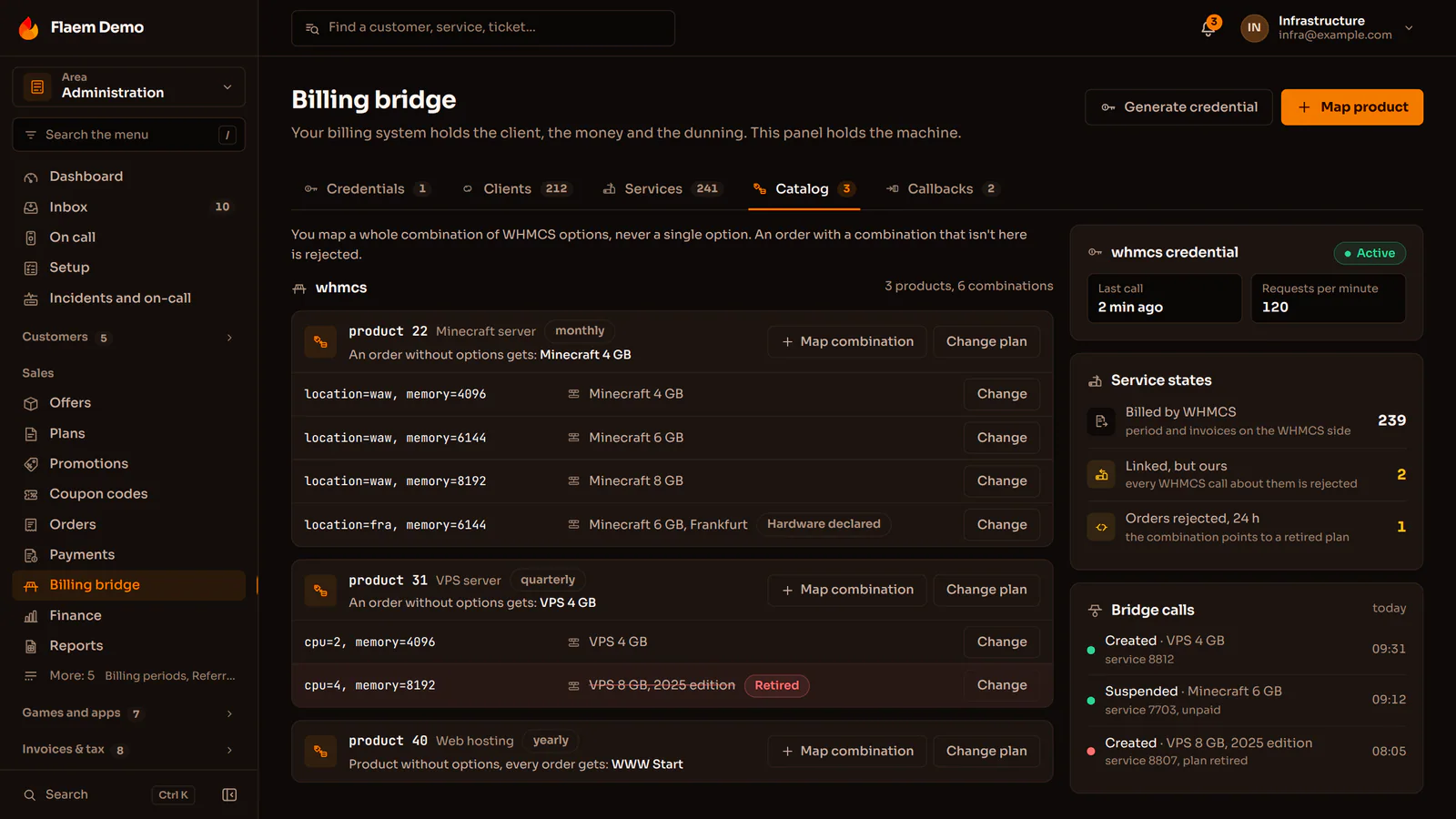
The integrations of the Flaem hosting platform, each connected separately with keys in the operator panel: payment gateways with BLIK entered right in the panel, KSeF with VIES and NBP exchange rates, domain registrars with a fallback order, DDoS protection, text messages and Discord.
WaveHost

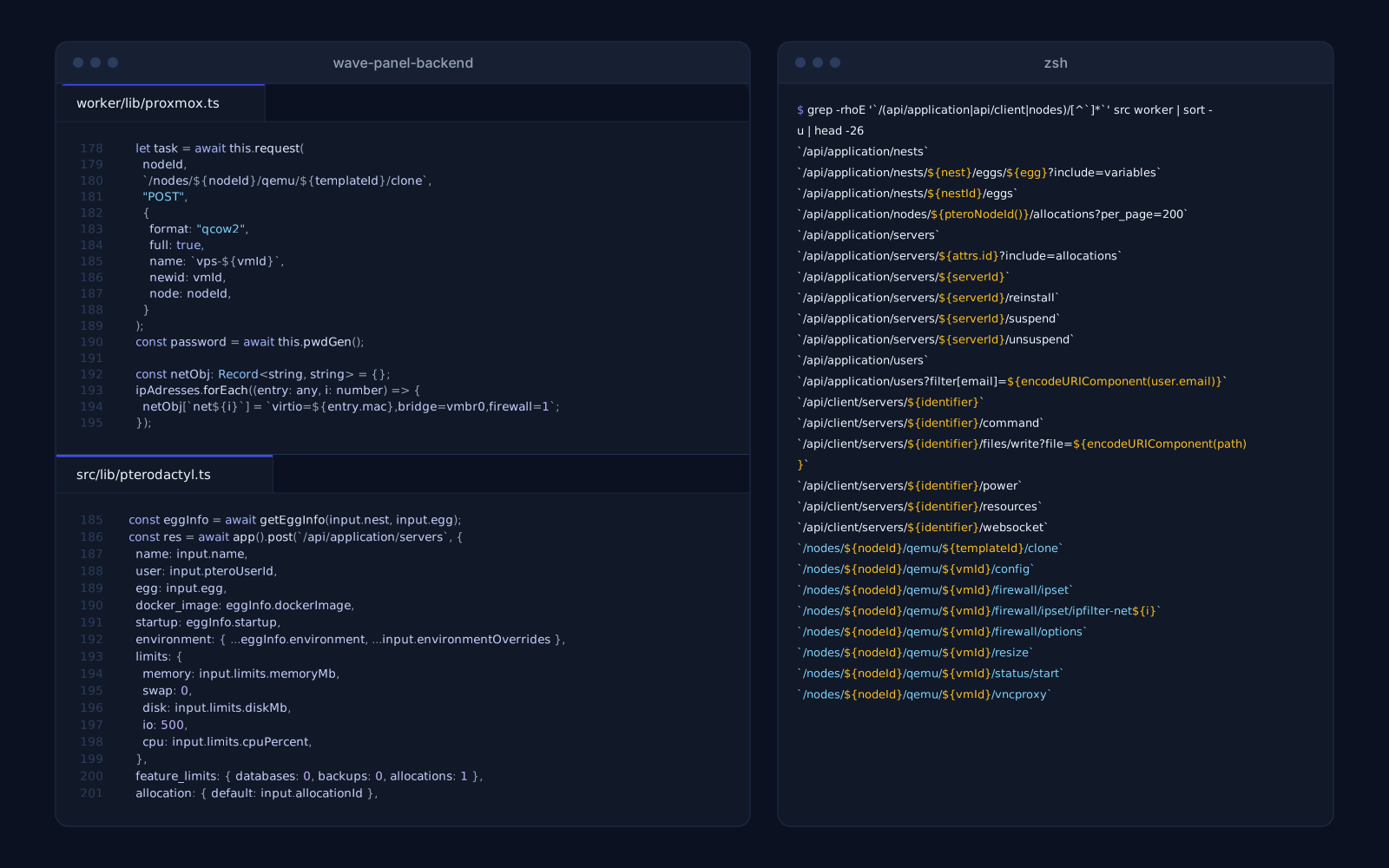
The integrations of the WaveHost client panel: VPSs created on Proxmox VE nodes through a job queue, game servers in Pterodactyl with console and power from the panel, Stripe payments with a signed webhook and a shop that pulls its offers from the brand's website on its own.

Gyred

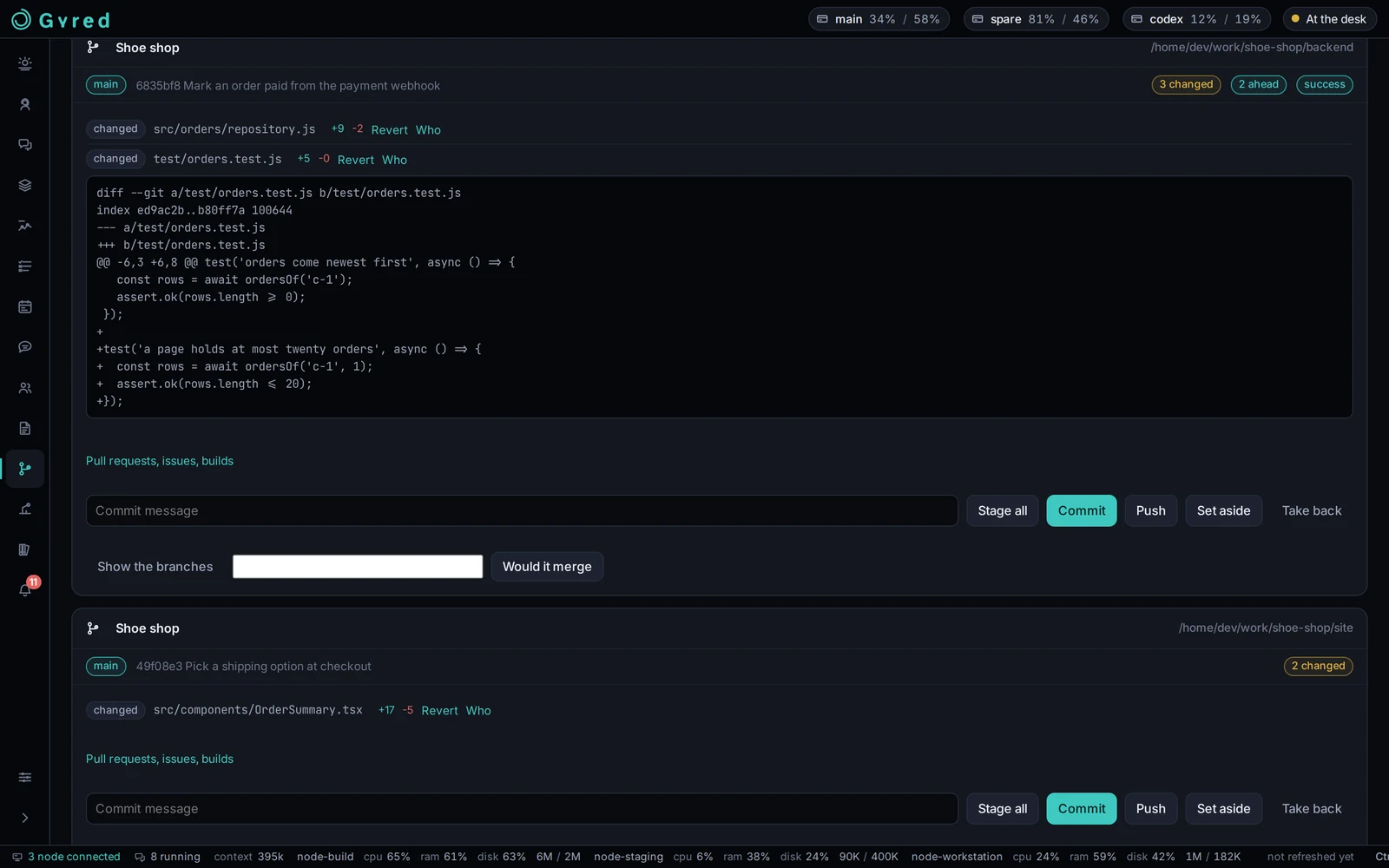
Gyred wires together the tools AI agents actually work in: Claude Code and Codex as session engines, repositories through vulp and gh, notifications on Discord, Telegram and Web Push, and an MCP server the sessions use themselves.

Plazer

Bots, webhooks and automations of the Plazer messenger that also work in end-to-end encrypted channels: a bot is a participant with its own keys there, not a hole in the encryption.

Discord bots

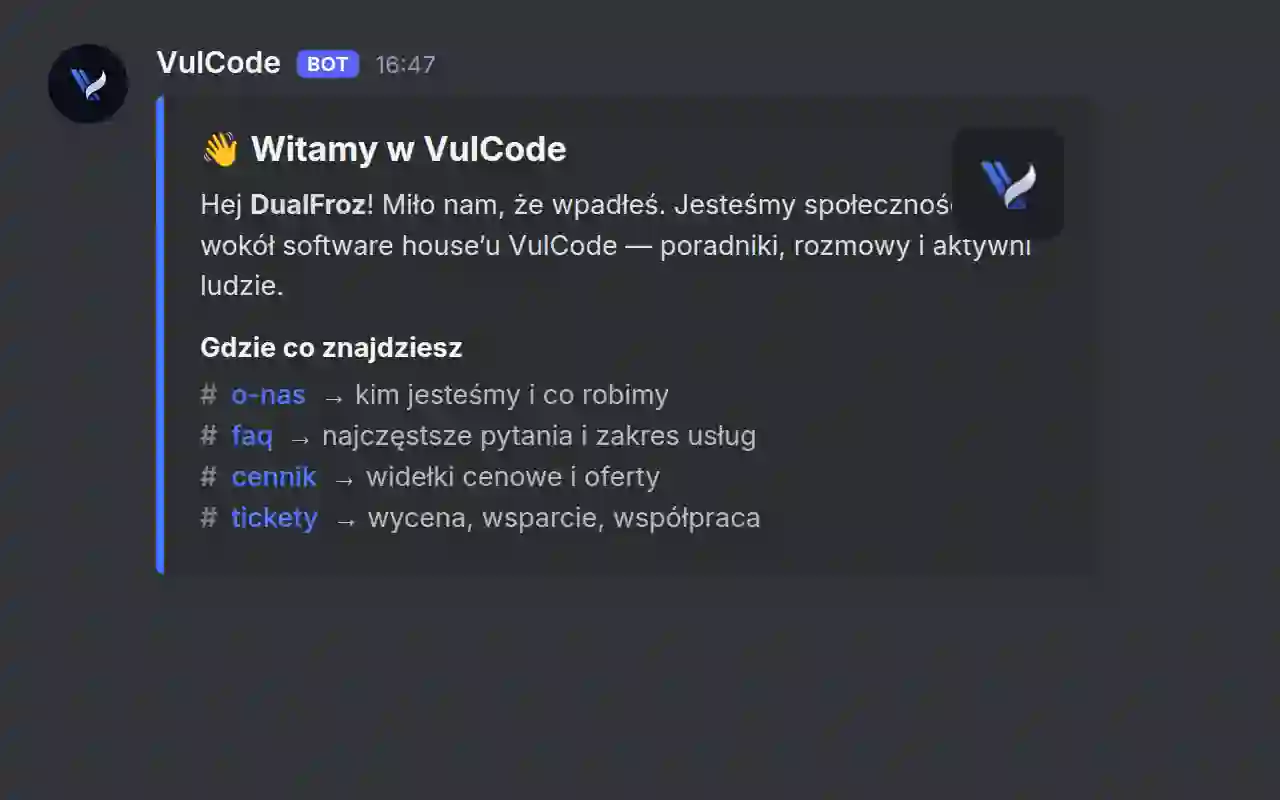
Production bots running the Discord servers of several brands. Ticketing with team pings, welcoming new members, email verification and role hygiene - all tailored to a specific server.

webhook-proxy

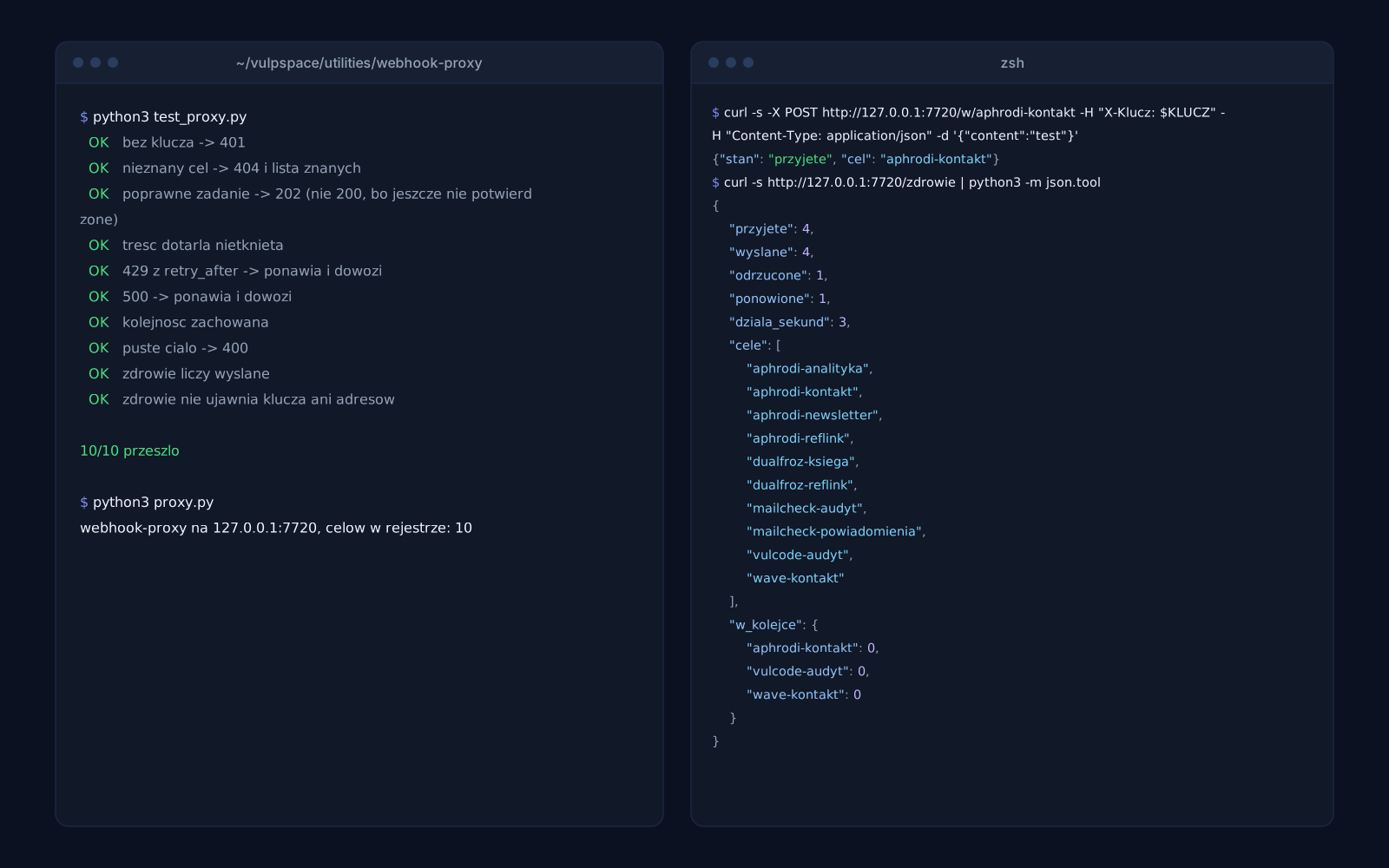
A middleware layer between our services and Discord webhooks. It queues events per target, respects 429 limits and retries 5xx errors, so notifications do not get lost during traffic spikes.

Three ways to get the same project

The same project can be bought three ways. Below, the same eight things checked against each of them.

A template from an AI builder
a builder subscription

Cheapest and fastest, until the page actually has to sell.

  • A fixed monthly fee.
  • The page is up the same day.
  • The same set of blocks as a thousand other companies.
  • Generic copy, written for nobody in particular.
  • Heavy builder code slows things down and pushes the Google ranking with it.
  • Only whatever the builder happens to offer.
  • A help chat and a knowledge base.
  • The first serious change means starting over.
VulCode
from PLN 999

We price the actual scope and hold that number to the end.

  • Quoted before we start and unchanged to the end.
  • A launch date comes with the quote.
  • Design and code written for this one page.
  • You write straight to the person who runs your project.
  • We write for your audience and the questions it asks.
  • Loads in about a second, on a phone too.
  • Included, with no separate line on the invoice.
  • We stay on for fixes and further sections.
A full-process agency
a big budget upfront

A big team and a big budget, much of which pays for the process itself.

  • A design made from scratch.
  • A copywriter on the agency side.
  • Optimization usually fits inside the scope.
  • In scope, often as a separate item.
  • Continued work on a retainer.
  • Every scope change means an annex and a new number.
  • A schedule counted in months.
  • Contact goes through an account manager, not the team.

Tell us what your page has to do. A quote with a number and a date comes back within an hour.

Why choose VulCode?

Five things you see from the first message to the work after launch.

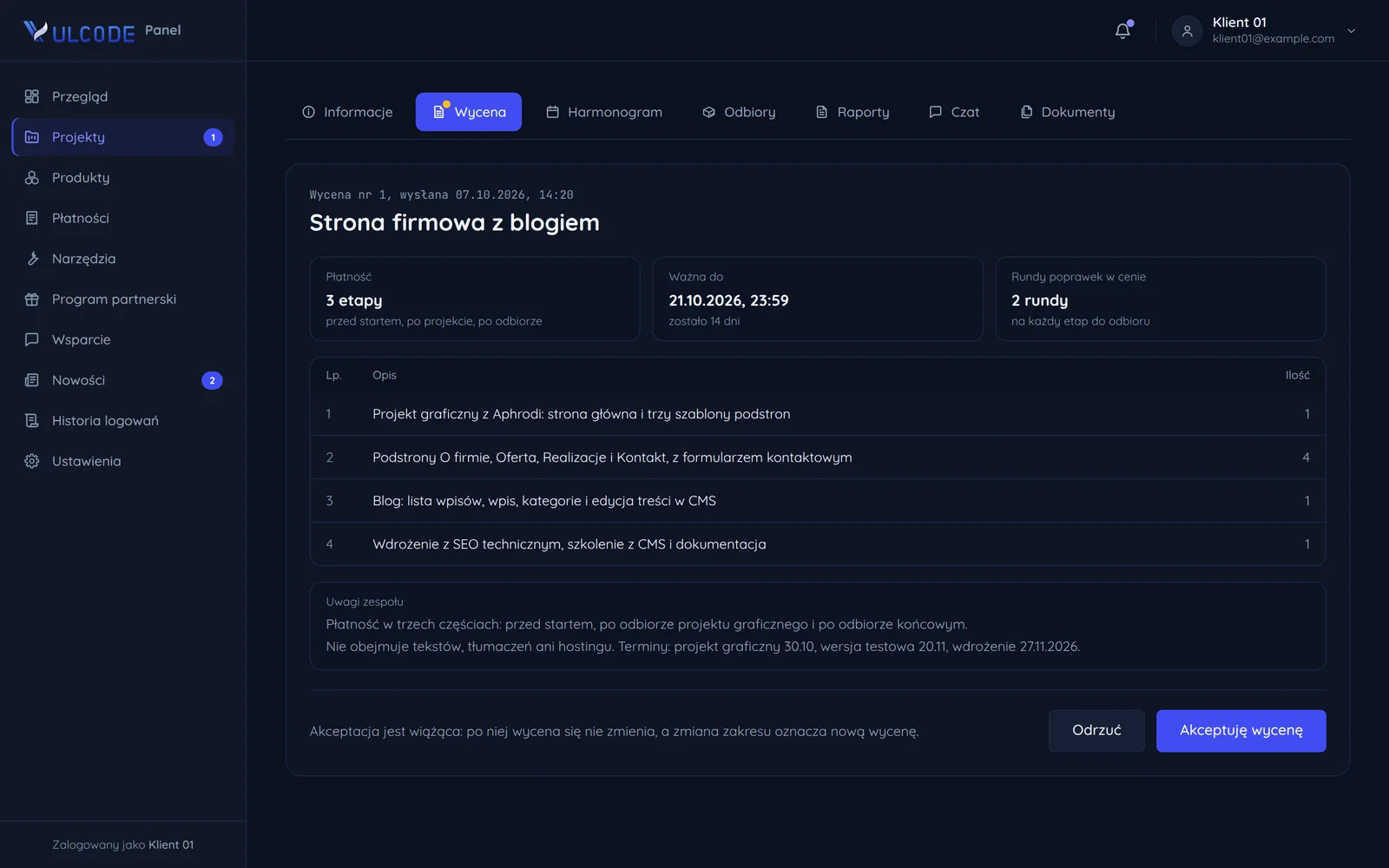
A quote with the scope of work and payment stages

Frequently asked questions

Common questions about this service and working together.

Read next

Services and pages related to this offer, and blog articles on the same subject.

Want to discuss your project?

Every project is quoted individually - regardless of scale, technology or stage. Contact us and we will reply within an hour. The quote is free.