
Warranty on websites and apps: what we fix
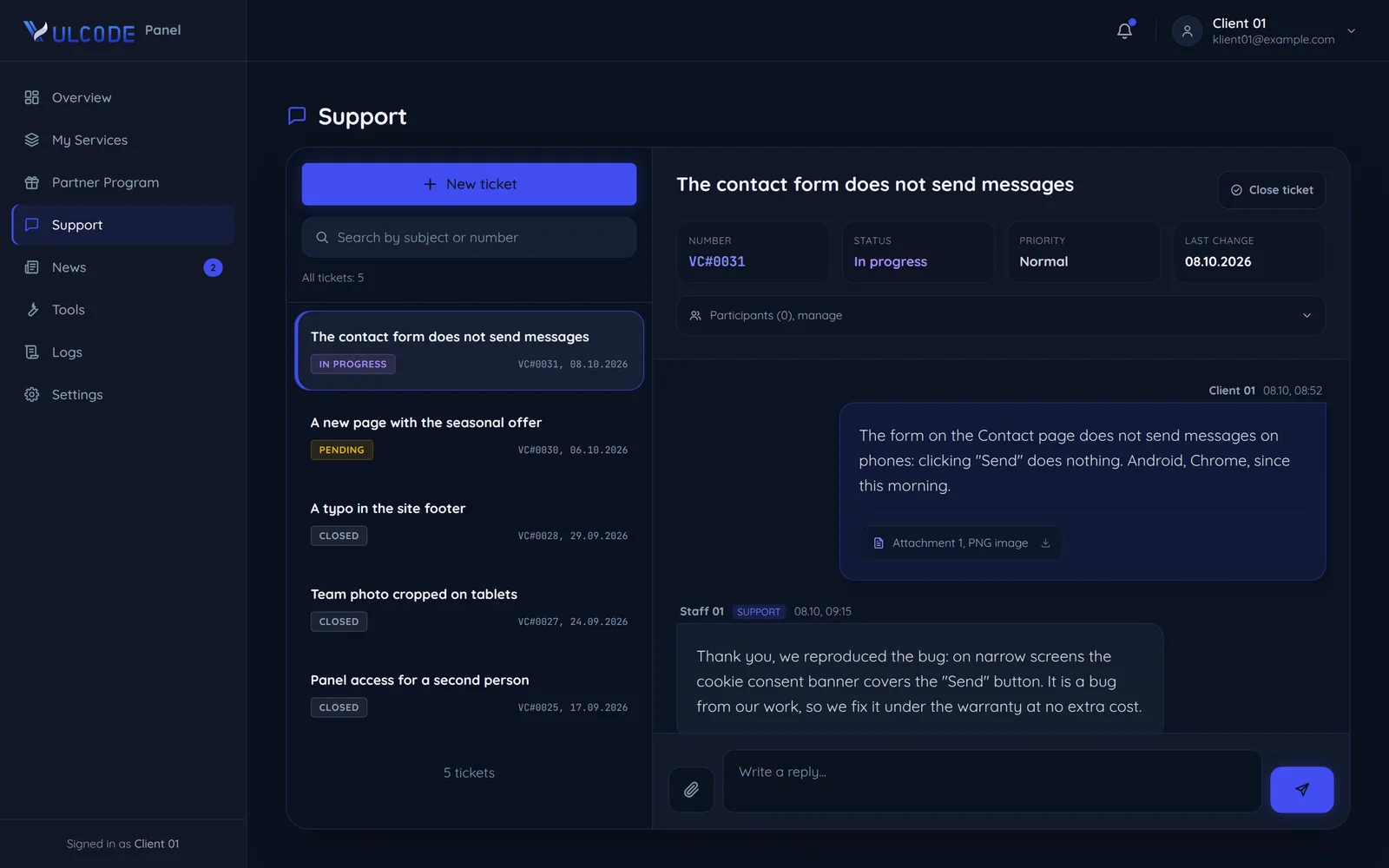
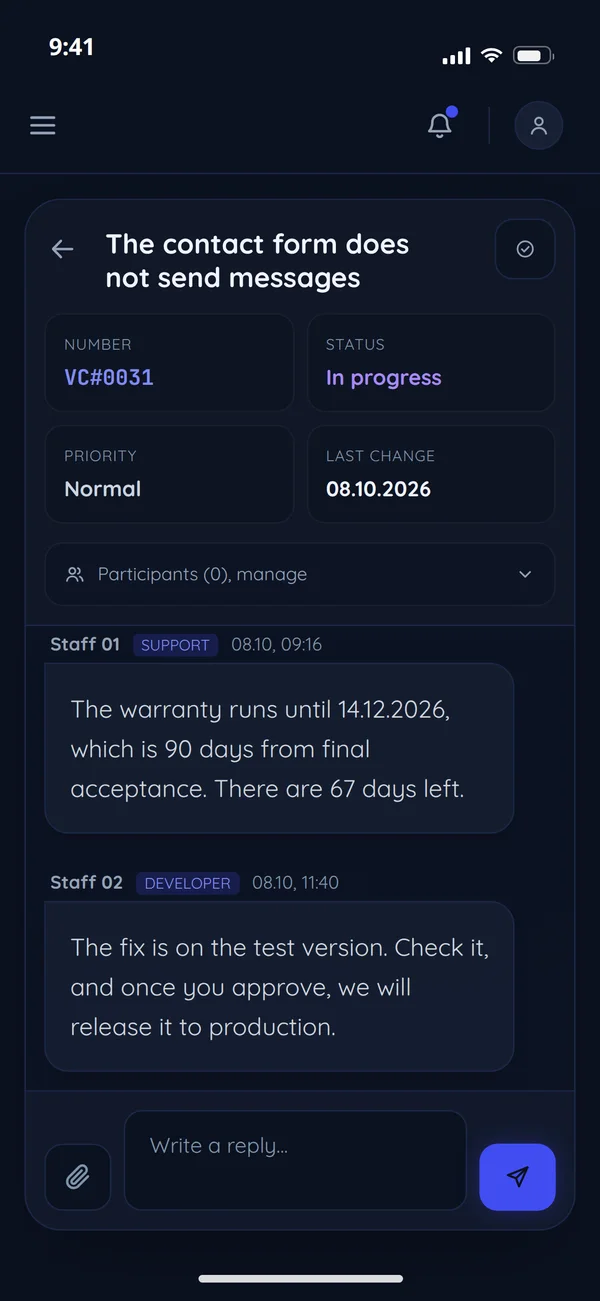
We fix bugs caused by our work at no extra cost, as standard for 90 days after final acceptance. The warranty period and scope go into the order, and you report in the client panel.
How long the warranty lasts
90 days from final acceptance is the standard on every project. You know the period for yours before we start work.
The warranty period from final acceptance
The length goes into the order before work starts, and that is what binds (cl. 7.1).
- Very small orders30 days
- The standard for every project90 days
- Bigger projects180 days
- Bigger projects, a full year365 days
Fixes of bugs from our work during the warranty are in the project price and are not quoted separately.
What the warranty covers and what it does not
The warranty covers anything that does not work as agreed because of how we built it. This is how we treat typical matters after acceptance.
From report to fix
You report a bug in the client panel, under Support, or in the project channel. Every ticket is its own thread with a history, so the whole conversation stays in one place.
- 1You
New
A report with a description and steps lands in the client panel or the project channel.
- 2VulCode
Reproduced
We reproduce the bug from your description and say whether it comes from our work.
- 3You
On the test version
You check the fix; the test version link is on the project's Info tab.
- 4VulCode
Released
After your sign-off the fix goes live, and you close the ticket.
- 1Cannot reproduceYou
Details needed
You add a screenshot or the exact steps to the ticket, and we go back to reproducing the bug.
- 2Not a build bugVulCode
Outside the warranty
A scope change, a hosting failure or a provider's API change: we offer a quote or a maintenance plan.
How to describe a bug for a fast fix
The more precise the report, the faster the fix. Five things worth writing, shown on the contact form bug from the client panel.
- What happenedclicking "Send" does nothingA short description of what you see, not what might be causing it.
- Stepsfill the fields, tick consent, click "Send"We fix fastest the bugs we can repeat from the description.
- Expecteda sent confirmationIt helps tell a bug from a scope change.
- Devicean Android phone, ChromeSome bugs happen only on one device or in one browser.
- ScreenshotattachedIt helps a lot, especially with visual bugs. You attach files in the panel, up to 20 MB each.
The warranty in our terms
The clauses of our terms the warranty depends on: word for word, with the core highlighted, and one sentence in plain words.
Any changes to the scope of an Order require the written consent of both parties and may result in an adjustment of the remuneration and delivery timeline.
Adding a feature midway is a scope change both sides confirm in writing, together with the new price and date.
VulCode undertakes to carry out the Order in accordance with the agreed scope, with due care, and within the agreed timeframe.
That scope is the measure: a defect is behaviour that differs from it because of our work.
VulCode provides a warranty for delivered software in accordance with the scope specified in the Order (typically 90 days from final acceptance, unless the Order states otherwise).
The period in your order binds: 90 days as standard, 30 for very small orders, 180 or 365 for bigger ones.
The warranty covers the rectification of defects arising from VulCode's execution of the Order. It does not cover functional changes, defects resulting from modifications made by the Client, or issues attributable to hosting or infrastructure.
We fix defects from our work, while new features, code changes on your side and hosting failures are outside the warranty.
After the expiry of the warranty period, technical support may be provided on a paid basis under a separate agreement.
After the period ends we keep helping for a fee, under a separate agreement or a maintenance plan.
Common questions about the warranty
Answers based on our terms and on how we handle reports.

Read next
What happens after the warranty, answers to common questions and where the full rules are.
Something not working?
If it is a project we built, report it in the client panel or write to us here.