
Allegro integration through the REST API
Allegro orders reach your store, wholesale system or ERP on their own, and stock and prices go back to Allegro before anyone buys something you no longer have.
Directly or through BaseLinker
We pick the route to fit how you sell: with several channels we connect through BaseLinker, and when Allegro is your main channel, directly. We run both from the data map to maintenance.
- Your system
- BaseLinker
- Allegro and other channels
Through BaseLinker
You sell on several channels at once: Allegro, a store, other marketplaces.
BaseLinker already handles your orders, labels and documents.
What an intermediary offers is enough.
We connect your system to BaseLinker, and BaseLinker to Allegro. Less code, one place for every channel.
- Your system
- The Allegro API
Directly through the Allegro API
Allegro is your main or only marketplace.
The integration is part of your own system: a wholesale tool, ERP or platform.
You need features an intermediary does not offer, or full control over events.
An app registered with Allegro, authorised by the seller, handling events and limits.
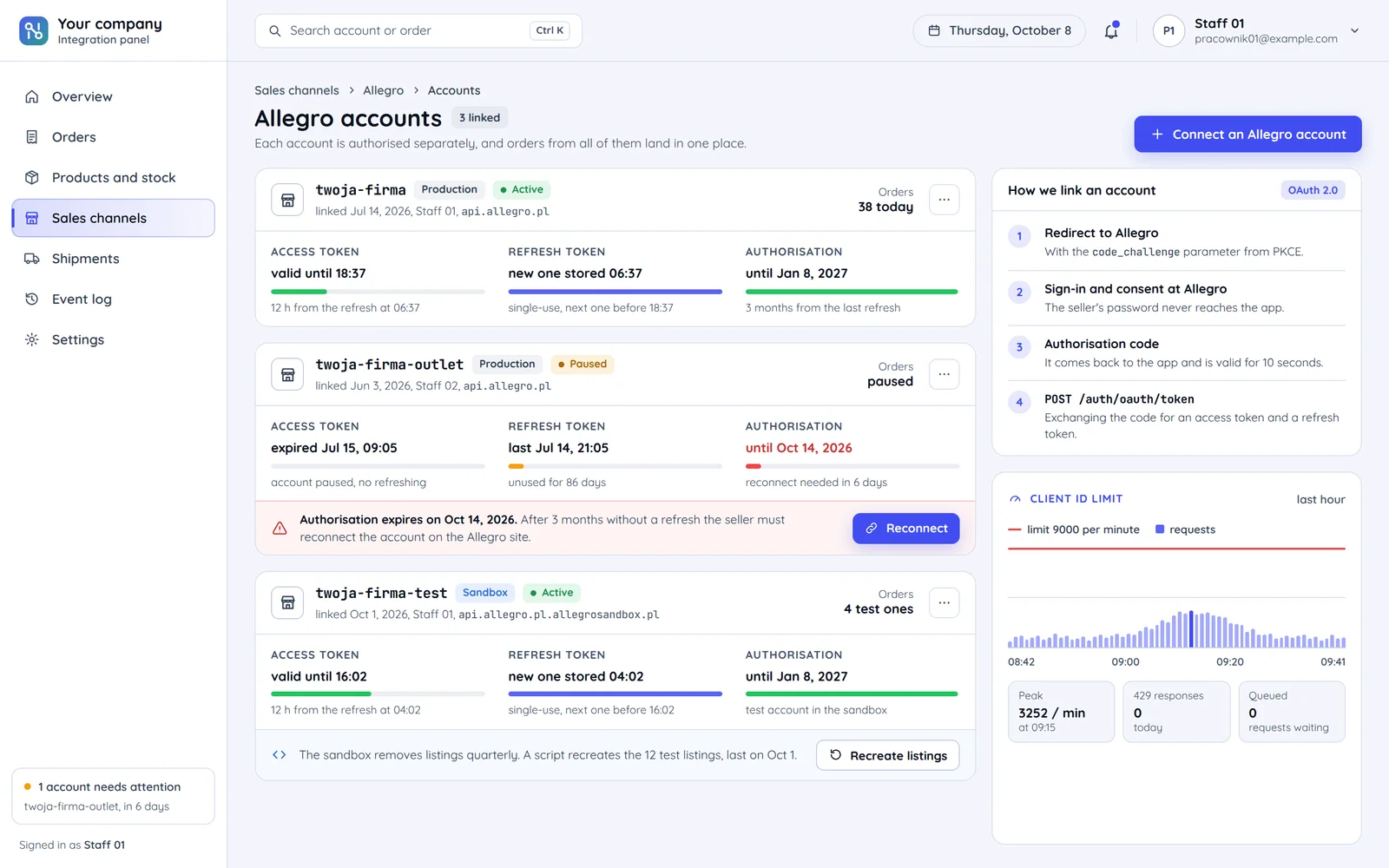
How a seller links their Allegro account to the app
The seller signs in on the Allegro site, and your app never sees their password.
How long each lasts
- One-time code10 s
- Access to the account12 h
- Authorisation without a refresh3 months
Each mark is many times longer than the last, so 10 seconds and 3 months fit on one axis.
The password stays with Allegro
The seller signs in and consents on the Allegro site, not in your app. Only a one-time code comes back to the app, valid for 10 seconds.
Access for 12 hours
Access for 12 hours, refresh for up to 3 months. The refresh key works only once, so we store the new one at once.
After three months without a refresh
Authorisation expires and the seller must reconnect. Your panel warns about it in advance.
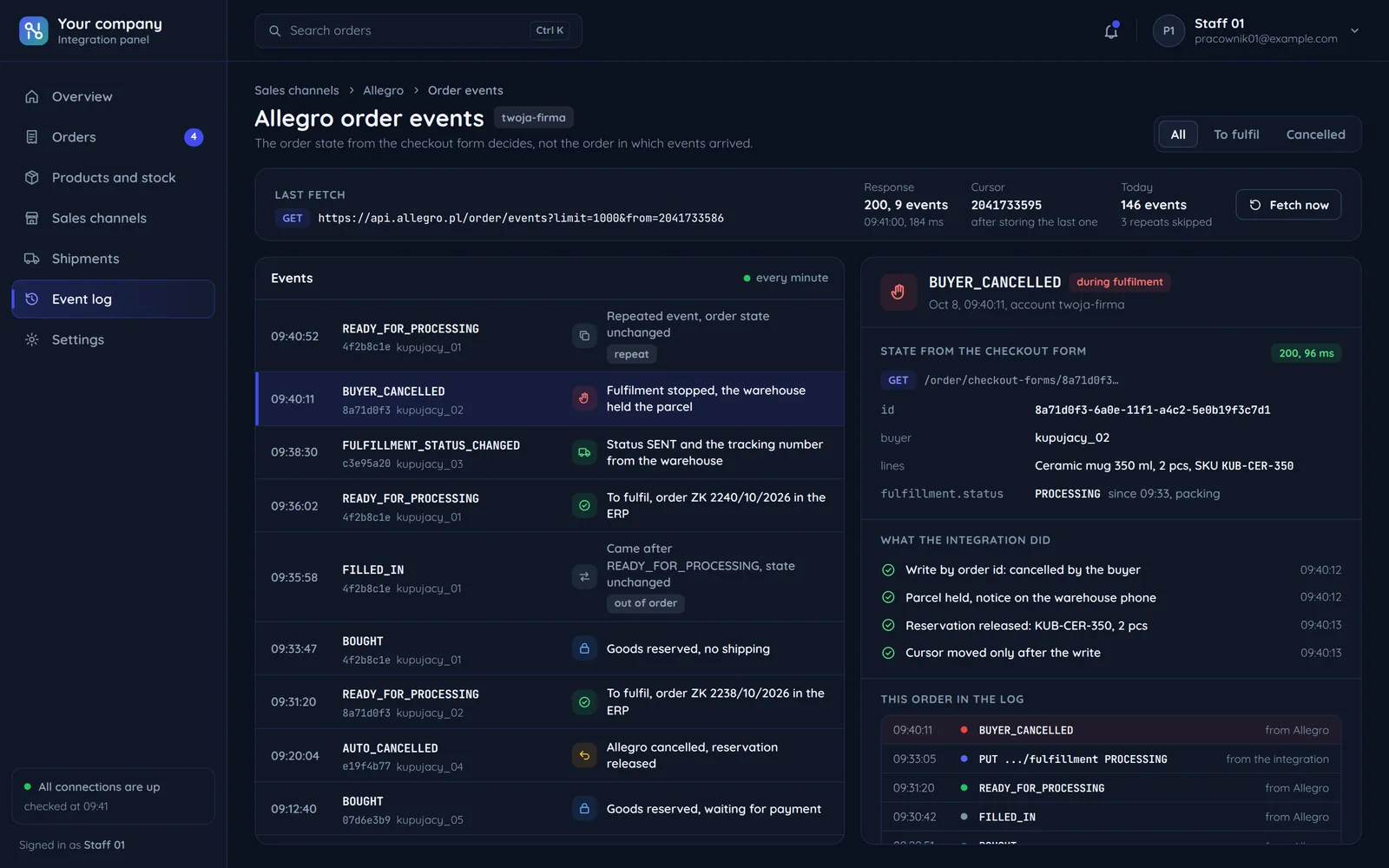
Allegro order events
Allegro describes an order with a series of events. We start fulfilment only once the order is ready for processing.
Bought
The buyer bought but has not paid. We reserve stock, we do not ship.
Delivery details filled in
The buyer filled in the delivery form. It can repeat, e.g. after a failed payment.
Ready for processing
Paid, or cash on delivery. Only now is the final delivery address visible and fulfilment starts.
Sent
Your system updates the fulfilment status in Allegro and adds the tracking number.
- Ready for processing: buyer cancellation
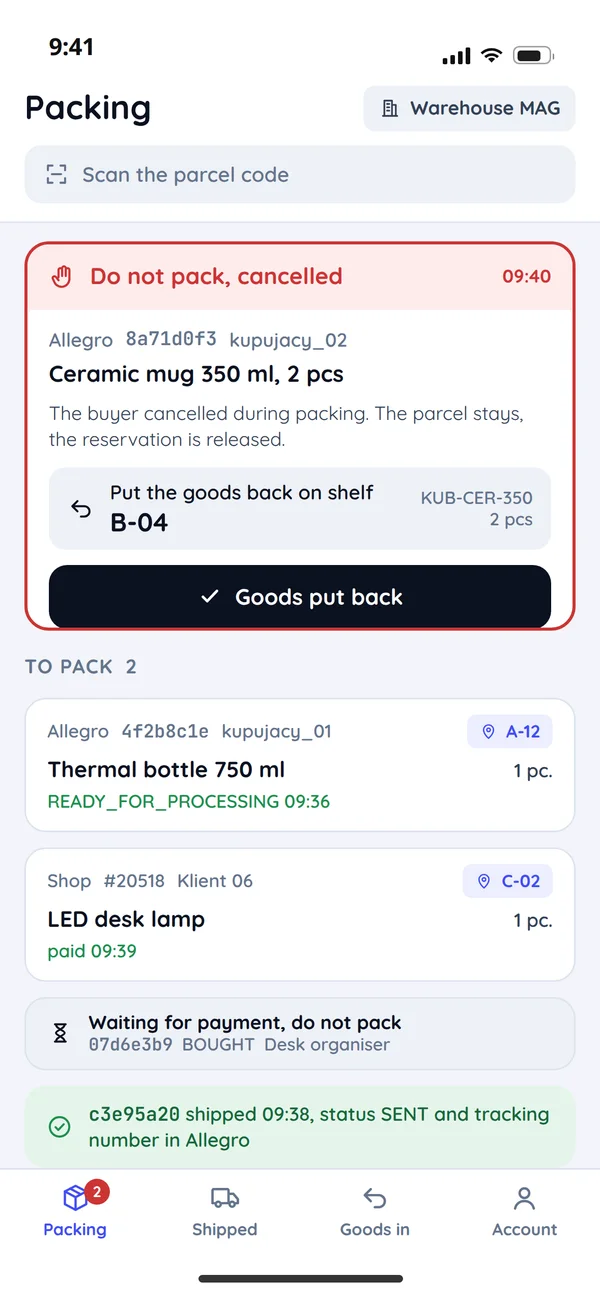
Cancelled by the buyer
The buyer can cancel before paying or after, so we stop fulfilment if it is running.
- Delivery details filled in: no payment
Cancelled by Allegro
Allegro cancelled the order automatically. We release the reserved stock.
Allegro limits at peak sales
Allegro documents its limits openly. The integration has to fit within them at peak too.
Requests of the app per minute
One counter for the app, shared by every linked seller account.
Events in one fetch per request
Allegro hands over at most 1000 events at once, and we fetch the next batch from the last saved event.
How we keep the integration within the limit
A queue
A queue spreads requests over time instead of in waves.
Additional limits
Lower, for selected resources and per user. We check the description of every resource we use.
After going over the limit
Refusal and the app blocked for a minute. We pause the queue instead of retrying at once.
An Allegro order in your system
The key checkout form fields and where they land.
- Allegroorder number→it identifies the order, so it is never saved twiceYour systemexternal order number
- Allegroorder state→fulfilment starts only once the order is readyYour systempayment status
- Allegroline items and offers→offer linked to a product by SKUYour systemorder lines
- Allegrodelivery and pickup point→final only once the order is readyYour systemaddress and shipping method
- Allegroinvoice details→company tax number when the buyer wants an invoiceYour systemthe invoice buyer
- Allegrofulfilment status←goes back to Allegro after packing and dispatchYour systemfulfilment status
| Data | Direction | When |
|---|---|---|
| Listings | Your system → Allegro | A new product or description change: linked to a product in the Allegro catalogue. |
| Stock | Your system → Allegro | A sale in any channel: before someone buys a missing item. |
| Prices | Your system → Allegro | A price list change: every price change arrives exactly once. |
| Orders | Allegro → Your system | Order events. |
| Fulfilment status and shipment | Your system → Allegro | Packing and dispatch. |
| Buyer messages | Allegro ↔ Your system | A new message: when support answers from your panel. |
Common questions about Allegro integration
Allegro orders, authorisation and limits

Read next
Integrations that usually go together with Allegro.
How much time does copying orders take you today?
Tell us where you sell and where you keep stock. We will reply within an hour with an integration plan and a quote.