
A restaurant website with a QR menu and table booking
A menu you change in the panel without printing new codes, table booking without phone calls at peak hours, and the Lokal panel where the floor, the kitchen and bookings see the same thing.
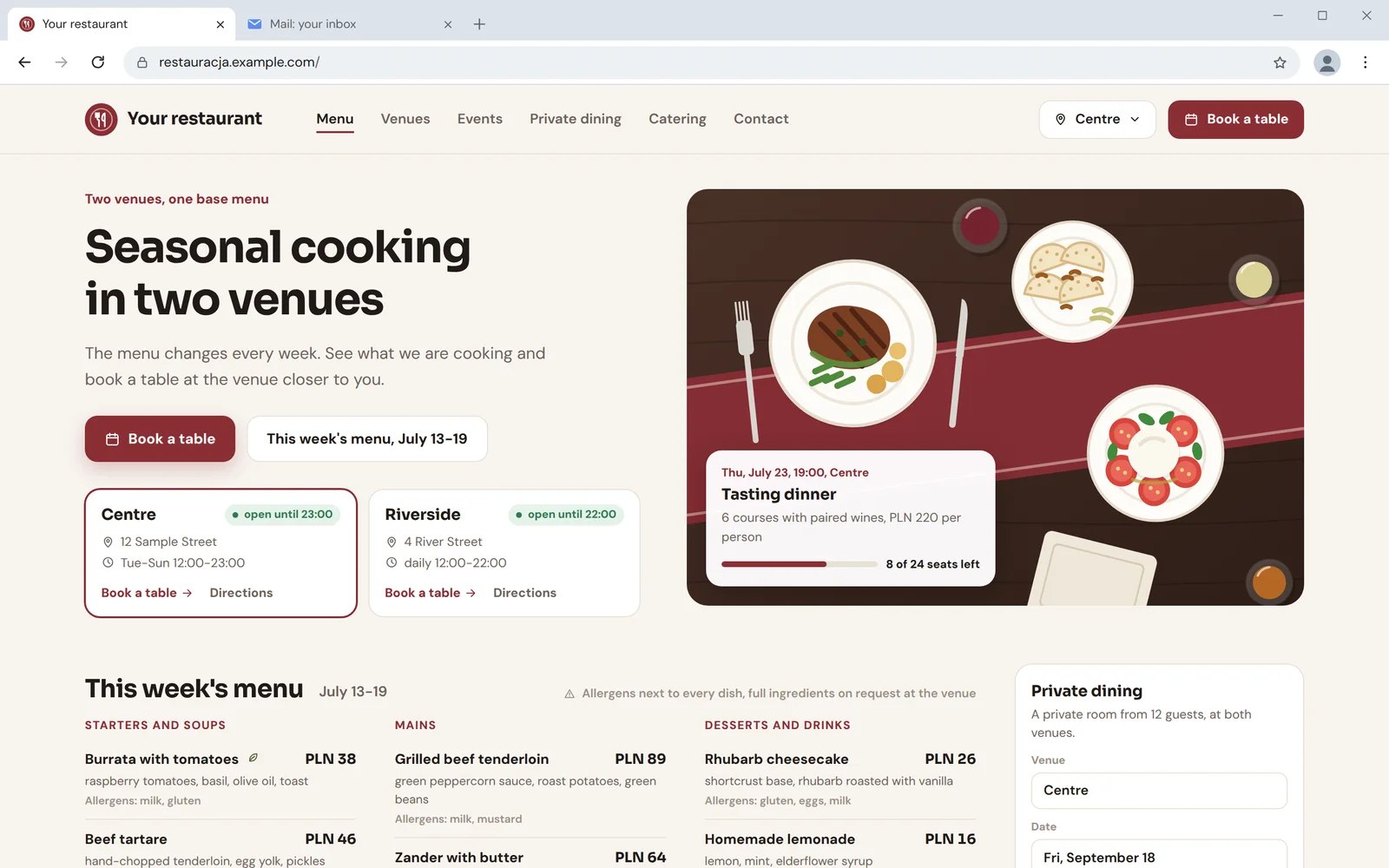
What the guest sees
The QR code on the table leads to the current menu on your website, with prices and allergens next to each dish. A change in the panel needs no new stickers.
Scan to see the menu
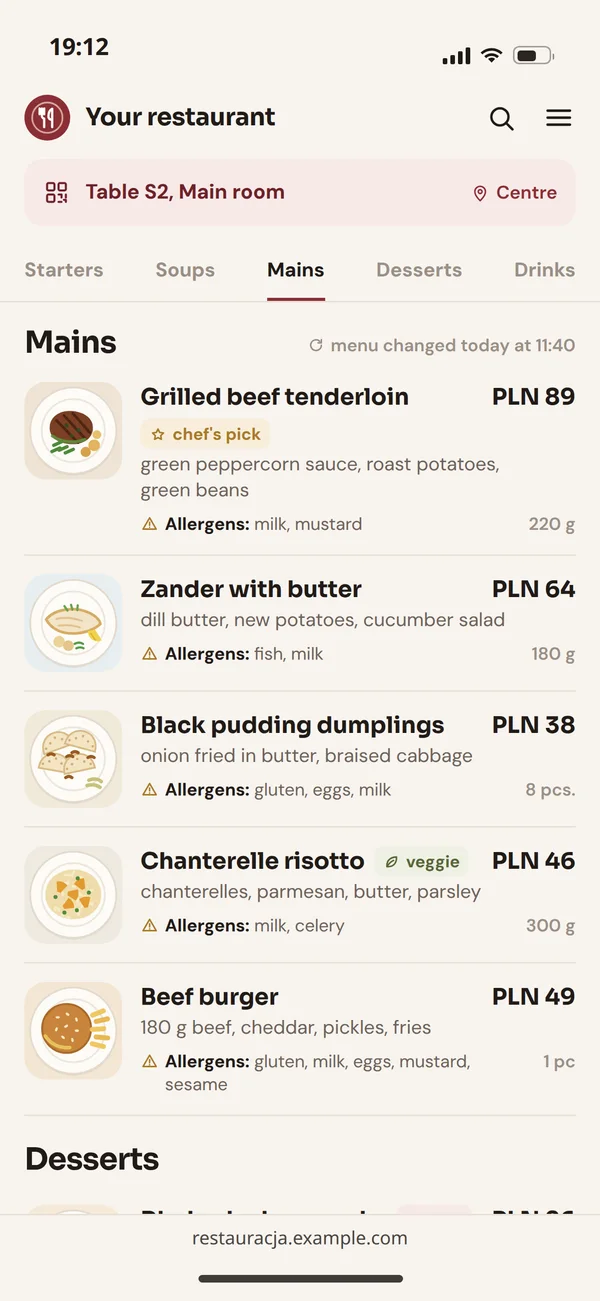
The menu as text, not a PDF
Dishes as text are readable on a phone, available to screen readers and visible to search engines. A PDF meets none of these.
Booking a table
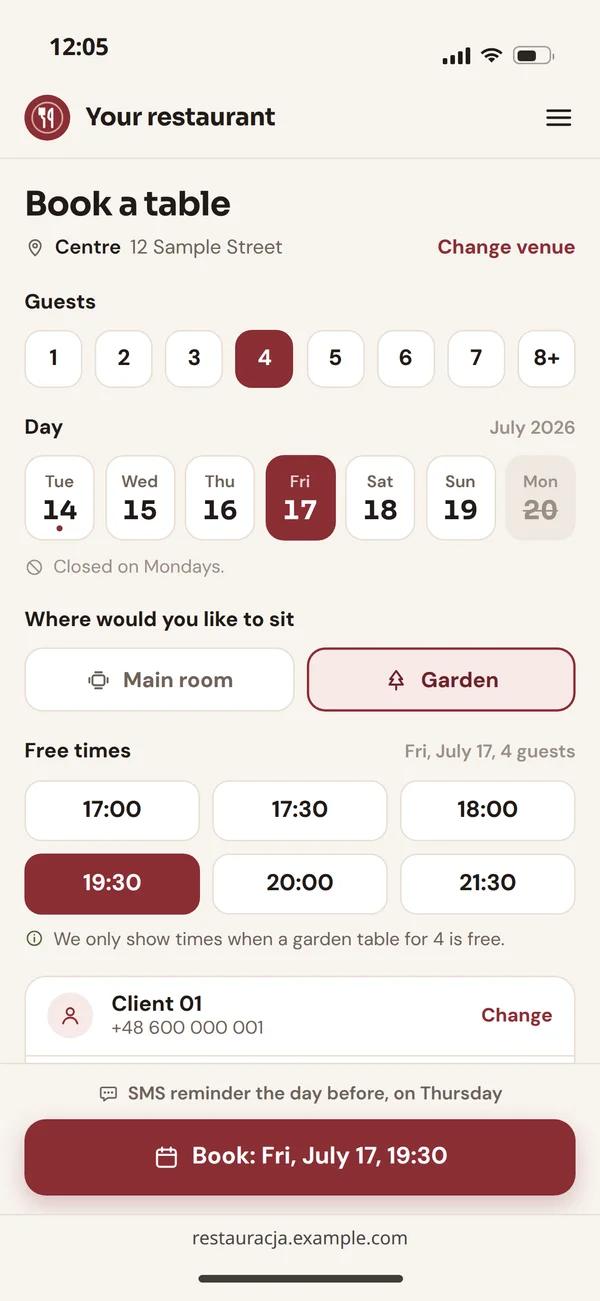
The guest picks a day, party size and a free time. Taken times are not shown at all, and a reminder goes out the day before.
Events and private dining
Separate pages for tastings, private dining and catering, with an enquiry form instead of just a phone number.
Lokal: a live floor plan, bookings and the kitchen in one panel
Our product for hospitality. Website bookings land on the floor plan, and orders from the floor go to the kitchen screen.
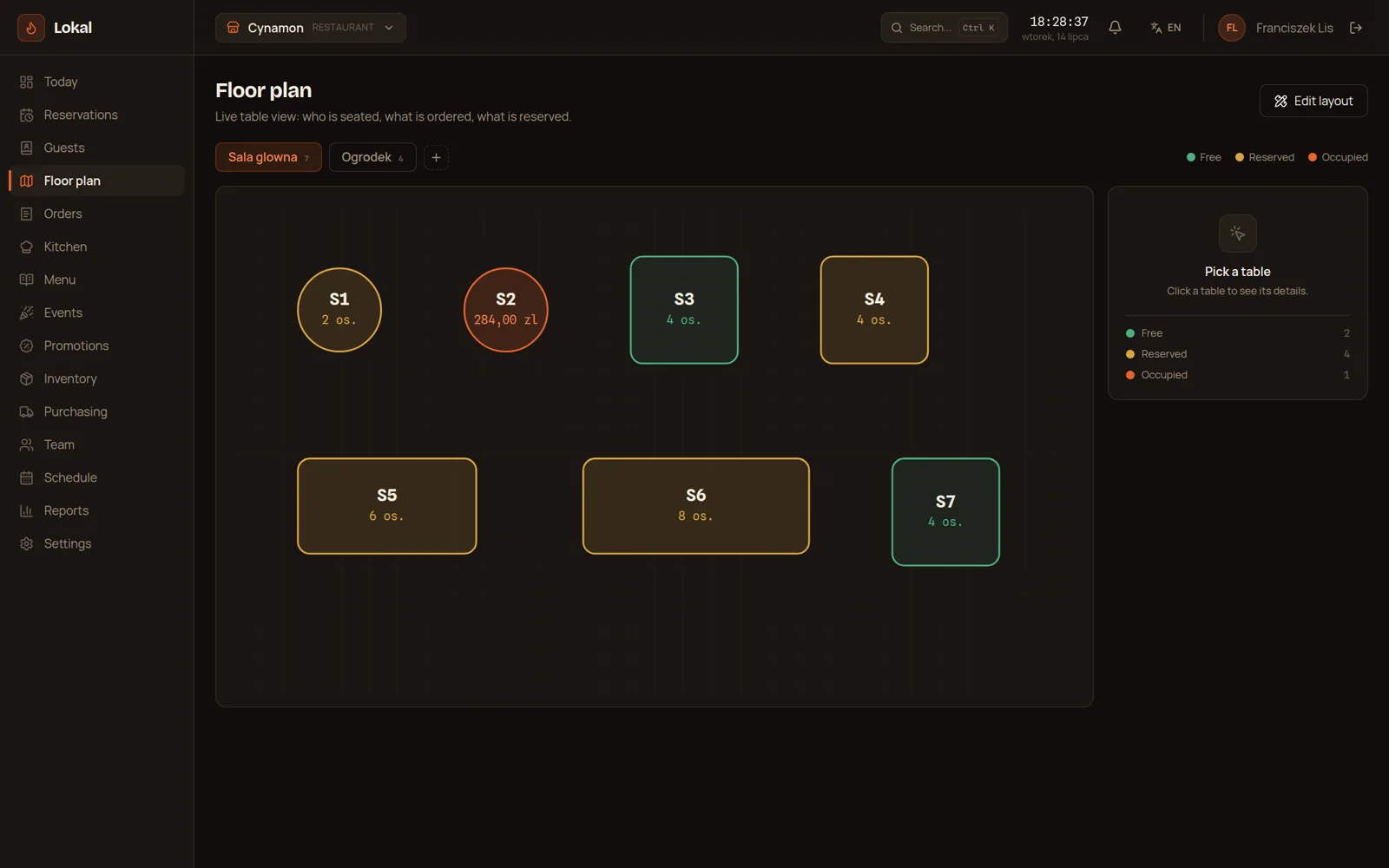
Live floor plan
You see who sits at which table, what they ordered and which table is waiting for the bill. You rearrange the floor by dragging tables.
Bookings without collisions
The system will not take two bookings for the same table and time, even when one came from the website and the other by phone.
Kitchen screen
Orders from the floor appear in the kitchen right away, in order and with the guest's notes.
Stock and suppliers
Stock goes down with sales, so the shopping list does not come from memory.
Online ordering in your own system, not on a provider's terms
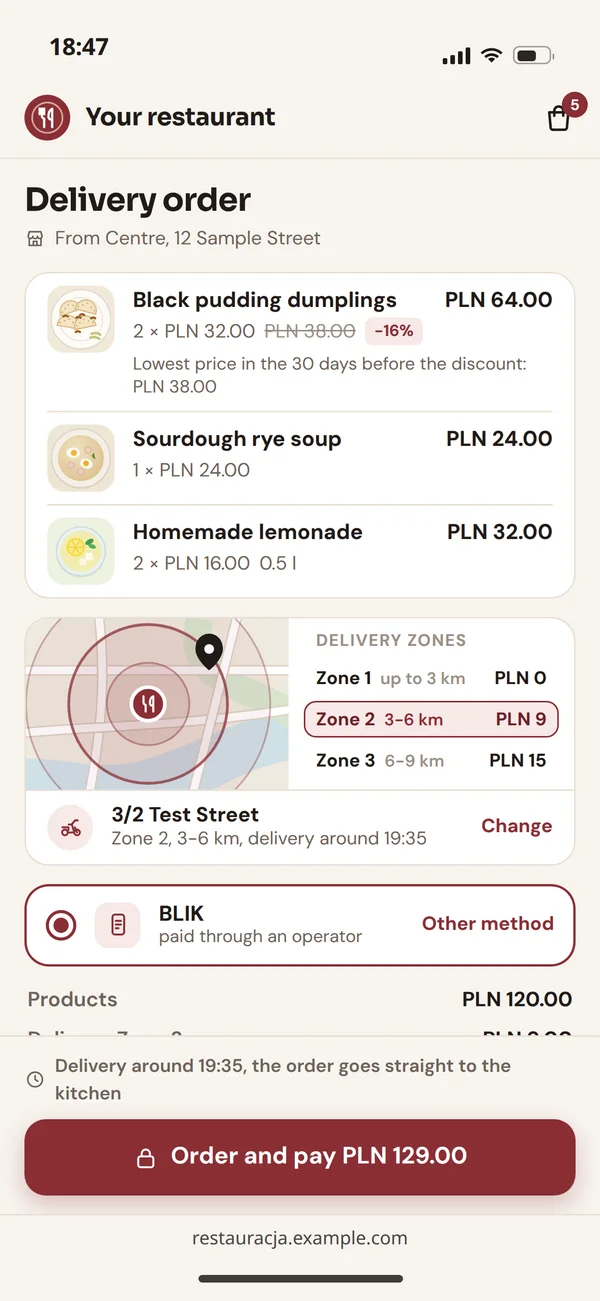
A ready-made ordering app gives you a quick start, but the menu, the fees and your guests' data stay on its terms. Your own system connected to Lokal works the way your restaurant works.
What your own system gives you
One order, four places
How an order moves in Lokal: from the table or the website to the end-of-day report.
Taken by a waiter at the table or placed online.
- Kitchen screendishes and notes
An order queue with notes and time since it came in.
- Stockdish served
Ingredients go down with every dish sold.
- Daily reportthe day's sales
Sales, tables and labour costs from the team schedule.
At the table
The waiter takes the order at the table and sends it to the kitchen screen. This is how Lokal works on a phone.
Online, with delivery
Online payments for delivery orders go through a payment operator, as described on our online payments page.
Several venues under one brand
One brand and one base menu, but each venue has its own floor, kitchen and bookings.
- A base menu with prices and allergensCentreThe base menuRiversideThe base menu plus beef tartare, only here
The same menu, plus its own dishes and prices if needed
- Opening hours and holidaysCentreTue-Sun 12:00-23:00, no bookings on MondaysRiversidedaily 12:00-22:00
Bookings that close themselves on days the venue is shut
- A loyalty programmeCentreGuest recognisedRiversideGuest recognised
A guest recognised in every venue, not only where they signed up
- A report for the whole groupCentreDaily report for the Centre managerRiversideDaily report for the Riverside manager
Its own daily report for the venue manager
- Staff permissionsCentreWaiters and cooks of CentreRiversideWaiters and cooks of Riverside
Waiter and cook accounts that see only their venue
- One website with a venue pickerCentreIts page: 12 Sample StreetRiversideIts page: 4 River Street
Its own page with address, photos and booking
Prepaid bookings, online orders and the law
A few Polish rules we build into the booking and ordering path so the guest knows everything before paying.
- Before payment2
- In the form and the menu2
Before payment
Dated bookings have no 14-day withdrawal
Catering services with a set day are excluded from the statutory right of withdrawal (art. 38(1)(12) of the Polish Consumer Rights Act). For prepaid bookings, cancellation rules go in the terms and the form shows them before payment.
Promotions show the lowest 30-day price
If online orders announce a reduced dish price, you show the lowest price from the 30 days before it (art. 4(2) of the Polish act on price information).
In the form and the menu
Accessible online ordering
Online sales to consumers must meet accessibility requirements since 28 June 2025, except for microenterprises. We build the order form for keyboard and screen readers.
Allergens next to every dish
Guests ask about them the most, and the panel keeps them with the menu item, so changing a dish also changes its description on the website and behind the QR code.
Questions from restaurant owners
The most common questions before rolling out an online menu and bookings.

Read next
Other venues, bookings and payments.
Show us your menu
Tell us how many venues you run and how you take bookings today. We will reply with where to start and what we build in which order.