
Web apps and PWAs with offline support
We build apps that run in the browser and that users install on their phone like any app, without a store: an icon on the home screen, working on a weak connection and notifications. We also say plainly when a PWA is not enough and a store app is the better choice.
What a web app and a PWA are
A web app runs in the browser. A PWA is one you can install, launch without the browser bar and use on a weak connection.
When the browser offers to install
The browser checks by itself whether a site meets the conditions of an app, and only then offers the install. This is how vulcode.com meets them, and we set up the same in your app.
- A secure connectionThe site opens with the padlock in the address bar.How we meet it: A certificate and a redirect from the version without the padlock.
- The app descriptionA file with the app's name, its start address and the look of its window.How we meet it: One fixed app identifier. Ours: the name VulCode, starting at /pl/.
- IconsAn icon in two sizes: 192 and 512 pixels.How we meet it: Plus an icon Android trims to the shape of its own icons.
- An app windowA window without the address bar, like any app.How we meet it: A full app window, with no browser bar.
- InterestAt least one click and 30 seconds on the page.How we meet it: Our own install button at the right moment.

VulCode lands on the home screen with its own icon, and a long press gives shortcuts to the client panel, the offer and contact. Safari on iPhone never offers the install itself, so the app shows how to add it from the Share menu.

What works offline and what always comes from the server
A small script runs behind the app and decides what to show with no signal. We set it up so the app keeps working offline where that is safe and never pretends its data is fresh.
- The app's screensfirstServerwith no networkThe last saved version
With a network you always see the newest version, and with no signal the app still opens.
- Images, icons and the app's filesfirstPhone storagewhen they are not thereServer
Every new version of a file gets a new name, so a saved copy is never stale, and the app opens at once.
- Balances, statuses and invoicesalwaysServerneverPhone storage
A stored copy could show a cancelled invoice as active, so this data always comes straight from the server.
- A page with a server errornever storedPhone storage
When the server briefly does not answer, the phone does not keep that page and never shows it later as the offline version.
- A new version of the appat onceReaches everyoneremoves only its ownOld copies
Nobody closes an app on their phone for weeks, so a new version does not wait for a restart.
A push notification that always arrives
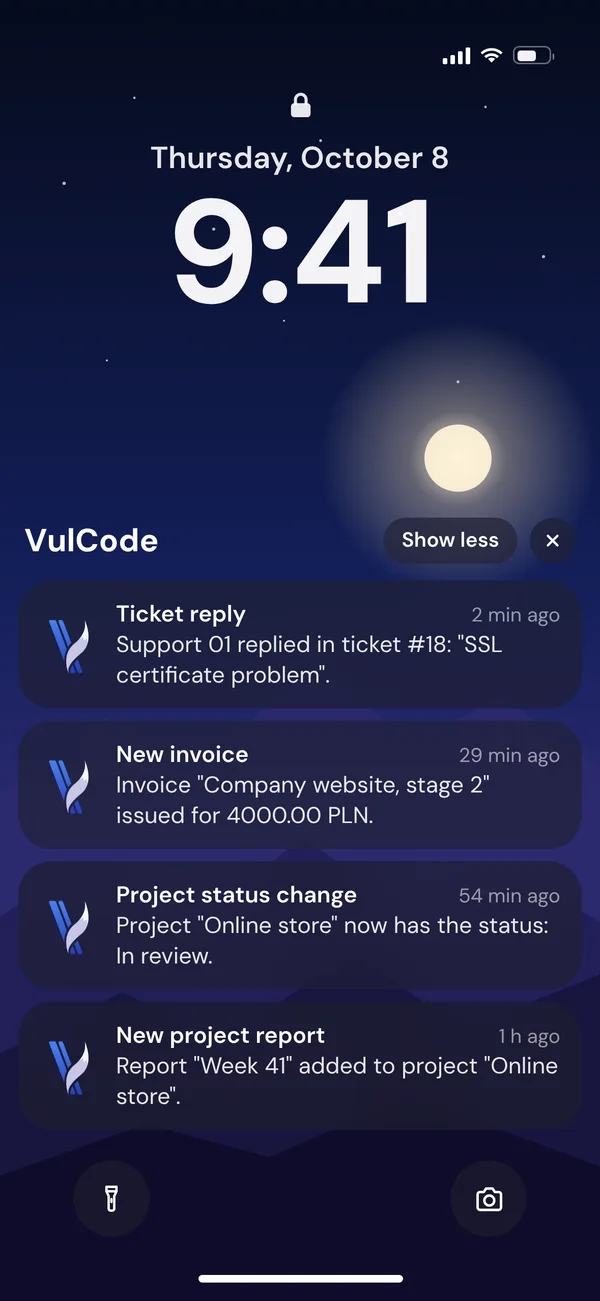
Your system sends a notification and the browser's push service delivers it once the phone is online. A few of the rules we keep come from bugs we fixed in our own panel.
Every kind of notification has its priority and the time it waits for the phone.
Google, Mozilla, Microsoft or Apple, depending on the browser, holds the notification until the phone is back online.
- Tickets, payments and system mattershigh priority3 days
- Projects and the partner programmenormal priority24 hours
- Newslow priority, silent12 hours
When the phone was off for longer, the same message waits in the panel under the bell, as that channel is on by default.
- Every notification has content and shows, even when something goes wrong, because after a few empty ones the phone could turn the app's notifications off.
- Two notifications about different matters never merge into one, and none is lost on the way.
- The panel has its own notification script, separate from the site, so the consent always lands in the right place.
A tap opens the panel right where the matter is. On iPhone notifications work from iOS 16.4 in an app added to the home screen, and we ask for consent only after a tap on a button.
a colour icon: Android shows a bloba one-colour badge: the shape showsA web app we use every day
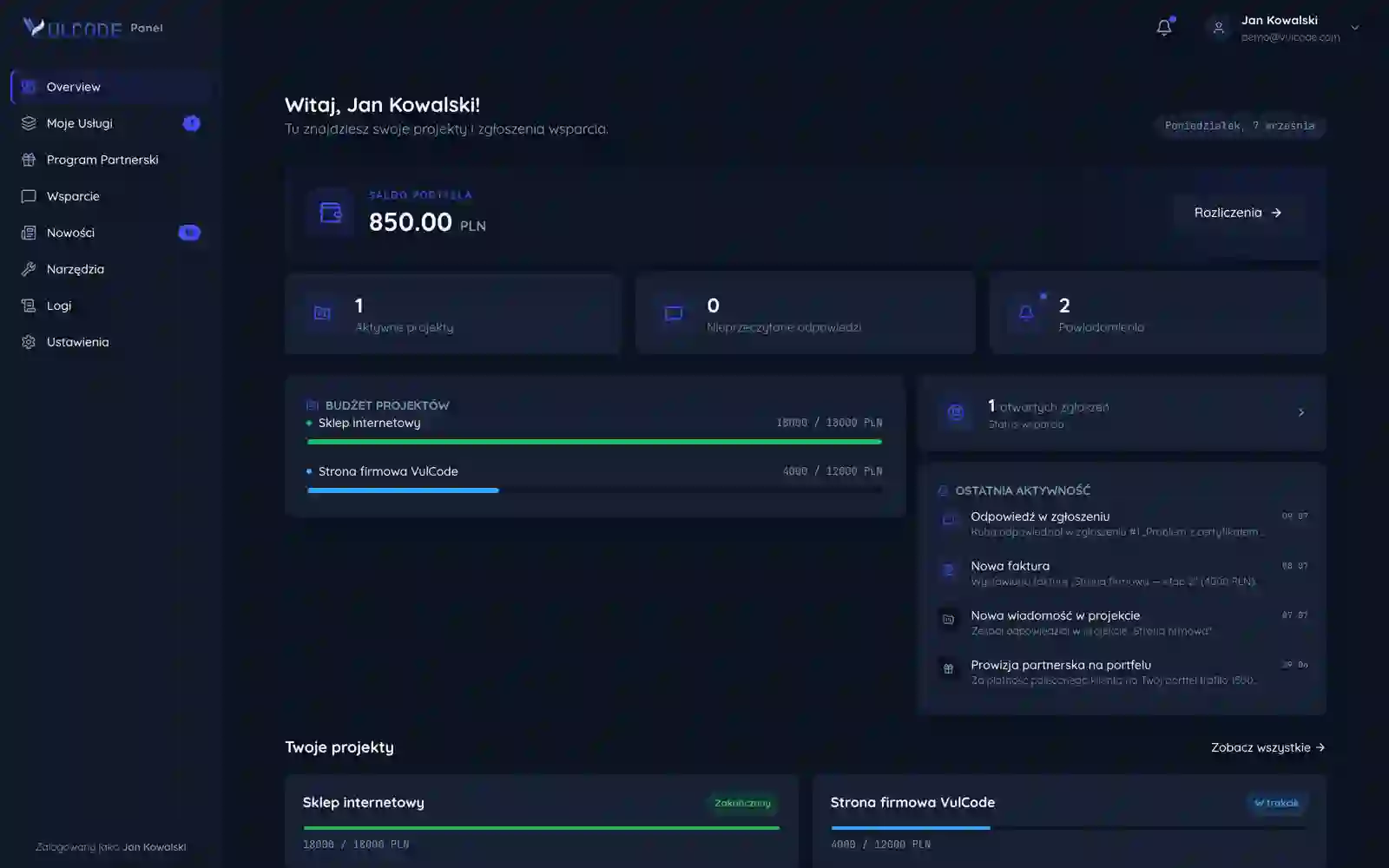
This is how our client panel works: clients follow their projects, payments and tickets in it, in the browser or in the app installed from vulcode.com.
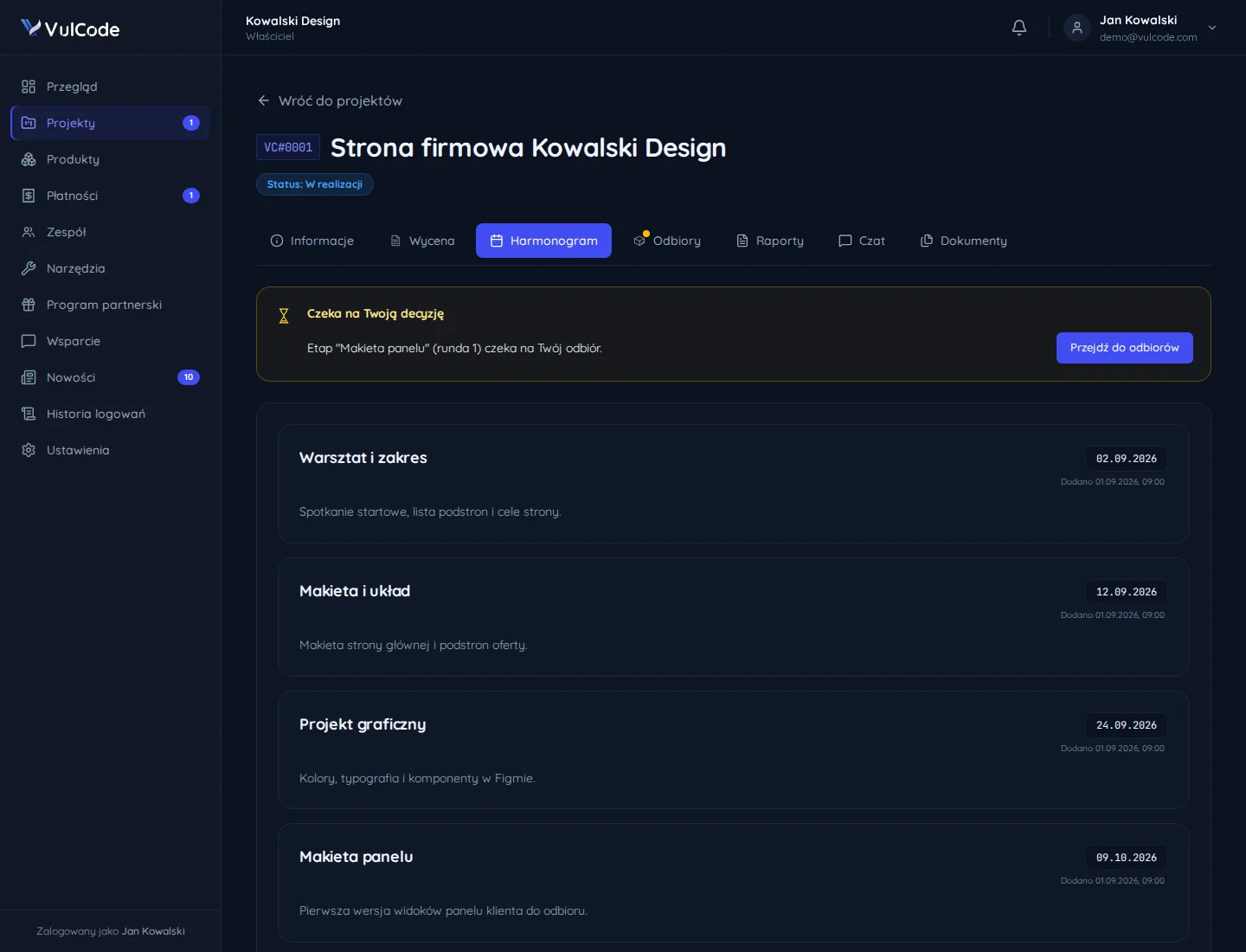
Clients switch each of the six notification categories on separately for the panel, email, Discord and phone notifications.
The panel runs within the same installed app as the site, and in a browser it opens like any page.
How a web app gets built
From a list of screens to an app installed on your users' phones.
Scope and screens
We list who uses the app, on which devices and what must work offline.
Design and prototype
We make the wireframes and a clickable prototype together with our partner agency Aphrodi and check them on a phone before any code.
Test version
The app on a test address that can be installed and checked stage by stage.
Device testing
Android, iPhone and desktop: install, notifications, offline and updates.
Release
The app on your domain, with monitoring and an install guide for users.
Common questions about web apps and PWAs
Answers about iPhone, offline use, installing, updates and the quote.

Read next
Services that often go with a web app, the panels we have built and our post on what a PWA still cannot do.
Want an app your users install from the browser?
Tell us who will use it and on which devices. We will reply within an hour with questions and a quote.