
VulMail
Email on your own domain or an @vulmail.pl address, with no ads in the inbox. MX, SPF, DKIM and DMARC records set themselves up, the spam filter learns from the user's decisions, and the antivirus and quarantine hold back suspicious attachments. Webmail with a calendar and contacts, IMAP, SMTP and ActiveSync on the phone, and moving over from an old mailbox folder by folder.
Overview
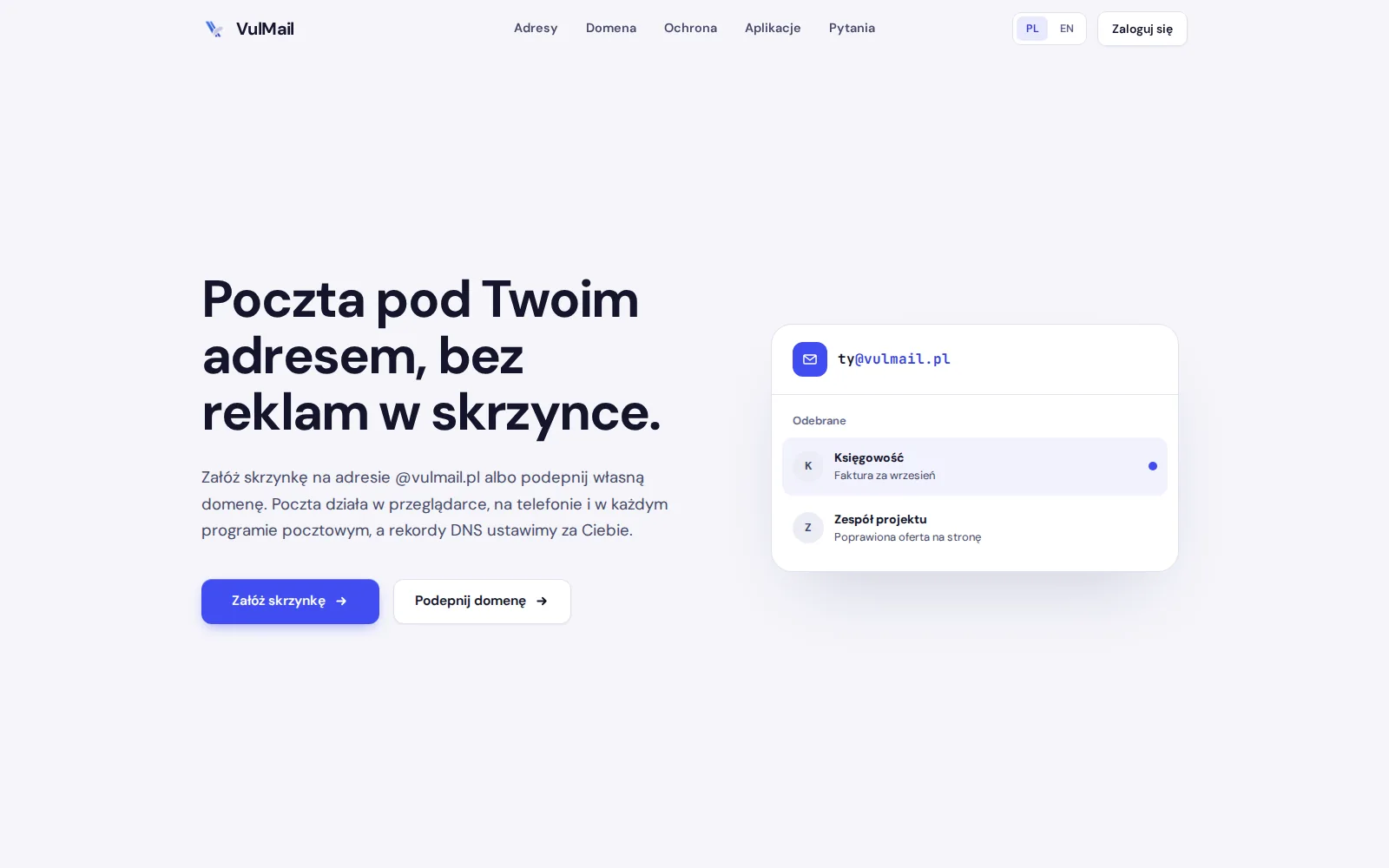
VulMail is email at your own address, with no ads in the inbox. A mailbox is created at an @vulmail.pl address or on the domain of a company or project, and the mail works in the browser, on the phone and in any mail program. The service belongs to the VulCode family of products, and domains and mailboxes are managed from the VulCode client panel.
The hardest part of email is invisible to the user. It is DNS records, message signatures, the spam filter and backups, everything that decides whether a message reaches the recipient or their spam folder. VulMail takes that part on itself, and the user is left with just a mailbox.
Two addresses, one mailbox
An @vulmail.pl address works seconds after sign-up, with no domain to buy and nothing to set up. Your own domain can be connected at any time, the messages and settings stay in the same mailbox, and the old address can keep working as an alias. On your own domain there is any number of mailboxes and aliases, plus a catch-all address that collects everything sent to the domain.
That means nothing has to be decided up front. A private person starts at @vulmail.pl, and when they start a company they move to their own domain without a new mailbox and without losing any correspondence.
DNS records that set themselves up
When a domain is connected, the panel generates a DKIM key and shows the full set of records. If the domain is with us, we enter them ourselves and check that they work. If it is with another registrar, the panel shows them step by step, ready to copy.
What each record is for
| Record | What it does |
|---|---|
| MX | routes mail for the domain to the VulMail servers |
| SPF | tells other servers who may send mail from the domain |
| DKIM | signs every message, so the recipient knows nobody tampered with it |
| DMARC | says what to do with a message that only pretends to be from the domain |
Spam and viruses drop out before the inbox
Every incoming message passes through a spam filter and an antivirus scanner. Doubtful ones go to the Spam folder, infected ones go nowhere, and messages with suspicious attachments wait in a quarantine where they can be reviewed and released.
the server accepts a message addressed to the mailbox.
a doubtful message goes to the Spam folder.
an infected one goes nowhere, and a suspicious attachment waits in quarantine.
a clean message lands in the Inbox.
The filter learns from the user's decisions. Moving a message into Spam or out of it tells the filter what counts as mail for that particular person, so over time it gets things wrong less and less often.
The same mail everywhere
Webmail with mail, a calendar and contacts works straight away in the browser, with nothing to install. Android phones and iPhones connect over IMAP or Exchange ActiveSync, together with the calendar and contacts. Thunderbird, Outlook, Apple Mail and any other program that supports IMAP and SMTP work on standard settings that most programs find by themselves once the address and password are entered.
Server settings
| Service | Address and port |
|---|---|
| IMAP | imap.vulmail.pl, 993 SSL |
| SMTP | smtp.vulmail.pl, 465 SSL |
| CalDAV | mail.vulmail.pl, 443 |
| CardDAV | mail.vulmail.pl, 443 |
The domain panel and moving over
The domain owner adds mailboxes for new people and sets each one a storage quota that takes effect at once. They create aliases delivered to several people, and when an employee leaves they forward that mailbox's mail to someone who will take care of it. When a mailbox is getting close to its quota, they get a message in advance.
Moving from old mail starts with the address and password of the old mailbox. We copy all of its content folder by folder, and the old mailbox keeps working until the copy is done, so nothing gets lost in the meantime.
Security and privacy
Webmail and the panel are reached with a password and a second step: a code from a phone app or a hardware key. Mail programs and the browser connect to the server only over TLS, including on public Wi-Fi. Mailboxes are backed up every day, so an accidentally deleted folder or an emptied trash can be recovered.
We do not analyse message content for ads and we do not sell data about who writes to whom, because VulMail is paid for by its mailboxes. Underneath runs Mailcow, a proven mail server with anti-spam, antivirus and webmail, and on top of it our own domain and mailbox panel built into the VulCode client panel.
What the finished product actually delivers
A company or a private person gets email at their own address that reaches recipients instead of their spam, without reading up on DNS records. The mailbox works in the browser, on the phone and in a mail program, with a calendar and contacts, and spam and viruses drop out before anyone sees them.
The team manages mailboxes, aliases and quotas from one panel, and moving from old mail does not cost a single message. The whole thing is paid for with mailbox fees, not with your data.
Questions about VulMail

More projects
More work from the same category - see how we tackle similar challenges.
Have a similar project?
Get in touch - a quote is free and comes back within an hour.