
Comarch ERP Optima integration with your store and KSeF
Optima talks to KSeF itself. Our job is getting orders, customers and documents into it without manual work, and sending stock and statuses back to where you sell.
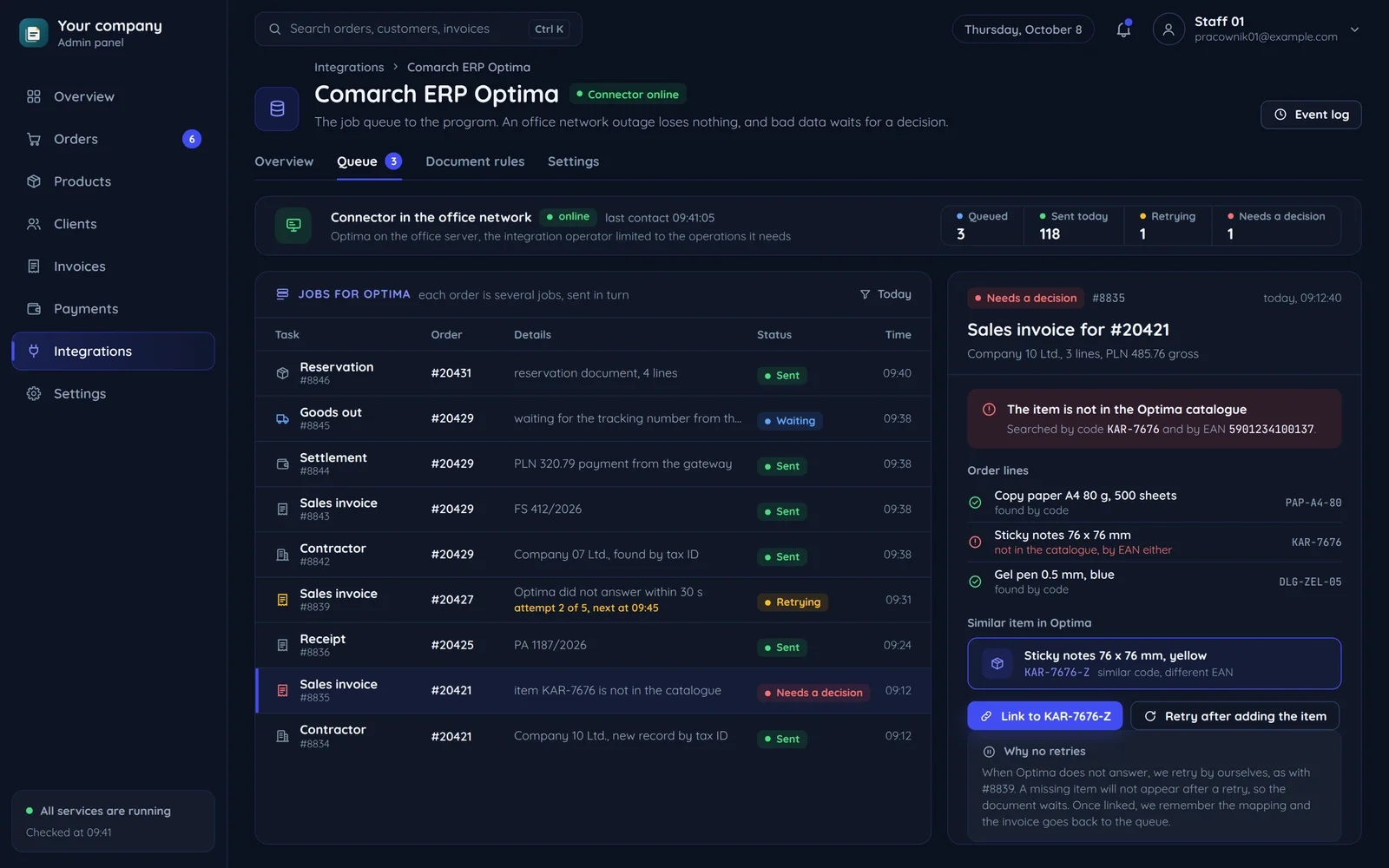
Where Optima ends and the integration begins
Optima handles KSeF, accounting, payroll and the bank. The integration feeds it the sales data it cannot see.
Your sales
A custom store, a platform or a channel that Comarch e-Sklep and e-Sale do not cover.
- Order accepted
- Order paid
- Business customer
- Product in the cart
- Payment via a gateway
- Shipping and tracking number
- orders, business customers, payments
- stock and statuses
The integration
Orders, customers and documents reach Optima with no manual work.
- Connects by the route your version and licence allow, sometimes through BaseLinker
- Keeps a queue and an event log
- Creates documents by the types and series agreed with your accountant
On-premise or in the cloudThe version decides where the integration can connect from. We settle it in the first call.
- documents, contractors, settlements
- stock, prices and the KSeF number
Comarch ERP Optima
A program for small and medium firms and accounting offices.
- Sends and receives KSeF invoices
- Runs accounting and payroll
- Connects to the bank
- Runs on your own server or in the Comarch Cloud on a subscription
- A KSeF token or certificate from the KSeF 2.0 Taxpayer Application
- KSeF permissions for the person or office receiving invoices
- An operator with the right to send e-invoices and receive UPO
- Separate handling of the offline, offline24, KSeF failure and total failure modes
KSeF 2.0 in OptimaComarch help describes the production KSeF 2.0 integration with certificate sign-in from 1 February 2026.
What we connect Optima to
Optima and what we connect to it: sales channels and services, each with the direction and kind of data.
Comarch ERP Optima
trade, warehouse, accounting, KSeF
Custom-built store
- Orders into Optima, stock and prices to the store
A store order as a document in Optima
A sample mapping. Document types and series are agreed with your accountant.
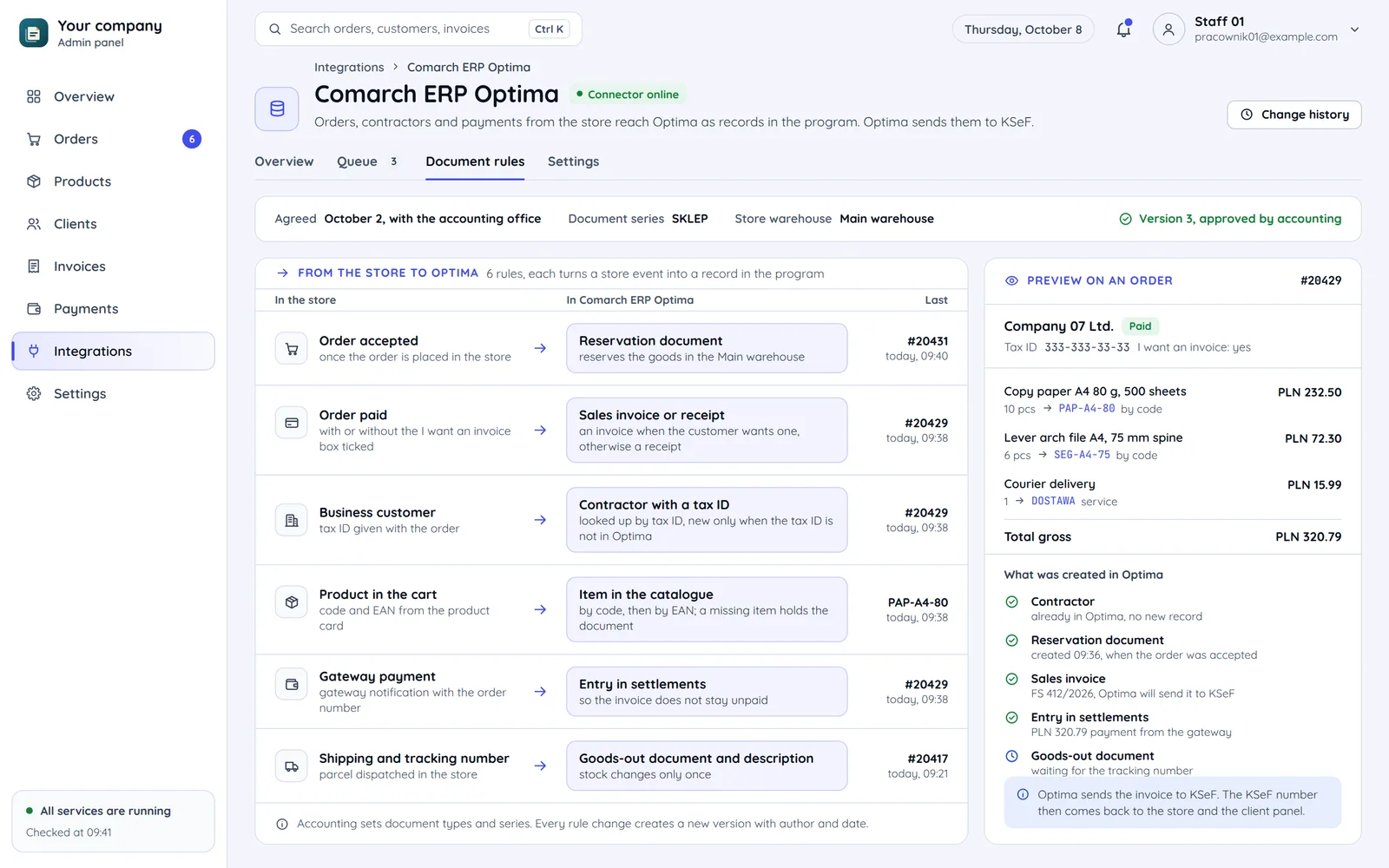
- Invoice or receiptA paid order becomes a sales invoice or a receipt, depending on whether the customer wants an invoice. That also decides the document's route to KSeF.
- Contractor by tax numberA business customer reaches Optima as a contractor with a tax number. We look it up by that number, so no duplicates appear.
- KSeF stays in OptimaOptima sends the invoice to KSeF, and the KSeF number can flow back to the store and client panel if you want to show it there.
A Comarch solution or a custom integration
Comarch has its own online sales tools. We do not rebuild what already works out of the box.
A Comarch solution is enough
- The store can run on Comarch e-Sklep.
- You can handle marketplaces through Comarch e-Sale.
- A certified application already does what you need.
You need a custom integration
- The store or platform is custom-built.
- Data has to flow by your rules, e.g. kitting, B2B discounts, several warehouses.
- Optima should feed a client panel or reports outside the program.
How we will do it
A sample integration rollout. Details depend on your Optima version and who implemented it.
Implementation review
Version, licences, modules, on-premise or cloud, and which Comarch tools already run.
Data map
Document types, series, warehouses, price lists and settlements agreed with accounting.
Connector on a company copy
Building and testing on a data copy, comparing documents with hand-issued ones.
Launch and care
Switching on in production, watching the first days and reacting to program updates.
Common questions about Optima integration
Answers about KSeF in Optima, the Comarch Cloud, partners and the integration code.

Read next
Other programs and integrations that go with Optima.
How do orders reach Optima today?
Tell us your Optima version and where orders come from. We will reply within an hour with questions and a suggested integration route.