
enova365 integration with your store, BaseLinker and KSeF
enova365 has built-in KSeF support and ready connections to popular platforms. We write an integration where your sales, panel or company system go beyond what enova365 connects by itself.
What enova365 does by itself
First we check what does not need writing.
Three routes into enova365
From the simplest to the most flexible. We often combine two of them.
| Ready enova365 connectionplatforms on the vendor's list | Through BaseLinkermany channels, one intermediary | Custom integrationyour system and your rules | |
|---|---|---|---|
| A custom-built store | No | Partly | Yes |
| Allegro, Shoper, WooCommerce and others listed | Yes | Yes | Yes |
| B2B rules: discounts, limits, kitting | Partly | Partly | Yes |
| Data for a client panel | No | No | Yes |
| Code needed | No | No | Yes |
- Code needed (Ready enova365 connection): No, configuration.
- Code needed (Through BaseLinker): Usually not.
A B2B order from the portal to KSeF
A sample flow for a wholesaler with its own ordering portal. The KSeF invoice goes from enova365. enova365 is the source of truth for contractors, prices and stock.
- B2B customer
- Ordering portal
- enova365
- KSeF
- B2B customerOrdering portal
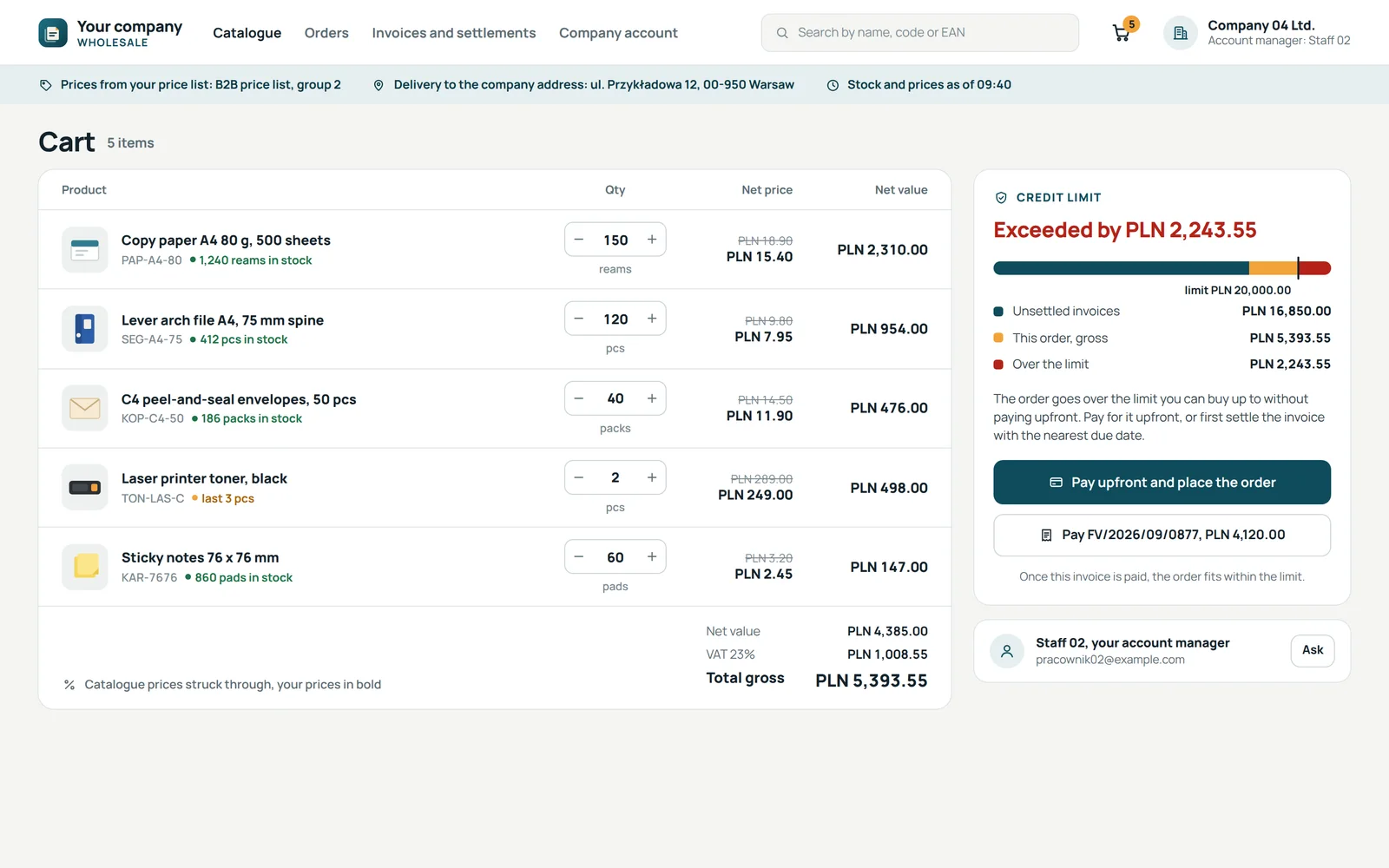
Krok 1 z 7: Order from the cart
Prices and credit limits from enova365
- Ordering portalenova365
Krok 2 z 7: Order in the program
The contractor matched by tax number
- enova365
Krok 3 z 7: Picking and goods out
On the warehouse side
- enova365KSeF
Krok 4 z 7: Invoice to KSeF
Validation and queueing in enova365
- KSeFenova365
Krok 5 z 7: KSeF number
- enova365Ordering portal
Krok 6 z 7: Status, document, KSeF number
- Ordering portalB2B customer
Krok 7 z 7: Invoice in the client panel
Invoices and settlements for the wholesaler's customer
Invoices and settlements from enova365 are visible to the customer, with the KSeF number once accepted.
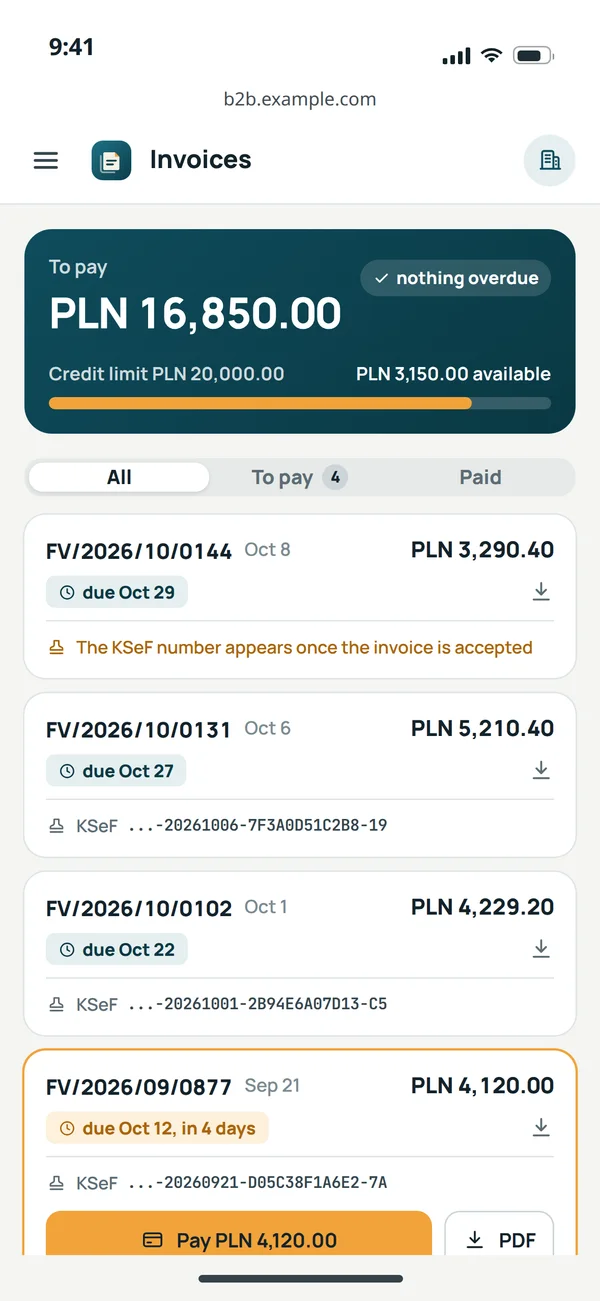
Amount due and the credit limit
Settlements and the limit come from enova365. The credit limit is the amount a customer can buy up to without paying upfront, and the portal blocks orders above it.
An invoice waiting for its number
The customer sees the invoice at once, and its KSeF number appears only once it is accepted.
The KSeF number on the invoice
Once accepted, the number comes back from enova365 to the portal with the status and the document.
Who does what
enova365 is usually implemented by a vendor partner. We split the work so everyone does what they know.
You
- Deciding which data is the source of truth.
- Access to the program and a test environment.VulCode: tests on a data copy
- Signing off test documents.

VulCode
- The integration on your portal, store or panel side.
- A queue, retries and an event log.
- Tests on a data copy before launch.You: test documents to sign off
enova365 partner
- Program setup, document types and series.
- Turning on ready connections and KSeF.
- Program licences and updates.
Common questions about enova365 integration
Answers about KSeF in enova365, implementation partners, WooCommerce and the integration code.

Read next
Integrations and services we most often combine with enova365.
Where does enova365 stop in your company today?
Tell us what already connects to enova365 and what you retype by hand. We will reply within an hour with a proposal and a quote.