
InPost ShipX integration: lockers and labels
The customer picks a locker on the map at checkout, your system creates the shipment and label through the ShipX API, and the parcel status flows back to the order by itself, via InPost webhooks.
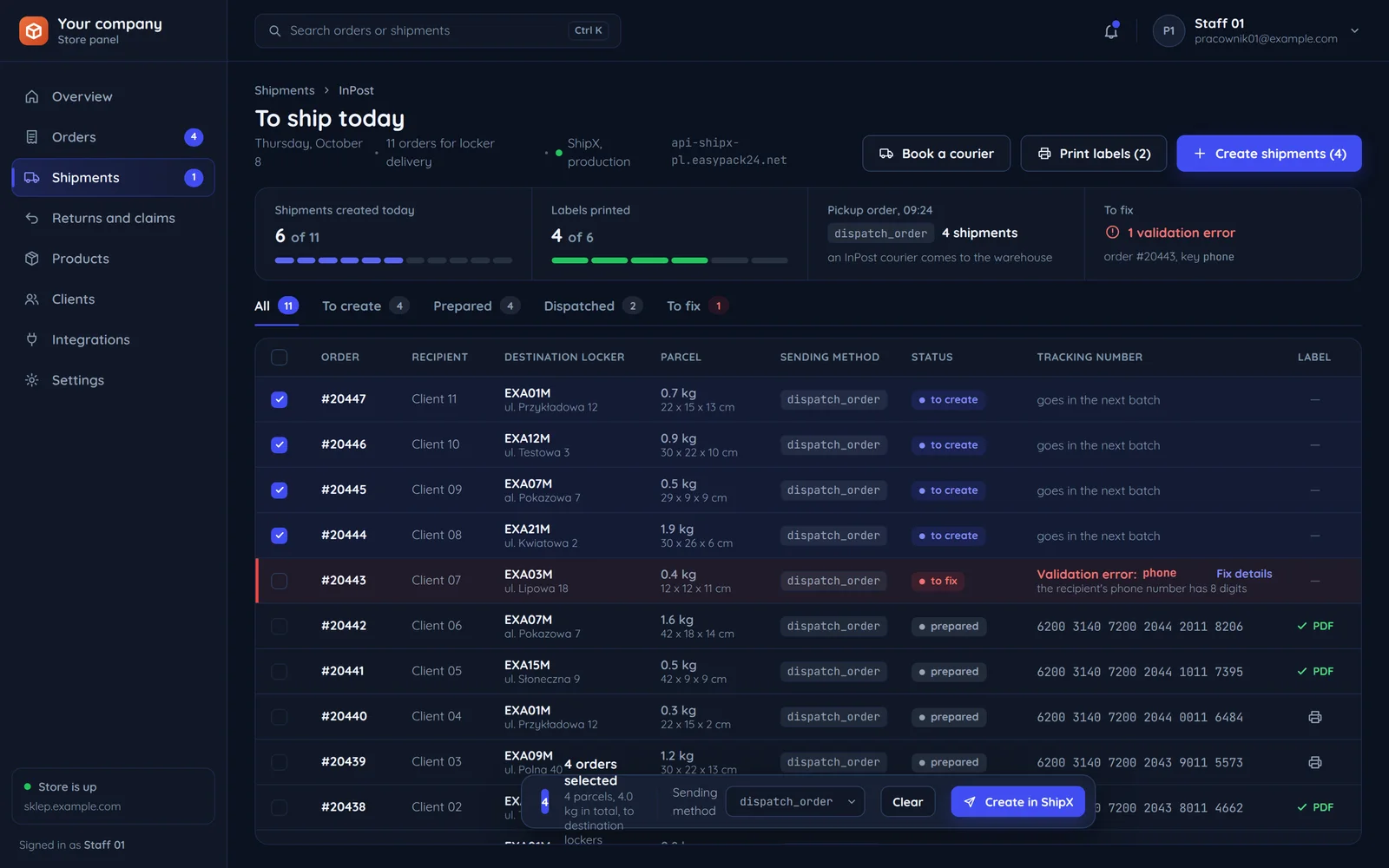
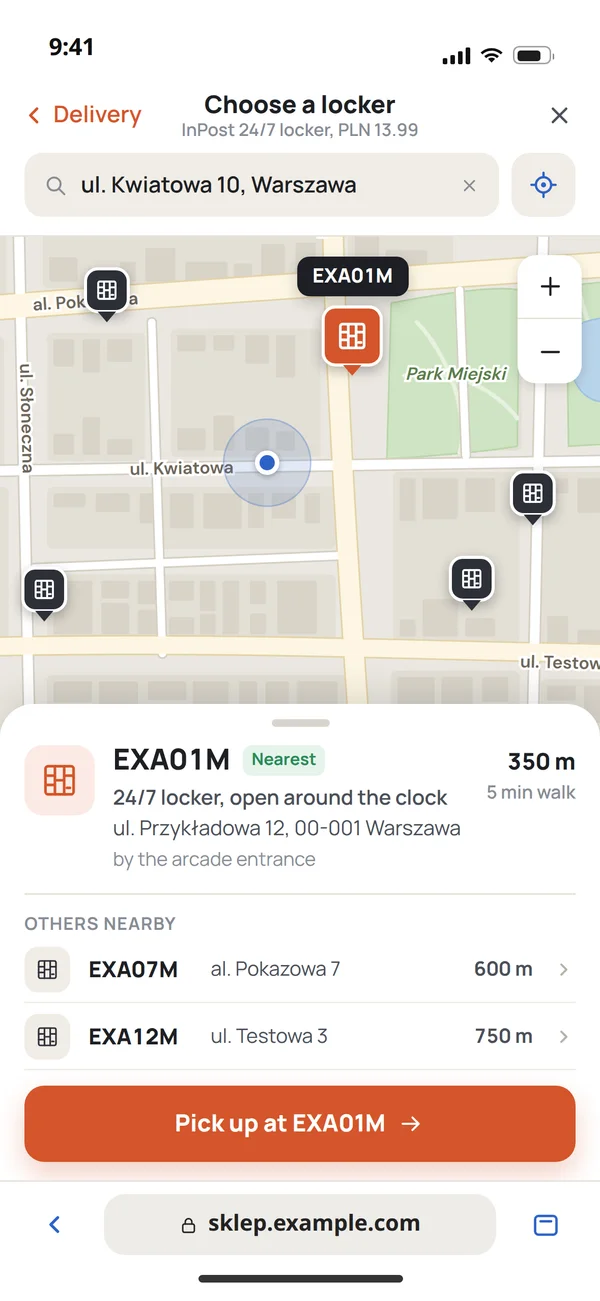
From picking a locker to a status on the order
The whole shipment path in an InPost integration. Each step is a different part of the API.
- CustomerPicks a point on the Geowidget map at checkout.Store panelThe locker code is stored with the order.UnderneathGeowidget hands over the point with the onpoint event. The map needs only a public token, separate from the ShipX token.
- CustomerSees in the client panel that the parcel is prepared.Store panelThe shipment has a PDF label and a sending method.UnderneathA shipment POST to ShipX. A validation error comes back with a key and description, so the team knows what to fix.
- CustomerGets a message that the parcel is on its way.Store panelThe order status changes to dispatched.UnderneathThe shipment_status_changed webhook, e.g. with the stored_by_sender status.
Sending methods in ShipX
A shipment in the API names its sending method. It decides how the parcel reaches InPost. Available methods depend on the shipment service.
Parcel locker
parcel_lockerDispatch at a parcel locker.
When we choose itA small shop that drops parcels itself.
Any locker or ParcelPoint
any_pointDispatch at any locker or ParcelPoint.
When we choose itWhen the sender wants flexibility.
Parcel service point
popDispatch at a parcel service point.
When we choose itParcels that do not fit a locker.
A courier from your warehouse
dispatch_orderA pickup order, i.e. booking a courier.
When we choose itA warehouse with more parcels a day.
InPost branch
branchDelivery to an InPost branch.
When we choose itLarge volumes per agreement.
The parcel status in your system
InPost has a long status list. In the client panel we fold it into a few the customer understands, with the full status in the log.
Shipment created in ShipX, label ready. The shipment_confirmed webhook.
The parcel is in the sending locker or picked up by a courier, e.g. status stored_by_sender.
The parcel is at a hub and on its way. The customer is informed by the panel and by InPost.
At the destination locker. The moment the customer most wants to know about.
Picked up by the customer. The order can be closed.
- Prepared
Shipment created in ShipX, label ready. The shipment_confirmed webhook.
InPost event: shipment_confirmed - Dispatched
The parcel is in the sending locker or picked up by a courier, e.g. status stored_by_sender.
#20441EXA15M, Client 05InPost event: e.g. stored_by_sender - In transit
The parcel is at a hub and on its way. The customer is informed by the panel and by InPost.
- Ready for pickup
At the destination locker. The moment the customer most wants to know about.
#20447EXA01M, Client 11 - Delivered
Picked up by the customer. The order can be closed.
#20438EXA07M, Client 02
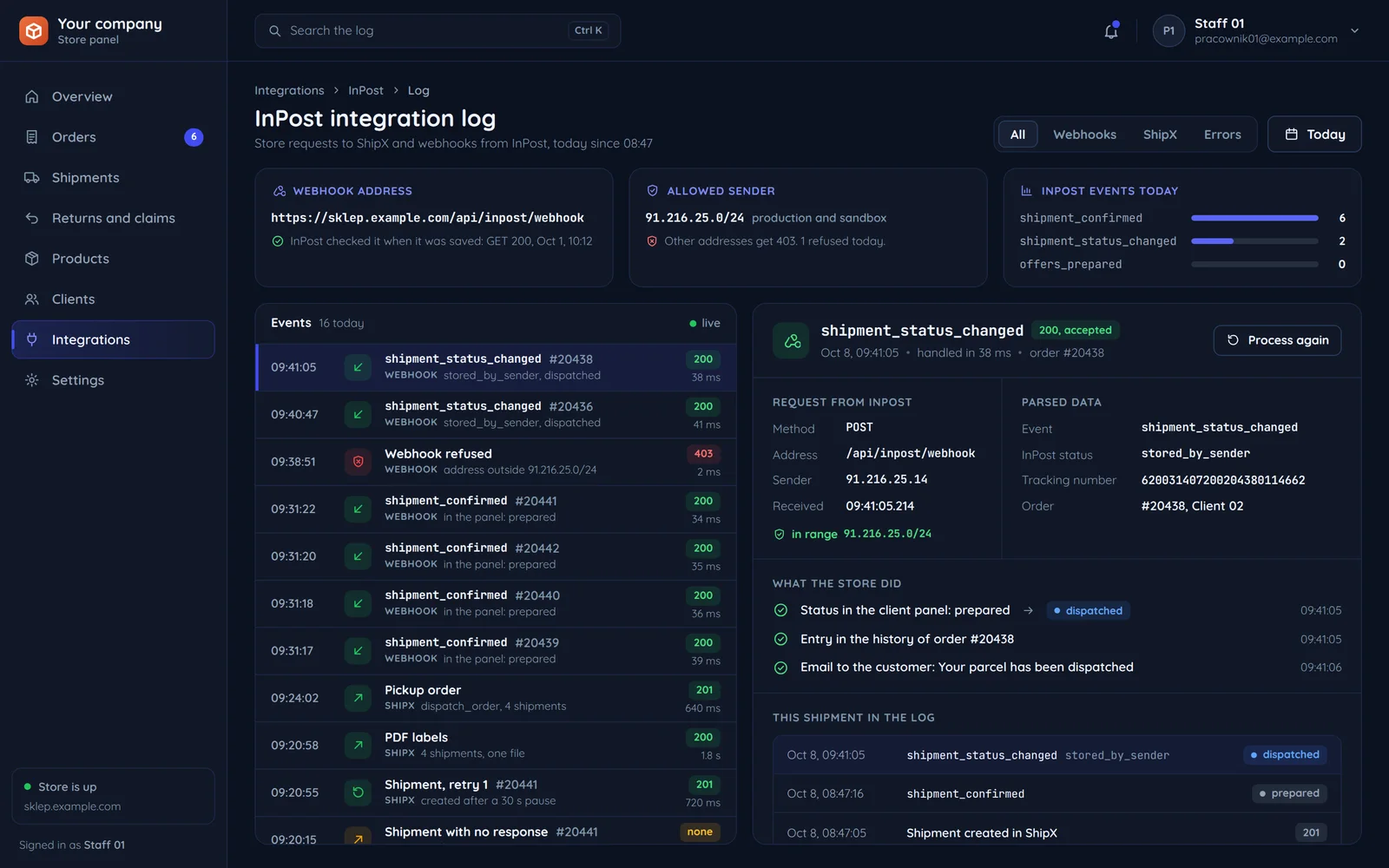
Where the panel gets the status
Every change arrives as a webhook from InPost. The integration log shows what came in and what the store did with it.
Events from the documentation
InPost sends shipment_confirmed, shipment_status_changed and offers_prepared, among others. The integration accepts them from 91.216.25.0/24.
The full status stays in the log
The InPost status, e.g. stored_by_sender, goes into the log, while the customer sees a shorter name: dispatched.
One event, three effects
A new status in the client panel, an entry in the order history and a message to the customer.
A plugin, an aggregator or ShipX directly
InPost lists platforms integrated with its services. We write code where that is not enough.
- A small store on a platformA platform plugin or an aggregator such as Furgonetka or Apaczka, with a point map at checkout.At this stage
- WhenThe store runs on a platform from InPost's list.
- CarriersYou ship with several carriers and want one panel.
- DispatchDispatch at a parcel locker. A small shop that drops parcels itself.
Sending method in ShipXparcel_locker - A custom store or warehouseA ShipX API and Geowidget integration in your code, with status webhooks.At this stage
- WhenThe store or warehouse is custom-built.
- PanelParcel statuses should live in your client panel.
- DispatchDispatch at any locker or ParcelPoint. Dispatch at a parcel service point.
Sending method in ShipXany_pointpop - A warehouse shipping more parcels a dayYou book the courier for your parcels from the store panel, through a ShipX pickup order.At this stage
- WhenYou need pickup orders and your own dispatch rules.
- DispatchA pickup order, i.e. booking a courier.
Sending method in ShipXdispatch_order - Large volumes per agreementDelivery to an InPost branch.At this stage
- AgreementShipX needs a Manager Paczek account with company details, and you can generate the API token only after you fill in the invoice details there. Service terms depend on your InPost agreement.
- DispatchAvailable methods depend on the shipment service.
Sending method in ShipXbranch
Before the first parcel goes through the API
Details from the InPost documentation that block the launch if forgotten.
GET /api/inpost/webhookInPost checks the address when the webhook is saved91.216.25.14A webhook from the InPost range203.0.113.7A webhook from outside 91.216.25.0/24sandbox-api-shipx-pl.easypack24.netA token from the production Manager Paczekparcel_lockerThe first locker shipment5 checks before the first parcel through the API
Common questions about InPost integration
Answers about the InPost agreement, the locker map, statuses and the quote.

Read next
Other carriers and places where shipping meets the rest of the store.
How many parcels do you ship a day?
Tell us where orders are created and how you ship today. We will reply within an hour with questions and a quote.