
CodeHeat
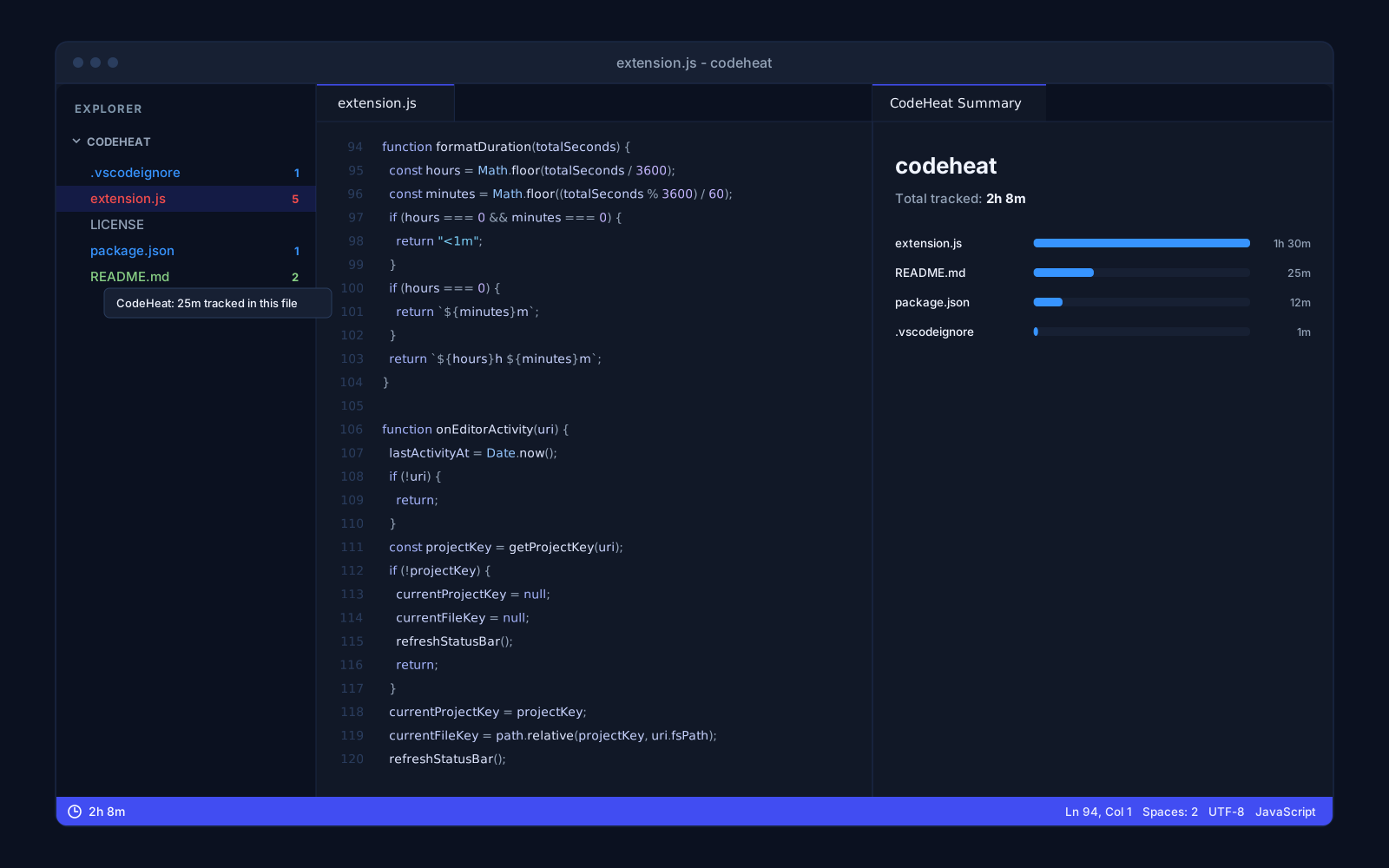
A Visual Studio Code extension that counts working time in every project and file only while you are actually working, and paints it onto the file explorer as a heatmap. A project clock in the status bar, a chart of the hottest files and export to JSON, and everything stays on your computer: no account, no server and no telemetry.
Overview
CodeHeat is a Visual Studio Code extension that tracks how much time you actually spend in each project and file, and paints that time back onto the file explorer as a heatmap. Everything stays on your machine: no account, no server, no sync and no telemetry.
Time counted only while you work
time goes to the file you are working in, but only while you are active.
typing, moving the cursor and switching editors.
after a few minutes without activity the heartbeat stops counting, so an editor left open overnight never turns into eight tracked hours.
time is credited only to files in an open workspace folder.
A heatmap in the explorer
Every file with tracked time gets a badge from 1 to 5 in the explorer, coloured from blue through green, yellow and orange to red. The scale is relative to the hottest file in the project, so it shows where the work went rather than an absolute number. Hovering a file shows the exact time.
Clock and summary
The left of the status bar shows the total time in the current project. Clicking it opens a summary with the project's hottest files on a bar chart and the project total.
Your data
The extension writes a single JSON file into the directory VS Code gives extensions, and nothing leaves it. All data exports to JSON, one project's data is cleared with one command, and tracking is paused and resumed from the command palette. The extension is plain JavaScript against the VS Code API, with no dependencies and no build step.
Questions about CodeHeat

More projects
More work from the same category - see how we tackle similar challenges.
Have a similar project?
Get in touch - a quote is free and comes back within an hour.