
Lokal hospitality panel
The panel an owner and team run a restaurant, bar, club or cafe from: the day's dashboard, reservations on the floor plan, table and takeaway tabs, a kitchen screen and the menu. Plus events, happy hours and bundles, inventory with supplier orders, a schedule with shift costs and an end-of-day report with tips and voids. Team permissions are set separately for each area.
Overview
Lokal is a panel for running a restaurant, bar, club or cafe: one screen for the day, reservations on the floor plan, tabs and the kitchen, menu and promotions, stock and purchasing, the team rota and reports. An owner of several venues switches between them with one choice at the top of the panel.
Hospitality does not forgive slow software. A waiter has a few seconds to add an item to a tab, the kitchen has to see the order at once, and the manager wants to know at the end of the day how much went in tips and what was voided. We built the panel around that rhythm.
The venue's day on one screen
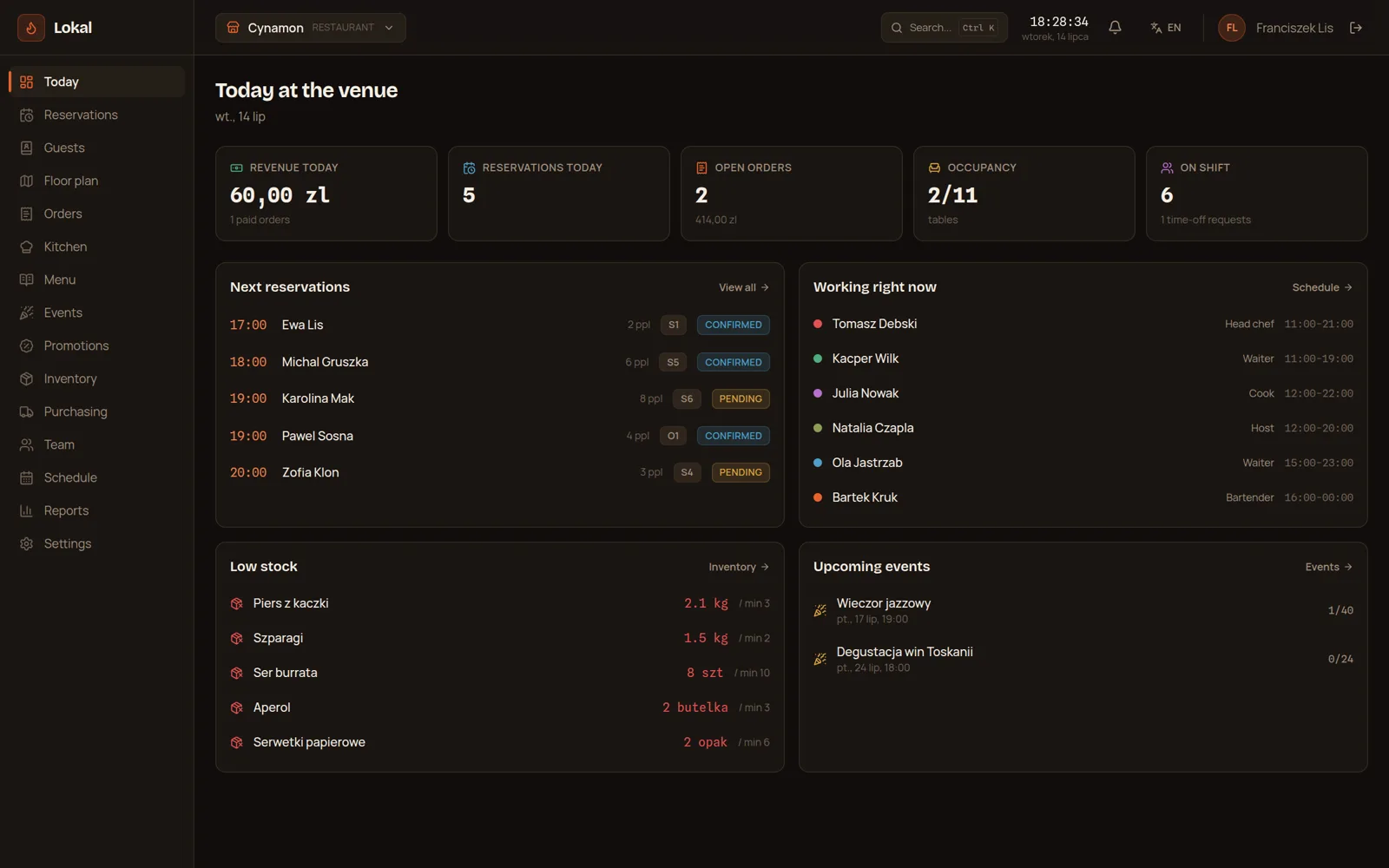
The "Today at the venue" screen shows revenue from paid tabs, the number of reservations, open tabs with their amount, occupied tables and who is on shift along with time-off requests. Below come the next reservations with time, party size, table and status, the list of people working right now with their role and shift hours, low stock and upcoming events with the number signed up.
A manager who walks in in the morning knows within seconds whom to expect, who is on the floor and what will run out before the evening.
Reservations and a live floor plan
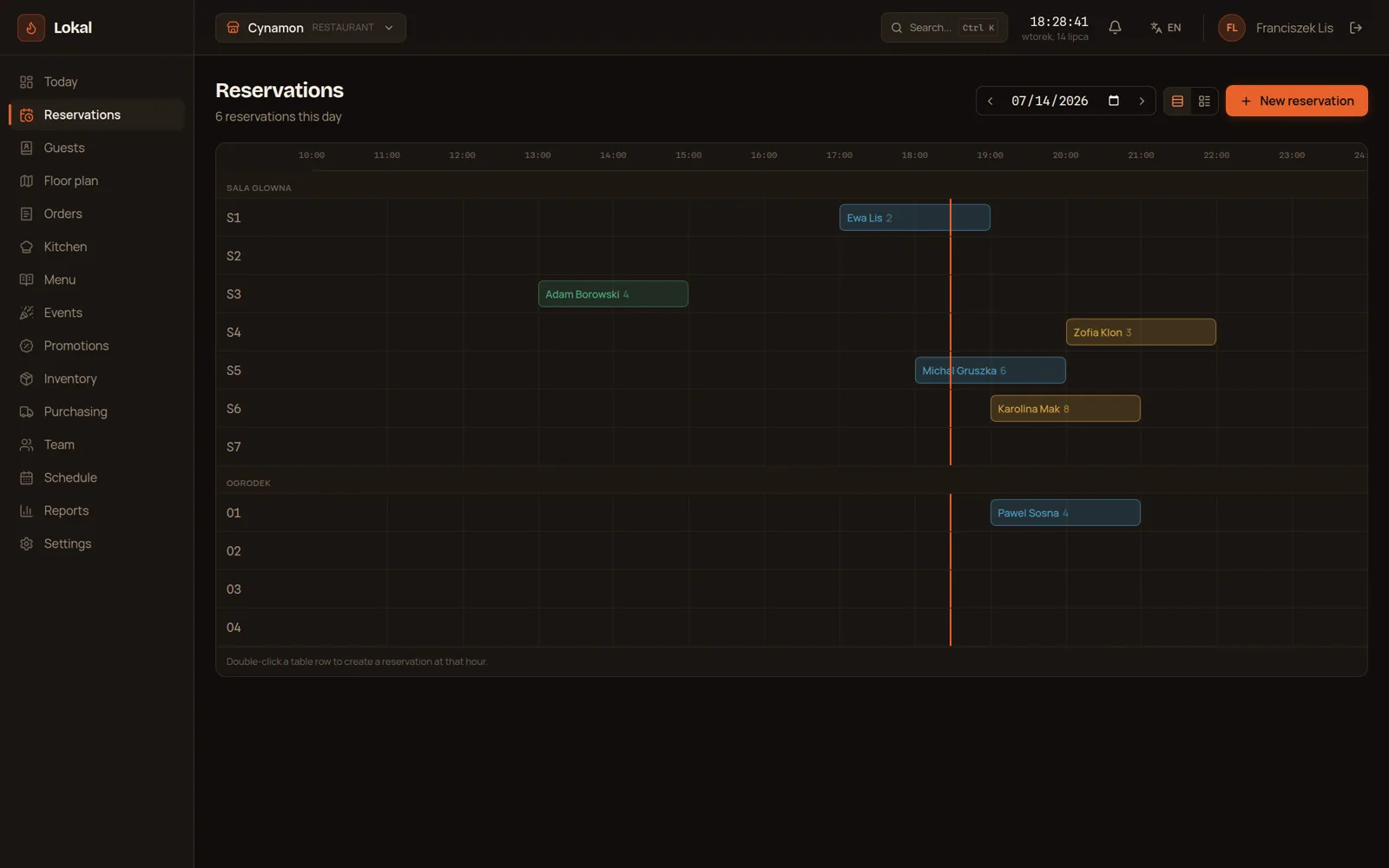
Reservations are laid out on an hourly timeline, table by table and room by room, for example the main room and the garden. A double click on a table's row creates a reservation at that hour, and saving despite a time clash needs a deliberate confirmation. A guest who books with a phone number appears on the guest list by themselves.
The floor plan shows the venue live: who is seated at which table, what they ordered and what is reserved for later. A click on a table opens its details and its tab.
Tabs, the kitchen and voids with a reason
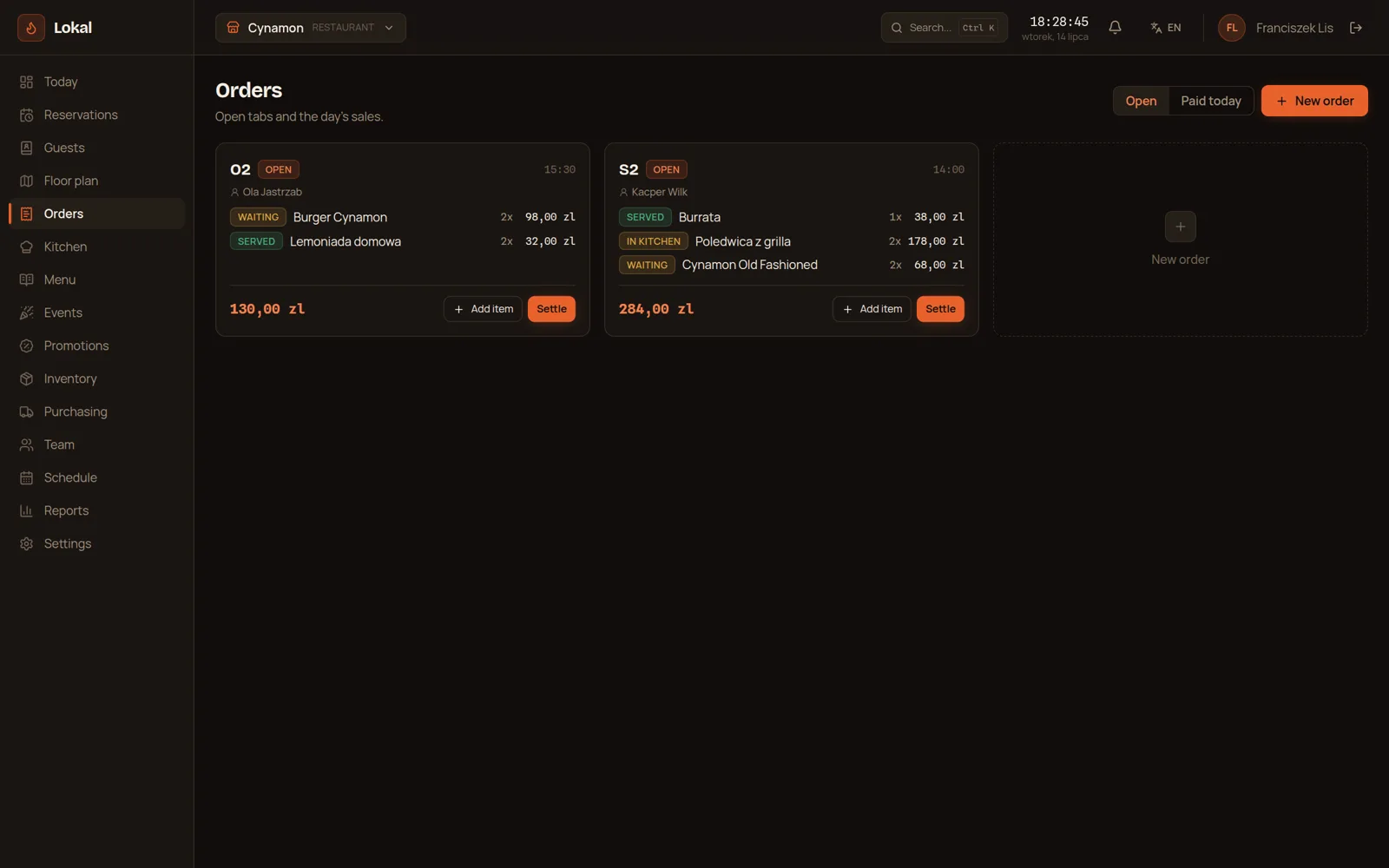
A tab is opened for a table or for takeaway. Every item has its status: waiting, in the kitchen or served. The kitchen sees orders on its own screen, where new items appear by themselves, and a click changes an item's status. An item that is already being prepared or served cannot be quietly removed: voiding it needs a reason, as does cancelling a whole tab, and both go into the day report.
Promotions that apply themselves
Promotions cover percentage and fixed discounts, happy hours on chosen days and hours, and bundles at a set price. A promotion can apply to the whole tab, to chosen categories or to menu items. A bundle only applies when all of its items are on the tab in the required quantities, and voided items do not count.
The bundle discount is the difference between the regular price of its items and the bundle price, and it is never negative. If the bundle came out dearer than the items on their own, the guest simply pays for the items.
Stock, purchasing and the rota
Every stock item has a unit, a cost, a supplier and a low-stock threshold. The panel drafts supplier orders for items below their threshold by itself, and receiving a delivery updates stock. A low-stock item with no supplier assigned is flagged separately so it does not drop out of the order.
The rota lays out shifts and estimates their cost from the plan rather than from hours worked, so the manager sees the week's cost before it starts. Time-off requests wait for approval. The end-of-day report gathers revenue, payments, tips and voids, and wider reports show table turnover and order drilldowns.
A team with access to what it handles
The rota is one thing and access to the panel is another. Who can sign in and what they can manage is set separately by the owner: reservations, promotions, stock and the other areas each have their own permission, and the owner role has full access. Changing a password signs out the other sessions, search finds panel pages, guests and reservations, and the venue sends us a support ticket straight from the panel.
What the finished product actually delivers
The venue has one panel instead of a notebook, a till, a whiteboard and a spreadsheet. The reservation, the table, the tab, the kitchen, the stock and the rota know about each other, so an order from the floor reaches the kitchen at once, and low stock turns into a draft supplier order.
An owner of several venues switches between them without signing out and sees every day in the same layout. The team sees what it handles, and every void stays in the venue's activity log with a person and a reason.
Questions about Lokal hospitality panel

More projects
More work from the same category - see how we tackle similar challenges.
Have a similar project?
Get in touch - a quote is free and comes back within an hour.