
An online booking system on your own website, with no commission
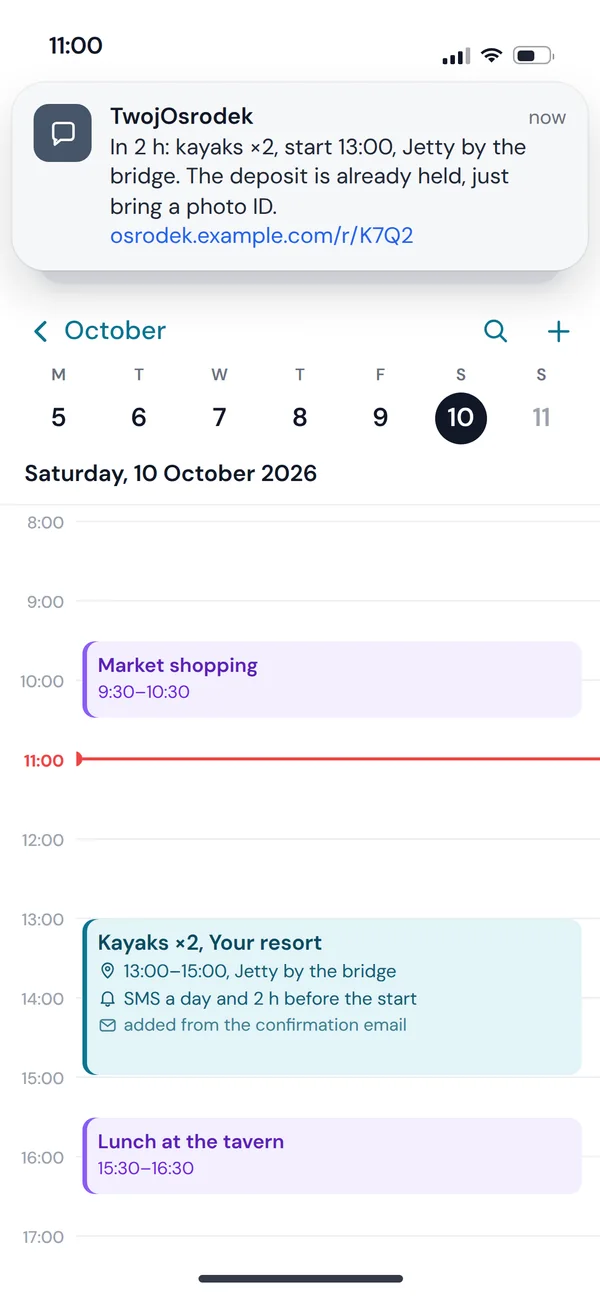
Rooms, equipment, venues and appointments in one calendar: customers pick a free slot, pay upfront or leave a deposit and get a reminder, and your staff see the whole day in the panel.
Booking from the customer's side
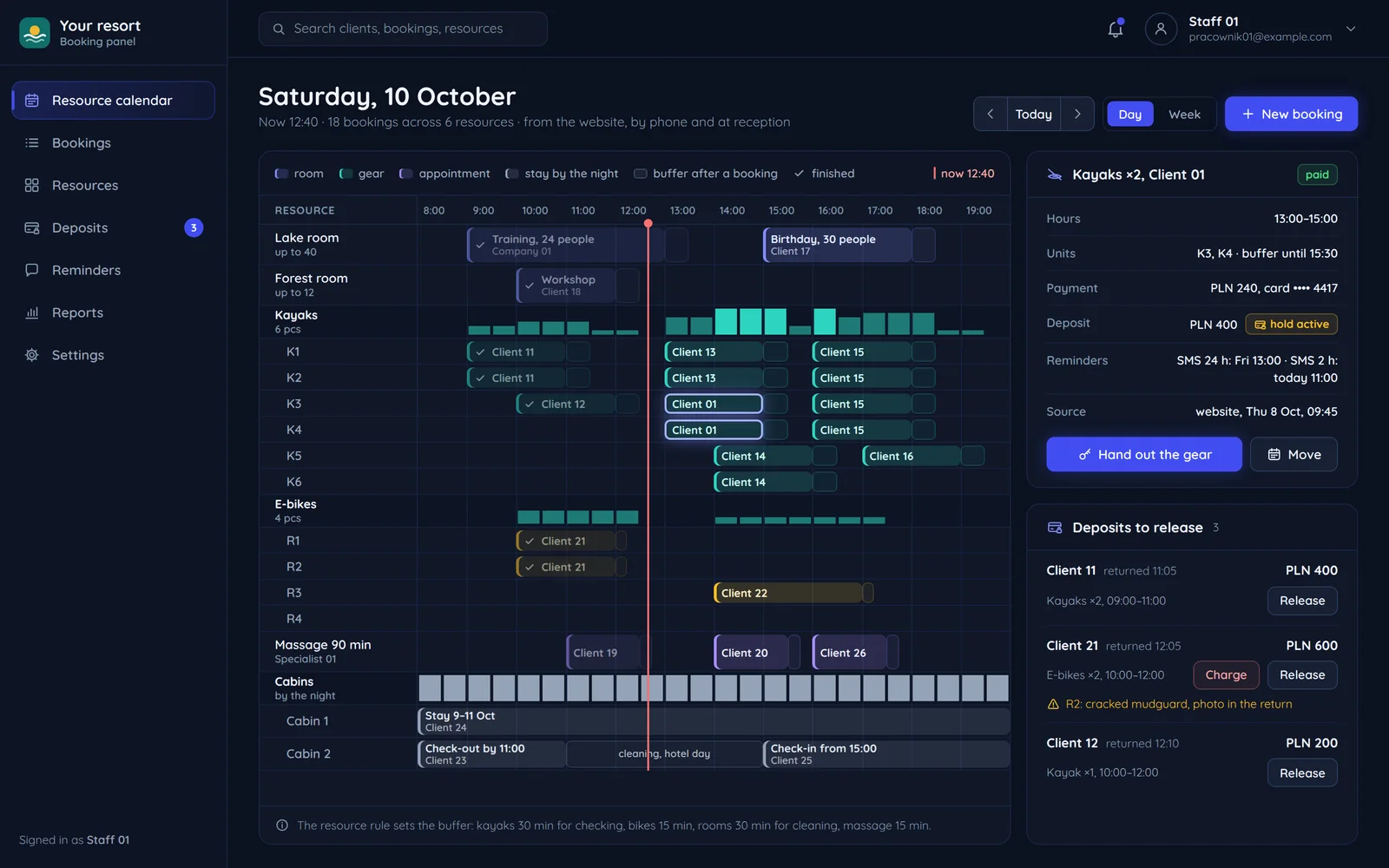
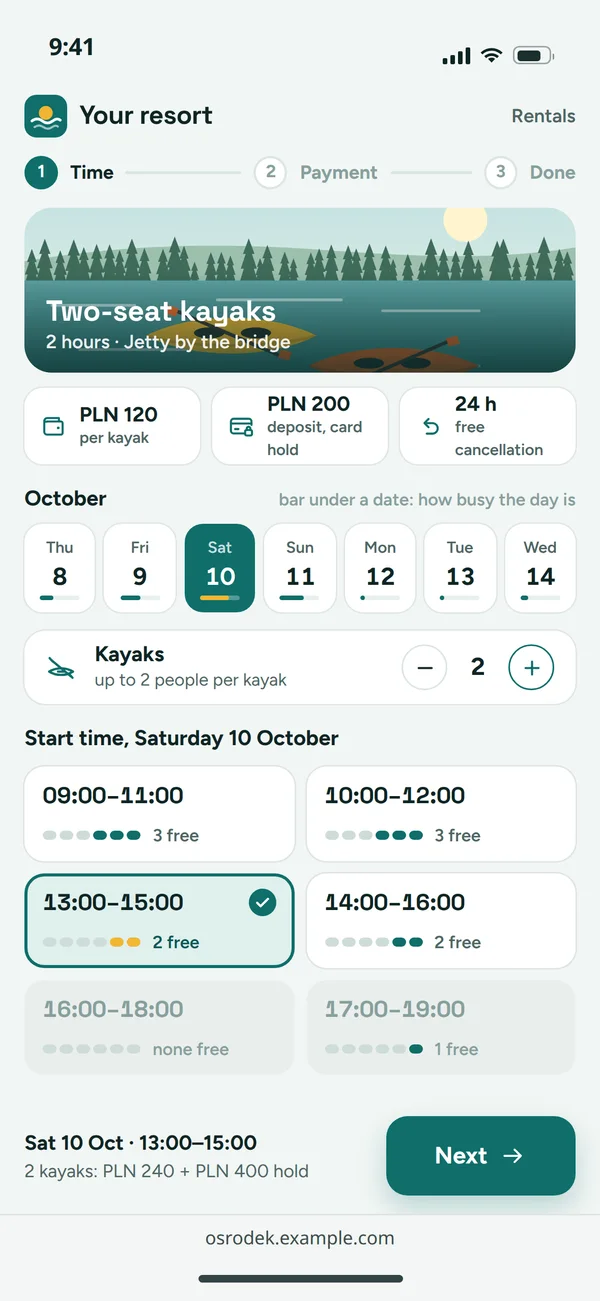
Three screens from picking a time to the reminder. Cancellation rules are visible before the customer pays.
Free times
Customers only see slots with free units left, with the price and deposit information.
Payment and deposit
Upfront payment through an operator, and a deposit as a card hold, released after return.
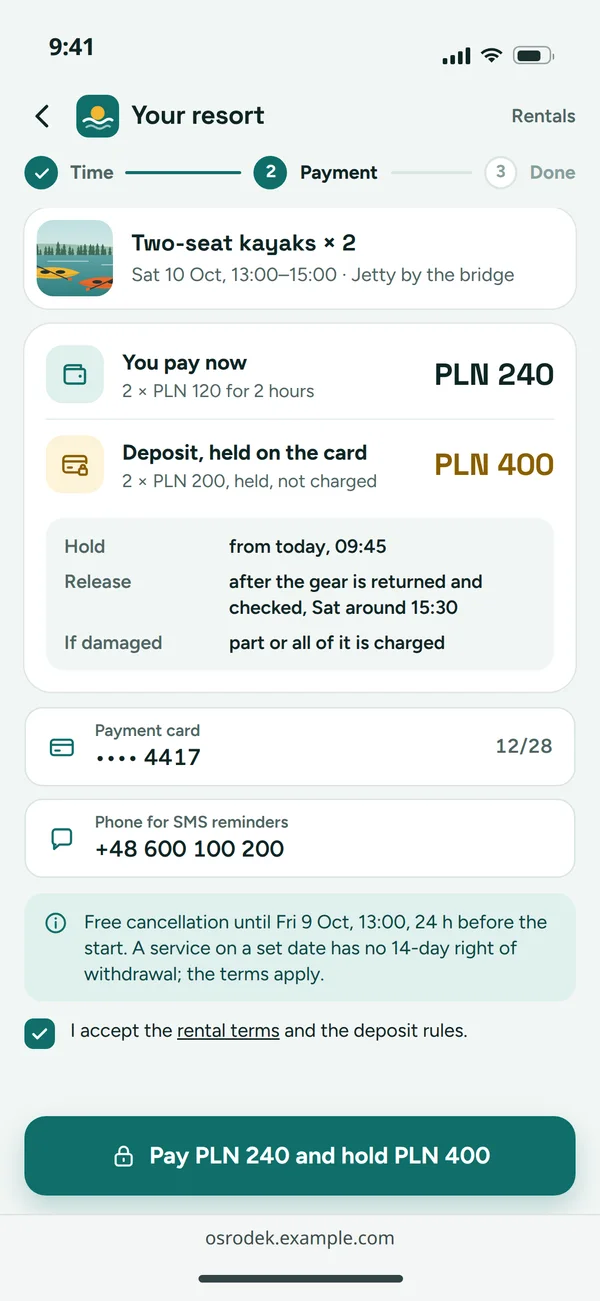
Reminders
An SMS the day before and an entry in the customer's calendar. A link in the email lets them change or cancel within your rules.
What happens after "book now"
Five steps the system does on its own. Staff only step in when handing over equipment or keys.
Booking
CustomerThe resource, time and number of units.
Slot taken
PanelSlot taken, buffer added, staff see the booking.
Reminded
MessagesSMS and email on schedule, plus a Google Calendar entry.
Deposit released
After returnThe panel shows which deposits are waiting and releases them in one click once the equipment is back.
- Reminded: returned with damage
Deposit taken
After returnFunds are held on the card and released after return. If something happens, staff take the deposit from the panel.
- Paid: the link in the email
Cancelled or moved
CustomerA link in the email lets them change or cancel within your rules.
Resource rules in code, not in someone's head
Each resource has a rule description used by the calendar, the price list and the reminders. Changing a rule is a change in one place.
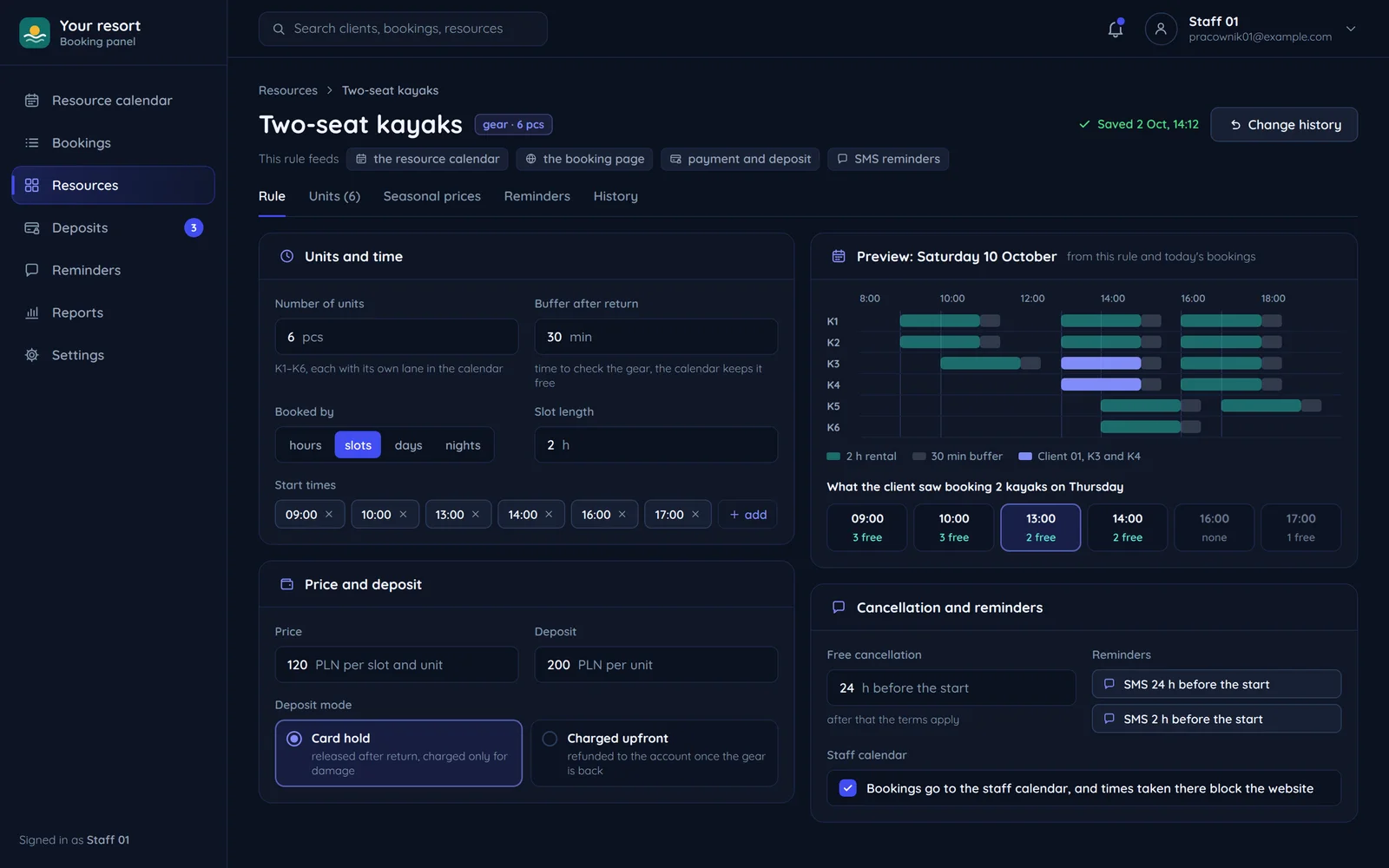
- Resources with unit countsThere is one room but six kayaks. The calendar counts free units, not just free hours.
- BufferAfter each booking the calendar leaves time to check the equipment, so the next customer does not get a wet kayak.
- Deposit as a holdFunds are held on the card and released after return. If something happens, staff take the deposit from the panel.
- Cancellation and remindersThe free cancellation window and the SMS schedule are part of the rule, not separate settings in three places.
One logic, different kinds of bookings
Rooms, equipment, appointments and venues follow different rules. The system has all of them and you switch on only what you need.
Room
- Number of units: one
- Deposit: sometimes
- Buffer after a booking: cleaning
- Reminder: the day before
Time to clean a room or check equipment is set once per resource and the calendar keeps to it.
Equipment
- Number of units: several
- Deposit: usually
- Buffer after a booking: inspection
- Reminder: a day and 2 hours before
There is one room but six kayaks. The calendar counts free units, not just free hours.
Appointment
- Number of units: one specialist
- Deposit: rarely
- Buffer after a booking: break
- Reminder: the day before
Bookings can go into a staff member's calendar, and busy times in that calendar can block online booking.
Venue for days
- Number of units: one venue
- Deposit: often
- Buffer after a booking: changeover
- Reminder: a week before
Room booking with a deposit and the Atrium panel.
Cancellations, deposits and booking rules
A few points of Polish law that decide how we write the terms and the form.
If it is car rental or a leisure or event service with a set day
then the customer has no statutory 14 days to withdraw, and your terms set the cancellation rules.
If you call a payment a deposit (zadatek)
then you may keep it if the customer does not perform, and the customer may claim double if you do not.
If you take a security deposit or a prepayment
then the form does not call it a zadatek, because a security deposit and a prepayment are different things.
If online booking is offered to consumers
then it must meet accessibility requirements since 28 June 2025, unless a microenterprise provides it.
Questions about booking systems
What rental shops, conference centres and venues ask.

Read next
Industries where booking is the heart of the website.
Tell us what you rent out
Describe your resources and how you take bookings today. We will reply with proposed rules and a free quote.