
A cafe and bar website with a phone-edited menu and loyalty card
You add the cake of the day from your phone behind the counter, Thursday's quiz has online sign-ups, and regulars keep their stamp card on their phone instead of in a wallet.
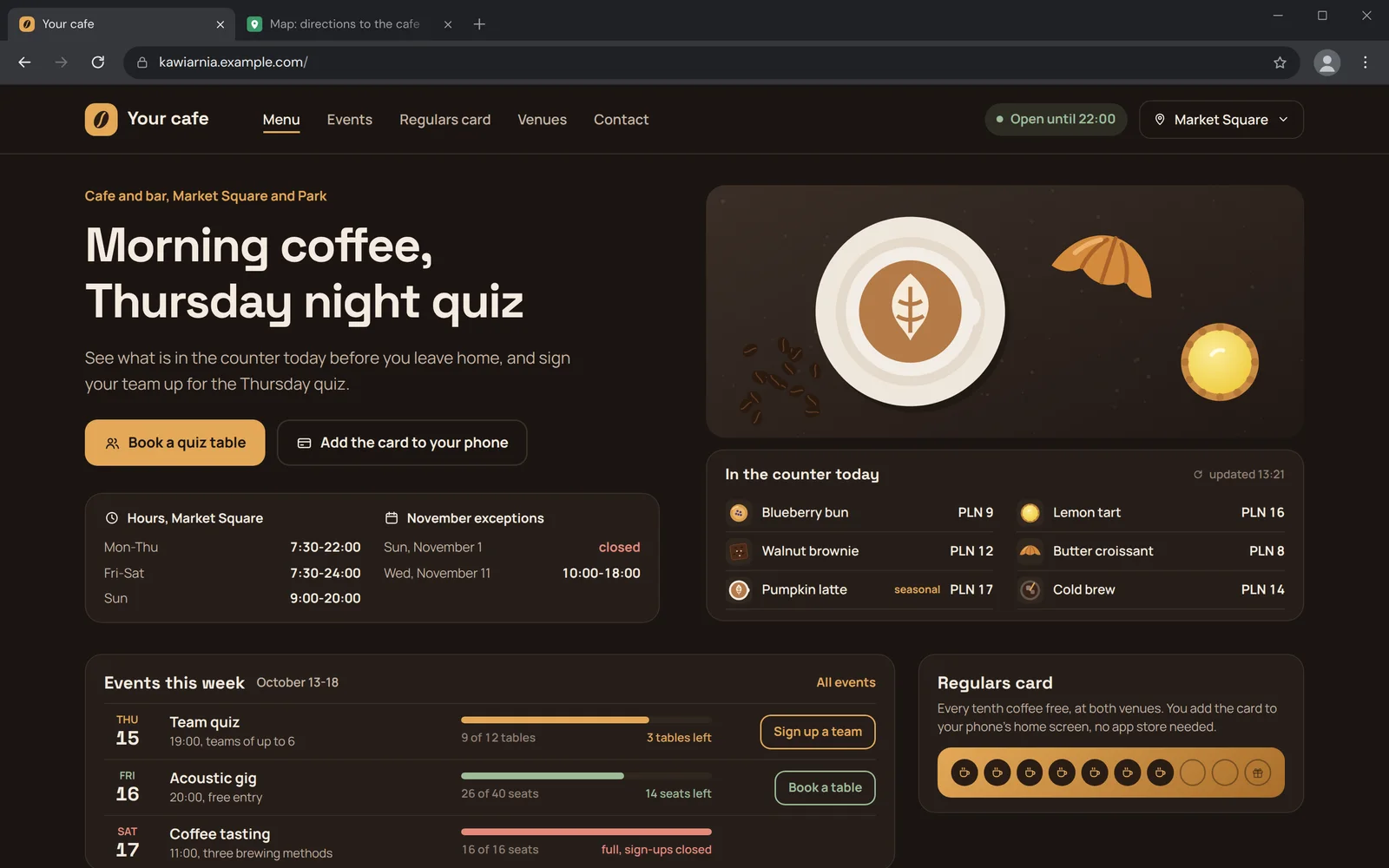
Three screens that replace the chalkboard and the stamps
A cafe changes its offer every day, a bar every week. The panel has to be faster than a sheet of paper.
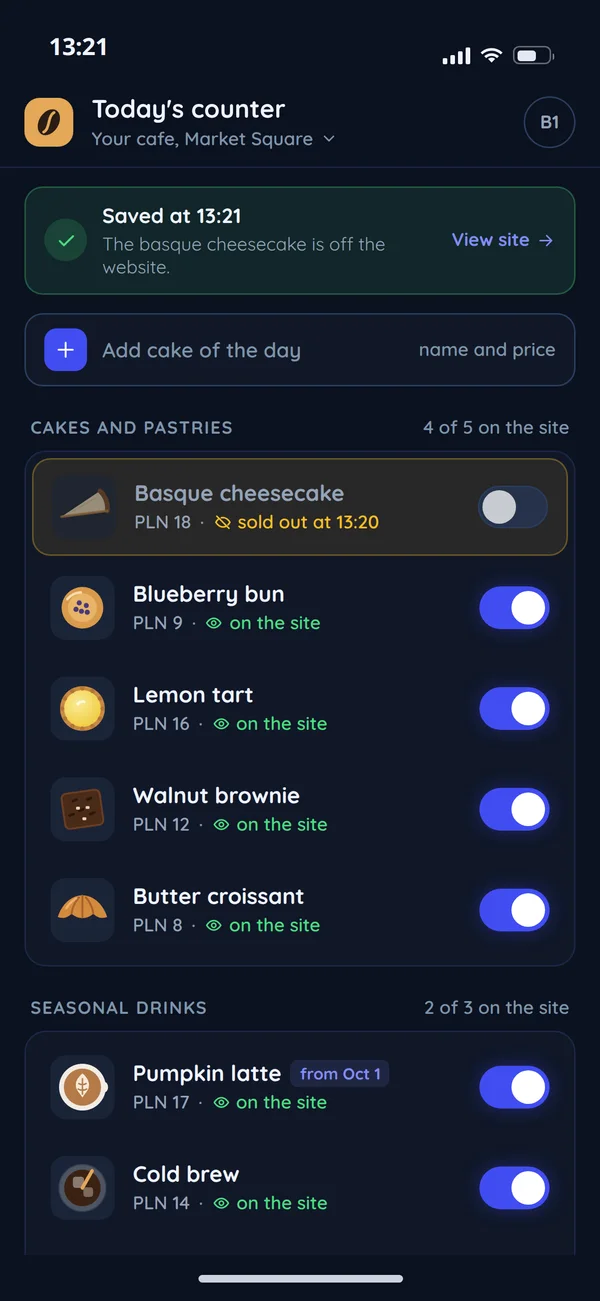
Today's counter
This is the screen behind the counter: cakes, bakes and drinks, each with a switch and a note saying whether it is on the website right now. The cheesecake has run out, so you switch it off in one move, the panel confirms the save and it disappears from the website before someone comes in just for it. You add the cake of the day from the same screen with a name and a price, and a seasonal drink can have a start date so it appears on the website on exactly that day. Nobody rewrites the chalkboard or asks someone to change the website.
Events with sign-ups
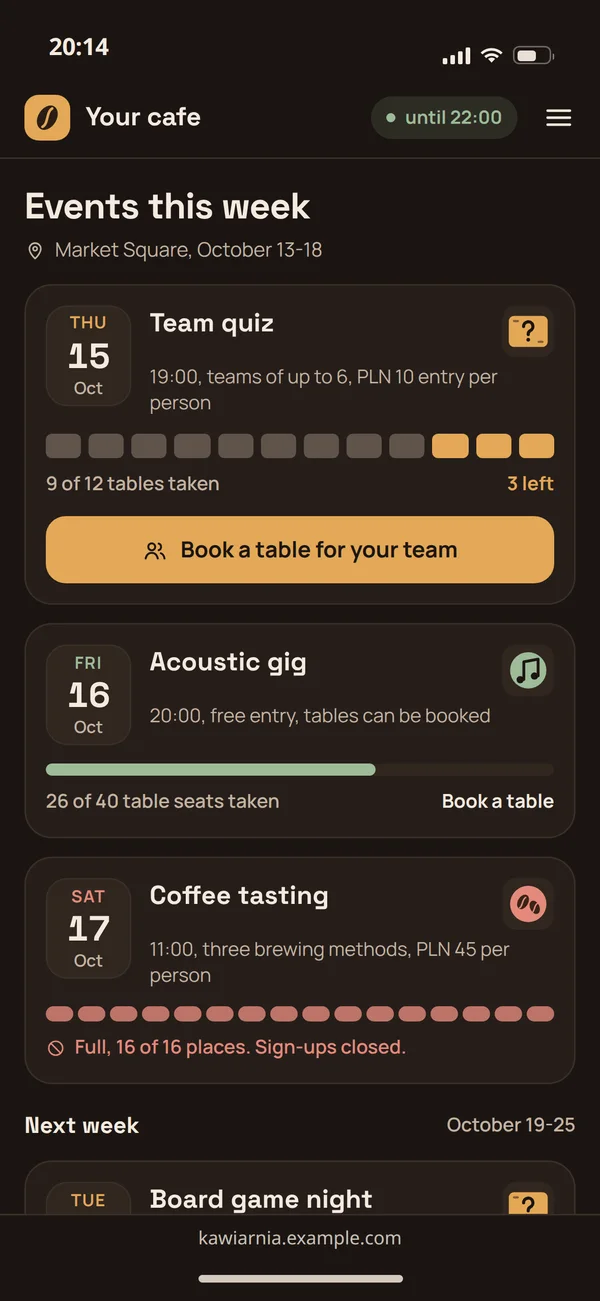
A quiz, a gig or a tasting with its date, time, rules and a seat limit, and under each event a bar shows how many tables are already taken. Guests book a table for their team or a table at the gig straight from their phone, and you see how many places are left. When the room is full, sign-ups close themselves and the event is marked as full. Each event also has its own page, which is easier to share on social media than a post without a link.
A card on the phone
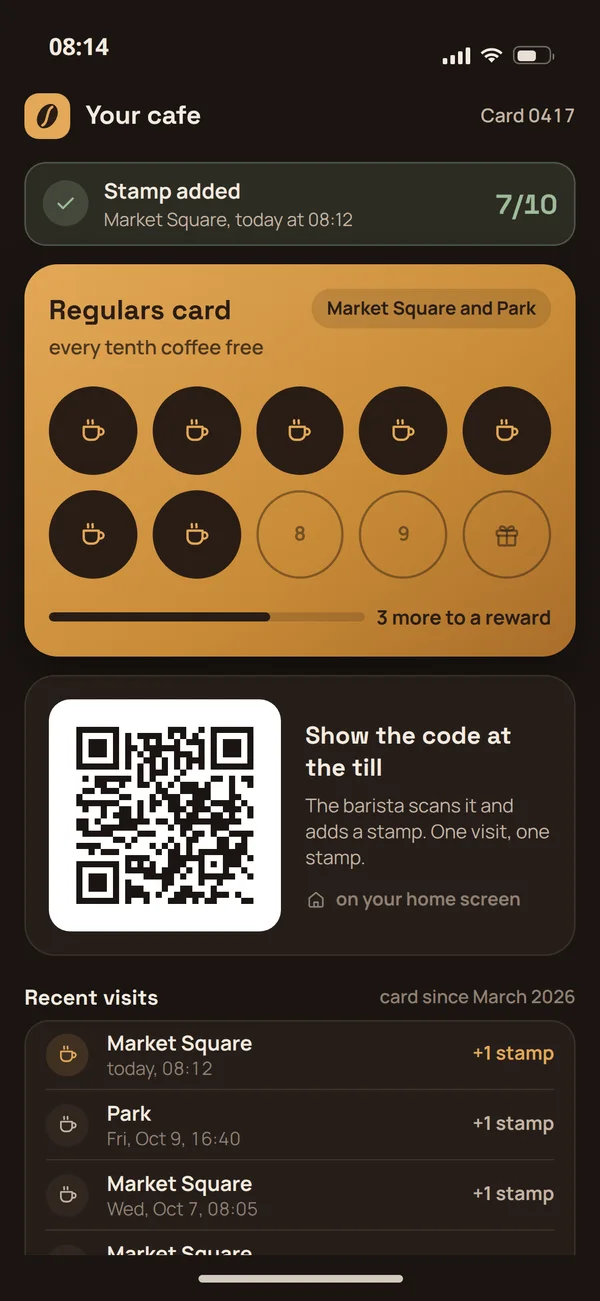
The guest shows a QR code at the till, the barista scans it in the panel on a phone or tablet and adds a stamp, and the reward counts itself. The card shows progress and how many visits are left to the reward, and the panel makes sure one visit gives one stamp. With several venues there is one card and one pool of stamps, and the visit history shows where each stamp came from. The card runs in the browser, guests add it to their home screen without an app store install, and they cannot lose it like a paper one.
A cafe website that answers "are you open?"
Someone typing your cafe's name on a phone wants three things: whether you are open, what is in the counter today and whether there is a table.
Hours and open status
Opening hours with holidays and exceptions, set once in the panel. The same data goes into structured data for search engines.
A menu that tells the truth
Items switched off in the panel disappear from the website at once, so nobody comes for a cake that is gone. You set a seasonal menu with a start date, and the website shows it on exactly that day.
- Blueberry bunPLN 9
- Lemon tartPLN 16
- Walnut browniePLN 12
- Butter croissantPLN 8
- Pumpkin latteseasonalPLN 17
- Cold brewPLN 14
Events on their own pages
Each event gets its own address, description and sign-ups. These pages are easier to share on social media than a post without a link.
- Thu 15Team quiz19:00, teams of up to 69 of 12 tables3 tables left
- Fri 16Acoustic gig20:00, free entry26 of 40 seats14 seats left
- Sat 17Coffee tasting11:00, three brewing methods16 of 16 seatsfull, sign-ups closed
A loyalty card: three options
A paper card works until the guest loses it. The comparison shows what you gain with each option.
Paper stamp card
Works without installing an appYesYou know who returns and how oftenNoGuest data in your own databaseNoYour own reward rulesYesWorks across several venuesNoApp from a loyalty platform
Works without installing an appNoYou know who returns and how oftenYesGuest data in your own databaseon the platform's termsYour own reward ruleswithin platform limitsWorks across several venuesYesPWA card on your website
Works without installing an appa PWA web app on the home screenYou know who returns and how oftenYesGuest data in your own databaseonly with the guest's consent, as in our article on GDPR on your websiteYour own reward rulesYesWorks across several venuesYes
You set the rules, the guest sees the result
A cafe panel has only the settings people actually use.
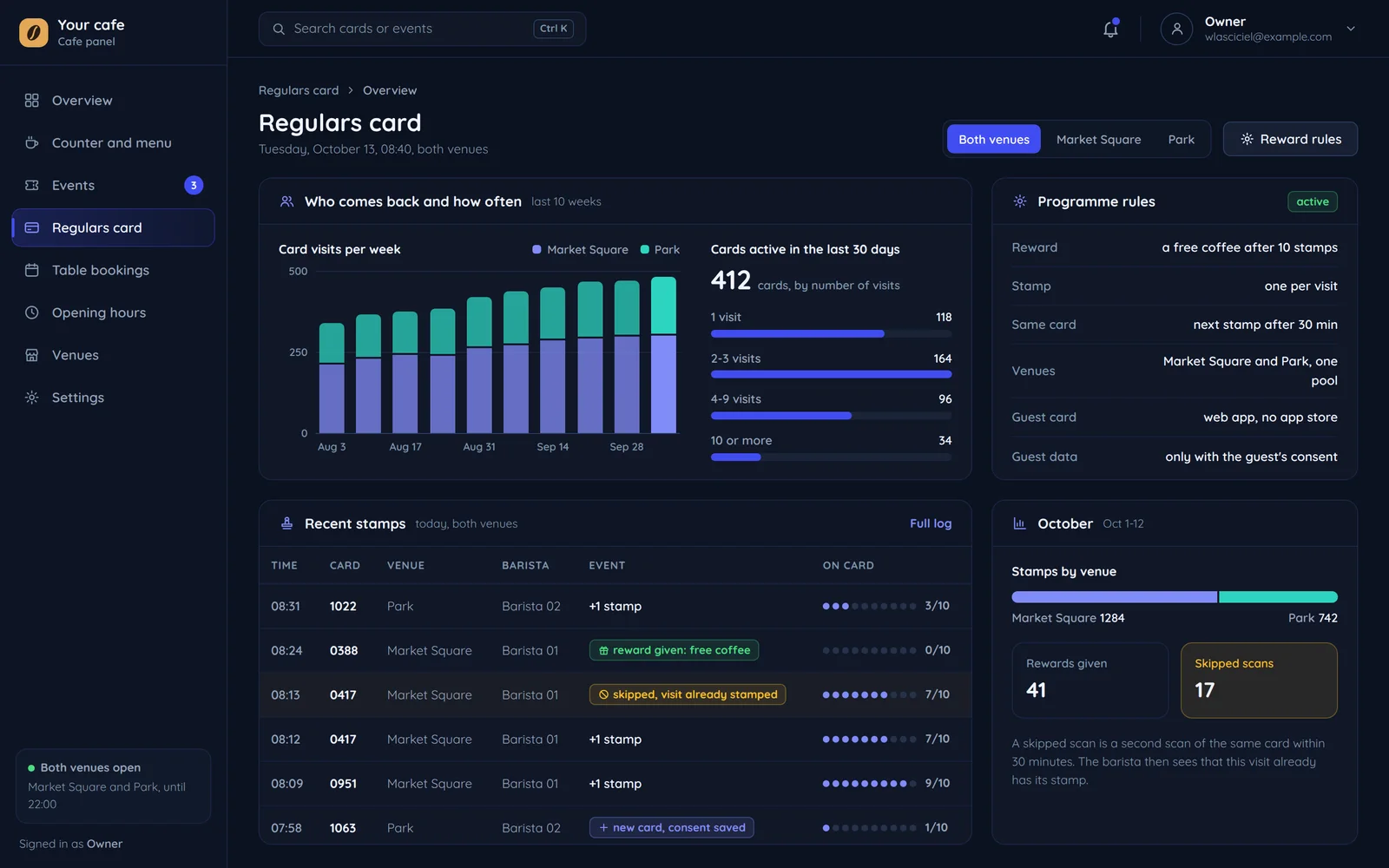
A reward after a set number of purchases
The guest sees: progress on the card and how many are left to the reward
Several venues in one panel
The guest sees: one loyalty card in each of your venues
One stamp per visit
At the till: the panel makes sure one visit does not give several stamps at once.
An example rollout
Four stages. Each ends with something you can check on your own phone.
- Today
- The menu on a chalkboard and a stamp card in the guest's wallet
- Goal
- The cake of the day from a phone, online sign-ups for events and the card on the guest's phone
- You check
- Every stage on your own phone
- Chalkboard and stampsA list of items and reward rules
Menu and rules
We write down the menu, hours, events and loyalty card rules. You get: a list of items and reward rules.
Screen design
The website, today's menu, events and the card on a phone. You get: mockups to approve.
- Editing the menu and adding stampsA test version with your real menu
Build and tests at the counter
We test adding stamps and editing the menu on your phone. You get: a test version with your real menu.
- QR codes on the tables and team trainingA live website and a card on the phone
Launch
QR codes for the tables, a short team training and post-launch care. You get: a live website and a card on the phone.
Result: a live website and the loyalty card on the guest's phone.
Questions from cafes and bars
What owners of small venues ask.

Read next
A bigger venue or room bookings.
Let us swap stamps for a phone
Tell us how your menu works today and whether you have regulars. We will reply with a proposed scope and a free quote.