
Custom Discord bot development for servers and businesses
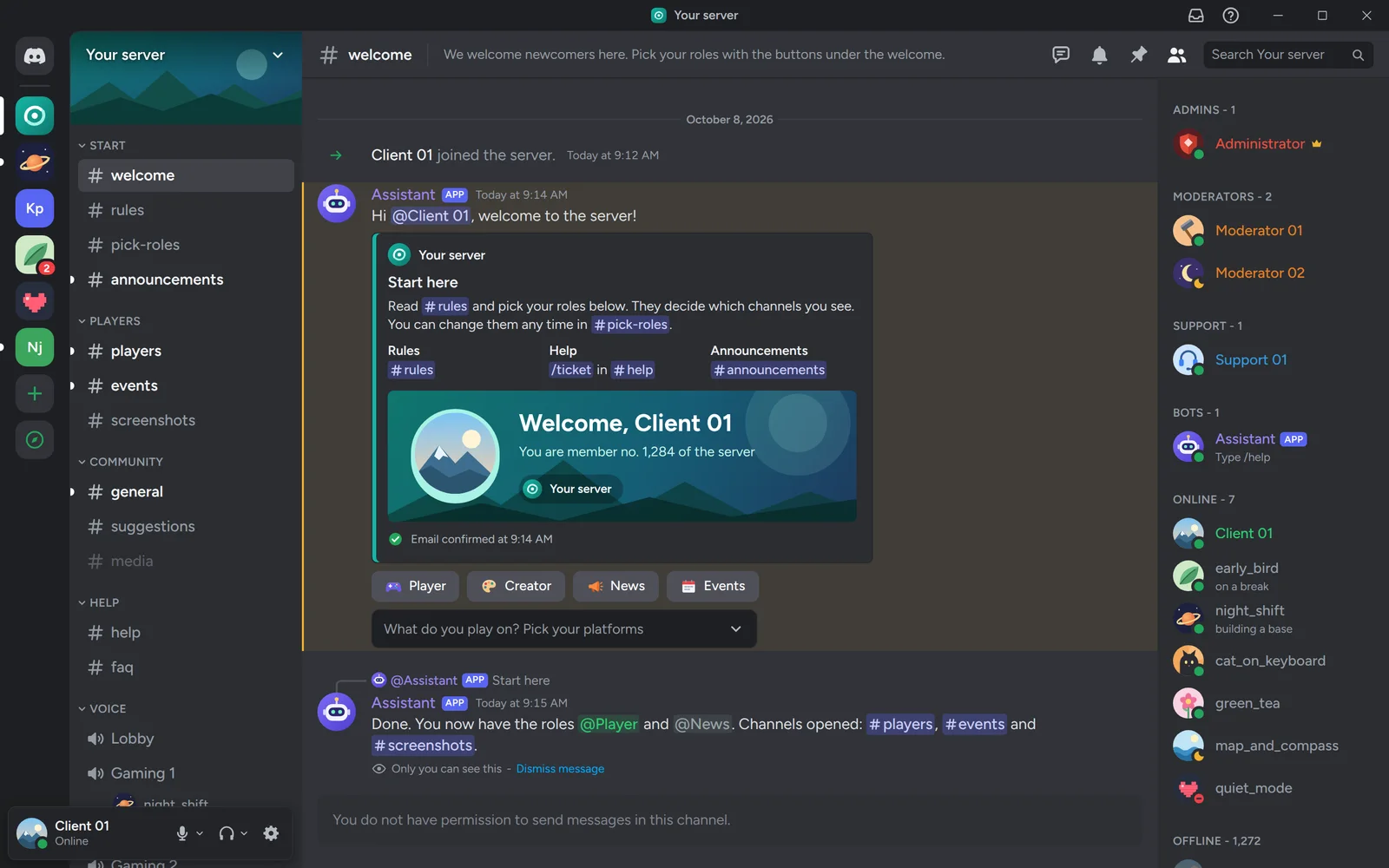
We build custom Discord bots for game servers, communities and businesses. Our own bot runs the VulCode server: it welcomes newcomers, opens tickets and keeps order. Yours gets exactly what your server needs and runs on our monitored server.
What the bot takes over
We assemble the set for your server: every feature has a command, permissions and settings that change without a developer. It fits game servers, creator communities, customer support, hosting companies and subscription stores.
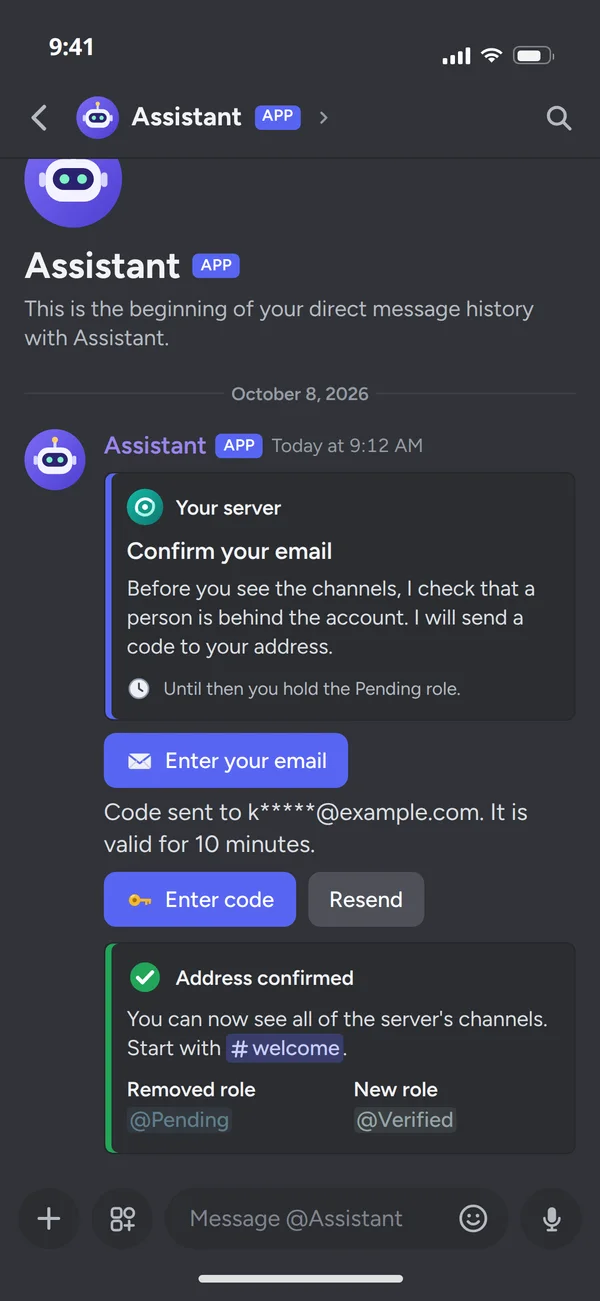
Member verification
An emailed code, a form or a game account. Until confirmed, a newcomer cannot see the rest of the server.
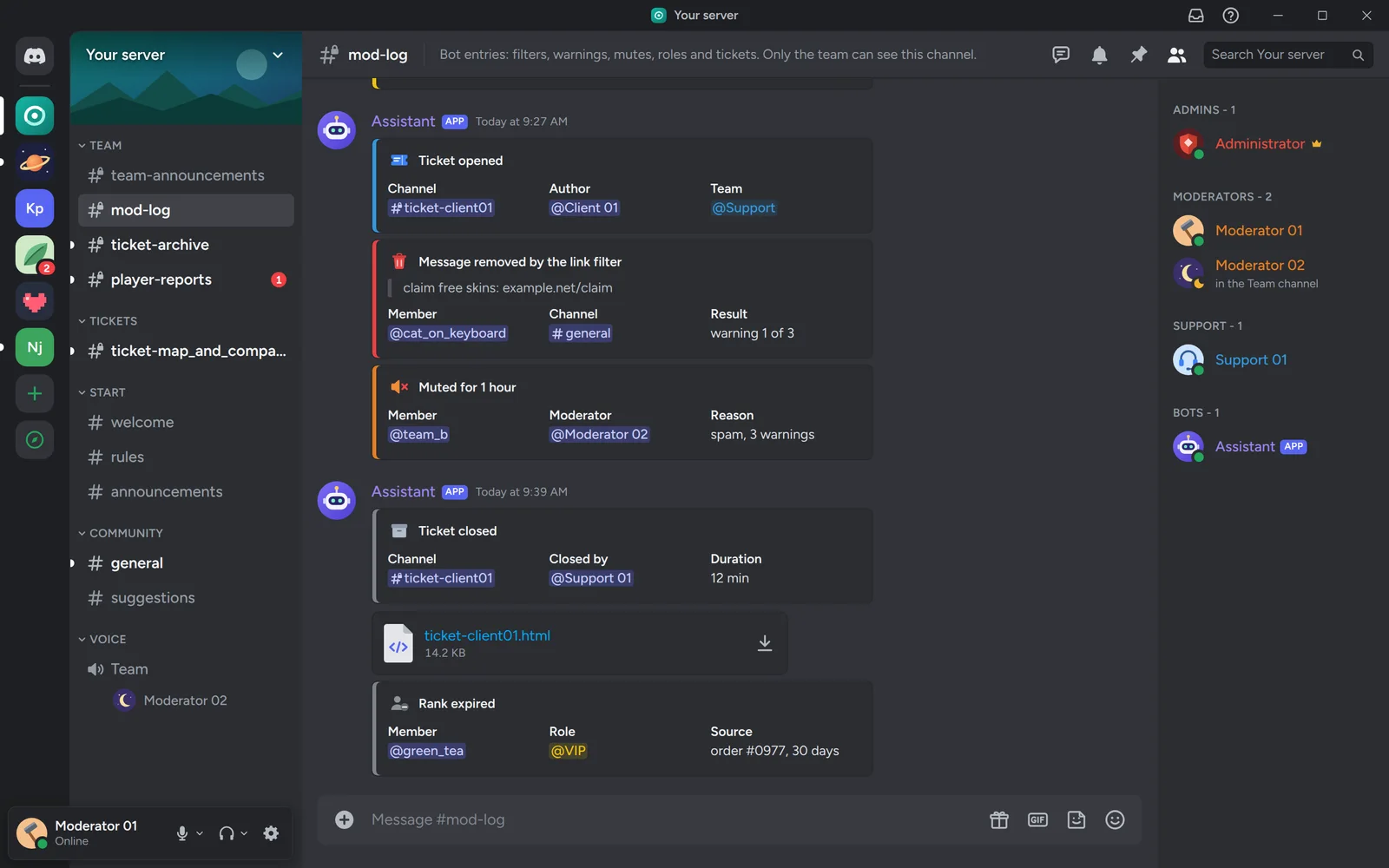
Moderation and log
Word and link filters, warnings and mutes, each written to a log only the team can see.
Roles and ranks
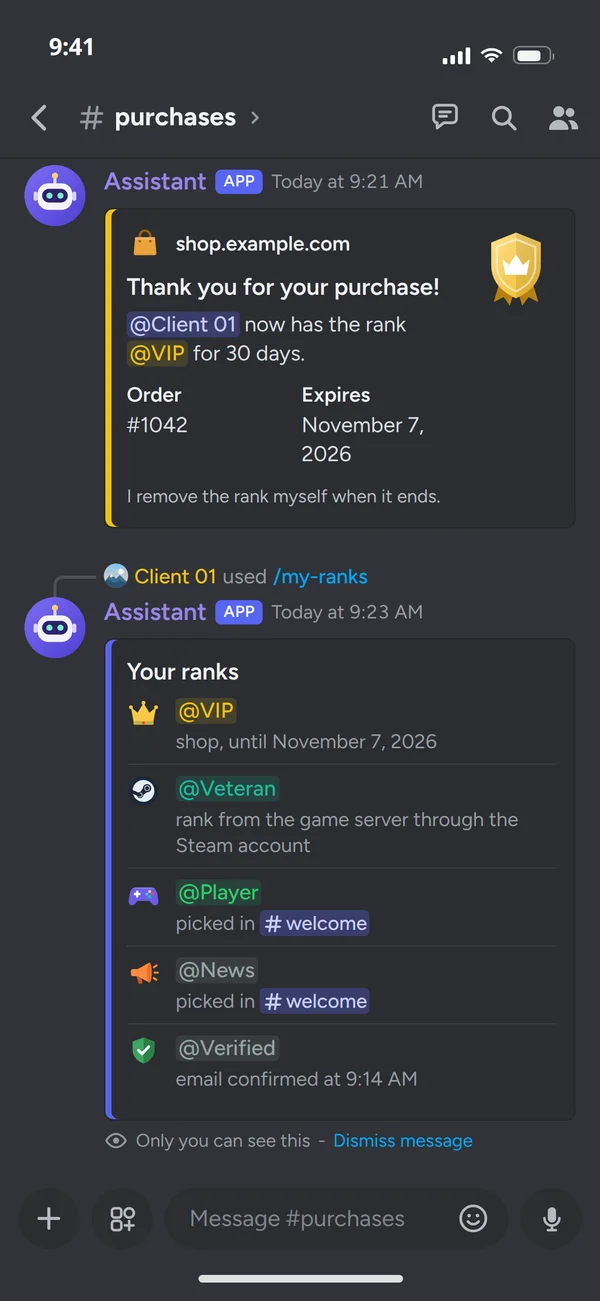
Granted after verification, a purchase or activity, and removed on expiry. The bot's role sits above the ranks it manages.
What the bot talks to
The bot talks to the systems you already use, so nobody copies data by hand.
Your systems
Discord login ties the account to a person on the server, so the bot grants them the ranks stored on the account.
A paid order says who bought which rank and for how long. The bot records the date it comes off.
A plugin sends rank changes, player reports and the server state, and the Steam account ties the player to the site account.
Customer data and service state from WHMCS or Pterodactyl. On /status the bot shows the services only to whoever typed it.
Ticket categories, teams and roles change in the browser, with no developer and no digging through files.
Your bot
modules switched on per server
- Tickets
- Verification
- Roles and ranks
- Welcomes
- Moderation and log
The bot keeps to Discord's limits itself: in busy moments messages wait in a queue instead of getting lost.
Your Discord server
From a purchase or the game. The bot removes them itself when the term ends.
A purchase confirmed: who bought which rank and until when.
A ticket with the customer's panel data, seen only by them and the team.
The state of the game server and services, and an alert when something stops.
Role changes, triggered filters and closed tickets, seen only by the team.
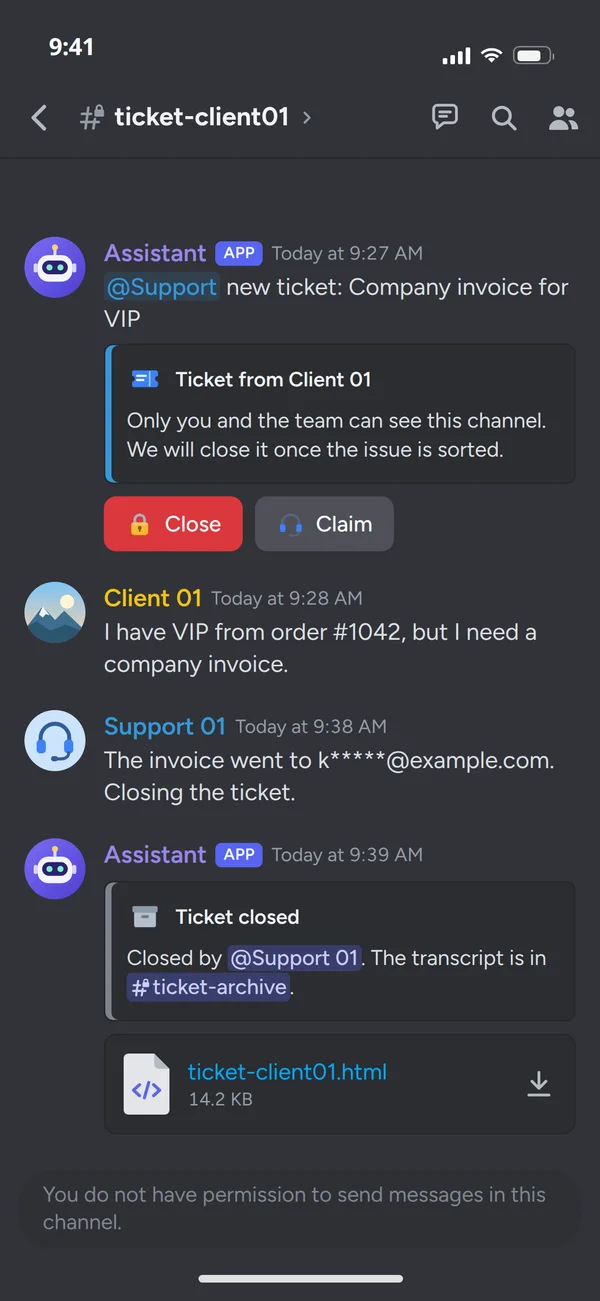
A ticket from the command to the transcript
The most requested feature. Each server keeps its own categories and teams in its settings, so you change them without a developer.
- The team for the topic/ticket opens a channel and calls the team for the topic: payments go elsewhere than game bugs.
- A channel for the author and the teamThe rest of the server cannot see it. Once the matter is settled, the team closes the ticket with a button.
- The transcript in the archiveAfter closing, the conversation stays in an archive channel or a file, and the closing goes into the log.
Our bot at work
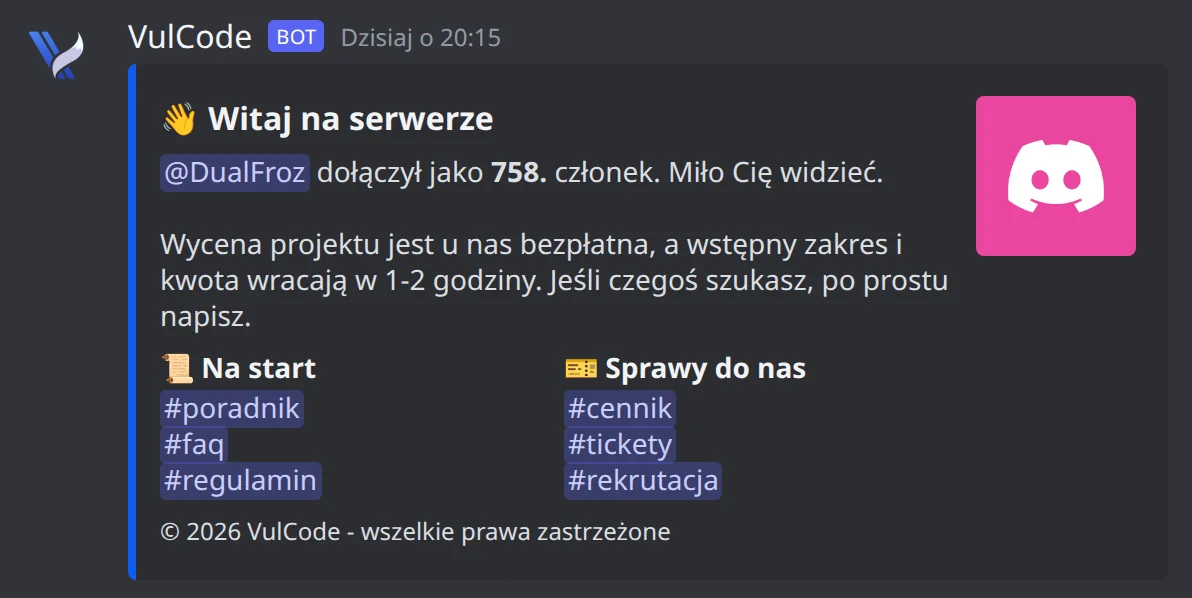
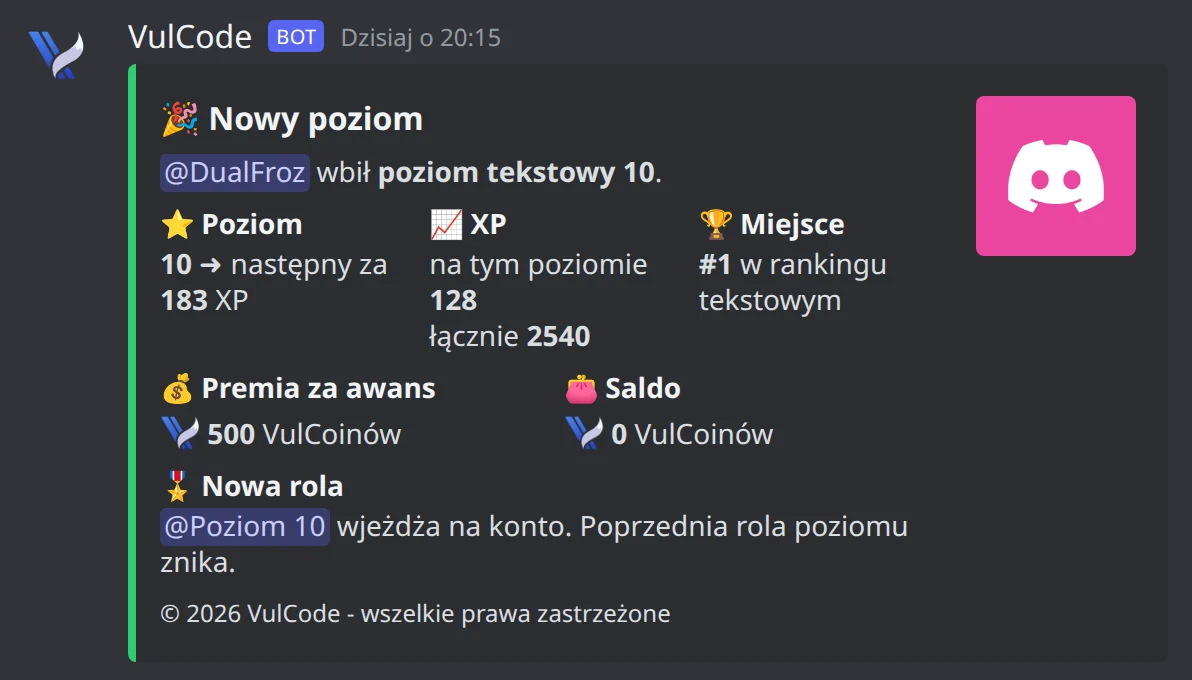
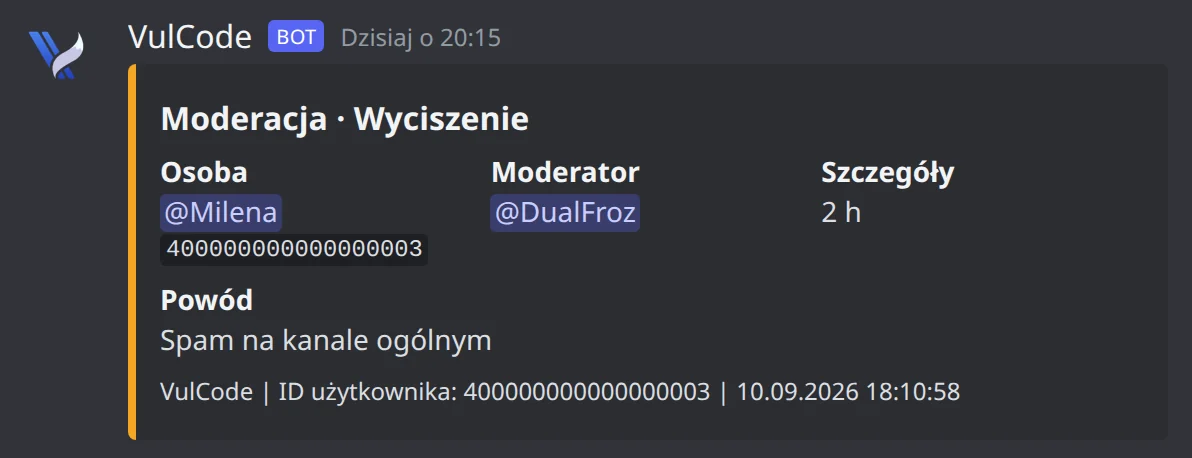
One bot runs the VulCode Discord server, written by us from scratch. This is how it welcomes newcomers, announces level-ups and records what moderators do.
The VulCode server bot
One bot built from modules: each feature switches on or off without touching the rest. We build client bots the same way.
- Welcomes and a guideGreets every newcomer and shows them a map of the channels, with buttons that explain the server.
- TicketsOpens each request in its own channel and keeps the whole conversation once it is closed.
- Moderation and logMutes, bans and channel locks, with every server event written to the team's log.
- Levels and rolesSeparate levels for text and voice, with a role for each step.
- Economy and shopCoins for activity, spent in the server shop.
- MinigamesGames one-on-one, solo and for many at once.
Discord limits your bot has to know
Discord watches how fast a bot writes and how long it takes to answer. A bot that ignores this loses messages or gets blocked. Ours keep to these rules from day one, so you never have to think about them.
Pace
queue50a secondper botDiscordToo many refused attempts from one address10,000 in 10 minutesthe address is blockedThe surplus waits in the queue instead of being dropped. A bot that retries blindly can get its address blocked, with every bot on it.
When Discord says no
- Discord asks it to slow downwaits exactly as long as Discord says
- A brief Discord outageretries with a growing pause
- Missing permissionsno retry: it will not fix itself
- A deleted webhookremoves it from the settings and stops writing there
A traffic spike then means a short delay instead of a lost notification.
Time to reply
follow-upsthe command3 sfirst reply15 minlast moment for the resultThe bot acknowledges longer work at once and sends the result when it is ready.
One message
up to 10embeds6,000characters in totalA longer report goes out as several messages.
Bot size
- Servers with the botYour serverfrom 100: Discord verifies the bot
- People who can see the botfrom 10,000: a yearly review of permissions
A bot for one server stays far below these thresholds.
- Servers with the bot
Discord's special permissions
WelcomesCommands onlyMember listOnline statusMessage contentWithout them a bot sees no members, statuses or message content. We switch on only those the bot really uses, and slash commands need none.
How we build the bot
From a feature list to a bot running on your server.
Your server and the features
You tell us how the server works and what the bot should take over: channels, roles, teams, commands and events.
You get: a list of commands, permissions and a quote
A test bot
The first version runs on a test server with your roles, and we gather feedback as we go.
You get: a version tried with your moderators
Going live
We add the bot to your real server with minimal permissions and switch on logs and monitoring.
You get: the bot live and a guide for admins
Code handover
You get the repository with its history and a description of variables and settings.
You get: the code and code rights after acceptance
Maintenance
Discord changes its API and communities grow. If you want, we maintain the bot and add features.
You get: updates and new commands on request
What changes the price of a bot is on our pricing page.
Pricing and quotesCommon questions about Discord bots
Answers about how the bot runs, its code and the quote.

Read next
A bot rarely stands alone. These pages cover the rest of the same server, community or store.
Tell us what your bot should do
Tell us how your server works and what the bot should take over. We will reply within an hour with a command list and a quote.