
Discord integration: login, roles after purchase and webhooks
A player signs in to your site with Discord, gets a server role after buying a rank and loses it on expiry. Orders and events land in channels as clear notifications. All within API limits Discord enforces strictly.
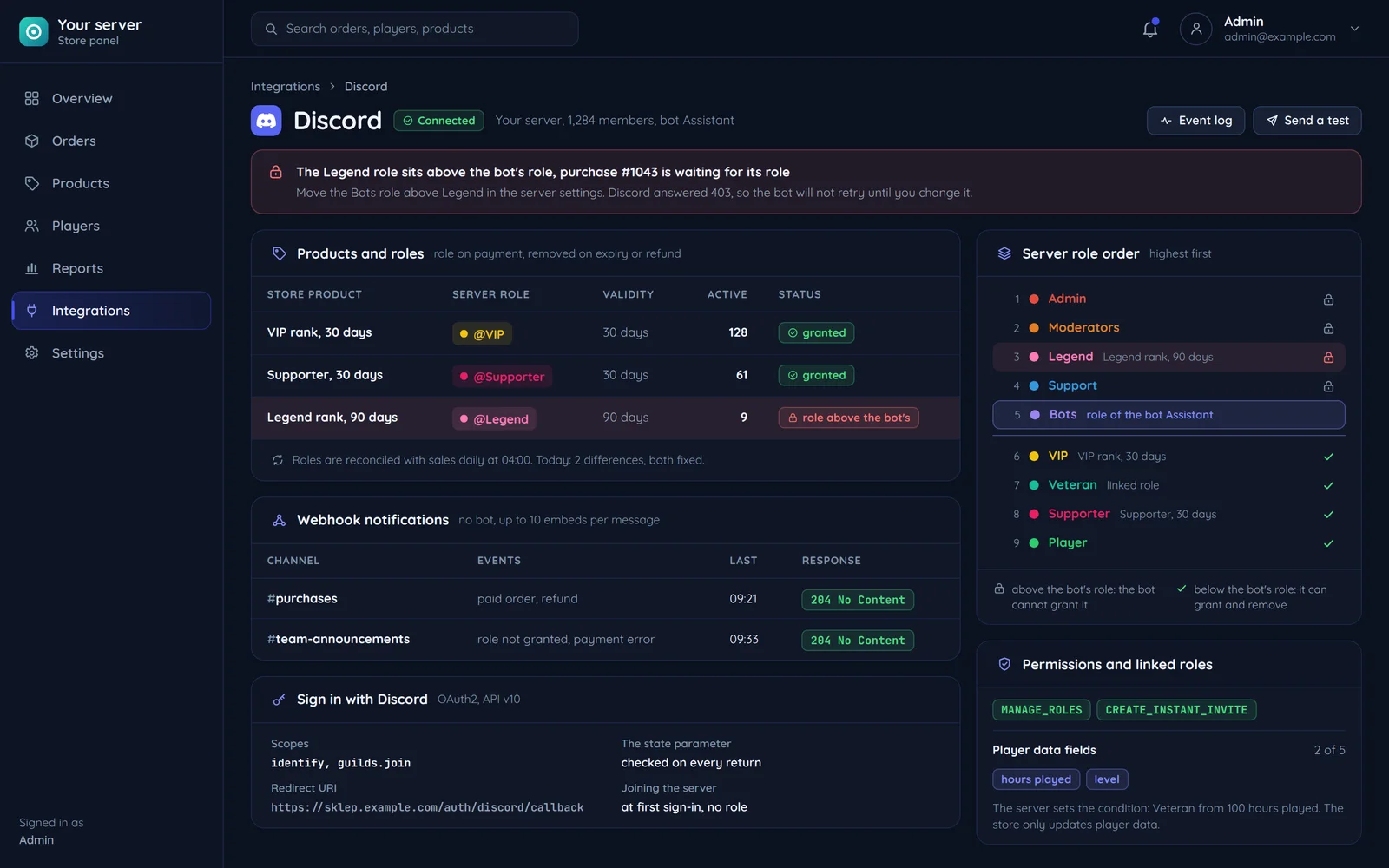
Discord is part of the product, not an extra
For game servers and communities, Discord is where the players actually are. The integration ties it to the store, panel and player account.
A bot with MANAGE_ROLES grants and removes roles after store events. The role and the in-game rank come from the same event.
OAuth2 with the identify scope gives the player profile with no password on your site.
All outbound traffic to Discord goes through our own webhook-proxy, which queues events and respects limits.
Login, joining the server and a role
One sign-in at the store introduces the player, adds them to the server and lets us grant a rank. We check the state parameter on every return from Discord, because without it the login is open to CSRF.
Sign-in and joining the server
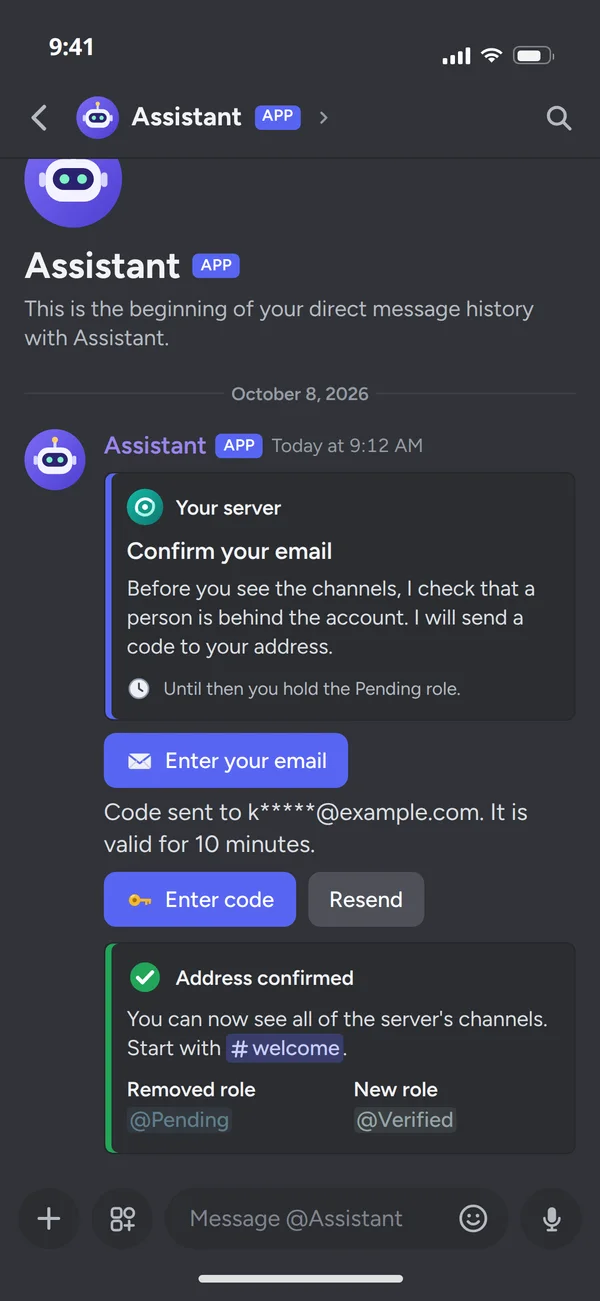
The player signs in to the store with Discord, and with the guilds.join scope the bot adds them to the server at once and writes to them privately. Only a bot of the same app that is already on the server and may create invites can add a player. That first message can run the verification straight away: the bot asks for an email address and sends a code, and until it is confirmed the player holds the Pending role. Once the code is entered, the bot removes that role, grants Verified and points the player to the welcome channel. At sign-in we ask only for the scopes we use, because every extra one puts people off logging in.
A role after a paid purchase
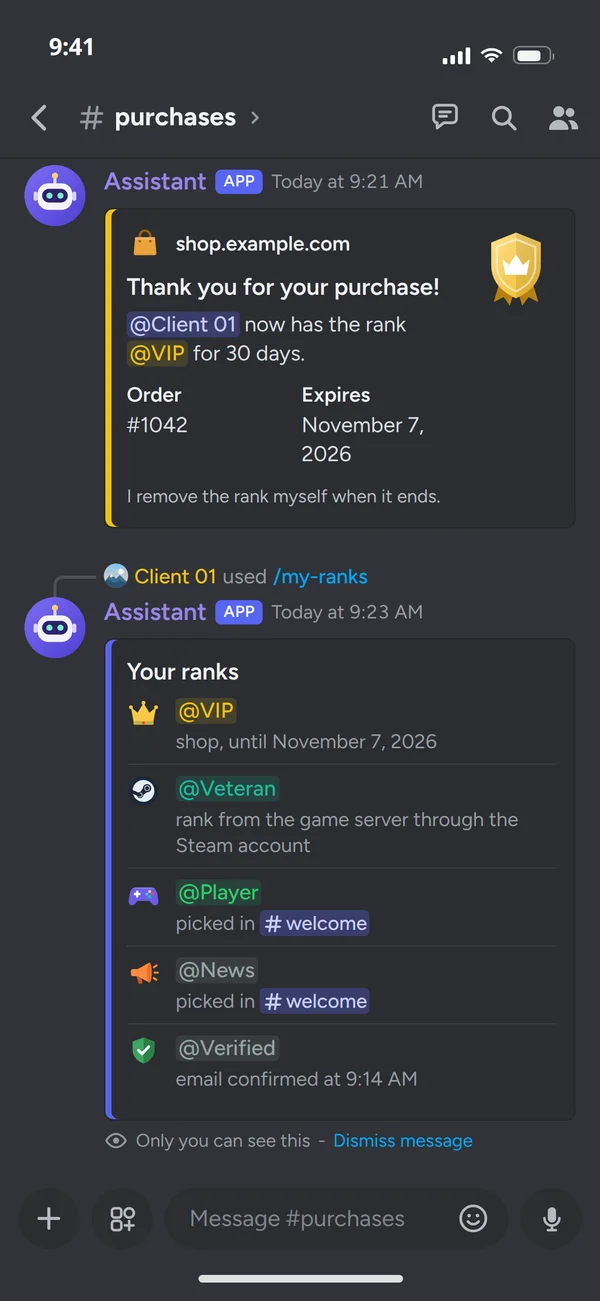
A paid order grants the VIP role, and the bot confirms it in the purchases channel with the order number and the expiry date. On expiry or a refund the same mechanism removes the role, with no moderator: a daily job removes the roles whose time is up, at a pace within Discord's limits. The player checks their ranks with a command and sees where each one came from: the store with its end date, the game server, or picked in the welcome channel. A daily reconciliation compares the roles on the server with the purchases, so a role granted by hand or lost along the way does not live a life of its own, and a player who leaves the server and comes back gets the rank back if the purchase is still valid.
One account in the store and on the server
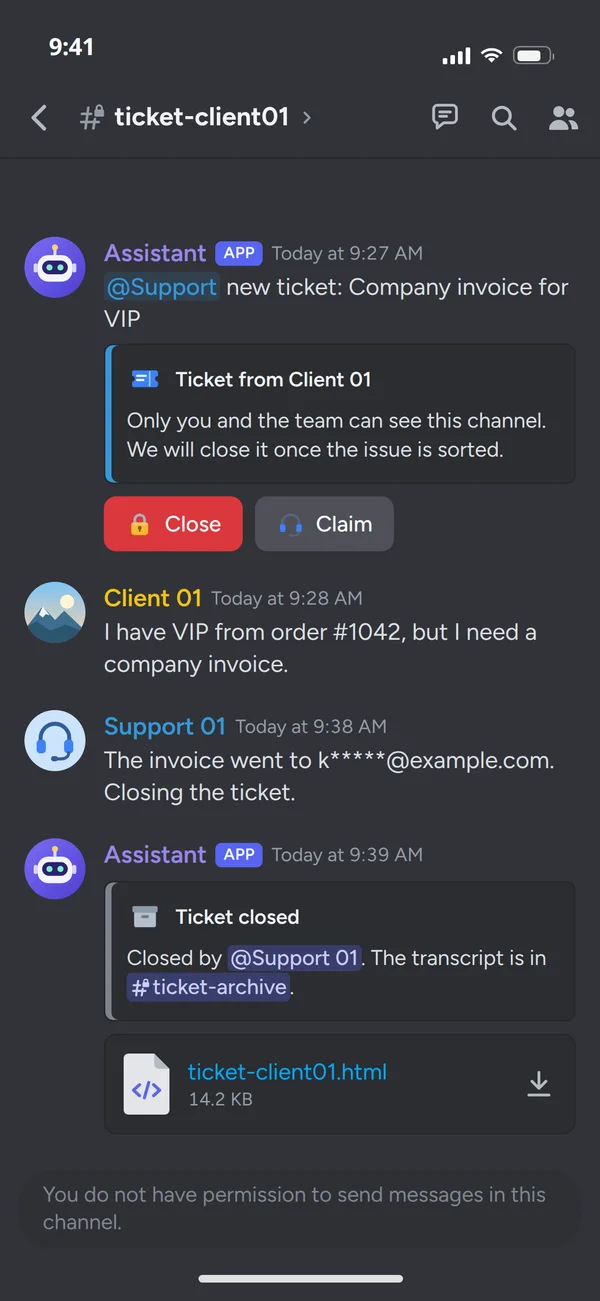
When a player writes about an order, the team knows whose purchase it is: the account on the server is the same one that paid in the store. The bot opens a private ticket channel that only the player and the team can see, pings support and adds buttons to take over and close the case. Once closed, a transcript of the conversation goes to the ticket archive as a file, so the history is at hand when the same order comes up again. Notifications about orders, tickets and outages can reach channels by webhook alone, with no bot.
A role after purchase, with limits handled
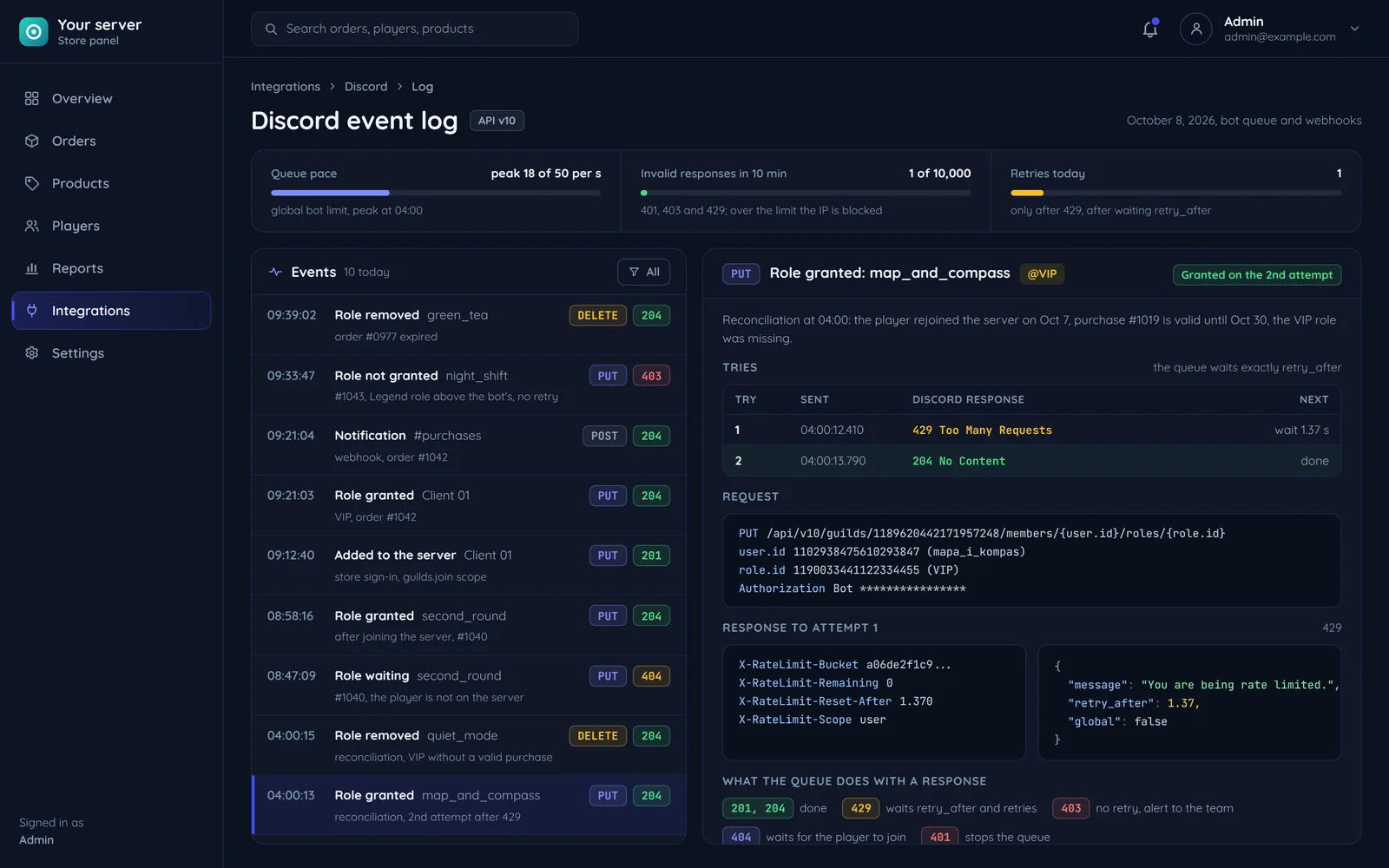
Granting a role is one PUT call on a member role, which returns 204 on success. The rest is reacting to what Discord may answer.
A steady pace within the limit
The queue keeps its pace within the global limit of 50 requests per second per bot, also for bulk role grants.
When Discord asks for a break, we wait
The queue waits as many seconds as Discord gave and only then retries. Guessing the pause ends in more refusals.
403 and 404 never retried
403 means missing permissions or a role above the bot's, 404 usually a player not on the server. We never retry them: a 403 counts toward the limit of 10,000 invalid responses per 10 minutes, and a 404 will not go away on retry.
A webhook or a bot
Not every Discord integration needs a bot.
What it can do on the server
A webhook posts a message to one channel. Roles that follow purchases, adding players at login and commands need a bot.
What needs setting up
A webhook needs only a URL in config and clear embeds, so it is the quickest rollout. A bot is a Discord app on the server and an operation queue on your side.
What it knows about the player
A webhook does not know the player. The bot grants the role to whoever signed in to the store with Discord.
How much one message holds
The same limit for both: up to 10 embeds and 6,000 characters in total. We split long reports into several messages.
Common questions about Discord integration
Answers about roles, login, hosting panels and the quote.

Read next
Other integrations for games and communities.
Want to connect Discord with your store or panel?
Tell us what should happen on the server after a purchase or login. We will reply within an hour with questions and a quote.