
A brand community on Discord, a forum or your own messenger
A server with roles, verification and bots, a forum on your website that Google can find, or your own messenger on Plazer. We pick the place to suit your community, not the other way round.
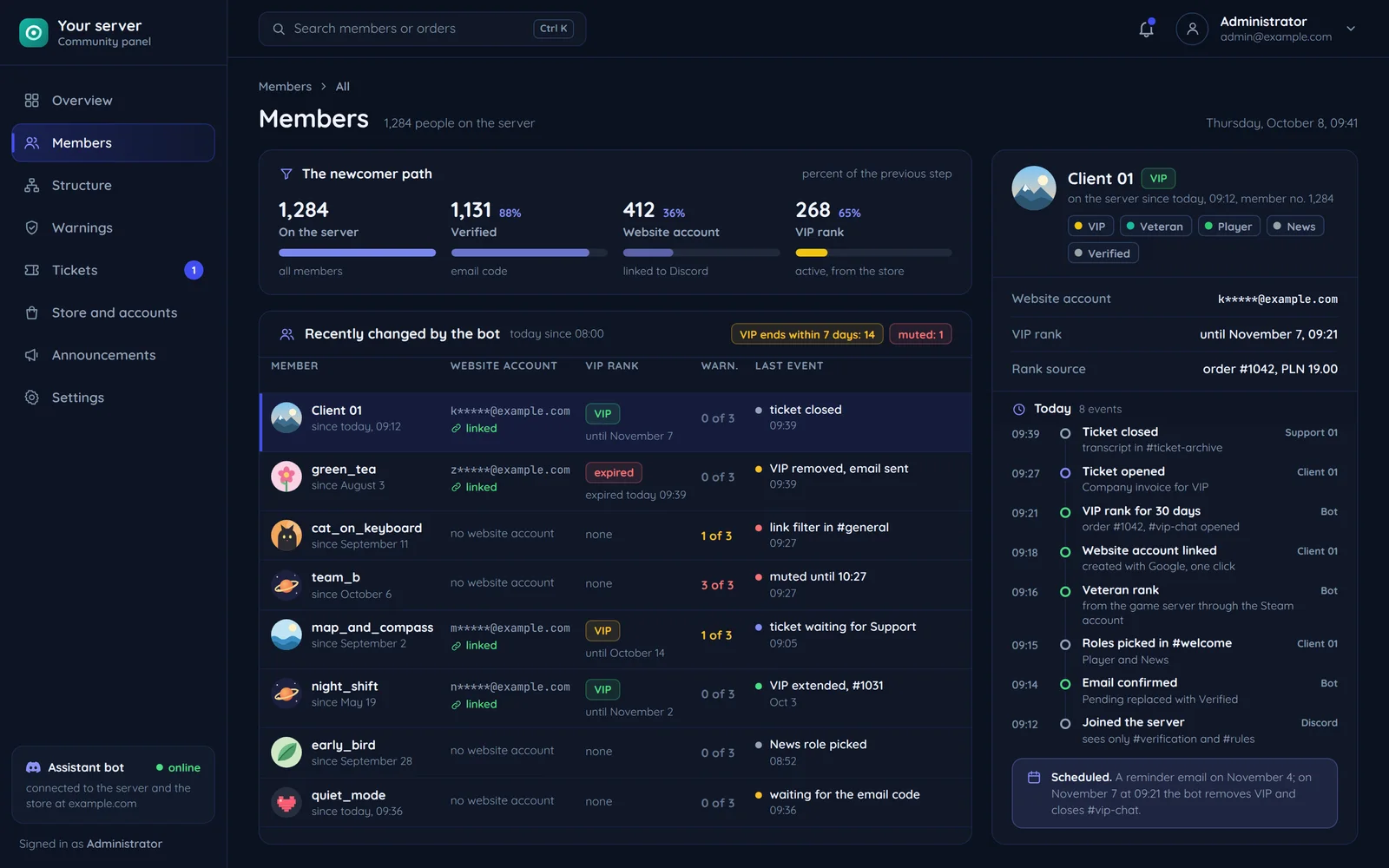
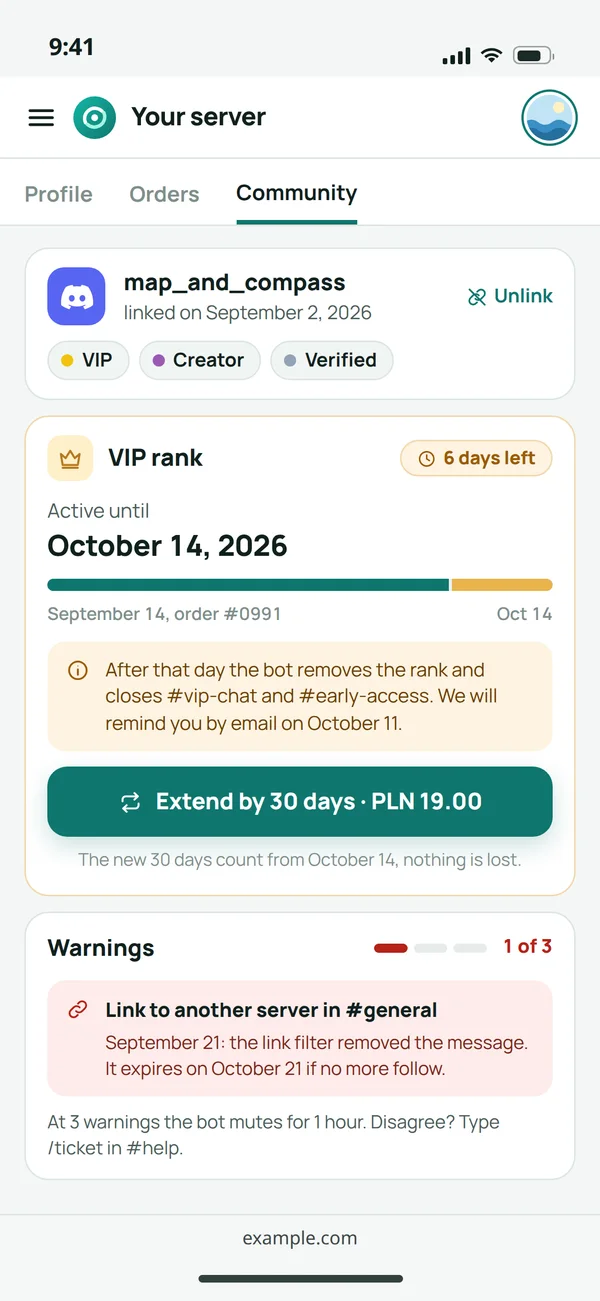
A server structure where newcomers know where to go
We design channels and roles like website navigation: from what someone does in their first minute to what they do after a year.
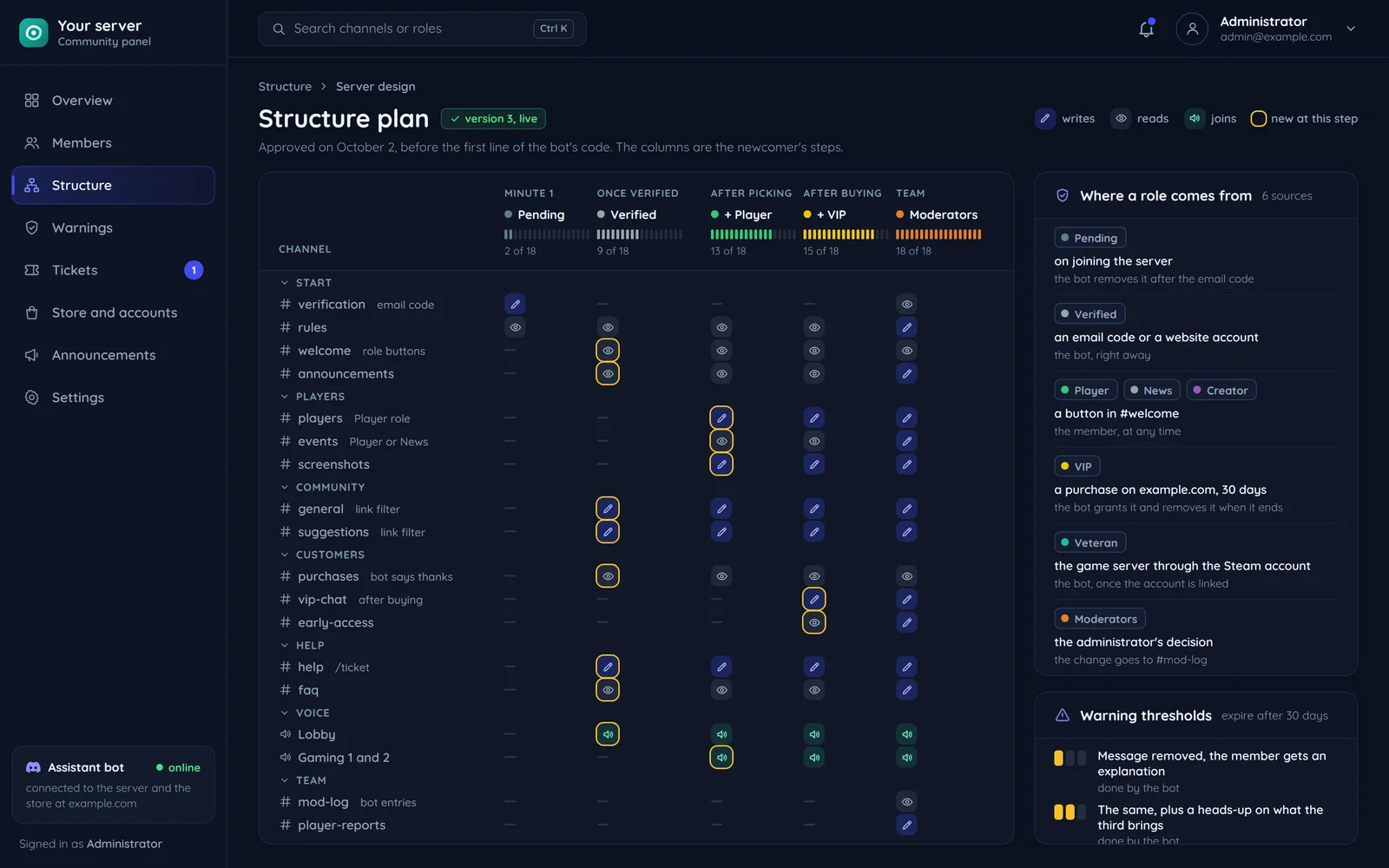
The newcomer path
At first only the rules and verification are visible. The rest opens after confirmation, so spam bots see nothing.
Roles that mean something
A role follows an action: verification, a purchase, tenure or a job. The bot grants and removes it on its own.
Tickets instead of DMs
Questions for the team go through tickets with categories, and the conversation is saved when closed.
Bots we run ourselves
Four bots on our brands' servers do exactly this. See the Discord bots project and the Discord bots service.
Moderation and verification: you set it, members see it
Automation handles the repetitive work, and moderators only get the decisions.
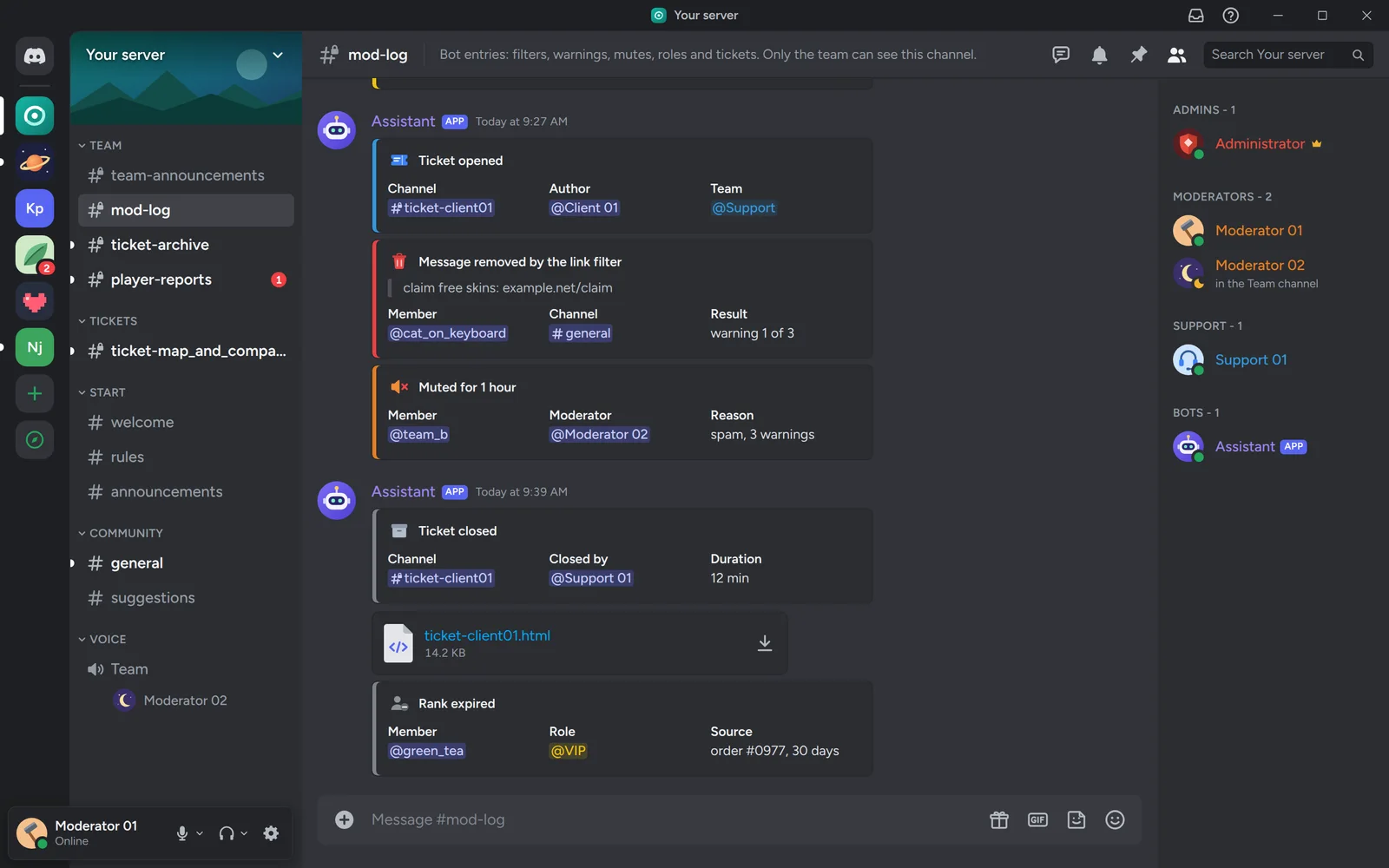
You set
The moderation team
A moderation log in its own channel. Decisions are consistent, whoever happens to be moderating.
- Link and word filter: the member sees a removed message with an explanation, not a silent ban.
- Warnings with thresholds: the member sees their history and what happens next.
- Ticket categories ping the right person, so someone who knows the topic answers.
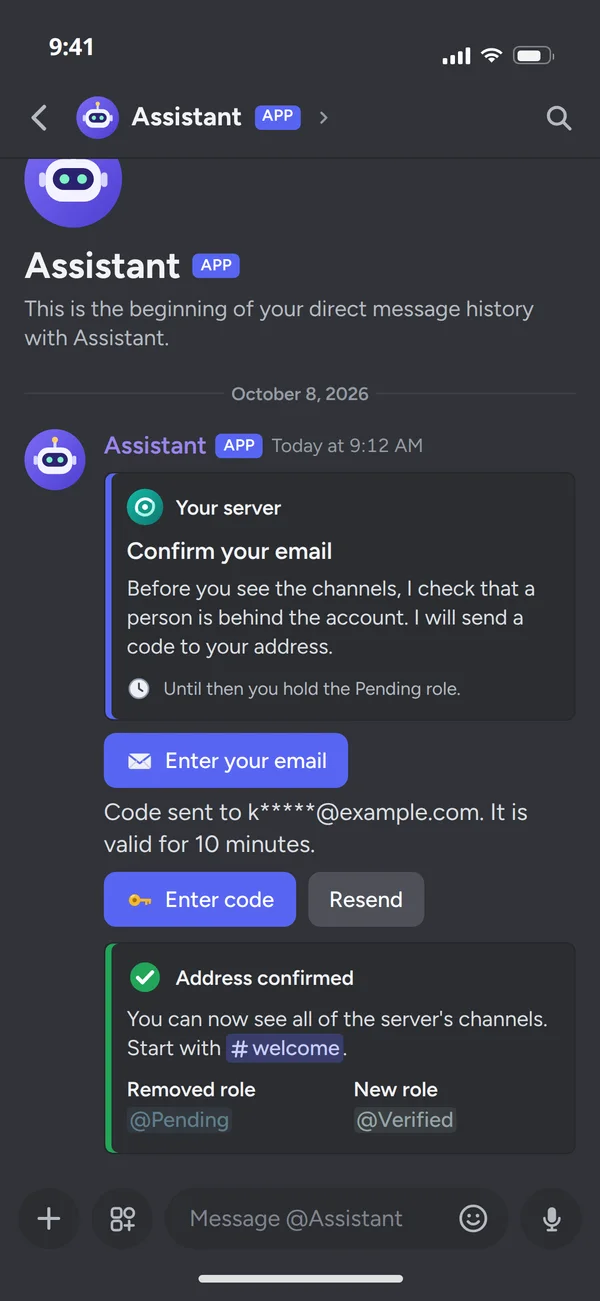
Members see
A newcomer
You set verification with an email code or an account link. The member gets a short message with instructions and access once confirmed.
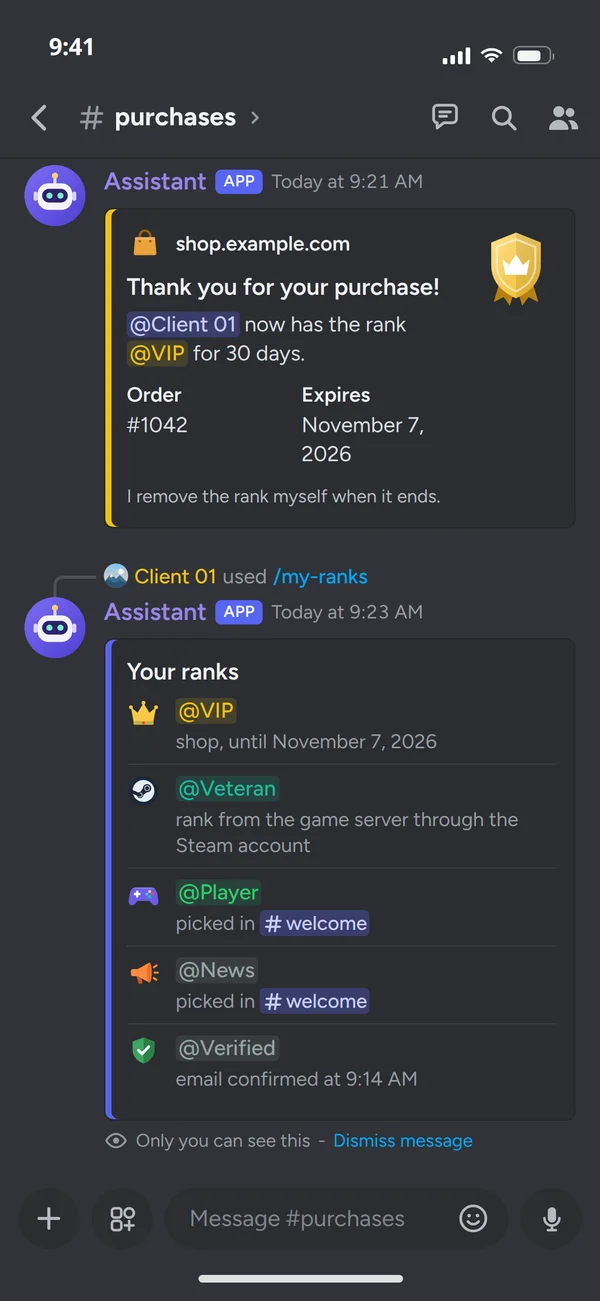
Members see
A member after a purchase
You set roles after a store purchase. The member gets the customer channels right after paying.
Discord, a forum or your own messenger
Each place has different strengths. It often ends up as two: Discord for conversations and a forum for knowledge that should stay.
Plazer: a messenger that belongs to your brand
Our product for teams and communities that want their own place to talk instead of yet another chat that belongs to someone else.
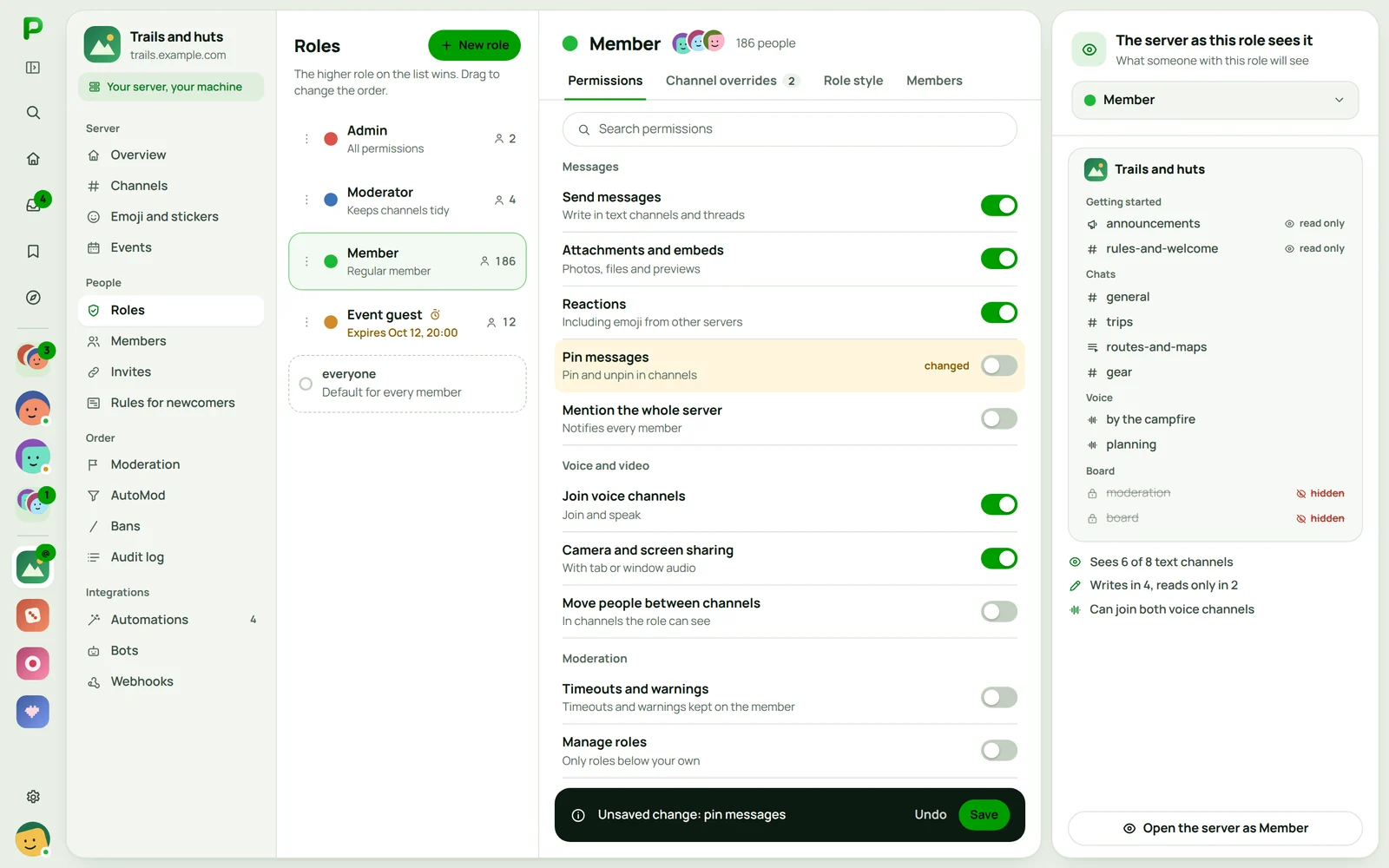
A server on your hardware
Plazer lets you run your own server. The community uses the Plazer apps, while the server, data and rules stay with you.
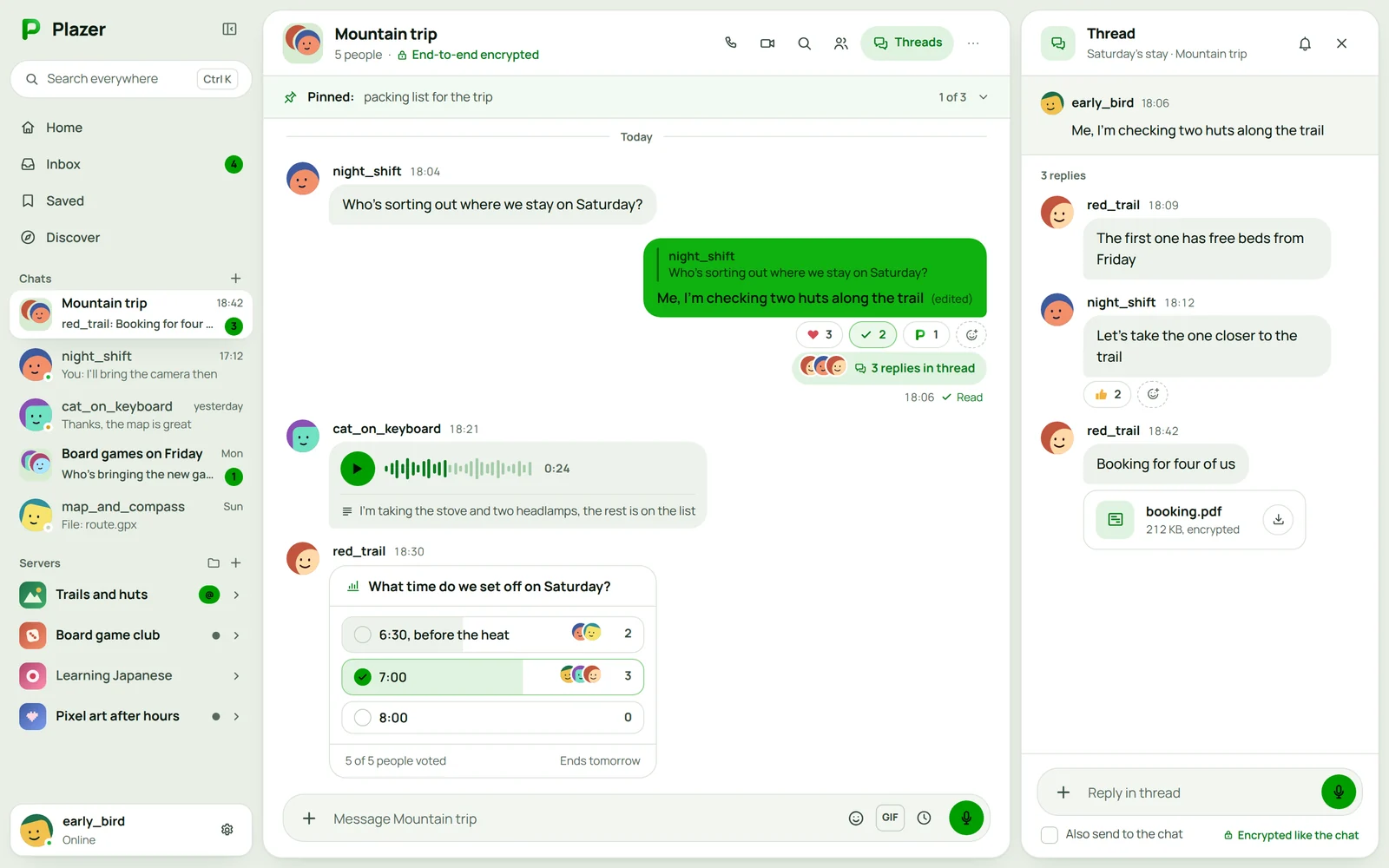
Conversations and groups
Live direct and group messages, with reactions and pinning what matters.
Your brand's messenger
- Desktop, phone and browser
- The same chat history in the desktop app, on the phone and in the browser.
- Encryption on the device
- Direct messages, groups, private channels and voice calls are encrypted on the user's device.
- In the VulCode ecosystem
- See Plazer in our ecosystem
A community connected to your store and accounts
The strongest communities know who is a customer and who is just looking around. This is how we connect it.
On the website and store side
- Website account
- Store purchase
- Discord account
Website account, Discord account: the same person
Sign-up or Google
The website account comes from a sign-up or Google sign-in.
A product, subscription or package
A purchase in your website store says who is a customer.
On the Discord side
The bot grants the customer role.
Access right after paying
The bot opens the customer channels as soon as the payment goes through.
When a subscription expires
When a subscription expires the bot removes the role itself, and the member is told how to renew it.
Account link
- One click links the website account to the Discord account.
Questions about communities
We hear these most from brands that are just setting up a server.

Read next
Creators, game servers and bots.
Let us design your community
Tell us where your audience talks today and what should change. We will reply with a proposed structure and a free quote.