
Apilo integration through the REST API
Apilo gathers sales from marketplaces, stores and couriers. When your system has no ready connection to it, we connect it through the Apilo REST API: orders, documents, stock and shipments.
When Apilo, and when code
Apilo has ready integrations with marketplaces, stores, couriers, accounting software, WMS and wholesalers. Code is only needed where your system is not one of them.
Apilo's ready integrations
Marketplaces and storesAllegro, for one, through Apilo's ready integrations.CouriersShipping handled in Apilo.Accounting software, WMS and wholesalersSubiekt connected to Apilo, for one.Your system
A custom store or B2B panelOrders go to Apilo on acceptance or payment, and products, prices and shipments come back to the store.Your own warehouseProducts, attributes and media of the Apilo warehouse, after every change there.A system that should get documents and statuses from ApiloSales documents once issued and order statuses per the account's status map.
Authorisation and the first requests
Apilo uses access and refresh tokens. The integration makes sure it is never left without a valid token.
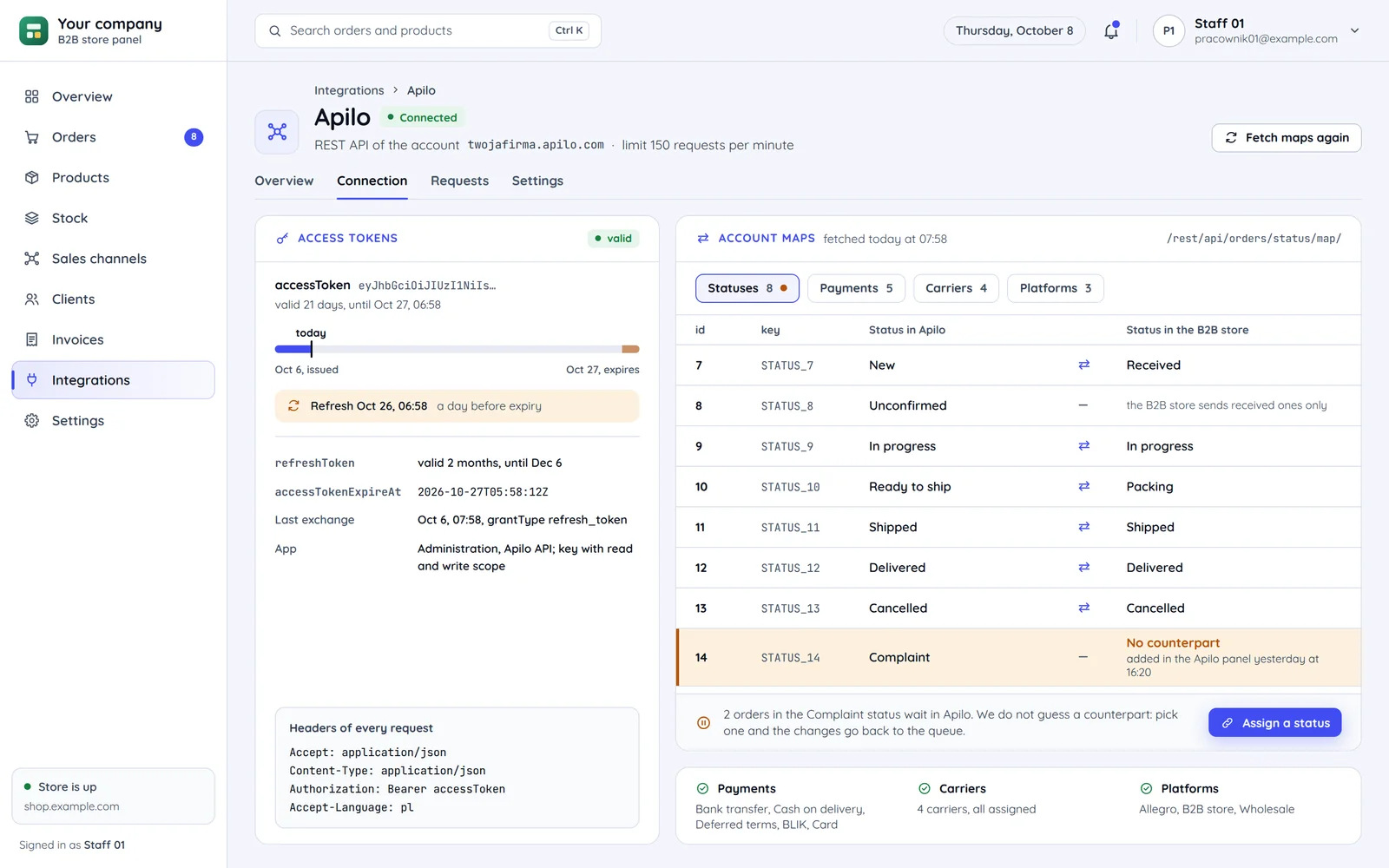
A token refreshed before it expires
We exchange the authorisation code for an access and a refresh token. We fetch a new token before expiry, not after an error.
POST /rest/auth/token/refresh_tokenMaps instead of assumptions
Statuses, payment methods, couriers and platforms have their own ids in Apilo. The integration fetches their maps instead of hard-coding values.
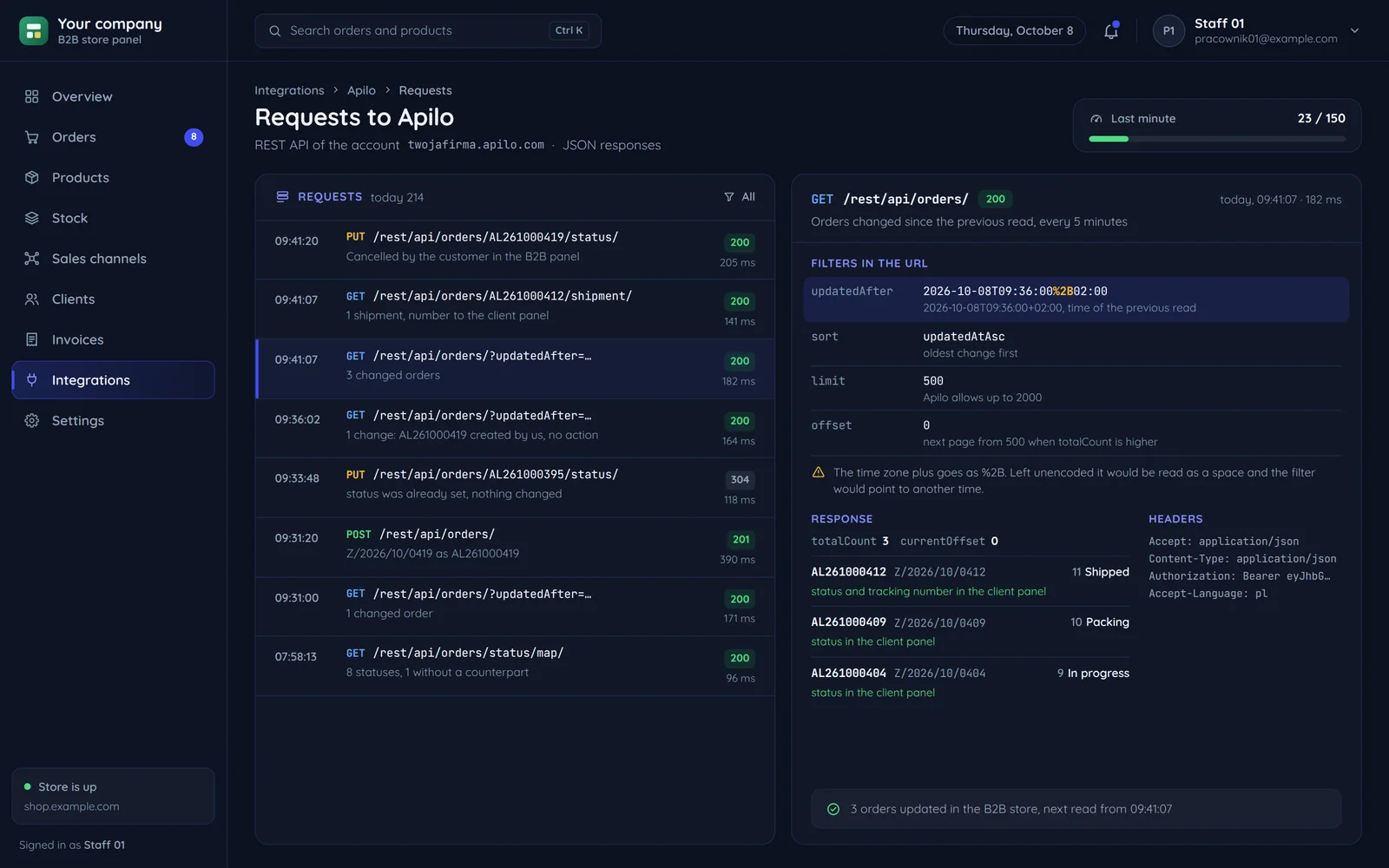
GET /rest/api/orders/status/map/The same headers on every request
Every request, including auth, needs Accept and Content-Type set to application/json.
Accept: application/jsonAuthorization: Bearer
Apilo in the middle, your system next to it
A typical layout: Apilo handles channels and couriers, and the integration links them to what Apilo does not know.
- Store ordersacceptance or payment
- Order statusesa change on either side
- Products and pricesa change in the Apilo warehouse
- Shipments and trackinga parcel dispatched
- Sales documentsa document issued
Custom-built store
orders into Apilo, stock to the storePaid or approved orders reach Apilo, and stock and tracking numbers come back to the store.
- Store orders
- Order statuses
- Products and prices
- Shipments and tracking
Allegro and marketplaces
ready Apilo integrationsOrders come into Apilo through its ready integrations, without our code.
More: Multichannel selling
Subiekt and wFirma
documents and invoicesDocuments and invoices in the accounting program connected to Apilo.
- Sales documents
More: Invoicing and ERP
KSeF
invoices from the program or your codeInvoices usually reach KSeF through the accounting program connected to Apilo, or through your system.
- Sales documents
More: KSeF
B2B panel
statuses and shipments for customersThe customer sees the order status and the tracking number in their panel.
- Order statuses
- Shipments and tracking
More: Panels & Dashboards
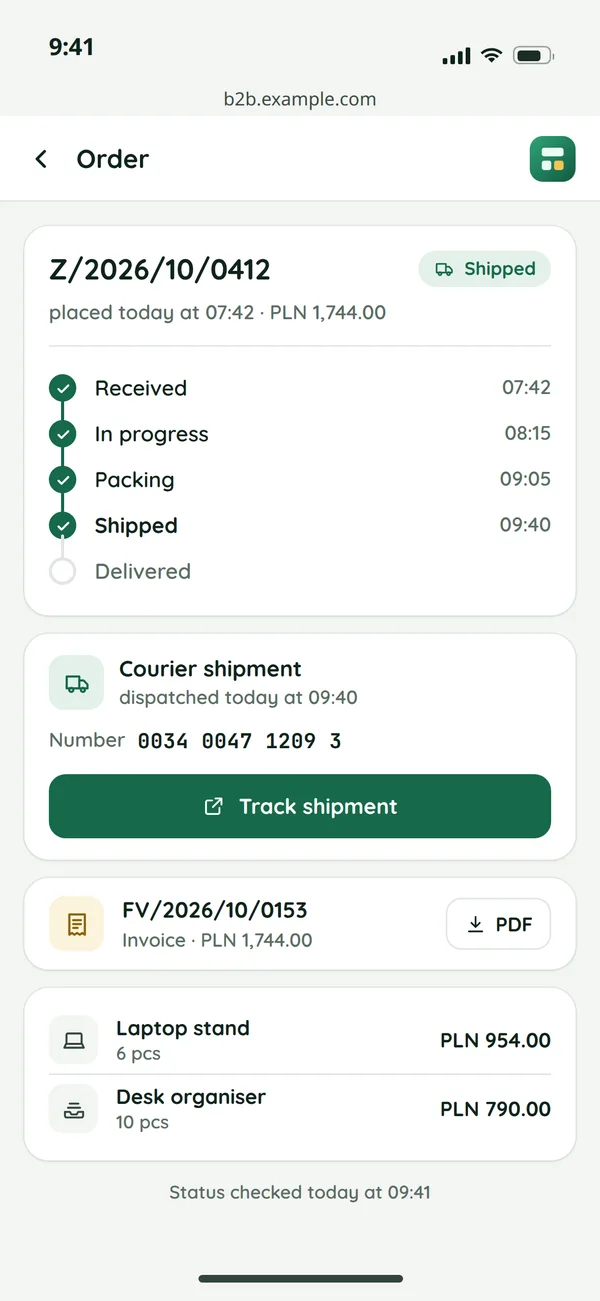
What your B2B customer sees
We set directions separately for each kind of data. The screen shows an order in the B2B store on the customer's phone.
Order statuses
Statuses flow both ways, translated through the account's status map.
ApiloB2B storea change on either side
Shipments and tracking
The tracking number reaches the customer panel once the parcel is dispatched in Apilo.
ApiloB2B storea parcel dispatched
Sales documents
The invoice issued for the order goes to the customer panel or to the ERP.
ApiloB2B storea document issued
What we watch out for with Apilo
Details from the documentation that decide how stable the integration is.
GET /rest/api/orders/Several integration processes at oncelimit=2000The largest list in one requestContent-Type: application/jsonAlso on POST /rest/auth/token//rest/api/orders/status/map/The account's statuses and carriersupdatedAfter=2026-10-08T09:36:00+02:00A date with a time zone in a GET filterrefresh_tokenAn access token about to expire6 checks before the integration starts writing to Apilo
Common questions about Apilo integration
Answers about choosing a system, KSeF, testing and the quote.

Read next
Systems and integrations that go with Apilo.
What should connect to your Apilo?
Tell us which channels you run in Apilo and which system should talk to it. We will reply within an hour with questions and a quote.