
Steam integration: Steam login and the Steam Web API
A player signs in to your server website with Steam, no new password. Their SteamID ties the site account to the game account, and the Steam Web API supplies the name, avatar, playtime and ban data. The panel, item shop and rewards run on that.
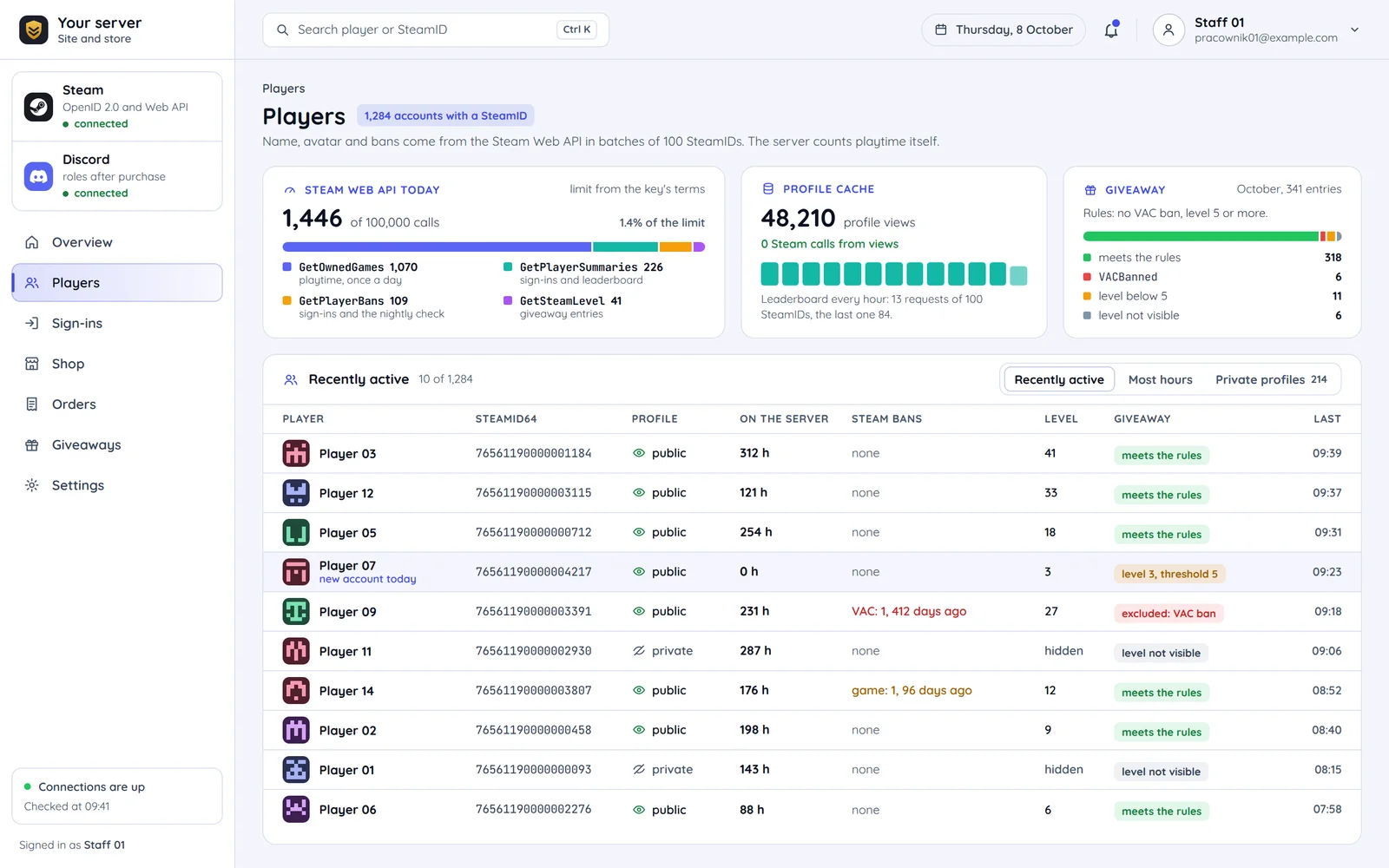
Steam as a login provider
Steam supports OpenID 2.0. After sign-in the site gets the player's 64-bit SteamID and nothing else.
Steam hands over an identifier only
The 64-bit account number at the end of the identifier that comes back from Steam after sign-in.
- formathttp://steamcommunity.com/openid/id/<steamid>
The profile is a separate request
…should only be used if your website needs to display information about a user.
The player knows what the site will not get
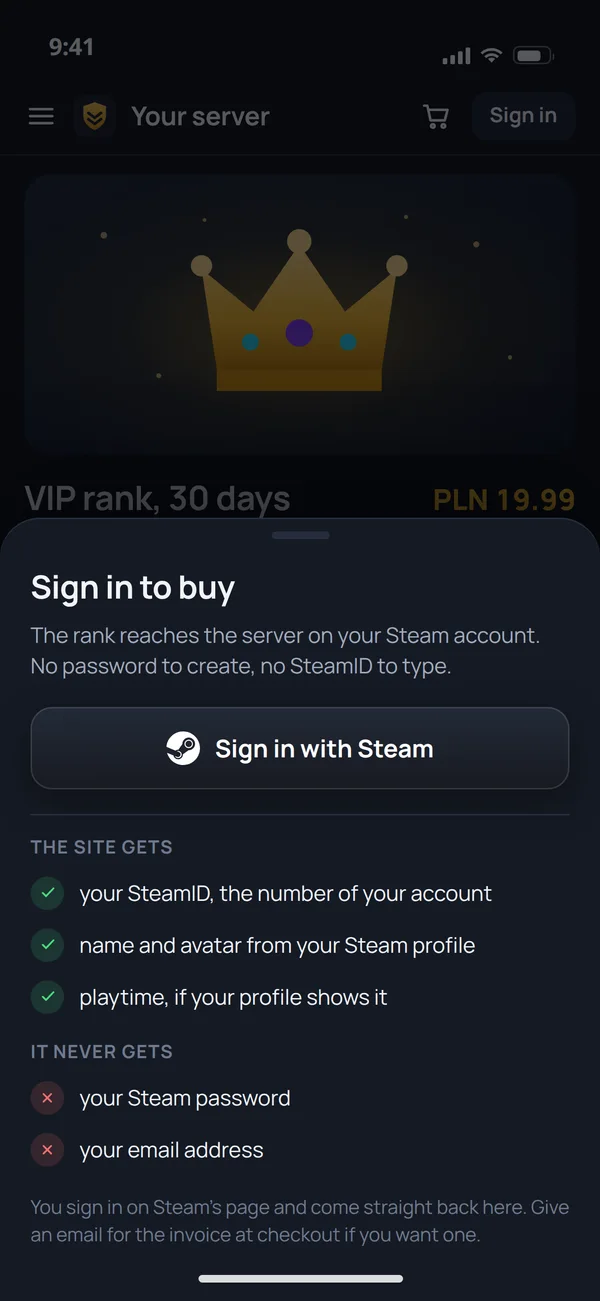
Before sign-in the store says it plainly: the SteamID, name and avatar, playtime if the profile shows it. No password and no email.
Steam login step by step
The verification step matters most. The parameters in the return URL come from the player's browser, so they cannot be trusted until Steam confirms them.
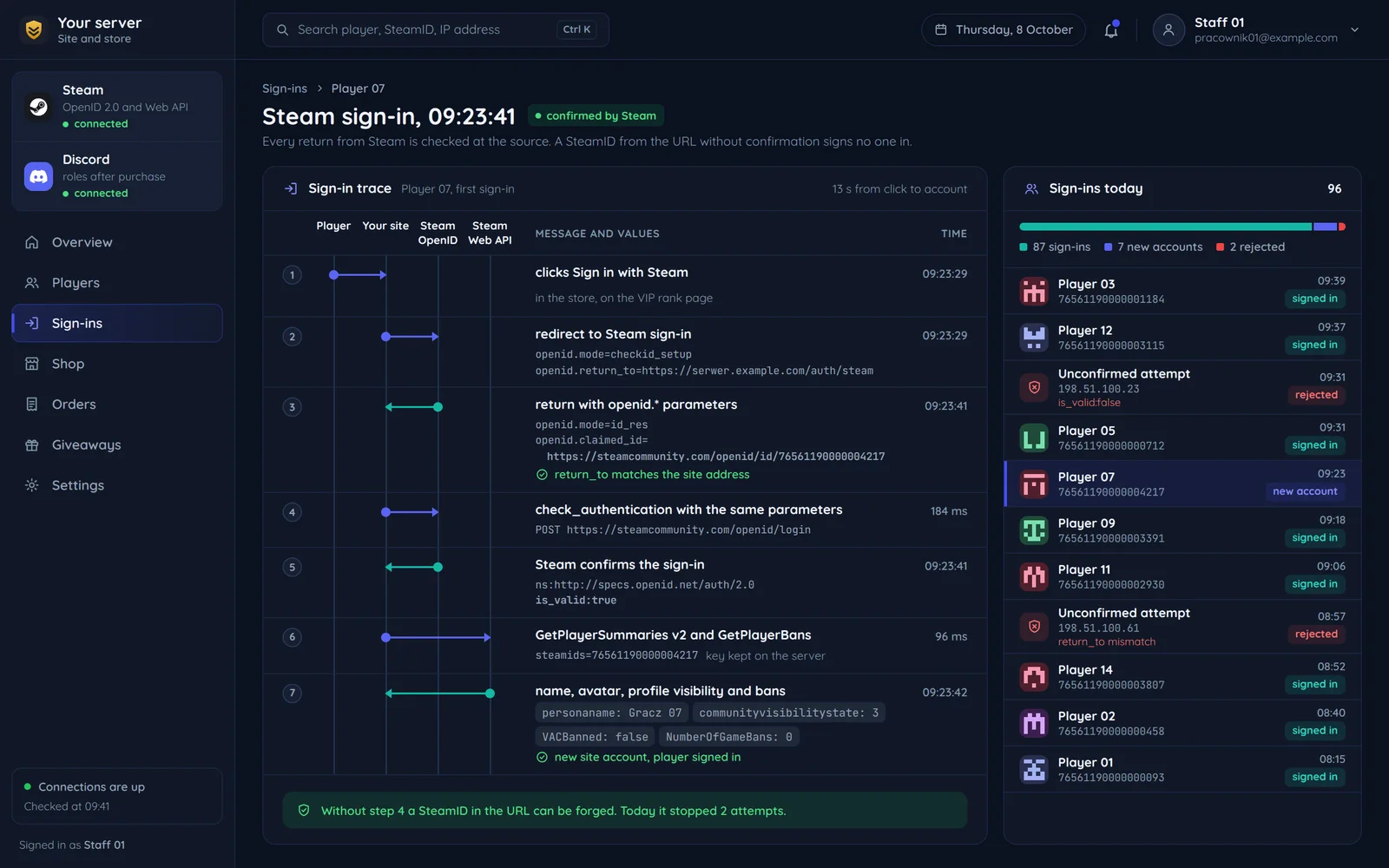
- clicks "Sign in with Steam"
Player
A return to our address
The response must return to our address, not a substituted one.
Confirmation at the source
Direct verification from OpenID 2.0: we send the same parameters back to Steam with check_authentication mode. A SteamID from the URL without Steam's confirmation can be forged with one URL edit.
The account only after confirmation
Only after confirmation do we read the SteamID and link it to the account. The name, avatar and bans then come from the Steam Web API, and its key stays on the server.
- SteamID, name, avatar and bans
Account on the site
What the SteamID ties together on the site and in game
One player account everywhere.
76561190000001184 · Player 03 · 312 h · VAC: none · VIP
76561190000001184 · Player 03 · 312 h · VAC: none Steam → site, panel, game server
VIP both ways
Player identity
Steam login.
Name and avatar
Login and a periodic refresh.
Playtime
A periodic job, if the profile shows it.
Bans
Login or joining the server.
Item shop purchases
A payment on the site: the item or rank reaches the server by SteamID.
The SteamID as the key
On game servers the SteamID is usually already the key in the database: in permissions, stats and bans. So linking the site to the game by SteamID is natural and needs no codes typed by the player.
Private profiles
Playtime is available only when the data is visible. Playtime rewards show a clear message when the profile hides it.
The Steam Web API methods we use
Player data after sign-in. Some of it depends on profile privacy settings.
Steam Web API calls a day
The limit in the key's terms of use.
GetPlayerSummaries SteamIDs per request
Name, avatar, profile URL, visibility, up to 100 players at once.
ISteamUser/GetPlayerSummaries v2Name, avatar, profile URL, visibility, up to 100 players at once. The profile in the panel and leaderboard.IPlayerService/GetOwnedGamesGames and playtime, if visible. Rewards for playtime.ISteamUser/GetPlayerBansVAC and game bans, days since the last ban. Server access decisions.IPlayerService/GetSteamLevelThe Steam account level. A threshold for new accounts, e.g. in giveaways.ISteamUser/CheckAppOwnershipWhether the player owns a given game. Only for the game's publisher, with a publisher key.
What moves the use of the limit
Profile cache
With 100,000 calls a day, asking Steam on every page view quickly uses up the limit.
Batched requests
GetPlayerSummaries takes up to 100 SteamIDs at once, so we refresh leaderboards in batches.
A request on every page view
Without a cache every view of a profile or leaderboard is a separate Steam call.
Common questions about Steam integration
Answers about the player's email, Discord sign-in, the Web API key and the quote.

Read next
Other integrations for game servers.
Want Steam login on your server website?
Tell us which game you run and what should happen after sign-in. We will reply within an hour with questions and a quote.