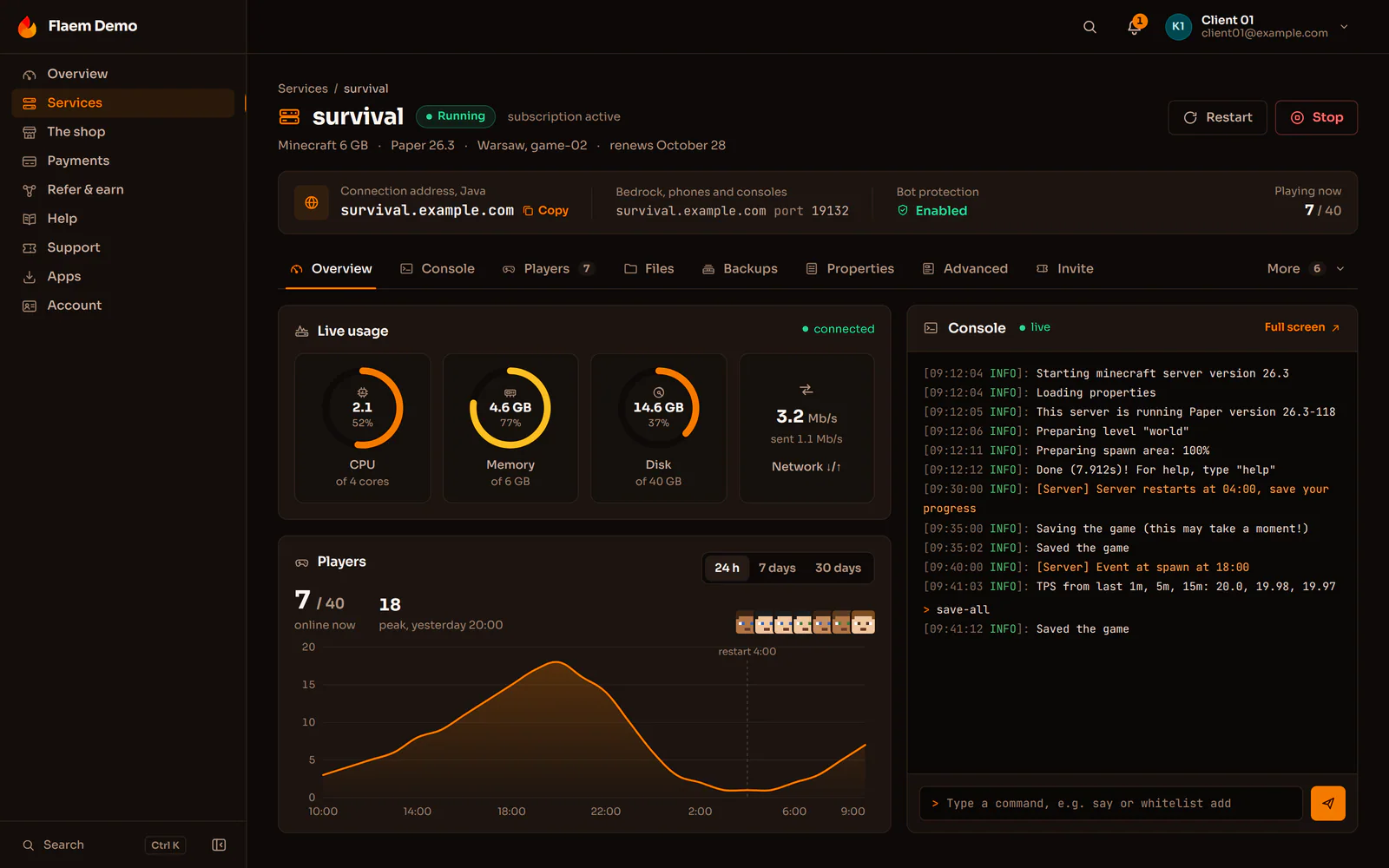
Flaem: a game server
A game server with console, files, schedules, backups and live usage.
We set up the panel and Wings nodes, configure eggs for your plans and connect Pterodactyl to your store or billing system. A game server appears once the order is paid and goes away when the service expires. We also say plainly when our Flaem panel fits better.
A game server with console, files, schedules, backups and live usage.
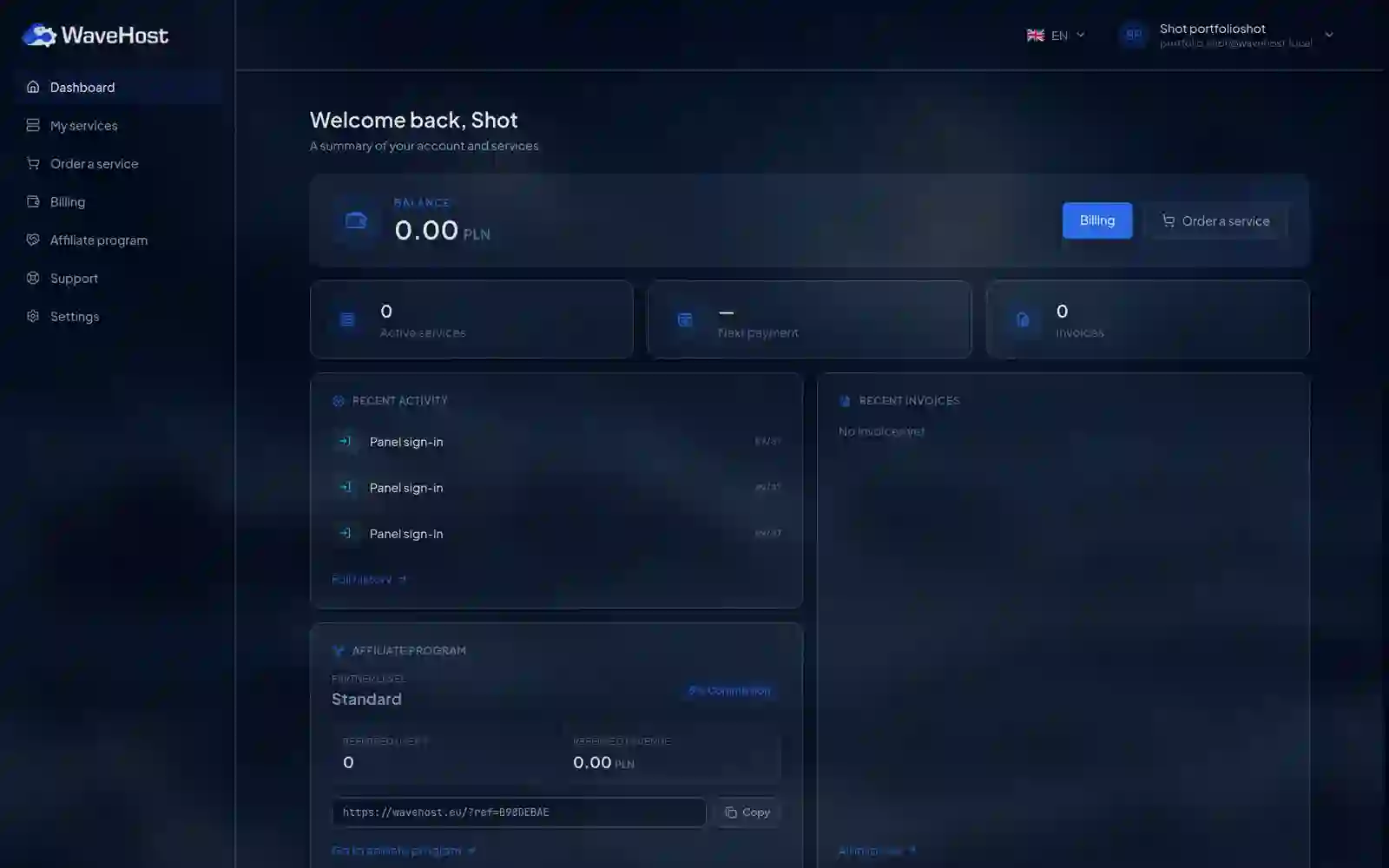
The WaveHost client panel: ordering services, wallet, invoices, referrals and an account linked to the game panel through an HMAC handshake.
The panel and the nodes are separate installs. Each one is set up and maintained differently.
An allocation is an IP and port pair. Every server needs at least one.
The integration can name an allocation directly or let the panel pick one through automatic deployment in a location.
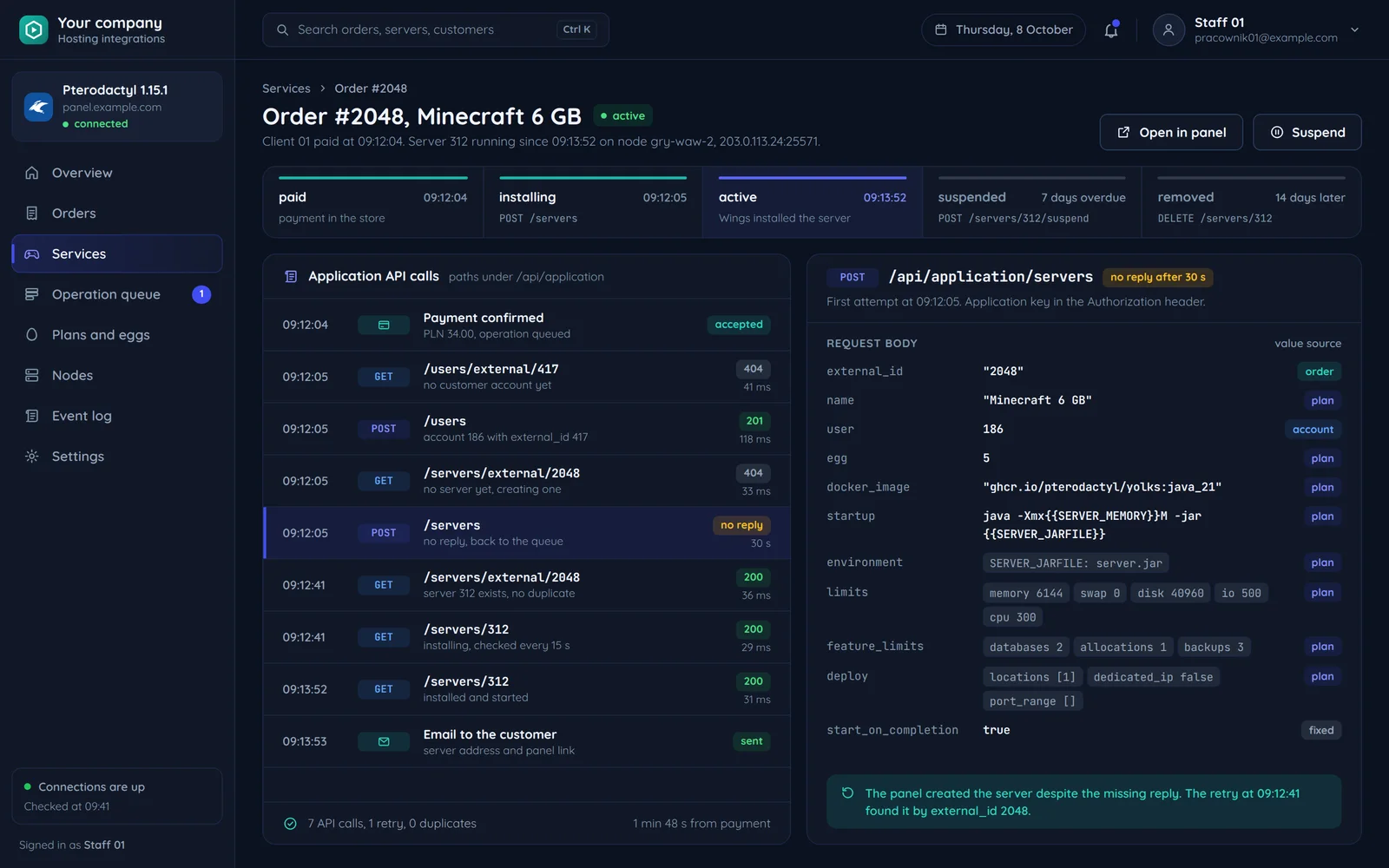
Paid, installing, active, suspended, removed: each status starts its own operation in the panel. The queue sends them at a pace the panel accepts.
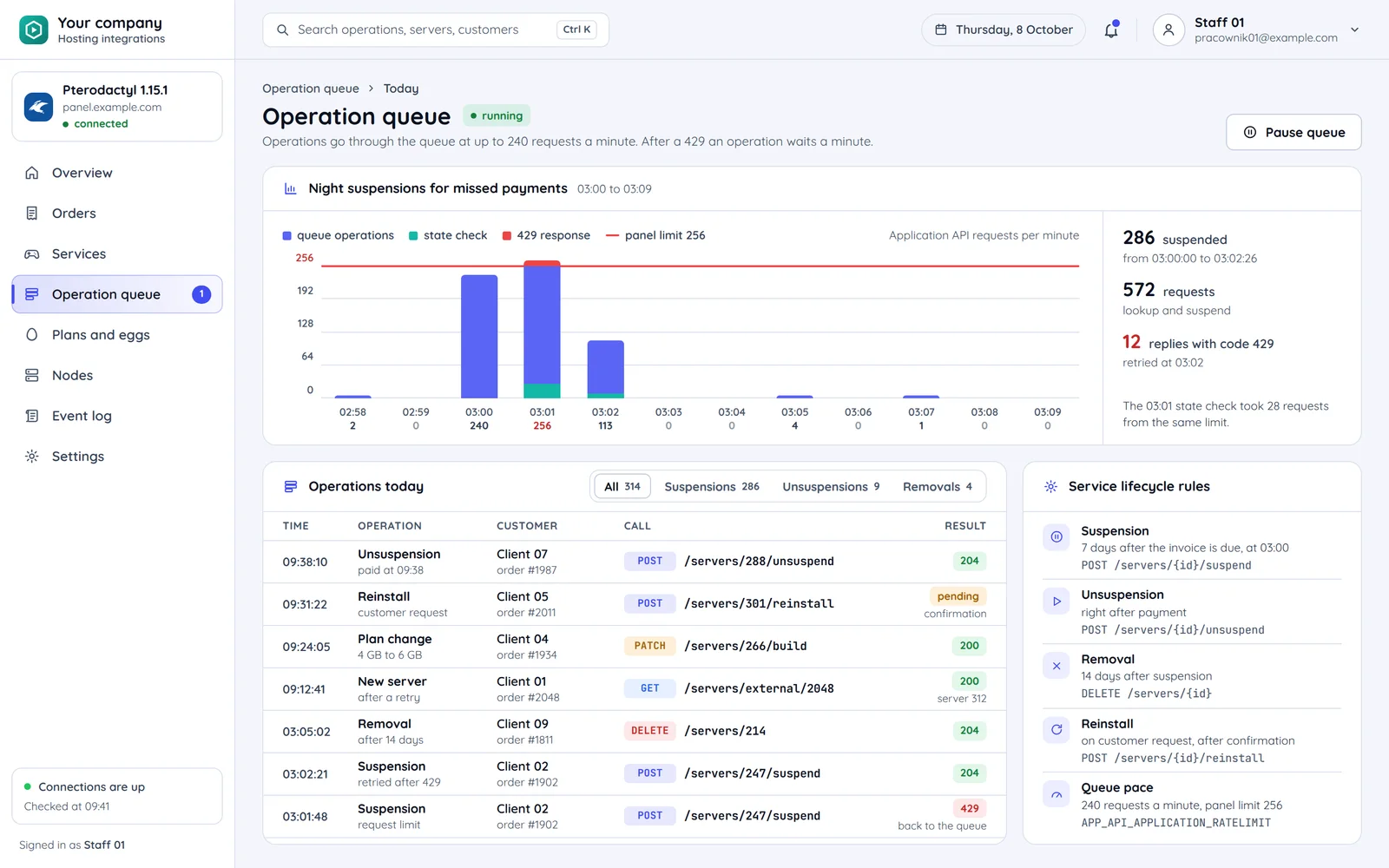
Bulk operations, such as suspending many services at once, go through a queue to stay under 256 requests per minute. If the panel refuses, the operation goes back to the queue.
Suspension after a missed payment, resumption right after payment and removal after a grace period you choose. It all happens on its own, with no manual work by support.
Plan change: more memory, CPU or disk. Reinstall: on the customer's request, after confirmation.
The operations in the order a service reaches for them: from the first purchase to removal.
Step 1 of 8: paid order
Step 2 of 8: Player account
First purchase, tied to the customer's store account
Step 3 of 8: Create server
After the order is paid
Step 4 of 8: install from a template (in the background)
The panel created the server, and Wings installs it from the game template.
Step 5 of 8: Plan change
More memory, CPU or disk
Step 6 of 8: Suspend and resume
Missed payment and payment
Step 7 of 8: Reinstall
On the customer's request, after confirmation
Step 8 of 8: Removal
After the grace period
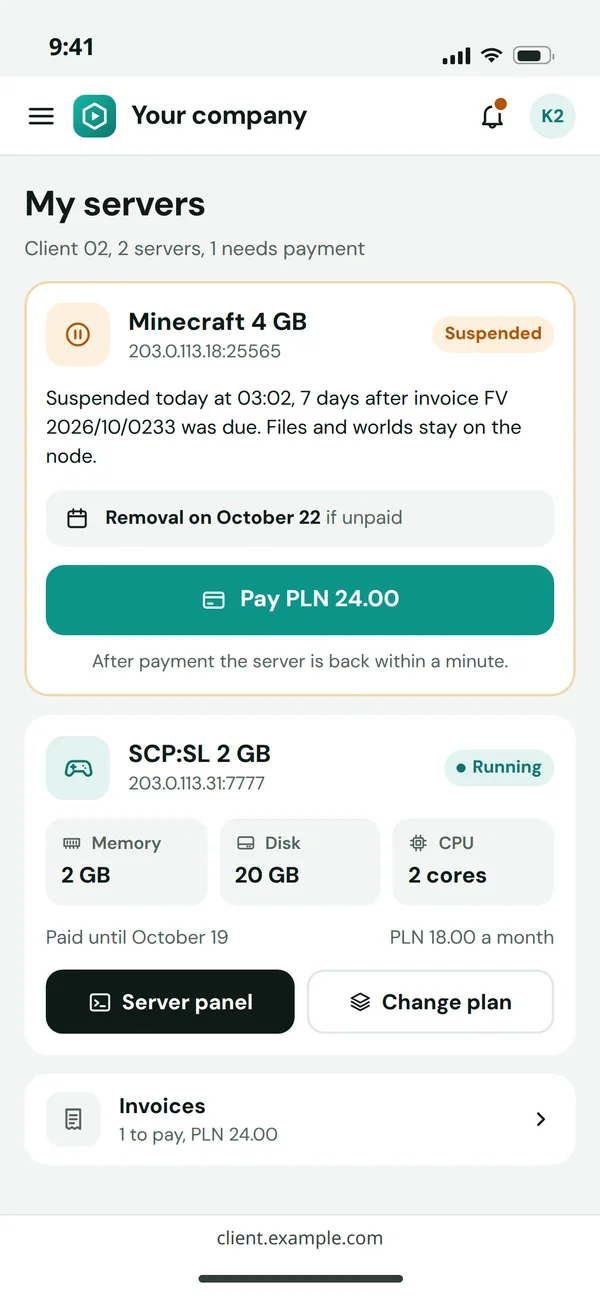
The client panel shows the service status from the integration and what the customer can do about it, without writing to support.
The customer sees since when the server has been stopped and when it goes if the invoice stays unpaid.
Suspended: The server is stopped after a missed payment. The data stays on the node.
Paying the overdue invoice resumes the server; no one in support has to switch it on.
Suspended → active: Resumed right after the payment. The data waited on the node.
The customer changes the plan from the panel, and the server stays the same.
Active: The server runs. A plan change raises its limits without creating a new server.
Answers about Pelican, theming, key permissions, Flaem and the quote.
Other integrations for hosting and game servers.
Tell us which panel you run and where customers buy services. We will reply within an hour with questions and a quote.