
Esports team websites and a tournament platform with brackets
A team or organisation website with roster, results and sponsors, plus a tournament system: sign-ups, check-in, brackets, score reporting, Discord and Steam sign-in.
A tournament from the team's side
Three screens that replace messages to the organiser: sign-up, attendance and score.
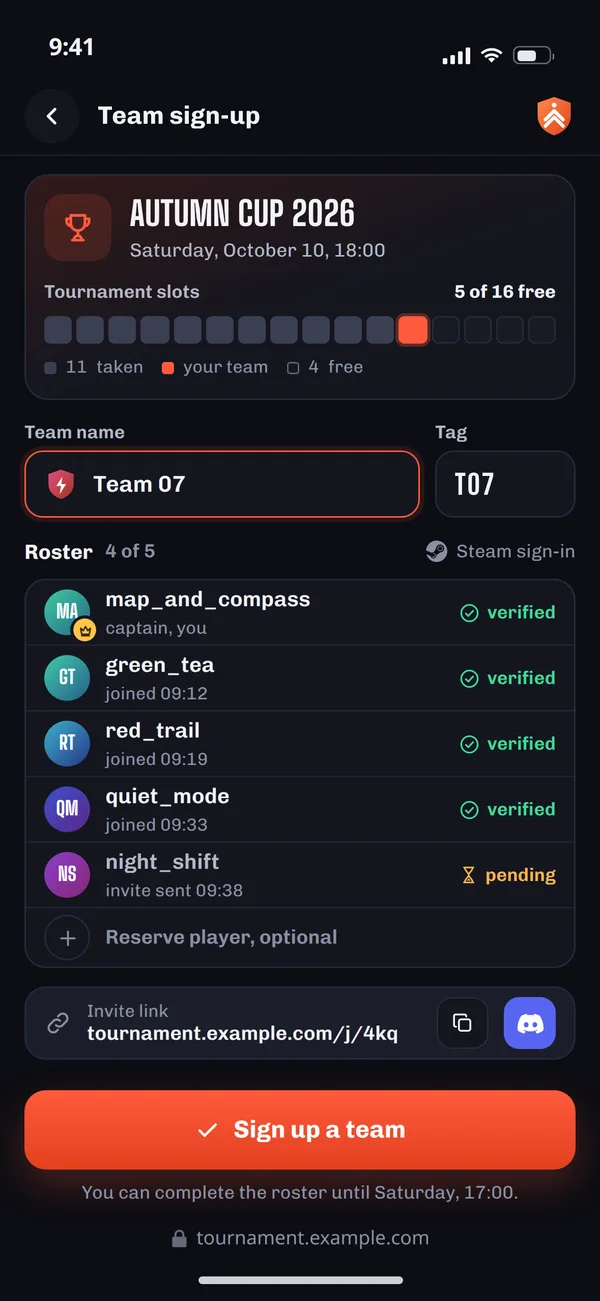
Team sign-up
The captain creates the team and invites players, and everyone signs in with Steam, so accounts are verified.
Behind the scenes: Account and profile from Steam instead of a nickname form.
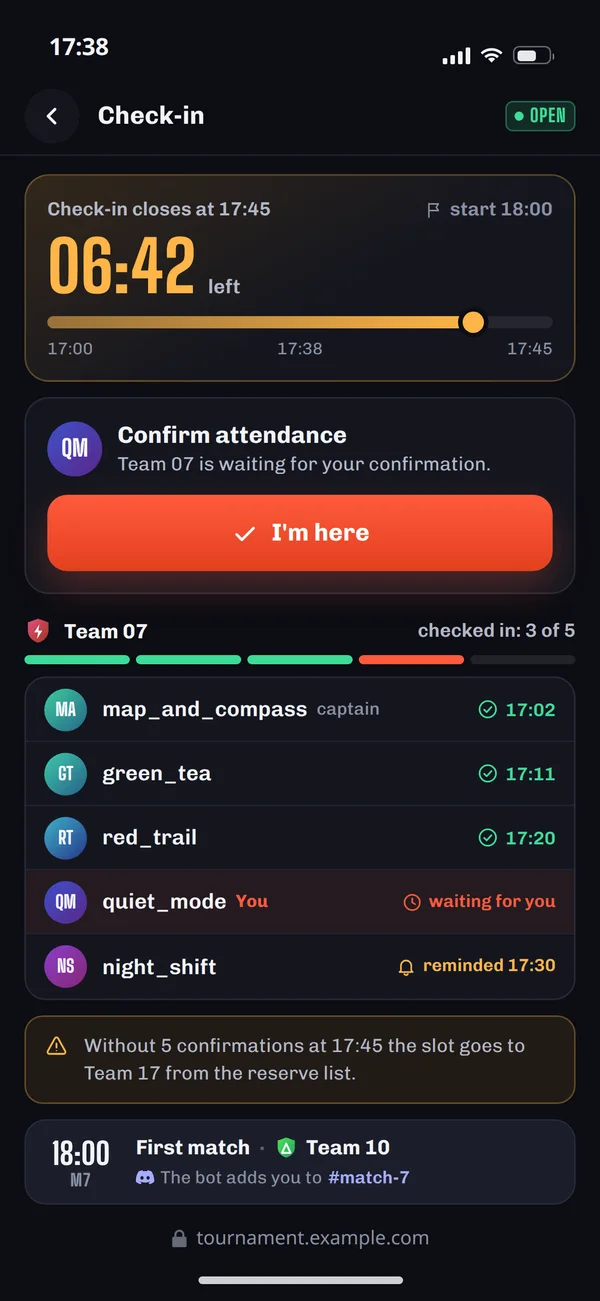
Check-in
Before the start every player confirms attendance. An incomplete roster frees the slot for a reserve team.
Behind the scenes: The bot creates a channel per match and gives teams their roles.
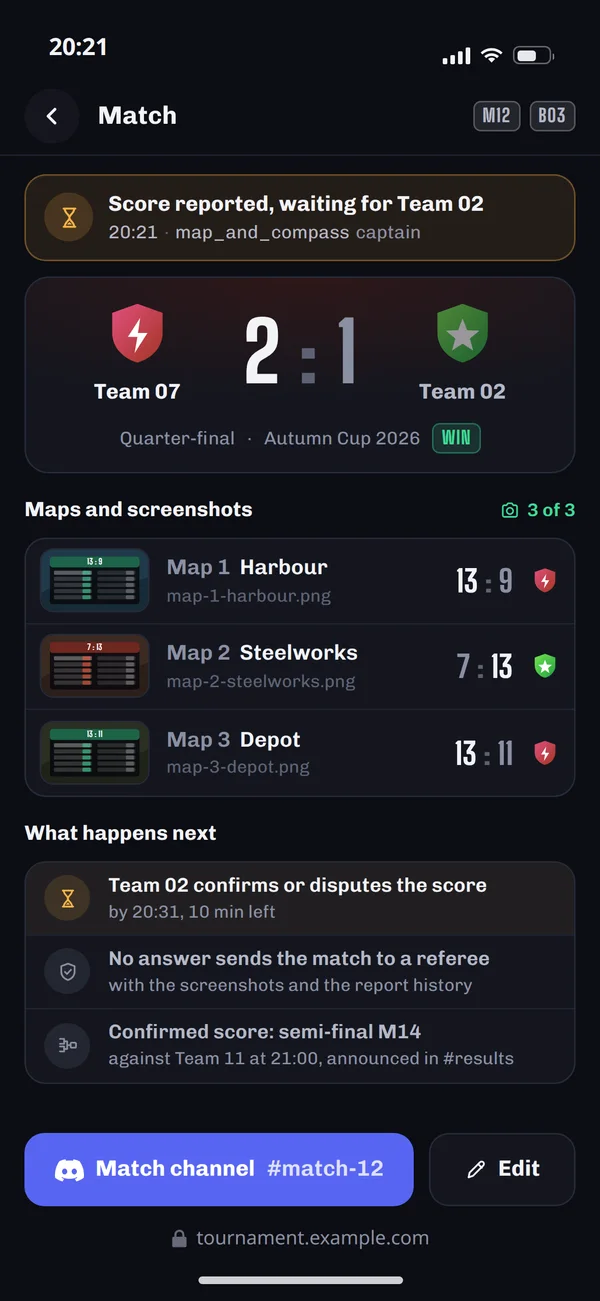
Score report
A score with screenshots and the opponent's confirmation, then the bracket and the Discord channel.
Behind the scenes: A confirmed score moves the team on and lands in the results channel.
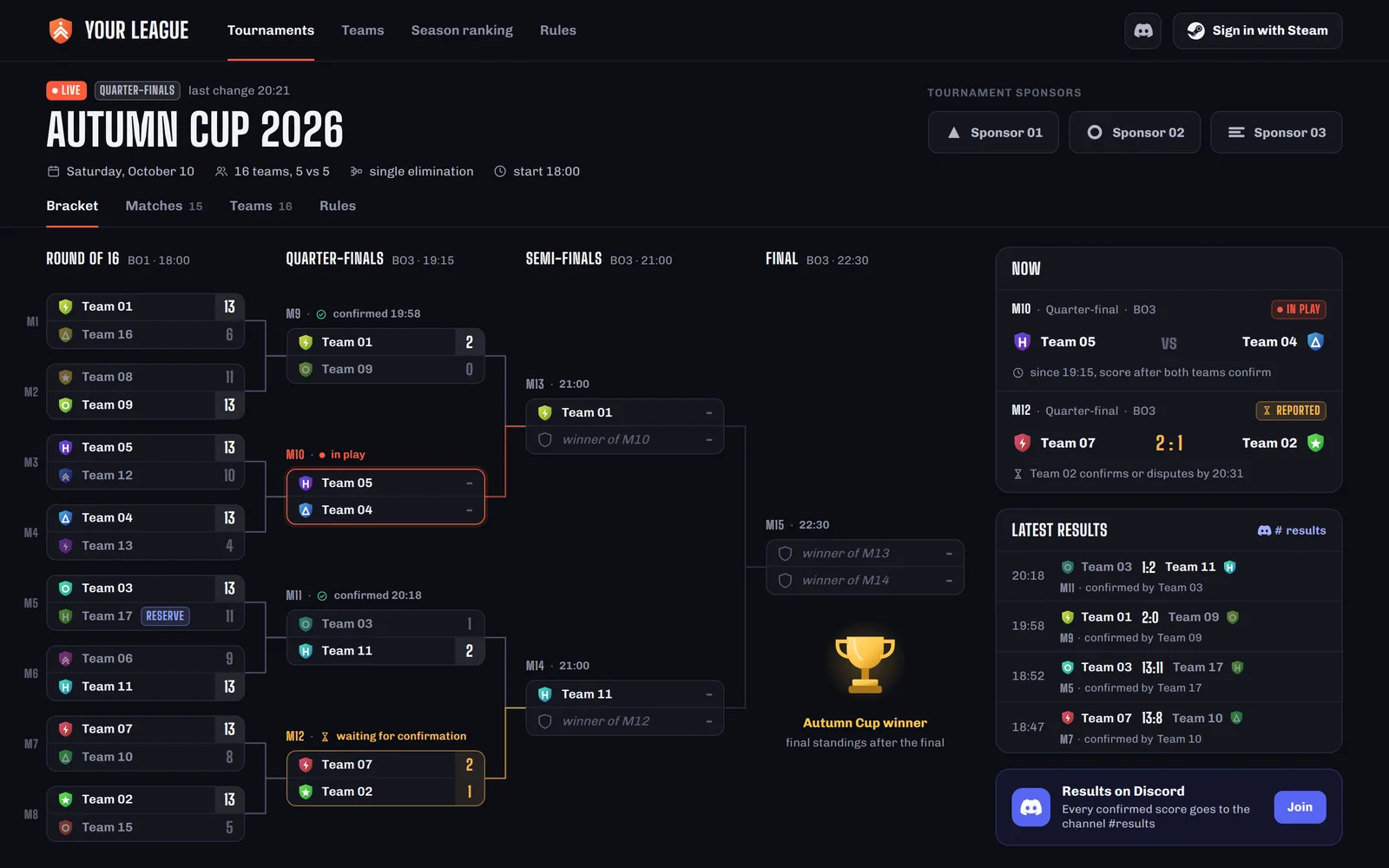
A bracket that updates itself
The organiser does not copy scores into a spreadsheet. Teams report them on their phones, the opponent confirms, and the bracket and Discord update at once.
Scheduled
the Discord botThe bot creates a channel per match and gives teams their roles.
In play
the teamsThe teams play, and the bracket waits for the score from the captain's phone.
Score reported
the captainThe captain adds the score and screenshots, and the opponent gets it to confirm.
Confirmed
the opponent or a refereeA confirmed score moves the team on and lands in the results channel. The bracket and Discord update at once.
- Score reported: not confirmed
Dispute with a referee
a refereeIf the opponent does not confirm a score, the match goes to a referee with the screenshots and report history. The referee confirms the score in the panel.
Confirmed: the referee confirms
Tournament formats and what they mean
The format decides the number of matches, the length of the event and how many teams play to the end.
Single elimination
Number of matches7 matches, 3 rounds- A loss ends your run
- after the first loss
- Good for
- one-day events
- Seeding
- important
Double elimination
Number of matches14 matches in two brackets- A loss ends your run
- after the second loss
- Good for
- events with prizes
- Seeding
- important
Swiss system
Number of matches12 matches, a fixed 3 rounds- A loss ends your run
- no, all rounds are played
- Good for
- large numbers of teams
- Seeding
- pairing by results
League
Number of matches28 matches, 7 rounds- A loss ends your run
- no
- Good for
- seasonal play
- Seeding
- not applicable
Match counts for 8 teams. In the league every team plays every other once, and double elimination ends with one final match. You pick the format when creating the tournament.
How a tournament connects to Steam and Discord
Players sign in once, and the system sets up their roles and match channels on your server.
- AccountSign-up and check-in
- MatchRoles and match channels
- ScoreBracket and announcements

Steam
Steam sign-inAccount and profile from Steam instead of a nickname form. We use Steam sign-in where the game runs on Steam.
- Account
More: Steam

Discord
Roles and match channelsThe bot creates a channel per match and gives teams their roles. A confirmed score lands in the results channel, and in games without Steam a Discord account can be the sign-in.
- Account
- Match
- Score
More: Discord
Payment operator
entry feeA payment operator takes the fee at sign-up, and the organiser refunds teams that withdraw from the panel.
- Account
Team and organisation pages
results historyRoster, results history, match schedule and sponsors, managed from the panel.
- Score
More: Company Website
The organiser sets it, players get it
The organiser panel has only what you need on tournament day.
Organiser sets format, number of teams and roster size
Players getClear rules and the number of free slots at sign-up
Organiser sets check-in time
Players getA reminder and a button to confirm attendance
Organiser sets score reporting rules
Players getA score form with screenshots and opponent confirmation
Organiser sets referees and a dispute channel
Players getA quick decision instead of an argument in the general channel
Organiser sets tournament sponsors
Players getLogos on the tournament page and in announcements
Organiser sets prizes and placings
Players getA final table and results history on the team profile
Questions from organisers and teams
What teams and tournament organisers ask.

Read next
Game studios, streamers and communities.
Let us plan your tournament
Tell us which game you play and what your tournament or season looks like. We will reply with a proposal and a free quote.