VulCode
Blog

How to build a Discord bot in Python: from the token to slash commands

You create the application, invite the bot, write slash commands in discord.py 2.7.1 and run it in a container that comes back on its own after a reboot. Our mailcheck bot has the same layout.

VulCodeVulCode12 min read
How to build a Discord bot in Python: from the token to slash commands - VulCode
What you will buildPython, 9 steps
  1. Application and tokenPortalA bot in the Discord Developer Portal.
  2. InviteOAuth2The bot and applications.commands scopes.
  3. Slash commandsdiscord.pyA cog with /ping and /serwer, an embed.
  4. A bot that restarts itselfDockerA container with restart: always.

The guide at a glance

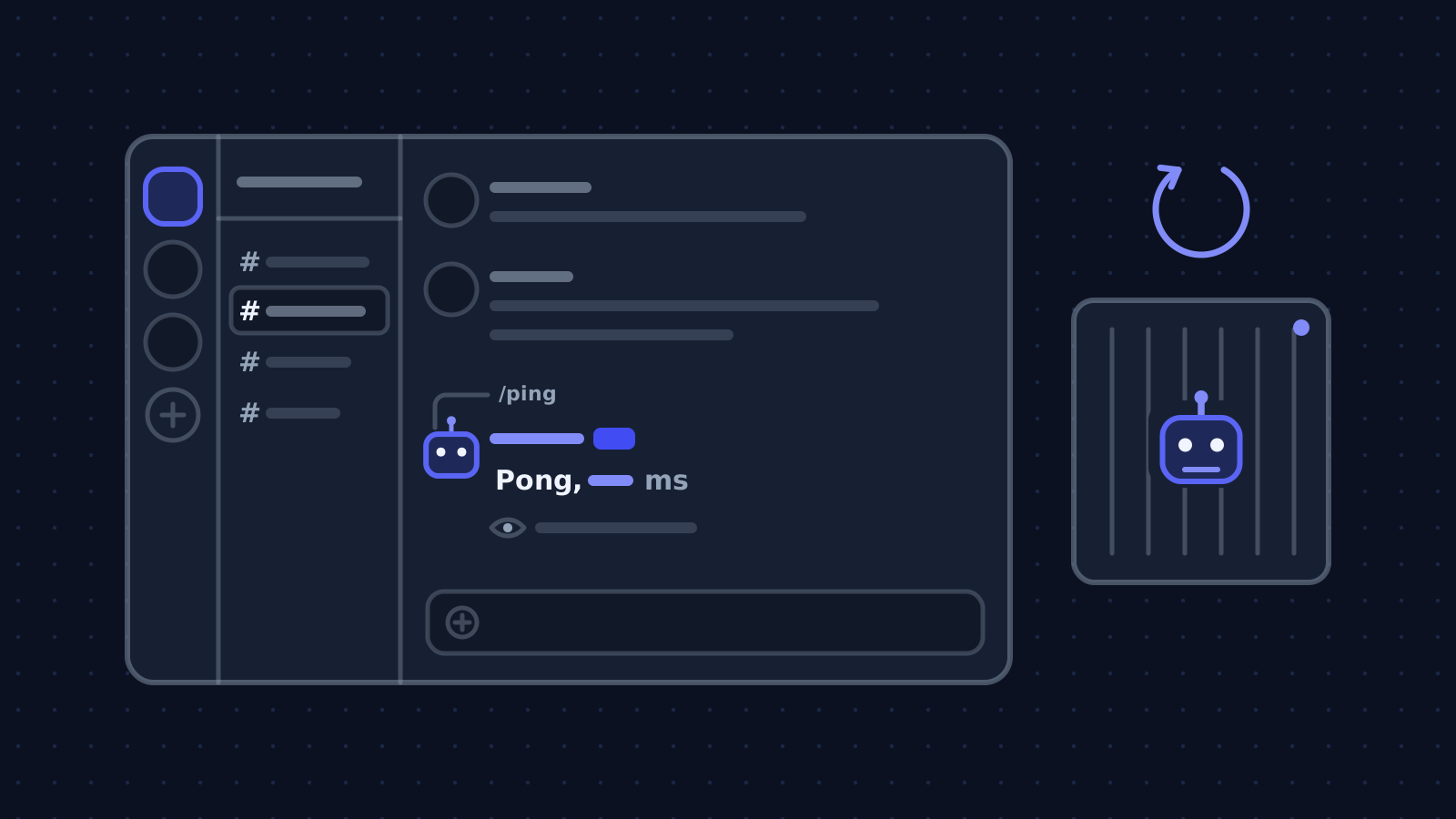
You will build a bot with two slash commands: /ping answers only the person who asked, and /serwer shows an embed with the server name, member count and creation date in the reader's time zone. The code is split into cogs, so you add more commands in separate files.

A Discord bot in Python

Group
Games and Discord
Level
beginner
Reading time
about 12 min
Code
Python

Files: bot.py, serwer.py, raport.py, Dockerfile, docker-compose.yml; plus commands in the terminal.

Steps
9 steps

7 of them with code or commands to copy.

Check
discord.py 2.7.1, without connecting to Discord

Cog loaded, exactly /ping and /serwer in the tree

Documentation
4 official documents

discord.py documentation; discord.py, the official slash command example; discord.py on PyPI; Discord: receiving and responding to interactions

From our code
mailcheck

boty/mailcheck/mailcheck.py

Before you start

At the end the bot runs in a container that comes back on its own after a reboot or a crash. Our mailcheck bot has the same layout: commands.Bot, cogs loaded in setup_hook and commands synced to one server during development.

What you need
A Discord bot in Python
A Discord account and a test server of your own
On the test server you need the Manage Server permission to invite the bot. You copy the server ID after enabling developer mode in Discord's settings.
Python 3.8 or newer
discord.py 2.7.1 requires Python 3.8 or newer. The container in the example uses Python 3.12.
A place for the token
The bot token gives full control of the bot. Keep it in an environment variable or an .env file outside the repository. If it leaks, reset it in the portal.
A server or VPS for production
A bot has to run all the time, so in production you do not run it on your own computer. A small VPS with Docker is enough.

What is what in the Developer Portal

FieldWhereWhat for
Application IDGeneral InformationThe application ID, needed in the invite link.
TokenBot > Reset TokenThe bot's password to the Discord gateway. Shown once.
Privileged IntentsBotMembers, presence, message content. This bot does not need them.
OAuth2 URL GeneratorOAuth2The invite link with scopes and permissions.

Step by step

9 steps. The window beside them shows the file, the commands or the fields of the step you are reading.

Create the application and the bot

In the Discord Developer Portal click New Application and give it a name. In the Bot tab click Reset Token and copy the token: the portal shows it only once.

Slash commands need no privileged intents. Do not enable Message Content, Server Members or Presence until the bot really reads message content or the member list.

Invite the bot to your server

In OAuth2 > URL Generator tick the bot and applications.commands scopes, and below only the permissions the bot uses. For this bot Send Messages and Embed Links are enough. Open the generated link and pick your test server.

Without the applications.commands scope slash commands will not appear on the server, even if the bot is in the member list.

Set up the project and install discord.py

A separate virtual environment and a pinned library version protect you from an update on the server changing the bot's behaviour without you knowing.

Write the bot's main file

commands.Bot has a built-in command tree (self.tree). In setup_hook, which runs once before connecting, you load cogs and sync commands. copy_global_to copies the commands to one server, where they show up at once, instead of waiting for global commands to propagate.

Add the commands in a cog

A cog is a class with commands, loaded by load_extension. The description in the decorator is what users see in Discord. ephemeral=True means only the person who typed the command sees the reply.

discord.utils.format_dt turns a date into a <t:...:D> tag that every reader sees in their own time zone. You can build the same tag in our Discord timestamp generator.

Run the bot

You pass the token and server ID as environment variables. After start-up the bot prints the number of synced commands and its name. Type / on the test server: /ping and /serwer should be on the list.

Answer within 3 seconds, even when the work takes longer

Discord requires the first response to an interaction within 3 seconds, otherwise the interaction token expires and the user sees an error. When a command takes longer, call defer first and send the result through followup: the token stays valid for 15 minutes.

Run the bot in a container

A container with restart: always comes back after a server reboot and after the bot crashes. The token reaches the container from an .env file that is not in the image or the repository.

Switch to global commands

When the bot should work on many servers, sync the tree without the guild parameter. Global commands take longer to propagate than those of a single server, so stay with the test server while you develop.

Code windowstep 1 of 9
Discord Developer Portal2 fields
TokenBot > Reset Token
The bot's password to the Discord gateway. Shown once.
Privileged IntentsBot
Members, presence, message content. This bot does not need them.
Discord Developer Portal2 fields
Application IDGeneral Information
The application ID, needed in the invite link.
OAuth2 URL GeneratorOAuth2
The invite link with scopes and permissions.
bash5 commands
mkdir bot && cd botpython3 -m venv .venvsource .venv/bin/activatepip install "discord.py==2.7.1"mkdir cogs
bot.pyNew file, 30 lines
import os import discordfrom discord.ext import commands GUILD_ID = int(os.environ["GUILD_ID"])  class Bot(commands.Bot):    def __init__(self) -> None:        super().__init__(command_prefix="!", intents=discord.Intents.default())     async def setup_hook(self) -> None:        await self.load_extension("cogs.serwer")        guild = discord.Object(id=GUILD_ID)        self.tree.copy_global_to(guild=guild)        synced = await self.tree.sync(guild=guild)        print(f"Zsynchronizowane komendy: {len(synced)}")  bot = Bot()  @bot.eventasync def on_ready() -> None:    print(f"Zalogowano jako {bot.user} (ID {bot.user.id})")  if __name__ == "__main__":    bot.run(os.environ["DISCORD_TOKEN"])

cogs/serwer.pyNew file, 26 lines
import discordfrom discord import app_commandsfrom discord.ext import commands  class Serwer(commands.Cog):    def __init__(self, bot: commands.Bot) -> None:        self.bot = bot     @app_commands.command(name="ping", description="Sprawdza, czy bot odpowiada")    async def ping(self, interaction: discord.Interaction) -> None:        delay = round(self.bot.latency * 1000)        await interaction.response.send_message(f"Pong, {delay} ms", ephemeral=True)     @app_commands.command(name="serwer", description="Podstawowe informacje o serwerze")    @app_commands.guild_only()    async def serwer(self, interaction: discord.Interaction) -> None:        guild = interaction.guild        embed = discord.Embed(title=guild.name, color=0x1679FA)        embed.add_field(name="Członkowie", value=str(guild.member_count))        embed.add_field(name="Założony", value=discord.utils.format_dt(guild.created_at, "D"))        await interaction.response.send_message(embed=embed)  async def setup(bot: commands.Bot) -> None:    await bot.add_cog(Serwer(bot))
bash3 commands
export DISCORD_TOKEN="token-z-zakladki-bot"export GUILD_ID="123456789012345678"python bot.py
cogs/raport.pyNew file, 5 lines
@app_commands.command(name="raport", description="Raport, który liczy się dłużej")async def raport(self, interaction: discord.Interaction) -> None:    await interaction.response.defer(thinking=True)  # odpowiedź w 3 sekundy    wynik = await policz_raport()                     # tu możesz pracować do 15 minut    await interaction.followup.send(wynik)
Dockerfile, docker-compose.ymlNew file, 13 lines
# DockerfileFROM python:3.12-slimWORKDIR /appRUN pip install --no-cache-dir "discord.py==2.7.1"COPY . .CMD ["python", "-u", "bot.py"] # docker-compose.ymlservices:  bot:    build: .    restart: always    env_file: .env
bot.pyChanged in the file: 1 line
async def setup_hook(self) -> None:    await self.load_extension("cogs.serwer")    synced = await self.tree.sync()  # komendy globalne, na każdym serwerze z botem    print(f"Zsynchronizowane komendy: {len(synced)}")

Check that it works

We loaded the guide's code on 6 October 2026 in an environment with discord.py 2.7.1, without connecting to Discord: the cog loaded and the command tree had exactly /ping and /serwer with their descriptions. format_dt for 6 October 2026, 12:00 UTC produced the tag <t:1791288000:D>. Run with a real token, the console shows the number of synced commands and the bot's name.

terminal6 October 2026discord.py 2.7.1, without connecting to Discord
$ python -c "import discord; print(discord.__version__)"
2.7.1
$ python test_drzewa.py
[('ping', 'Sprawdza, czy bot odpowiada'),
('serwer', 'Podstawowe informacje o serwerze')]
<t:1791288000:D>
Cog loaded, exactly /ping and /serwer in the tree
What the output lines mean
  1. lines 1-2The library version

    The environment has discord.py 2.7.1, the version the guide is written for.

  2. lines 3-5The command tree

    The cog loaded and the tree holds exactly /ping and /serwer with their descriptions.

  3. lines 6The date in the embed

    format_dt for 6 October 2026, 12:00 UTC gives the tag <t:1791288000:D>, which Discord shows in the reader's time zone.

How you know it works on your side

  • After start-up the console shows "Zsynchronizowane komendy: 2" and the bot's name.
  • /ping replies with the latency in milliseconds, visible only to whoever asked.
  • /serwer shows an embed with the name, member count and creation date.
  • After docker compose up -d and a server reboot, the bot comes back by itself.

The errors you will meet

The same path as "What you will build" at the top of the page, with the places where the work stops most often. For each error: the symptom, the cause and what to do.

Where it stops and why

Application and token

Portal

A bot in the Discord Developer Portal.

  • Stops here: LoginFailure: Improper token has been passed

    A mistyped token, or one reset in the portal. What to do: Reset the token in the Bot tab and paste it into .env again.

  • Stops here: PrivilegedIntentsRequired at start-up

    The code enables the members or message_content intent, which is not ticked in the portal. What to do: Enable the intent in the Bot tab, or remove it from the code if the bot does not need it.

Invite

OAuth2

The bot and applications.commands scopes.

  • Stops here: The commands do not show up on the server

    No applications.commands scope in the invite, or global commands that have not propagated yet. What to do: Re-invite the bot with both scopes and sync to the test server with copy_global_to.

  • Stops here: 403 Missing Access during sync

    The bot is not on the server with that GUILD_ID, or the ID is wrong. What to do: Check the server ID in developer mode and invite the bot to that server.

Slash commands

discord.py

A cog with /ping and /serwer, an embed.

  • Stops here: "The application did not respond" after a command

    No response within 3 seconds. What to do: Call interaction.response.defer() first and answer through followup.

A bot that restarts itself

Docker

A container with restart: always.

    How we do it in our own code

    The same topic in code we maintain: mailcheck.

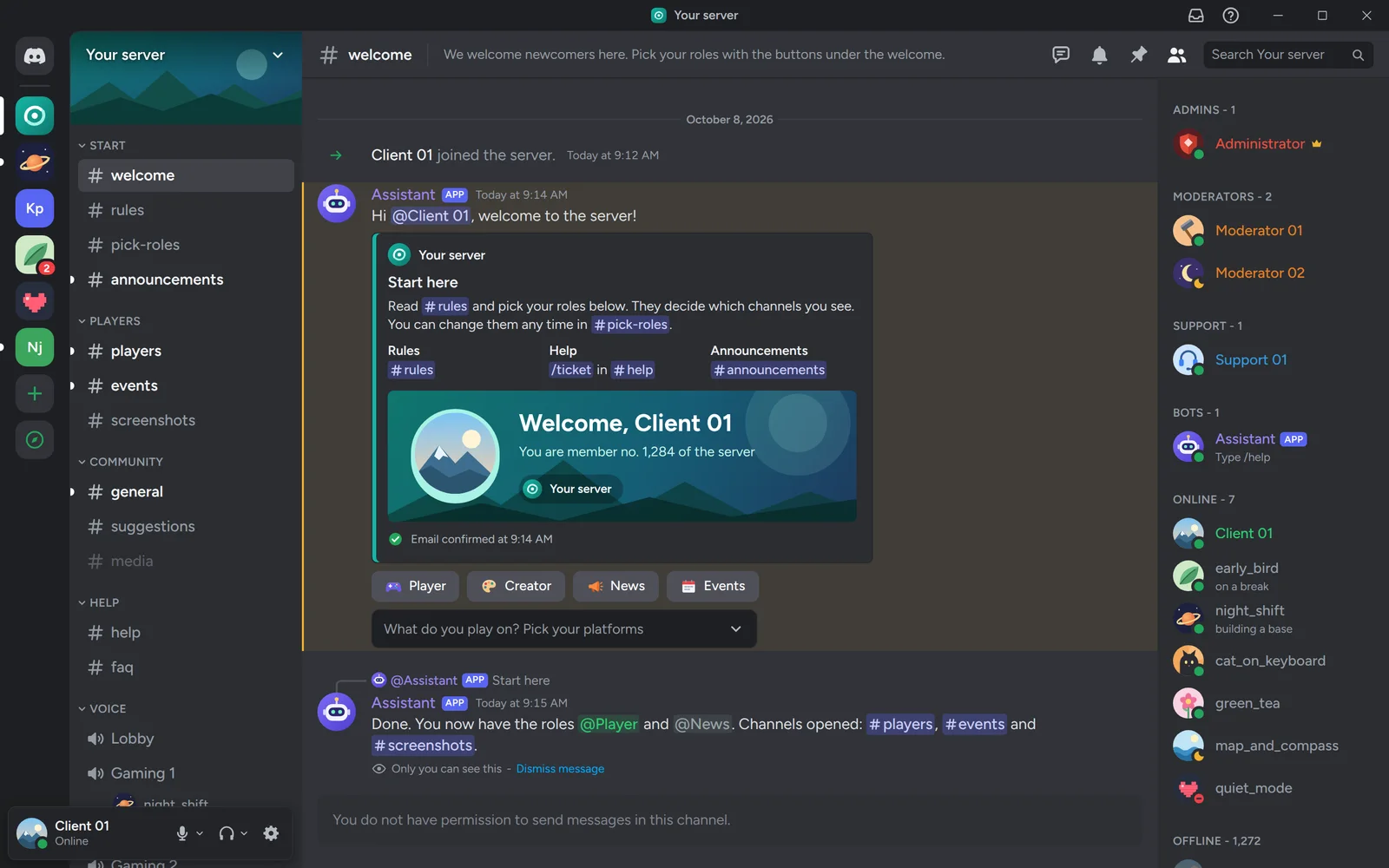
    A Discord server with the bot's welcome in an embed and role buttons

    How our mailcheck bot starts

    Mailcheck is our discord.py 2.7.1 bot that watches mailboxes and answers slash commands. It has three cogs, admin, stats and a message browser, loaded in setup_hook exactly as in the guide.

    One difference: GUILD_ID is optional. With it the commands go to one server at once; without it the bot syncs them globally. At the end setup_hook starts the mail-checking loop in the background, which runs alongside command handling.

    boty/mailcheck/mailcheck.pypython, 20 lines
    class MailcheckBot(commands.Bot):    def __init__(self):        super().__init__(command_prefix="!", intents=discord.Intents.default())        self._last_check: dict[str, float] = {}     async def setup_hook(self):        await self.load_extension("cog_admin")        await self.load_extension("cog_stats")        await self.load_extension("cog_browser")         if GUILD_ID:            guild = discord.Object(id=GUILD_ID)            self.tree.copy_global_to(guild=guild)            synced = await self.tree.sync(guild=guild)        else:            synced = await self.tree.sync()        names = ", ".join(f"/{c.name}" for c in synced)        print(f"[sync] {len(synced)} komend: {names}")         asyncio.create_task(self._mail_loop())

    An excerpt of the mailcheck bot.

    Related pages and sources

    The service, tools and terms this guide leads to, and more guides.

    Official documentation

    Rather have it done by someone who has done it before?

    Describe your system. We reply within an hour with an integration plan and a quote.

    Questions