VulCode
Blog

How to build a Minecraft server store: payment and automatic delivery

Two ways to hand over an item after payment: a command over RCON, and a queue the plugin pulls deliveries from. We show both, with what each one cannot do, on the code of our store in Flaem.

VulCodeVulCode23 min read
How to build a Minecraft server store: payment and automatic delivery - VulCode
What you will buildJava, 6 steps
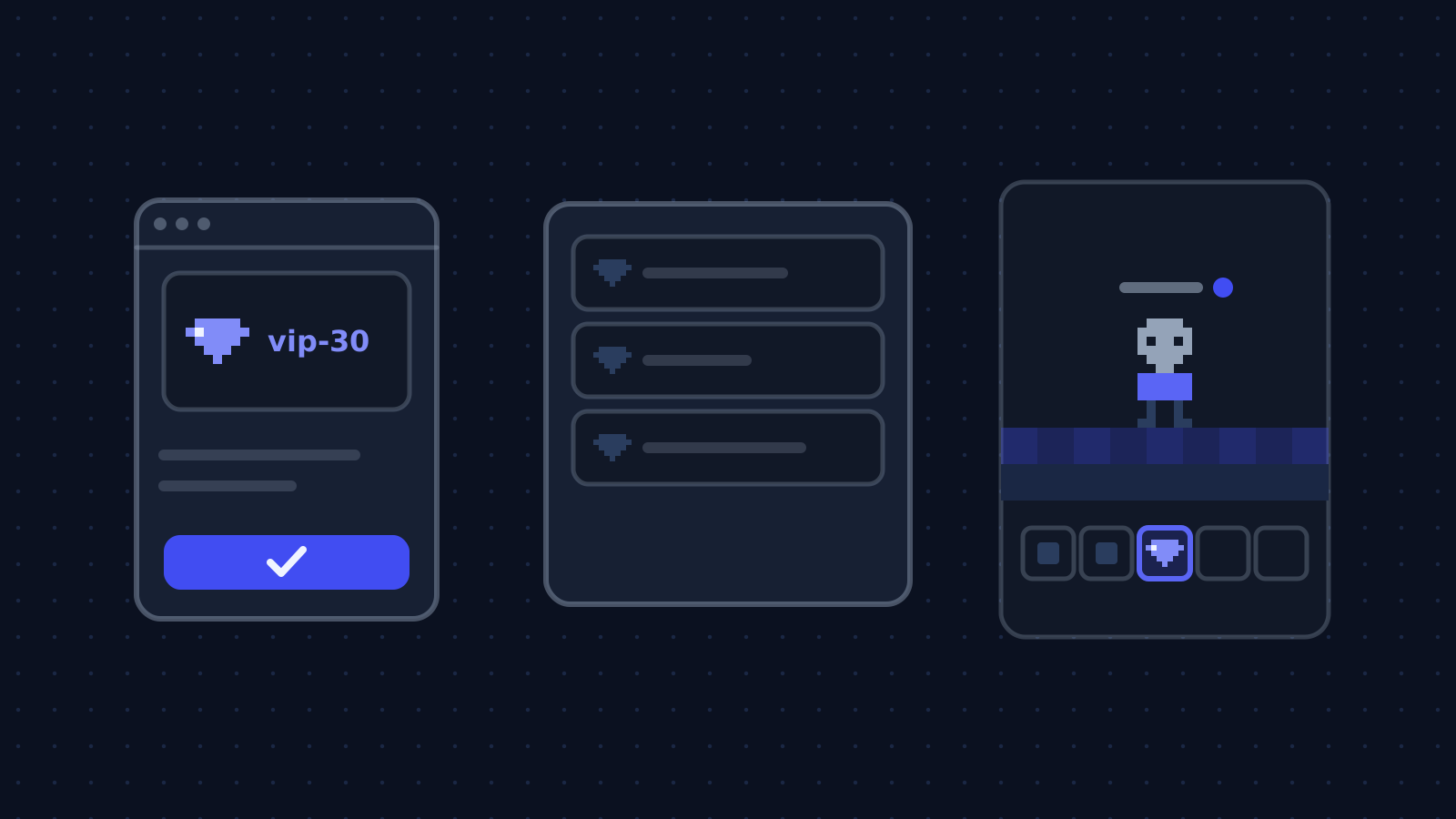
  1. /sklep vip-30In gameThe plugin opens an order for this player.
  2. PaymentBrowserA single-use link, the gateway, verification.
  3. Delivery queueStoreA paid order waits for the server.
  4. DeliveryServerThe plugin delivers when the player is online.

The guide at a glance

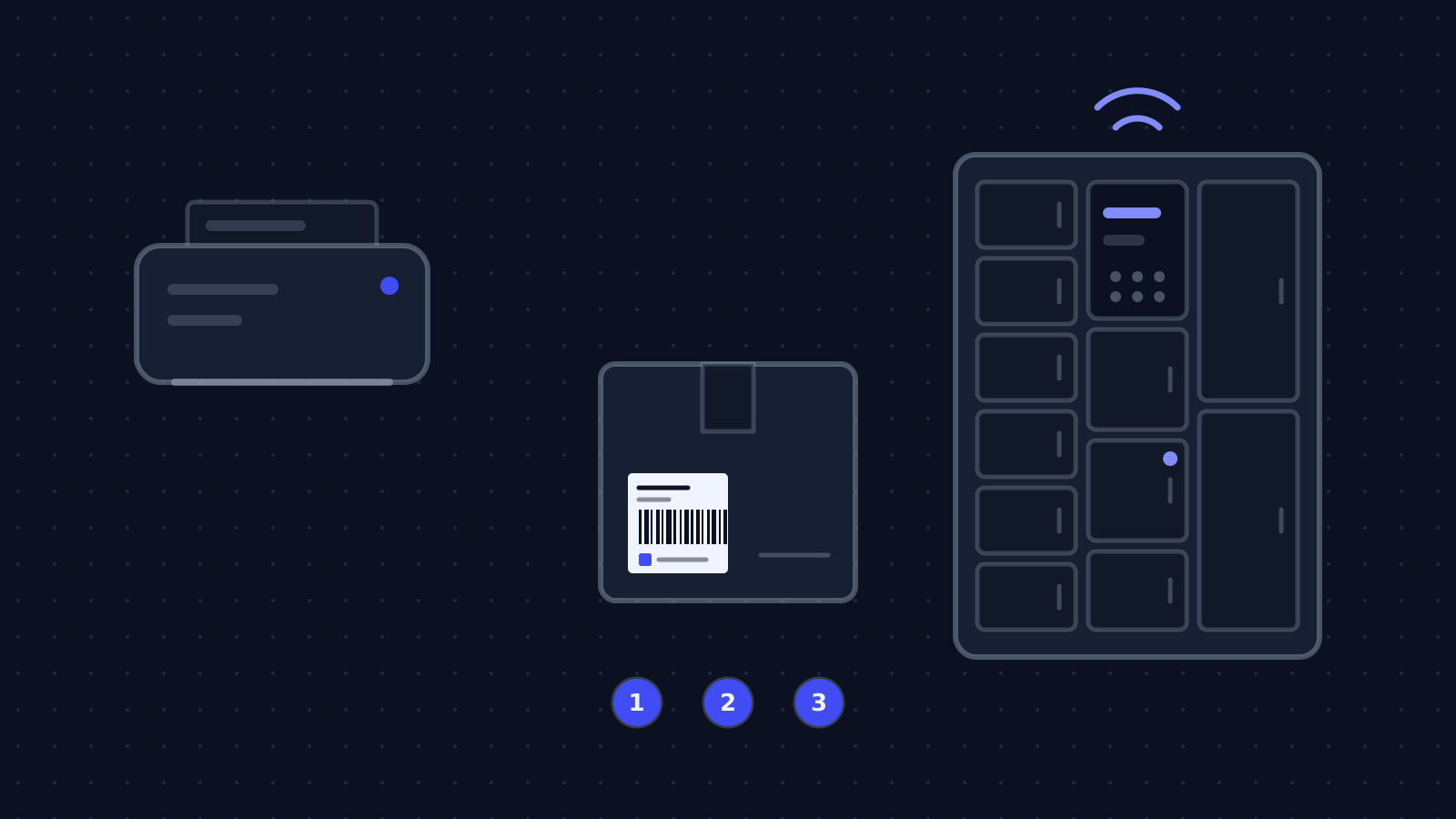
The player types /sklep vip-30, clicks a link, pays, and a few seconds later gets the rank on the server. If they left the game meanwhile, the rank waits until they come back. Nobody types commands by hand and nobody gets the rank twice.

A Minecraft server store

Group
Games and Discord
Level
advanced
Reading time
about 23 min
Code
Java

Files: config.yml, SklepCommand.java, platnosc.sql, rcon.py, dostawy.sql, Dostawy.java.

Steps
6 steps

6 of them with code or commands to copy.

Check
Paper API 26.3.build.157-beta, Java 25, a test RCON server

Both classes compiled, the RCON login packet in the minecraft.wiki format

Documentation
3 official documents

Minecraft Wiki: RCON; Minecraft Usage Guidelines, the part about servers; PaperMC: BasicCommand

From our code
Flaem

frozcore/src/shop/queue.rs

Before you start

We show two ways to deliver. RCON is the simplest but has limits you need to know about. A queue the plugin pulls deliveries from takes more code and removes those limits. That is how the store in our Flaem works.

What you need
A Minecraft server store
A Paper 26.3 server and a plugin
The plugin code in this guide compiles against Paper API 26.3 and Java 25. If you have not written a plugin before, start with the guide to your first Paper plugin.
A payment gateway
Registration, notification and payment verification. We describe it on the Przelewy24 example in a separate guide. An order is paid only after verification, not when the player comes back from the payment page.
A database for the store
Orders, their payment state and delivery state in one row. The SQL examples are for PostgreSQL.
The rules for selling on a server
Mojang's guidelines allow charging for server access and selling cosmetics and entitlements that do not ruin the game for others or give a competitive advantage. Check them before you put together your offer.

RCON or a queue with a plugin

QuestionRCONQueue with a plugin
An open port on the game serverYes, TCP, unencryptedNo, the plugin connects out over HTTPS
Player offline when payingThe command runs without the playerThe delivery waits until the player joins
Protection against double deliveryNone, you have to add itLease and acknowledgement
Amount of codeSmallA plugin and two endpoints

Step by step

6 steps. The window beside them shows the file of the step you are reading.

Describe items by keys, not commands

In the store database an item has a delivery key, for example vip-30, not a ready command. Only the plugin on the server knows what the key means, from its own config.yml. That way whoever edits prices in the store panel does not get access to the server console.

Open the order from the game, not from a form

A name is not an identity: anyone can type someone else's, and on many servers names change. So the plugin, which knows the player's UUID, opens the order and receives a single-use payment link. The player's browser never tells the store who is buying.

The HTTP request goes asynchronously, and the reply to the player comes back to the server thread with runTask. The link expires after 60 minutes so an abandoned order is not an offer that can be used a month later at an old price.

After verifying the payment, queue the delivery

When the gateway confirms the payment, in the same database transaction you mark the order paid and set its delivery state to queued. Money taken with nothing to deliver is a state the database should not be able to hold.

The simple way: a command over RCON

You enable RCON in server.properties: enable-rcon=true, rcon.password and rcon.port, 25575 by default. A packet has a length, a request id, a type and a payload, with little-endian integers. Type 3 is login, type 2 is a command. The server signals a wrong password with request id -1.

RCON is not encrypted, so the port must never be open to the internet: localhost or a private network between the store and the server only. And RCON does not know whether the player is online, so /give for an offline player fails, and a store that does not read the server's reply counts the delivery as done.

The full way: a queue with leases

Every few seconds the plugin asks the store for deliveries. The store does not just hand them out, it leases them: the rows get a token and an expiry, and until it passes no other request sees them. A plugin that asks twice therefore does not deliver twice.

The acknowledgement is one conditional UPDATE that only passes with the current token. A repeated acknowledgement changes nothing, and an expired lease goes back into the queue.

The plugin that delivers

Network polling runs in an asynchronous task every 15 seconds. The player check and the commands go back to the server's main thread, because only there may you call dispatchCommand. An offline player is an ordinary case: the plugin does not acknowledge, the lease expires after 10 minutes and the store offers the delivery again.

Note
This is at-least-once delivery, not exactly-once. A plugin that delivers and dies before acknowledging gets the same delivery again. The attempts field tells it this is not the first try: remember the ids of delivered orders before delivering anything a second time.
Code windowstep 1 of 6
plugins/Sklep/config.ymlNew file, 7 lines
# config.yml pluginu: co oznacza każdy klucz dostawyprzedmioty:  vip-30:    - "lp user {gracz} parent addtemp vip 30d"    - "tellraw {gracz} {\"text\":\"Dziękujemy za VIP-a!\",\"color\":\"gold\"}"  diamenty-64:    - "give {gracz} minecraft:diamond 64"
SklepCommand.javaNew file, 40 lines
public final class SklepCommand implements BasicCommand {     private final JavaPlugin plugin;    private final HttpClient http = HttpClient.newHttpClient();    private final String api;    private final String token;     public SklepCommand(JavaPlugin plugin, String api, String token) {        this.plugin = plugin;        this.api = api;        this.token = token;    }     @Override    public void execute(CommandSourceStack source, String[] args) {        if (!(source.getExecutor() instanceof Player player) || args.length != 1) {            source.getSender().sendRichMessage("<gray>Użycie: /sklep <przedmiot>");            return;        }        JsonObject body = new JsonObject();        body.addProperty("gracz_uuid", player.getUniqueId().toString());        body.addProperty("gracz_nick", player.getName());        body.addProperty("przedmiot", args[0]);        HttpRequest request = HttpRequest.newBuilder(URI.create(api + "/zamowienia"))            .header("Authorization", "Bearer " + token)            .header("Content-Type", "application/json")            .POST(HttpRequest.BodyPublishers.ofString(body.toString()))            .build();        http.sendAsync(request, HttpResponse.BodyHandlers.ofString()).thenAccept(response ->            Bukkit.getScheduler().runTask(plugin, () -> {                if (response.statusCode() != 201) {                    player.sendRichMessage("<red>Nie udało się otworzyć zamówienia. Spróbuj za chwilę.");                    return;                }                String link = JsonParser.parseString(response.body()).getAsJsonObject().get("link").getAsString();                player.sendMessage(Component.text("Kliknij, żeby zapłacić (link działa 60 minut)", NamedTextColor.GREEN)                    .clickEvent(ClickEvent.openUrl(link)));            }));    }}
platnosc.sqlNew file, 4 lines
-- w tej samej transakcji, w której weryfikujesz płatność w bramceUPDATE zamowienia   SET oplacone_at = now(), stan_dostawy = 'w_kolejce' WHERE id = $1 AND oplacone_at IS NULL;
rcon.pyNew file, 42 lines
import socketimport struct  class Rcon:    """Klient RCON Minecrafta: pakiety little-endian, typ 3 to logowanie, typ 2 to komenda."""     def __init__(self, host: str, port: int, password: str) -> None:        self.sock = socket.create_connection((host, port), timeout=5)        self.next_id = 0        request_id = self._send(3, password)        reply_id, _ = self._read()        if reply_id == -1 or reply_id != request_id:            raise PermissionError("RCON: złe hasło")     def _send(self, kind: int, payload: str) -> int:        self.next_id += 1        body = struct.pack("<ii", self.next_id, kind) + payload.encode("utf-8") + b"\x00\x00"        self.sock.sendall(struct.pack("<i", len(body)) + body)        return self.next_id     def _read(self) -> tuple[int, str]:        (length,) = struct.unpack("<i", self._exact(4))        data = self._exact(length)        request_id, _kind = struct.unpack("<ii", data[:8])        return request_id, data[8:-2].decode("utf-8", "replace")     def _exact(self, size: int) -> bytes:        chunks = b""        while len(chunks) < size:            chunk = self.sock.recv(size - len(chunks))            if not chunk:                raise ConnectionError("RCON: połączenie zamknięte")            chunks += chunk        return chunks     def command(self, command: str) -> str:        request_id = self._send(2, command)        reply_id, text = self._read()        if reply_id != request_id:            raise RuntimeError("RCON: odpowiedź na inne żądanie")        return text
dostawy.sqlNew file, 21 lines
-- POST /dostawy/dzierzawa: maksymalnie 50 dostaw, które ten serwer jest winnyWITH due AS (    SELECT id FROM zamowienia     WHERE serwer_id = $1       AND (stan_dostawy = 'w_kolejce'            OR (stan_dostawy = 'wydzierzawione' AND dzierzawa_do < now()))     ORDER BY oplacone_at     LIMIT 50     FOR UPDATE SKIP LOCKED)UPDATE zamowienia z   SET stan_dostawy = 'wydzierzawione', dzierzawa_token = $2,       dzierzawa_do = now() + interval '10 minutes', proby = z.proby + 1  FROM due WHERE z.id = due.idRETURNING z.id, z.gracz_uuid, z.klucz, z.proby; -- POST /dostawy/{id}/potwierdz: zalicza tylko ten, kto trzyma aktualną dzierżawęUPDATE zamowienia   SET stan_dostawy = 'dostarczone', dostarczone_at = now() WHERE id = $1 AND serwer_id = $2 AND dzierzawa_token = $3   AND stan_dostawy = 'wydzierzawione';
Dostawy.javaNew file, 61 lines
public final class Dostawy {     private final JavaPlugin plugin;    private final HttpClient http = HttpClient.newBuilder().connectTimeout(Duration.ofSeconds(10)).build();    private final String api;    // https://sklep.example/api/serwer    private final String token;  // token tego serwera z panelu sklepu     public Dostawy(JavaPlugin plugin, String api, String token) {        this.plugin = plugin;        this.api = api;        this.token = token;    }     public void start() {        Bukkit.getScheduler().runTaskTimerAsynchronously(plugin, this::pobierz, 20L, 20L * 15);    }     private void pobierz() {        JsonObject lease = post("/dostawy/dzierzawa", "{}");        if (lease == null) return;        String leaseToken = lease.get("lease_token").getAsString();        for (JsonElement element : lease.getAsJsonArray("dostawy")) {            JsonObject dostawa = element.getAsJsonObject();            UUID gracz = UUID.fromString(dostawa.get("gracz_uuid").getAsString());            String klucz = dostawa.get("klucz").getAsString();            String id = dostawa.get("id").getAsString();            Bukkit.getScheduler().runTask(plugin, () -> nadaj(leaseToken, id, gracz, klucz));        }    }     /** Wątek główny serwera: tylko tu wolno sprawdzić gracza i wykonać komendę. */    private void nadaj(String leaseToken, String id, UUID uuid, String klucz) {        Player player = Bukkit.getPlayer(uuid);        if (player == null) return;  // offline: dzierżawa wygaśnie, sklep zaproponuje dostawę ponownie        List<String> komendy = plugin.getConfig().getStringList("przedmioty." + klucz);        boolean wszystkie = !komendy.isEmpty();        for (String komenda : komendy) {            wszystkie &= Bukkit.dispatchCommand(Bukkit.getConsoleSender(), komenda.replace("{gracz}", player.getName()));        }        String uwaga = wszystkie ? "nadano" : "nieznany klucz albo komenda";        Bukkit.getScheduler().runTaskAsynchronously(plugin, () ->            post("/dostawy/" + id + "/potwierdz", "{\"lease_token\":\"" + leaseToken + "\",\"uwaga\":\"" + uwaga + "\"}"));    }     private JsonObject post(String path, String body) {        try {            HttpRequest request = HttpRequest.newBuilder(URI.create(api + path))                .timeout(Duration.ofSeconds(15))                .header("Authorization", "Bearer " + token)                .header("Content-Type", "application/json")                .POST(HttpRequest.BodyPublishers.ofString(body))                .build();            HttpResponse<String> response = http.send(request, HttpResponse.BodyHandlers.ofString());            if (response.statusCode() != 200) return null;            return JsonParser.parseString(response.body()).getAsJsonObject();        } catch (Exception e) {            plugin.getLogger().fine("Sklep niedostępny, spróbuję za 15 s: " + e.getMessage());            return null;        }    }}

Check that it works

We compiled both plugin classes, SklepCommand and Dostawy, on 6 October 2026 against Paper API 26.3.build.157-beta with Java 25. We checked the RCON client against a test server written from the packet format on minecraft.wiki, not against a real Minecraft server. The login packet with the password "tajne" looks like the one below.

terminal6 October 2026Paper API 26.3.build.157-beta, Java 25, a test RCON server
$ gradle build
com/example/sklep/Dostawy.class
com/example/sklep/SklepCommand.class
$ python rcon_test.py
pakiet logowania (typ 3, id 1, "tajne"):
0f 00 00 00 01 00 00 00 03 00 00 00 74 61 6a 6e 65 00 00
Both classes compiled, the RCON login packet in the minecraft.wiki format
What the output lines mean
  1. lines 1-3The plugin classes

    SklepCommand and Dostawy compiled against Paper API 26.3.build.157-beta with Java 25.

  2. lines 4-5The RCON client

    Checked against a test server written to the packet format of minecraft.wiki, not against a real Minecraft server.

  3. lines 6The packet byte by byte

    Length 15, id 1, type 3, the password "tajne" and two zero bytes at the end; numbers written least significant byte first.

How you know it works on your side

  • /sklep vip-30 answers in game with a clickable link.
  • After the payment is verified the order is in the queued state.
  • An online player gets the item within 15 seconds and the order moves to delivered.
  • An offline player gets the item after joining, and two parallel plugin polls do not produce two deliveries.

The errors you will meet

The same path as "What you will build" at the top of the page, with the places where the work stops most often. For each error: the symptom, the cause and what to do.

Where it stops and why

/sklep vip-30

In game

The plugin opens an order for this player.

    Payment

    Browser

    A single-use link, the gateway, verification.

      Delivery queue

      Store

      A paid order waits for the server.

      • Stops here: A rank delivered twice

        The plugin asked again after a timeout and the store returned the same deliveries. What to do: Lease deliveries with a token and acknowledge with a conditional UPDATE.

      Delivery

      Server

      The plugin delivers when the player is online.

      • Stops here: Connection refused on the RCON port

        enable-rcon=false or a different rcon.port than in the store. What to do: Enable RCON in server.properties and restart the server.

      • Stops here: An RCON reply with request id -1

        A wrong password, or a command sent before logging in. What to do: Log in with a type 3 packet carrying rcon.password before the first command.

      • Stops here: The player paid and got nothing

        An RCON command run while the player was offline. What to do: Check the player is online before delivering, or switch to the plugin queue.

      • Stops here: An exception from dispatchCommand in an async task

        The command was called off the server's main thread. What to do: Hand the delivery to the main thread with Bukkit.getScheduler().runTask.

      How we do it in our own code

      The same topic in code we maintain: Flaem.

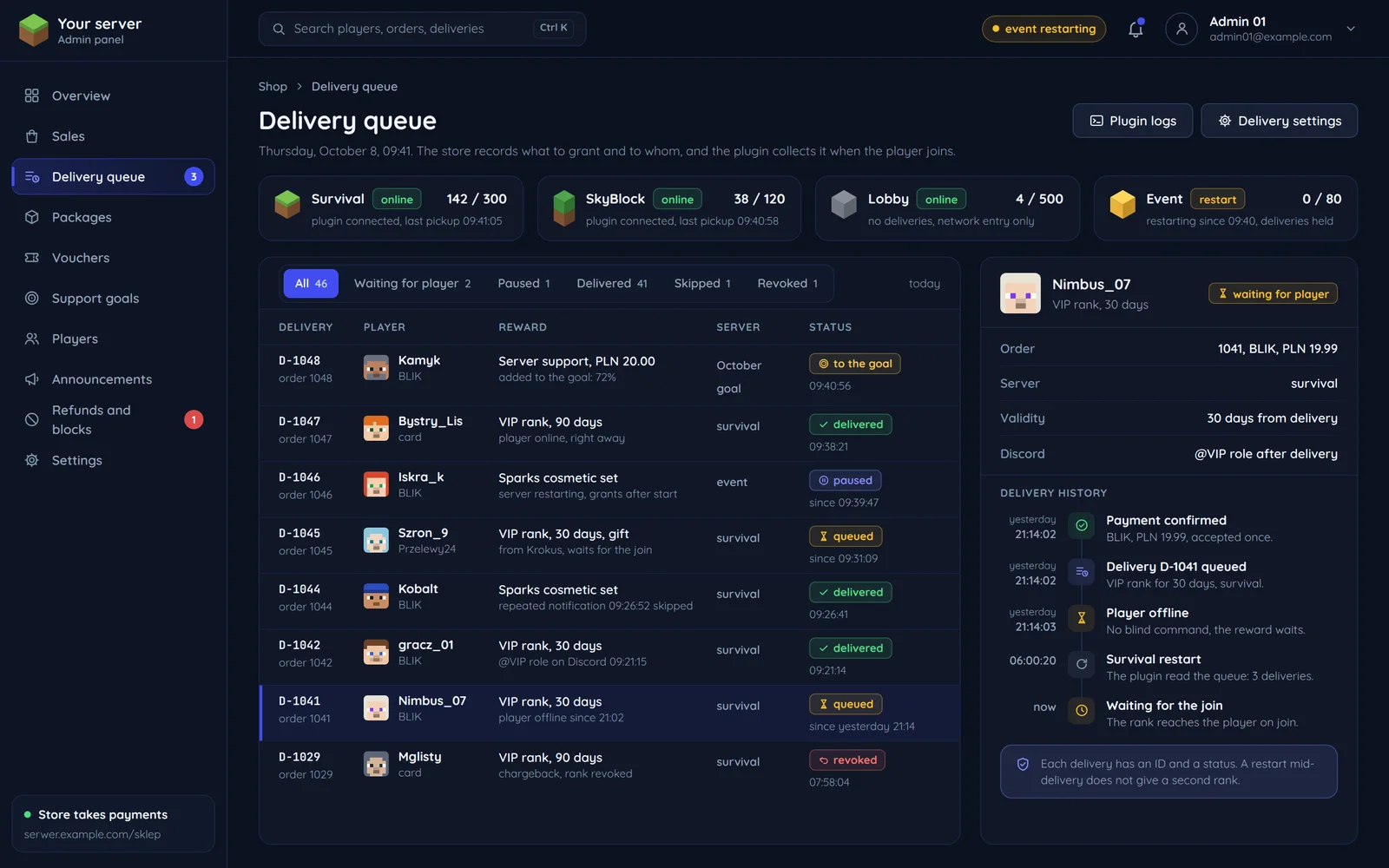
      A server store panel with the queue of rewards waiting for players

      The item shop in Flaem

      This guide is a simplified version of the shop we built in Flaem: frozcore/src/shop. Players have no account or password there; they are identified by what the game itself reports, such as the Minecraft account UUID, and the plugin vouches for that identity with the server's token. An item cannot carry a console command, precisely so that permission to edit the shop is not console access.

      Flaem also accepts purchases from ready-made stores: Tebex, CraftingStore and ItemShop.pl. We turn their HMAC-signed webhooks into the same delivery queue, and the frozcraft plugin pulls them like deliveries from the built-in shop.

      frozcore/src/shop/queue.rsrust, 18 lines
      //! The queue the plugin works from: what a server owes its players, leased out,//! handed over and acknowledged.//!//! A plugin will ask twice. It restarts, its HTTP call times out after the answer//! was already written, an operator starts a second copy of the server by mistake.//! A queue that answered the second poll with the same rows would have the plugin//! hand the same rank over twice.//!//! So a poll LEASES what it returns: the rows move to `leased` with a lease token//! and an expiry, and no second poll sees them while the lease is live. Delivery is//! acknowledged against that token, and the acknowledgement is one conditional//! `UPDATE`, so a duplicated acknowledgement is a no-op rather than a second//! delivery. /// How long a lease holds a delivery. Generous, because it covers a plugin that has/// taken the item list and is waiting for the player to be online; bounded, because/// a server that dies holding a lease must not owe the player forever.pub const LEASE_TTL_MINUTES: i64 = 10;

      The delivery queue as described in the Flaem source.

      Related pages and sources

      The service, tools and terms this guide leads to, and more guides.

      Official documentation

      Rather have it done by someone who has done it before?

      Describe your system. We reply within an hour with an integration plan and a quote.

      Questions