VulCode

Software for commerce, tech companies and services

Stores and B2B wholesale connected to ERP, MVPs for startups, modules for SaaS companies, delivery for agencies, healthtech, development and real estate agency websites, and local service websites for clinics, law firms and builders.

All industries
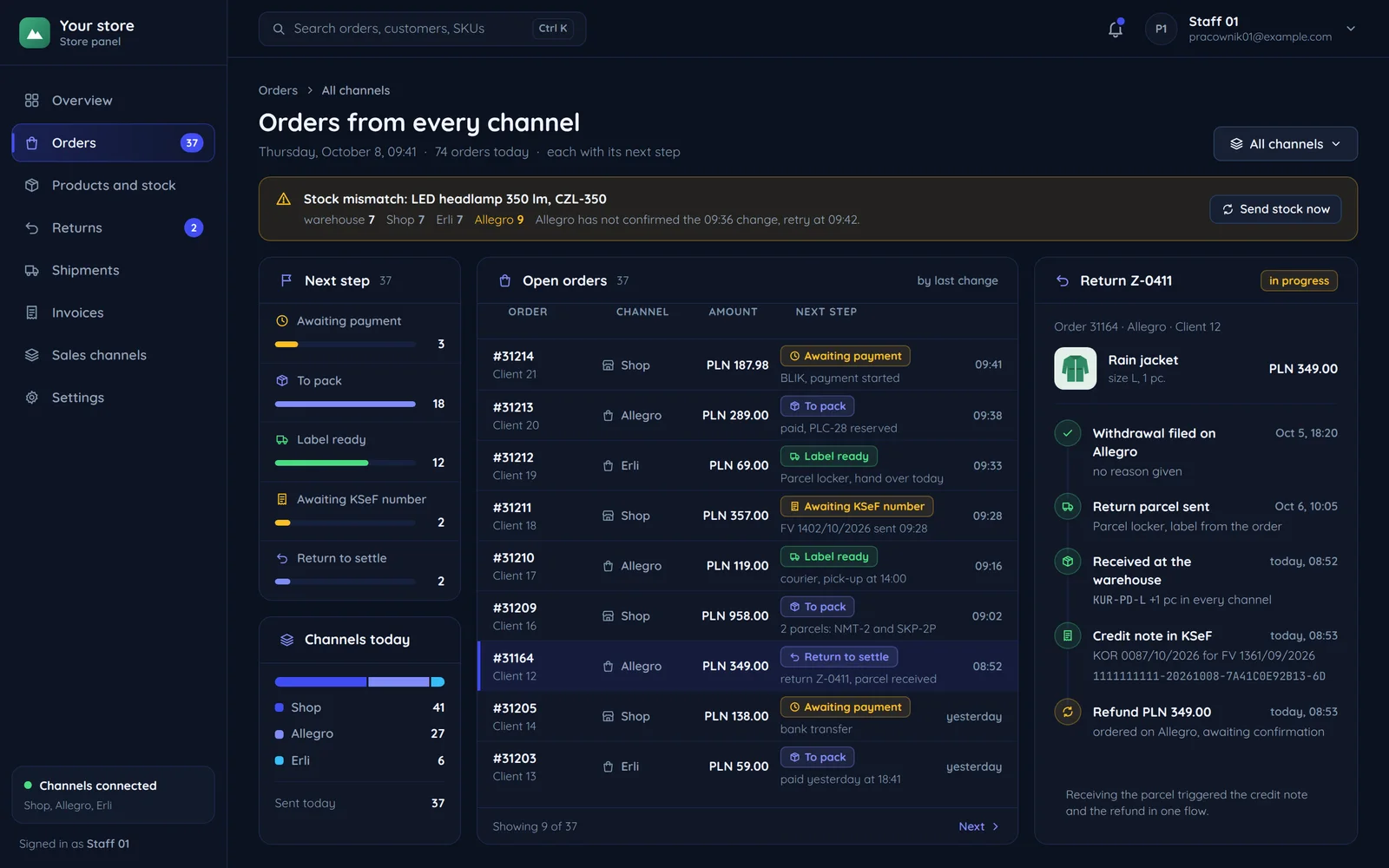
A store panel with orders from the store, Allegro and Erli and the next step of each
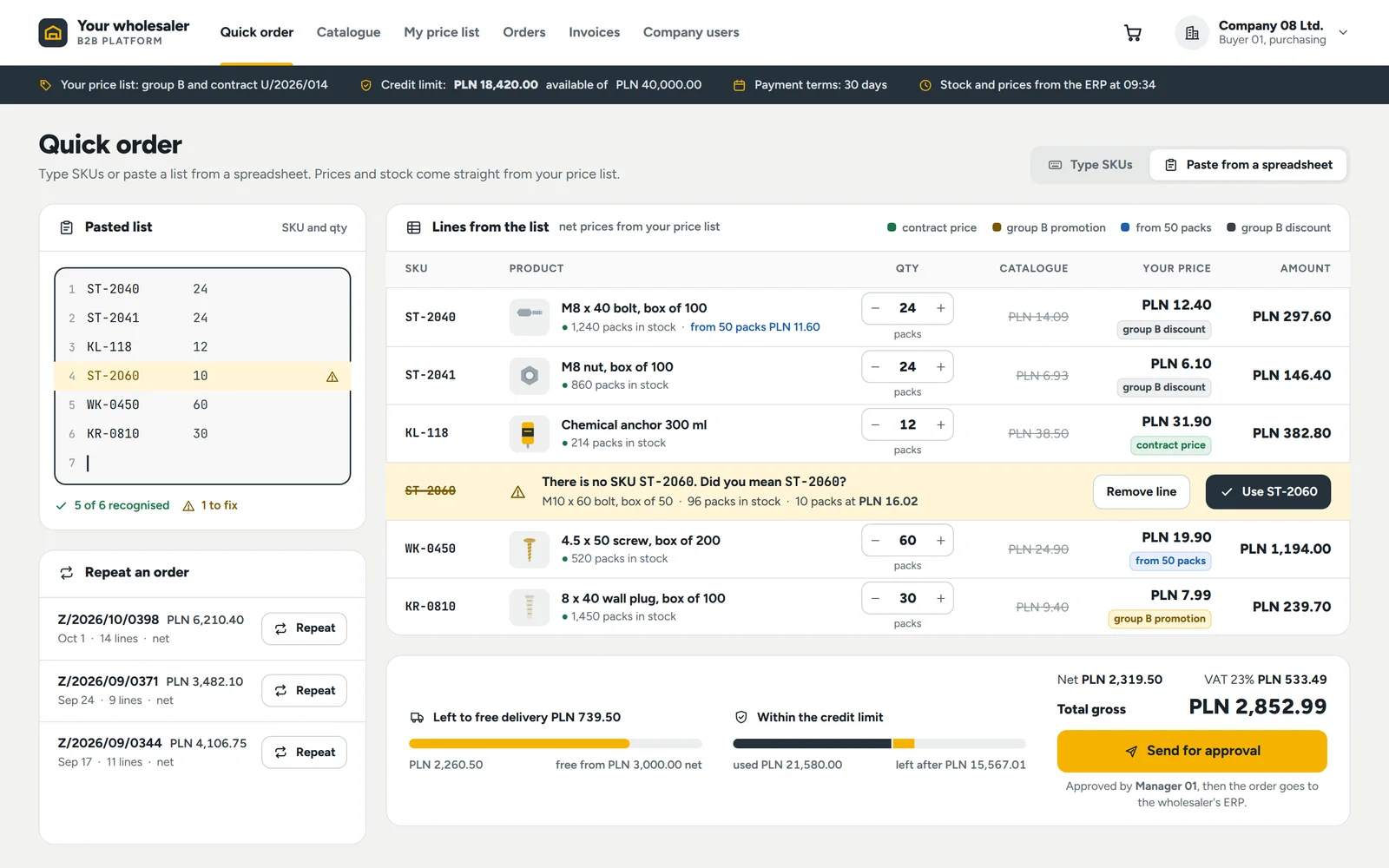
A quick order on a wholesale platform with prices from the customer's price list and a credit limit
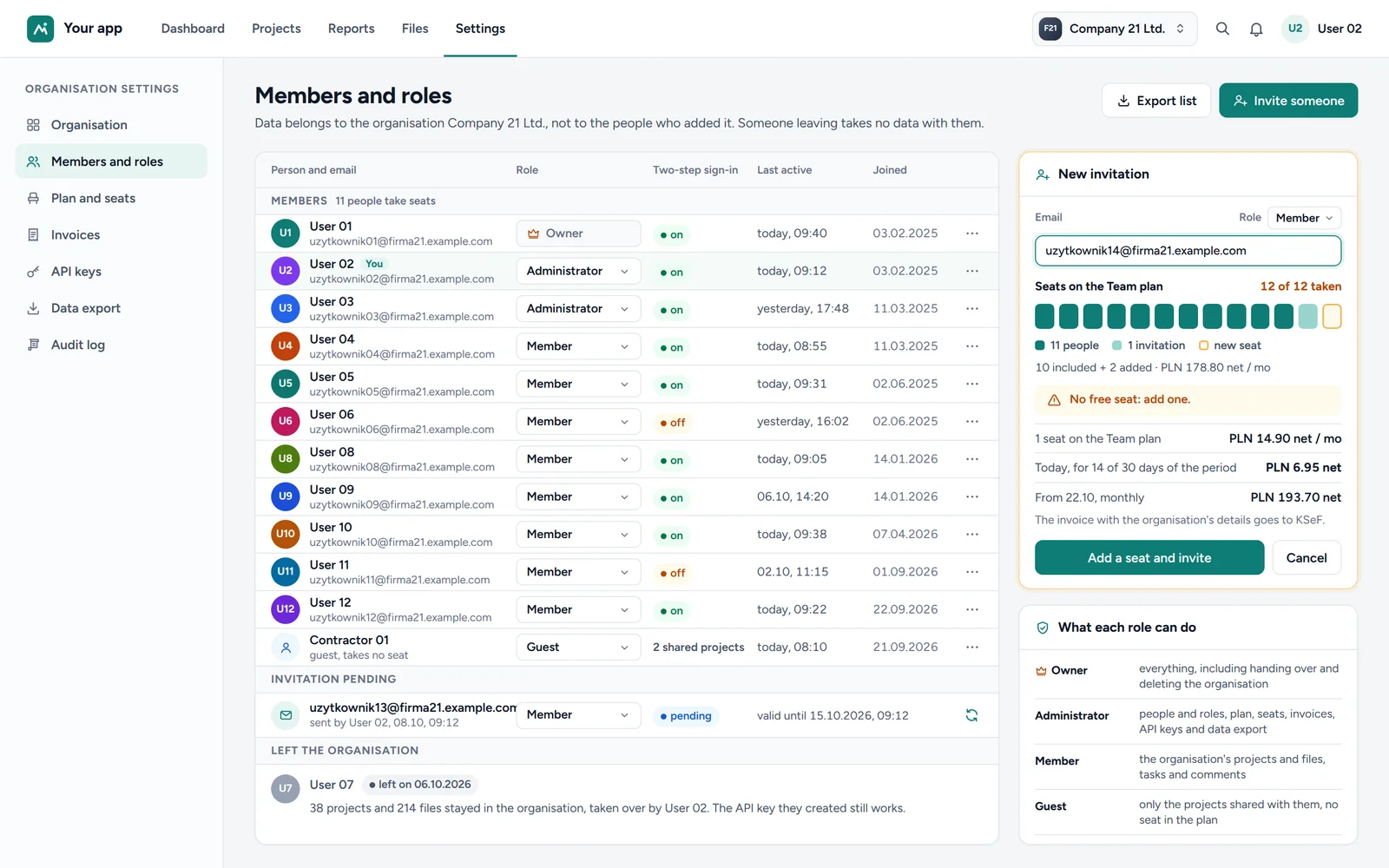
An organisation's members and roles in a SaaS app with a seat plan

Industries we build for

Each has its own page with a mockup, regulations, a rollout and a quote. Clinics, law firms and builders belong to local services.

Stores, wholesale and startups

What they come with

Orders from Allegro, the store and email in three places, with stock counted by hand. Regular customers order by email and phone, with prices from the sales rep's memory. An idea to test, a limited budget and the risk of a first version that is too big.

What we build
  • E-commerce: a store that meets consumer and Omnibus rules, connected to Allegro, BaseLinker and ERP.
  • B2B and wholesale: a B2B platform with individual prices, credit limits and ERP integration.
  • Startups and MVPs: an MVP with accounts, payments and measurement, containing only what tests the hypothesis.
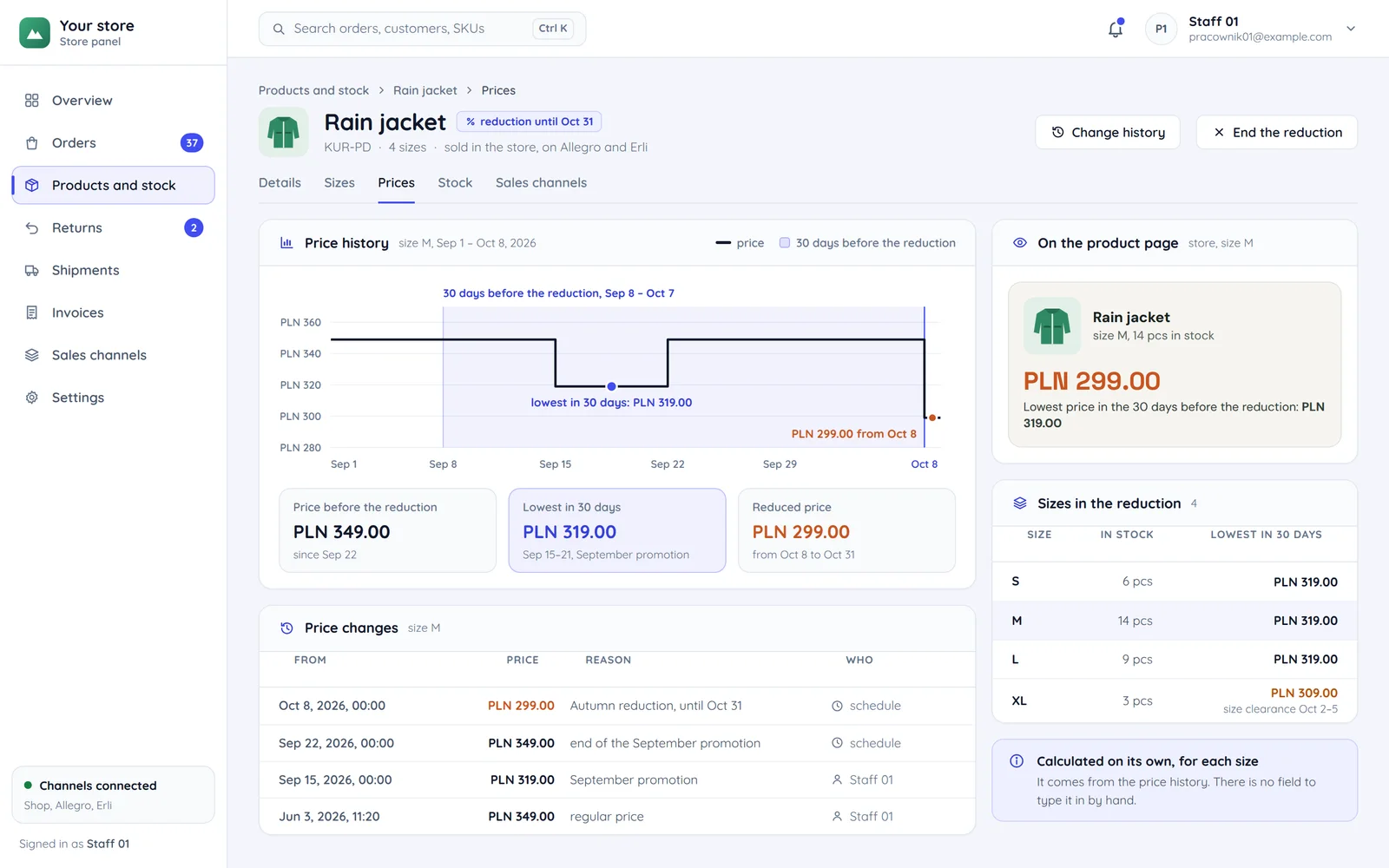
A store panel with a product's price history and the lowest price in the 30 days before a discount

Tech companies

What they come with

A roadmap longer than the team, and every new module slows the rest of the product. The design is ready, but there is no team to build it pixel for pixel. Health data, devices and the question of whether the software is a medical device.

What we build
  • SaaS companies: platform modules, a public API, infrastructure and monitoring, plus a code audit before expansion.
  • Agencies: builds from the agency's design under its brand, with an NDA and an agreed scope of client contact.
  • Healthtech: a platform and staff panel with access control, audit logs and device integration.
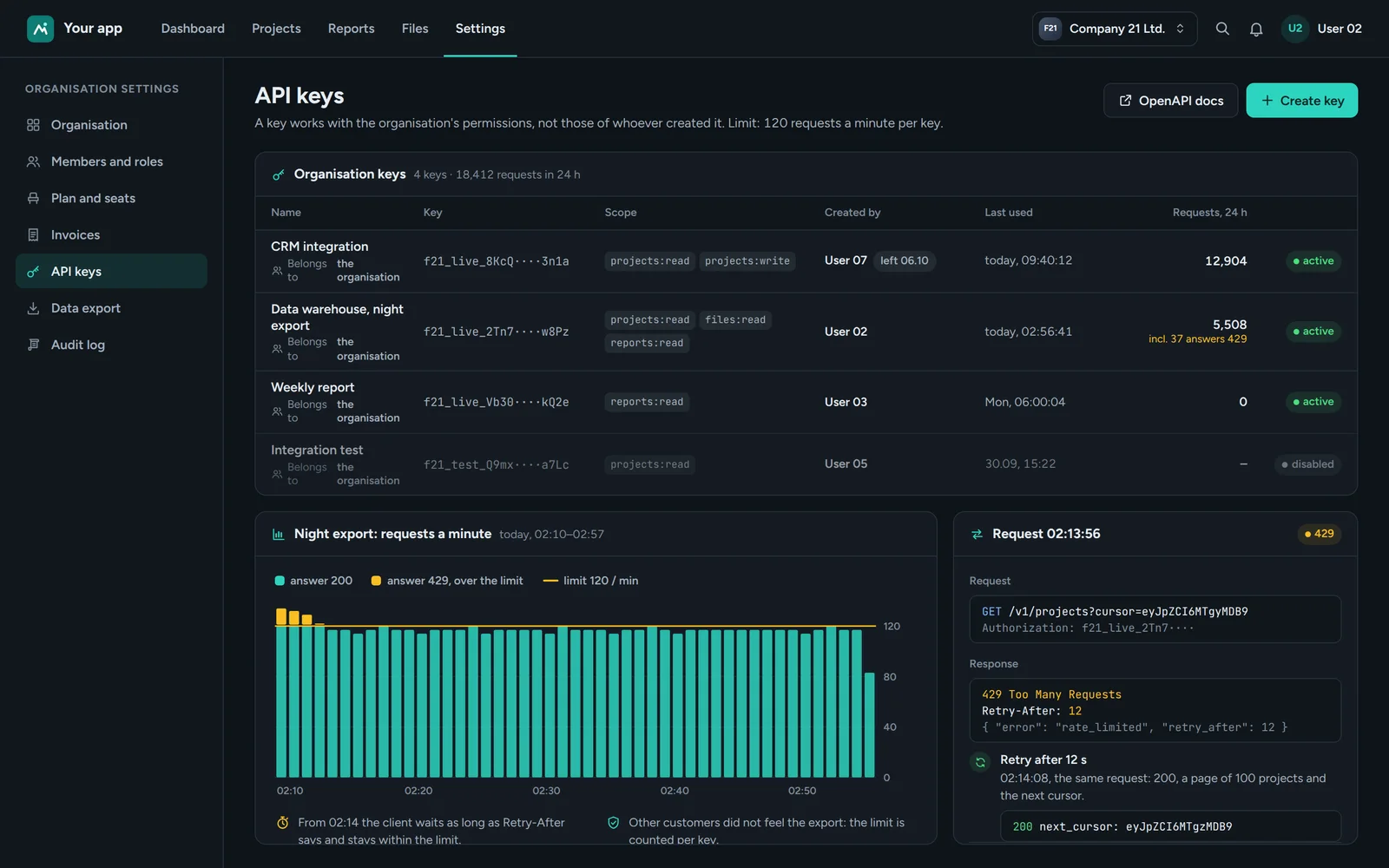
An organisation's API keys in a SaaS app with scopes, usage and a per-minute request limit

Real estate

What they come with

A PDF price list to keep updated, and a new price transparency duty. Listings typed into the website a second time and a form that lands in the office inbox.

What we build
  • Property developers: a development website with a flat finder, price history and data export.
  • Real estate agencies: an agency website with listing import, map search and a form to the agent.
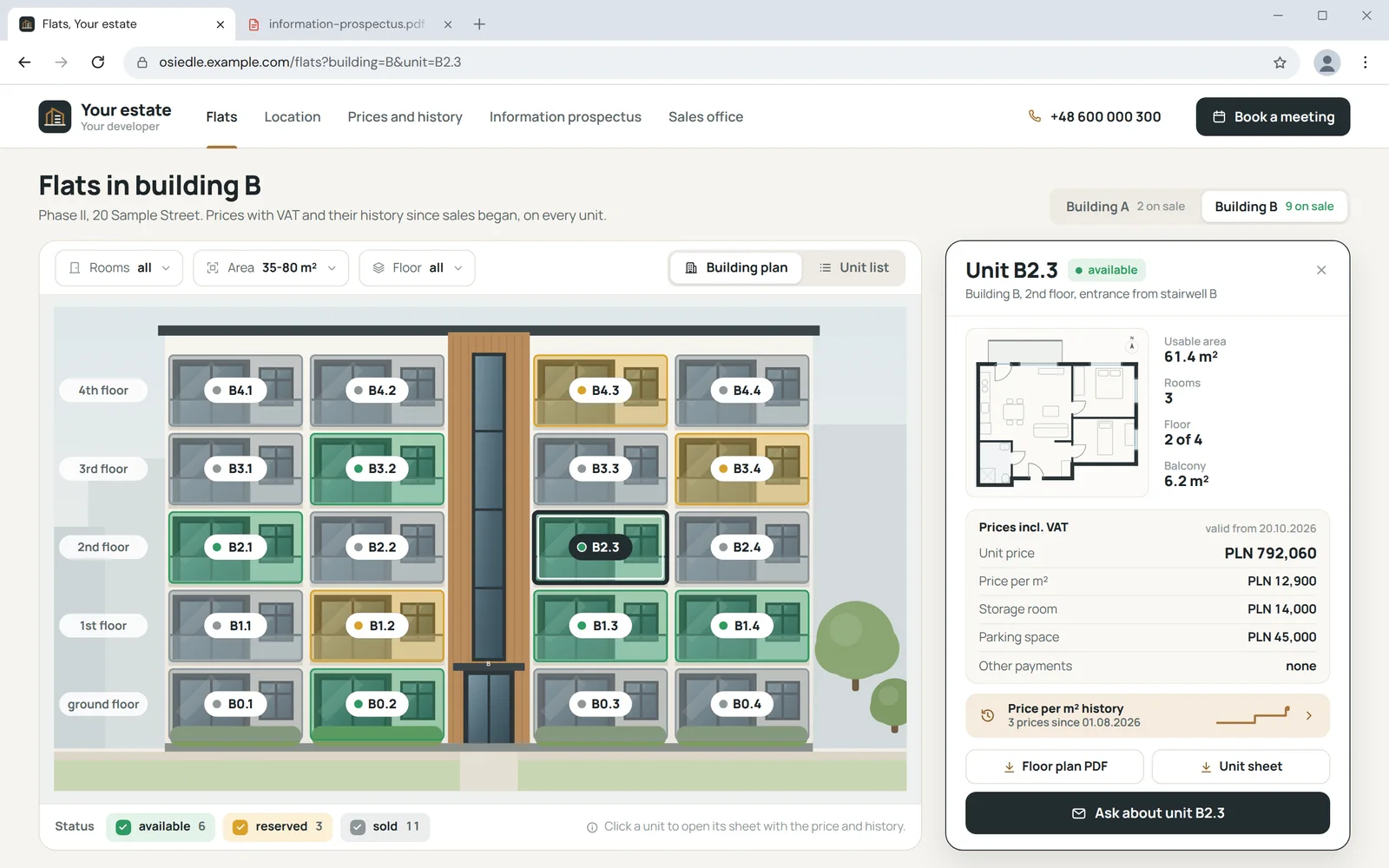
A flat finder on a building plan with the flat's card, price and price history

Local services

What they come with

Customers search nearby, and the website does not say where and when to come. Bookings by phone during working hours and health data in an ordinary form. Ethics rules limit what you may write, and clients email their documents. Enquiries without measurements or photos, and the project gallery on social media.

What we build
  • Local services: a website with booking, prices and a Google profile, ready for local search.
  • Clinics: a practice website with booking, reminders and protection for special category data.
  • Law firms: a law firm website within bar rules and a secure document upload form.
  • Builders: a website with before and after galleries, a quote form with photos and a service area.
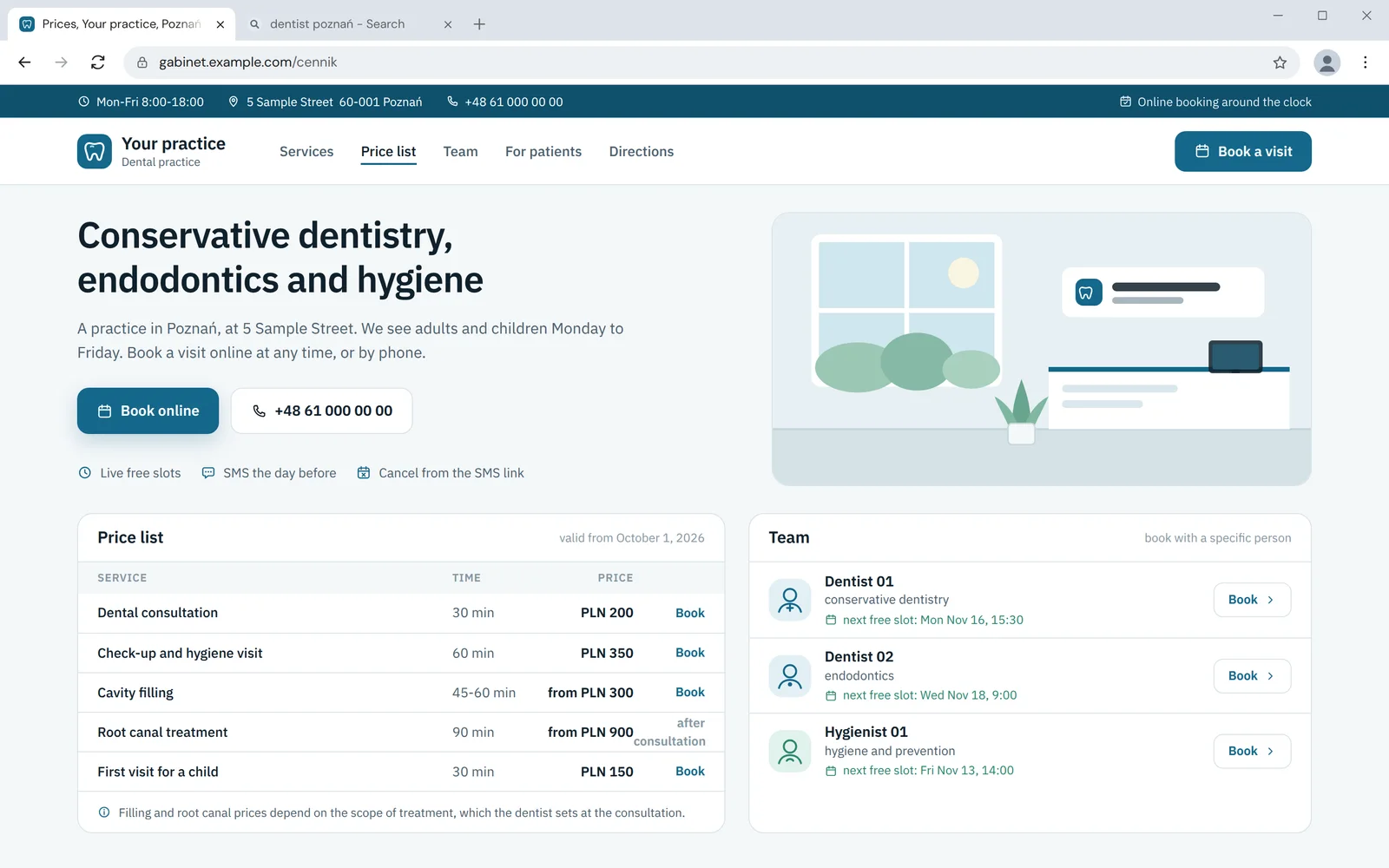
A practice website with online booking, a price list and the team's free slots

Projects from these industries

Real projects you can open and check.

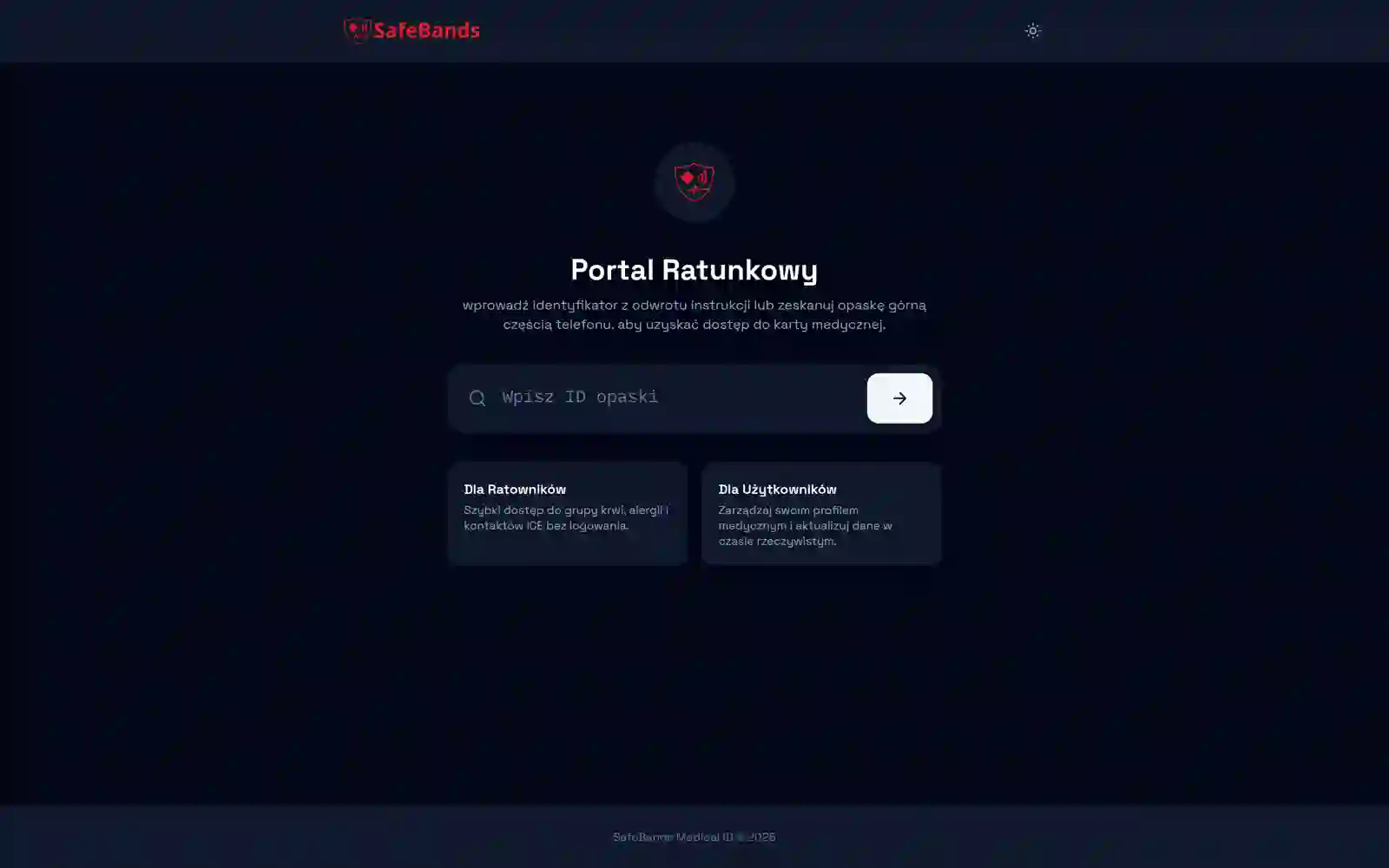
SafeBands: a full system in two weeks

  1. Delivery time: 2 weeks

    A web app connected to wristbands for rescuers: role-based accounts, live device data monitoring and a rescue portal without sign-in.
  2. Role-based accounts

    User accounts with role-based access control.
  3. Live wristband data

    Real-time device monitoring and alerts.

What changes after the rollout

Examples from different industries in this group. They share one thing: data is entered once.

Today

One Allegro order today

  • The order in two panels
  • Stock corrected by hand after the sale
  • The invoice retyped at the end of the day
  • The tracking number retyped into the order
After the rollout

The same order after the rollout

  • One order view for the store and Allegro
  • Stock goes down everywhere at once
  • An invoice with a KSeF number in the customer account
  • The label and tracking number without retyping

Orders from the store and Allegro

Today: Two panels, stock corrected by hand after every sale.

After the rollout: One order view, with stock going down everywhere at once through BaseLinker or the ERP.

Prices for B2B customers

Today: The sales rep remembers discounts and answers order emails.

After the rollout: Customers sign in and see their prices, credit limit and document history from the ERP.

Invoices for companies

Today: Retyped into the accounting system at the end of the day.

After the rollout: An invoice with a KSeF number in the customer account right after it is issued, with no retyping.

Flat price list

Today: A PDF updated by hand after every price change.

After the rollout: Prices and their history on the development website and in a daily data export.

Clinic appointments

Today: Phone calls during working hours and reminders sent by hand.

After the rollout: Online booking at any time and a reminder before the visit.

Documents from law firm clients

Today: Scans by email, next to newsletters.

After the rollout: A secure form, with only the matter number in the confirmation.

An order from cart to invoice

In stores and B2B the most time is lost between systems. So we build for data to flow from a single source.

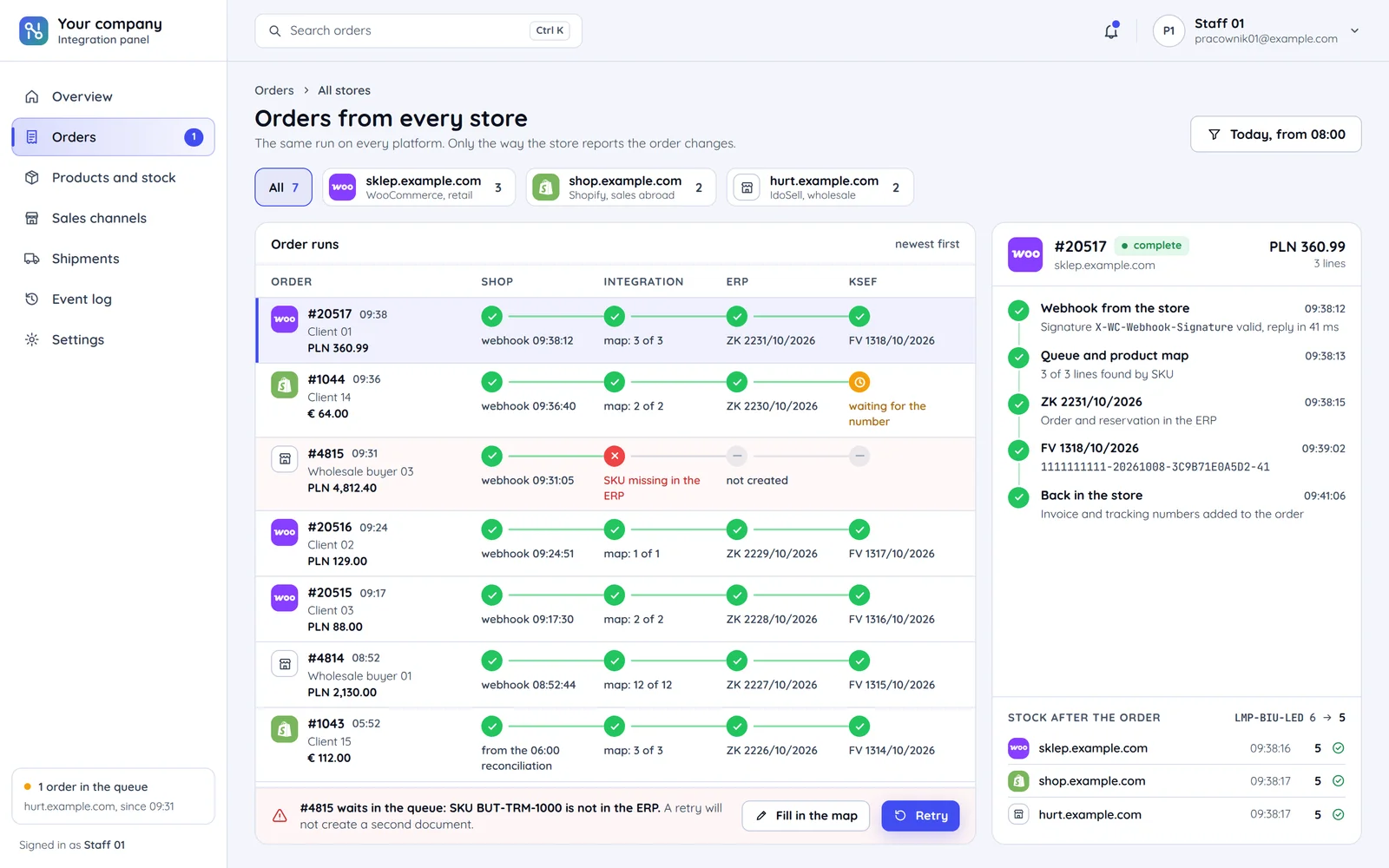
An integration panel: orders of three stores on their way through the store, the integration, the ERP and KSeF, with one order's run
  1. Customer: Cart

    A store, a B2B platform or a marketplace. The operator confirms the payment and the order changes status.

  2. ERP: Source of truth

    Stock, prices and documents from one system.

  3. KSeF: Invoice

    An invoice with a KSeF number in the customer account.

  4. Courier: Shipping

    A label and tracking number without retyping.

The key integration and rules for each industry

A summary from the individual pages. Full descriptions of the rules, with articles and sources, are on each industry's page.

  • Key integrationAllegroBaseLinkerERP
    Laws and rulesconsumer rights, lowest price in 30 days, accessibility
    PanelOrders panel
  • Laws and rulesKSeF
    PanelBusiness customer panel
  • Key integrationStripesign-in
    Laws and rulesdepends on the product
    PanelMVP metrics panel
  • Key integrationpublic API
    Laws and rulesdepends on the product
    PanelModules panel
  • Key integrationper the agency's design
    Laws and rulesnot applicable
    PanelWhite-label panel
  • Key integrationdevices and APIs
    Laws and rulesGDPR art. 9, MDR rule 11
    PanelStaff panel
  • Key integrationprice data export
    Laws and rulesprice transparency since 11.07.2025
    PanelPrice list panel
  • Key integrationlisting import
    Laws and rulesnot applicable
    PanelListings and enquiries panel
  • Key integrationbooking and reminders
    Laws and rulesGoogle rules, no doorway pages
    PanelBookings panel
  • Key integrationbooking and reminders
    Laws and rulesGDPR art. 9, advertising ban
    PanelAppointments panel
  • Key integrationsecure form
    Laws and rulesadvocate and legal adviser ethics
    Panelnot applicable
  • Key integrationquote form
    Laws and rulesnot applicable
    PanelEnquiries panel

Questions from stores, companies and services

Shared by the whole group. Industry-specific questions are on each page.

Not seeing your industry? Describe the problem

Tell us what you do and which systems do not talk to each other today. We will reply with a proposal and a free quote.