
Proxmox, VPS, CI/CD and monitoring setup
VulCode deploys Proxmox VE and moves machines off VMware, sets up VPS servers, automated deployments and monitoring with a status page. Our changes were accepted into the Proxmox VE code and we write the Pharos monitoring ourselves, so we know both from the inside.
from PLN 199/month
The figure for your scope comes in a free quote.
We know Proxmox VE from the inside
Every fix to Proxmox VE is reviewed by its makers before it enters the code, so it has to stand on its own. They have merged 6 of our changes to the interface admins use to run machines and containers.
More fixes are on the way.
- The upload dialog shows only the name of the selected file
- The ipset dialog no longer offers aliases that are already added
- Uploading an image lets you pick the .img format
A release without downtime
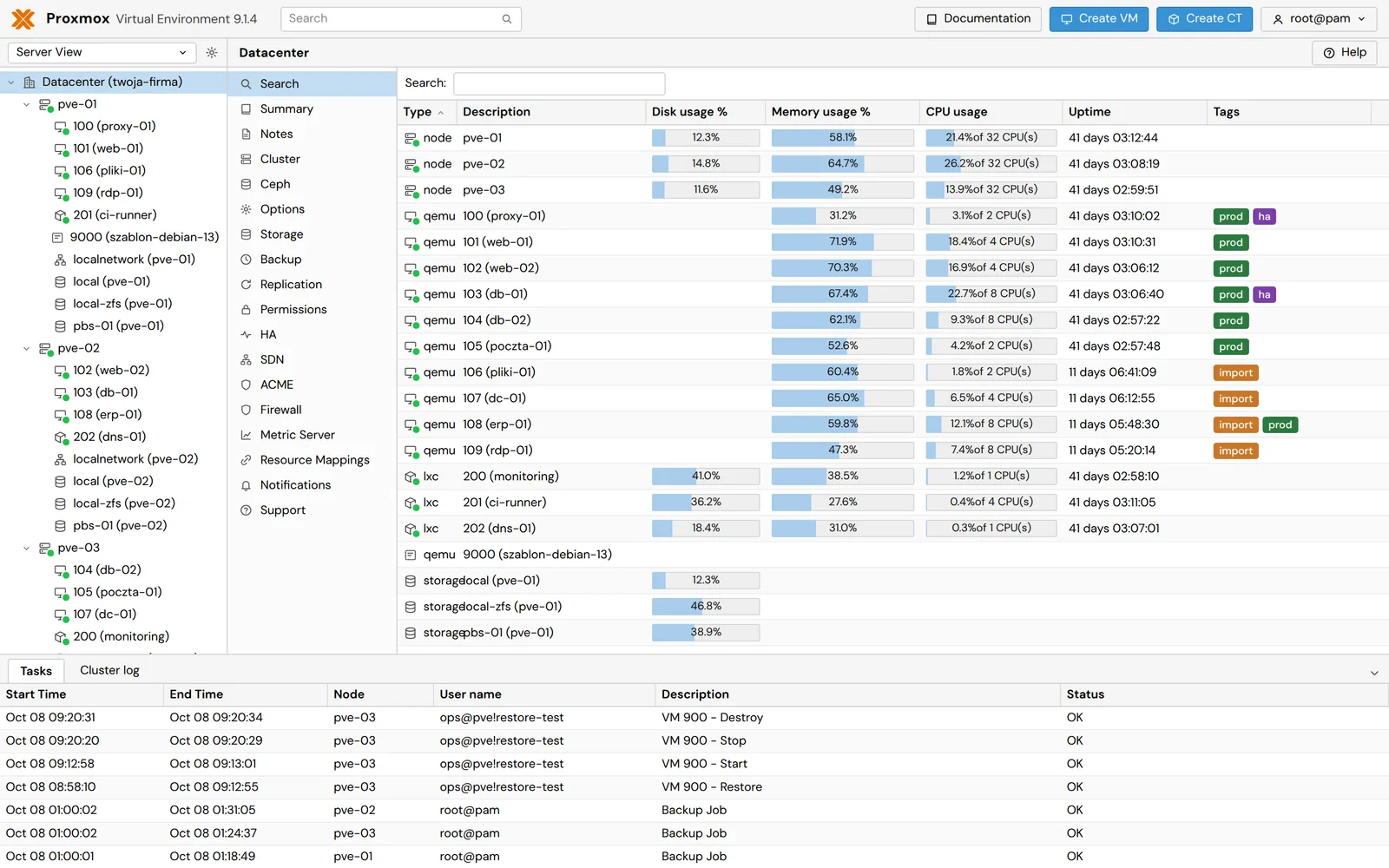
A server you can rebuild from its description does not depend on an admin's memory. That is why the configuration and the release process live in a repository, and a new version starts next to the old one and takes traffic only after a check.
Tests and build
A release starts by itself once we approve the changes in the code, with no files copied to the server by hand. A single failed test stops the whole process.
The new version beside the old one
The new version starts next to the live one and must pass a health check before it gets any traffic.
The switch after the check
Traffic moves to the new version only after a passed health check. Any error on the way restores the previous version automatically.
Monitoring that tells the truth
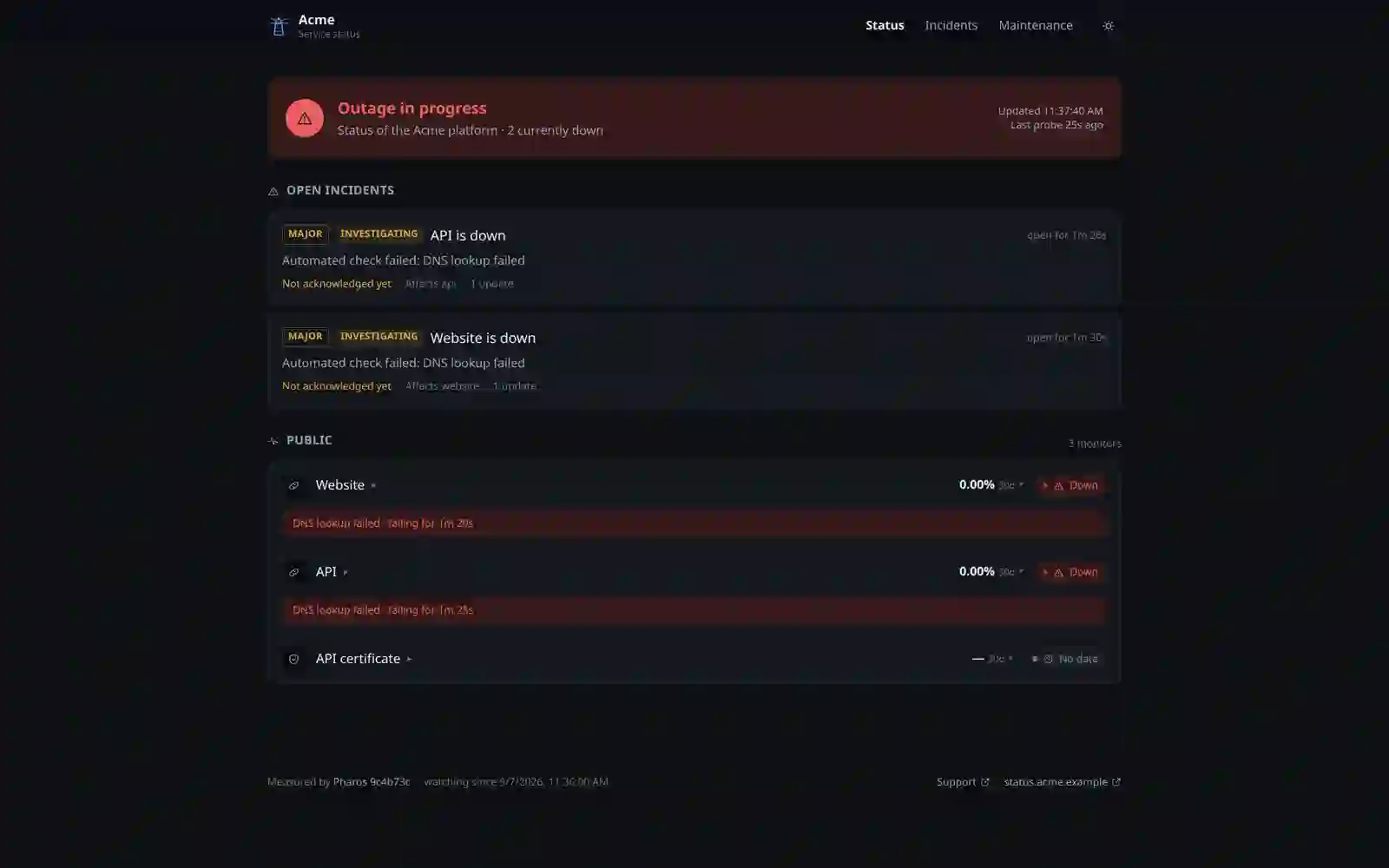
An outside test sees what a user sees, but the number on a status page has to mean exactly what it says. This is how our Pharos monitor counts availability, and how we set it up for you.
Unmeasured time is unknown
Many status pages count it as up and inflate the result. Pharos divides up time by the time actually observed and shows the rest separately as unknown.
Maintenance windows apart
Work is announced on the status page with a date and time. A maintenance window is marked, but it does not erase outages from the history.
No rounding up
Availability does not round in its own favour, so a short outage does not vanish into a round 100%.
Migrating from VMware to Proxmox VE
Proxmox VE has a built-in importer for VMware ESXi machines and ready machine images, so we do not rebuild them from scratch. We move them in this order, and the old environment keeps running until the tests are done.
- A migration plan with order
Machine inventory
We list machines, disks, networks and service dependencies, and flag the machines with snapshots, encryption and vSAN disks.
- Machines ready to import
Machine preparation
We remove old hypervisor guest tools, record network config and DHCP reservations, and check disk encryption keys.
- A cluster with backups
Proxmox cluster
Install, network, storage and backups, before the first machine moves.
- Machines running on Proxmox
Import
Importing machines one by one, with live import for critical services to shorten downtime.
- The old environment retired
Checks and retiring the old
Service tests, monitoring, and only then retiring the old environment.
Disks on VMware vSAN do not move over directly, and machines with snapshots import much more slowly, so we plan those machines separately before the first import starts.
Infrastructure we build for ourselves
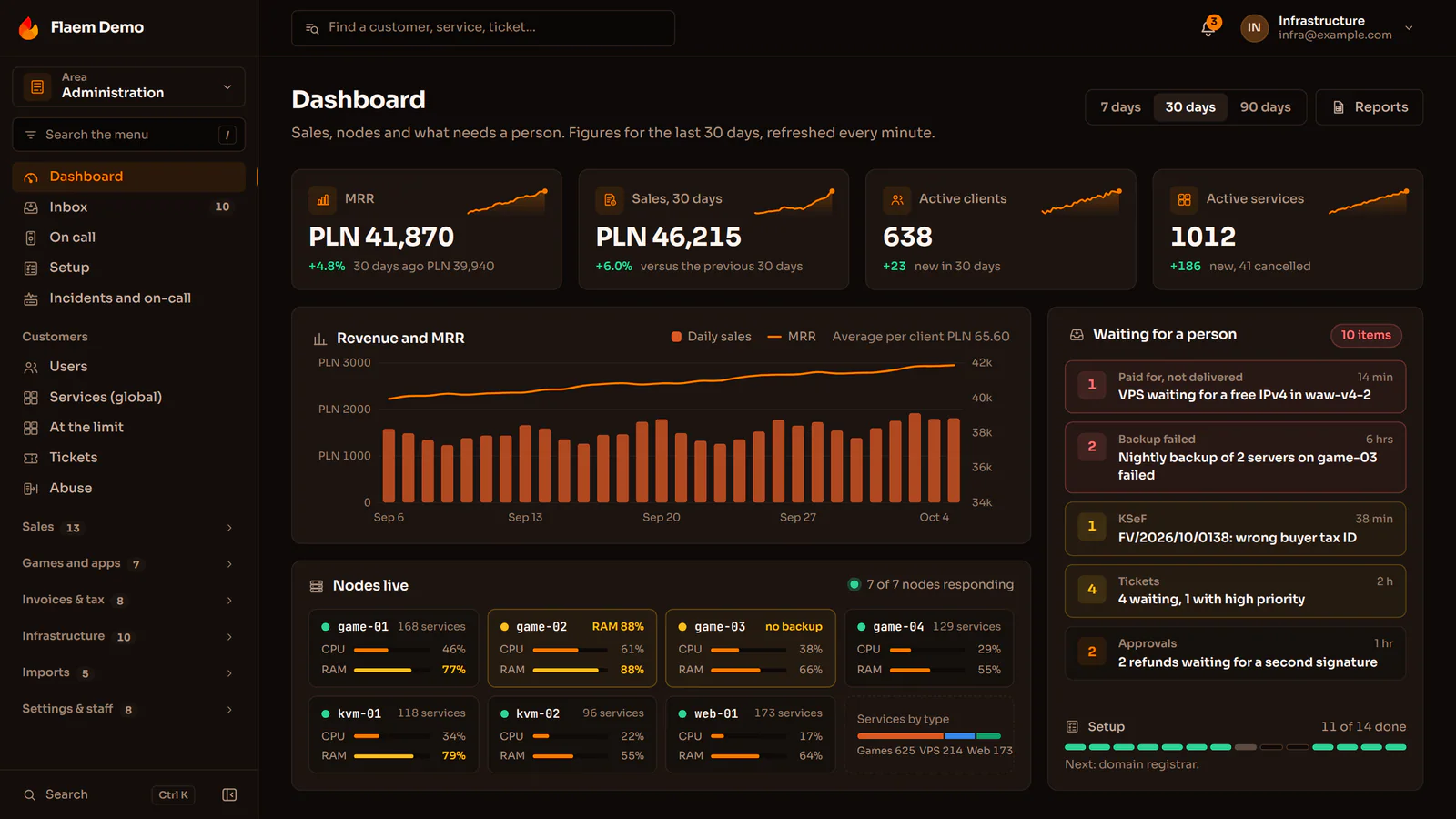
Here we show the Flaem hosting platform, the Pharos monitor and the scripts that watch over our infrastructure.
Flaem
Flaem is a panel for hosting companies: sales with invoices and KSeF, the client panel and the running of game servers, VPS and websites in one installation that a hosting company puts on its own hardware. It is before its public release.
- Checks of sites and services
- A public status page
- Incidents from Discord
Pharos
Uptime monitoring, a status page and incidents in one file. The code is open, so you can run Pharos on your own server.
- config drift
- passwords and keys in a repository
- expiring certificates
- dead links
- missing backups
- occupied ports
Ops scripts
A dozen-plus diagnostic scripts watch the health of our infrastructure. Routine work that used to eat hours fits in a single command.
Common questions about servers and DevOps
Answers about migration, servers and monitoring.

Read next
Services that run on this infrastructure, and a guide to choosing hosting. Below them, blog articles on the same subject.
Planning a migration or new servers?
Tell us how many machines you have and what runs on them. We will reply within an hour with questions and a quote.