
An authenticator app code is a TOTP: the phone derives it from a secret saved at setup and the current time, by default in 30-second steps (RFC 6238), and it has at least 6 digits. No signal is needed. An SMS code travels through the carrier's network, which is why NIST SP 800-63B lists SMS and voice calls as its only restricted authenticator.
Three ways to take the second step
| Method | How it works | What to keep in mind |
|---|---|---|
| App code (TOTP) | a new code every 30 seconds, made on the phone | a lost phone means using a backup code |
| SMS | a code sent through the carrier | a restricted method under NIST |
| Backup code | single-use, kept away from the phone | stops working once used |
Backup codes
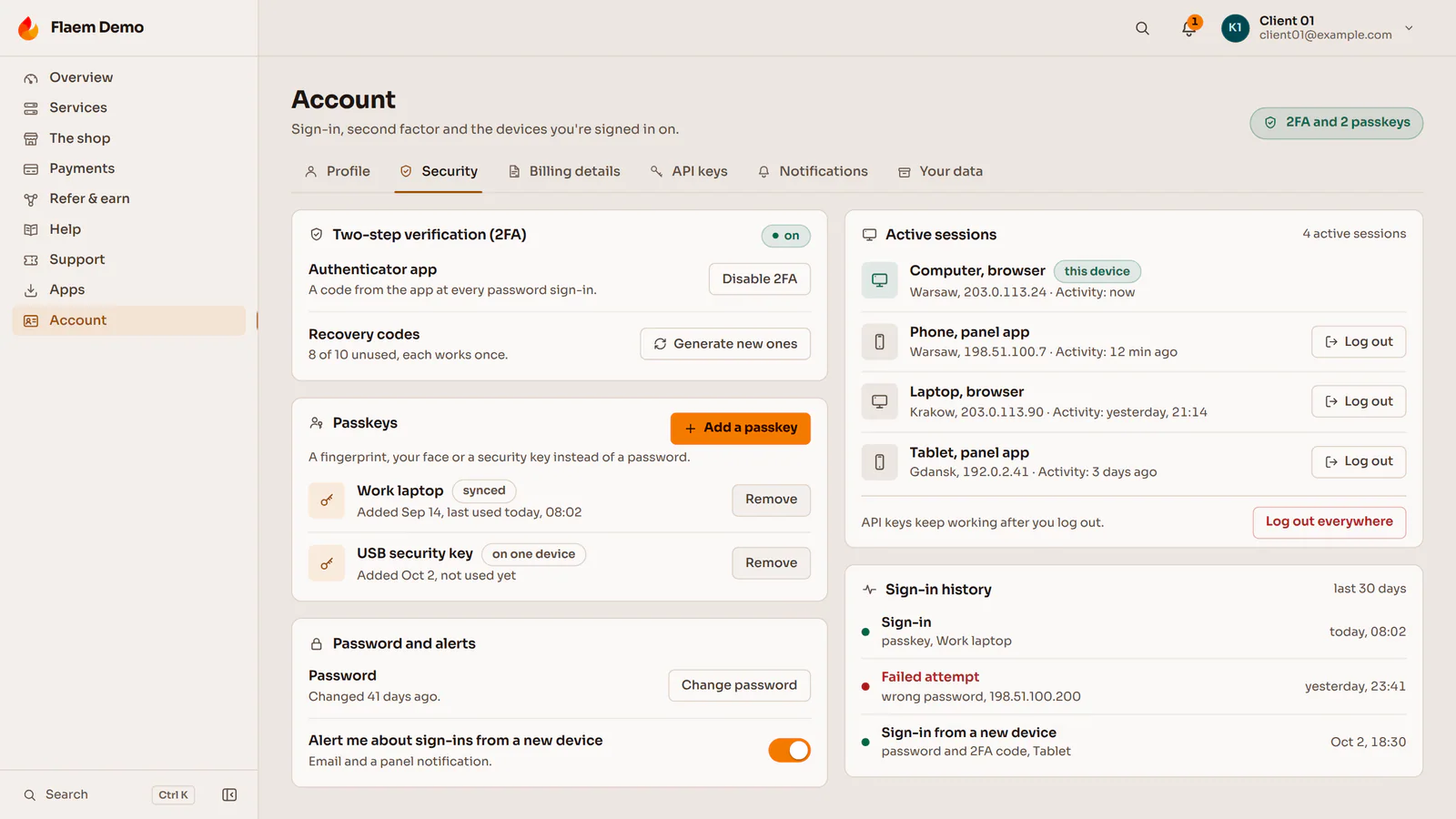
Under NIST guidance a backup code works only once, is stored only as a hash, allows a limited number of attempts, and issuing a new recovery code notifies the account owner. An account in the Flaem client panel has an app code at every password sign-in, passkeys, single-use recovery codes, active sessions with sign-out everywhere and a sign-in history.
In the panels we build to order, two-factor sign-in takes a TOTP app code or an SMS, every login lands in an audit log with a timestamp, IP address and user ID, and an IP that keeps entering wrong passwords gets blocked. A suspicious session token can be revoked at once. With Google or Microsoft sign-in, the identity provider handles the password and two-step verification.
Sign-in security in a custom panel is covered on our panels and dashboards page.
Was this post helpful?