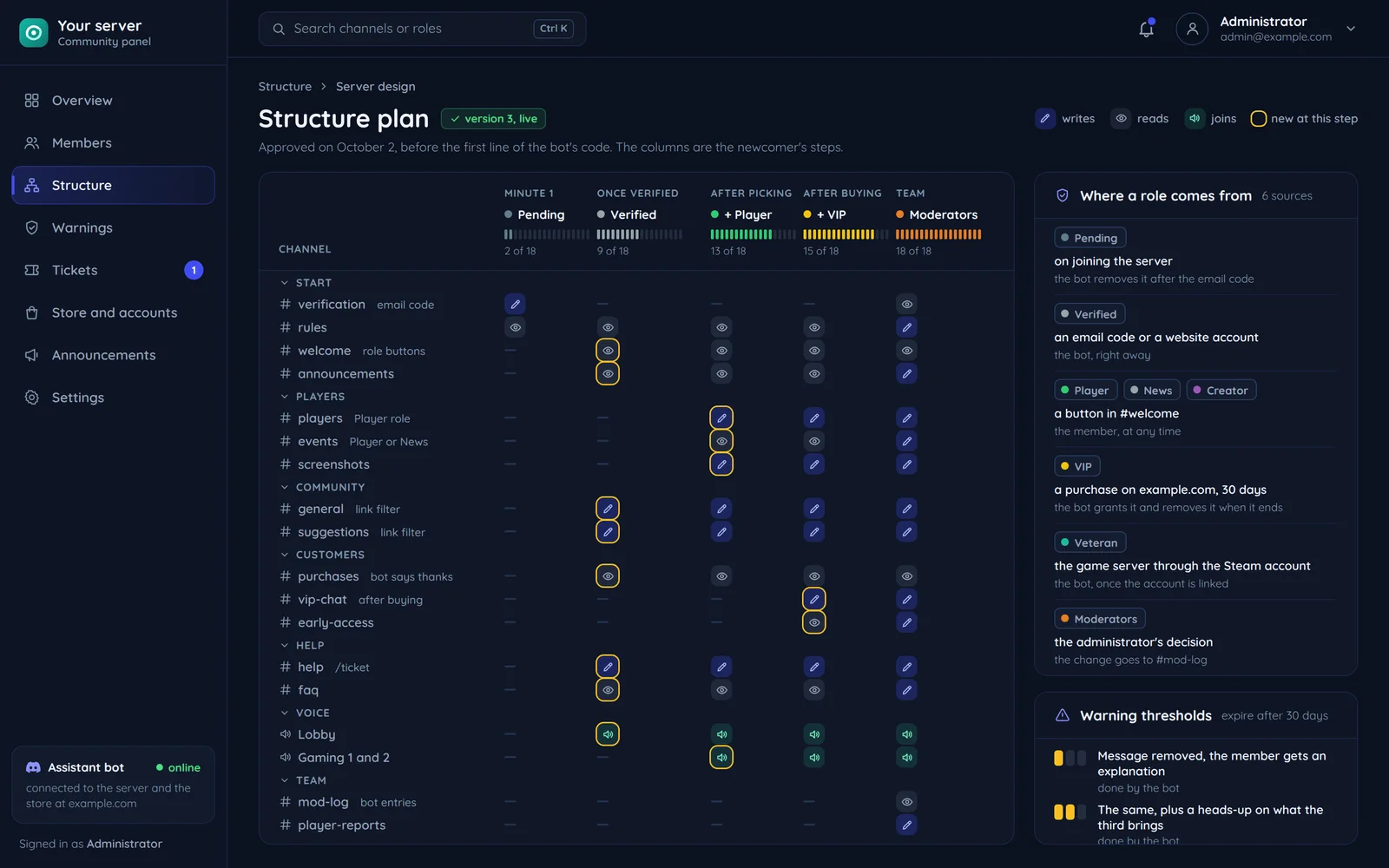

Discord computes permissions in two steps. First it adds up the permissions of the @everyone role and all of a member's roles, then it applies the channel's overwrites in a fixed order: denies and allows for @everyone, then for roles, and last for that specific member. The Administrator permission bypasses every channel overwrite, so a private board channel is visible to anyone with a role that holds it.
The role hierarchy in the Discord documentation
| Rule | What follows |
|---|---|
| A bot grants only roles below its own highest role | the bot's role sits above the roles it grants |
| A bot gives a role only permissions it has itself | a bot without Manage Channels cannot add it to any role |
| A bot kicks and bans only members whose highest role is lower | a moderation bot cannot act on anyone ranked above it |
One number instead of a list
The API stores a permission set as one integer in which every permission is a separate bit. View Channels, Send Messages and Read Message History together make 68608. That number goes into a role created through the API and into a bot invite link. The calculator has 52 permissions in groups, turns them into the number, splits a pasted number back into a list and warns when you tick Administrator.
In our community projects a role follows from an action: verification, a purchase, seniority or a function, and the bot grants and removes it on its own. Channels and roles are planned before the first line of the bot's code.
See server structure on our communities page, and get the number from the Discord permissions calculator.
Was this post helpful?